iCircuit

iCircuit

다운로드: App Store
로고: iCircuit

iCircuit: 학생, 메이커, 엔지니어를 위한 실시간 전자 실험실

항상 켜져 있는 시뮬레이션 엔진의 힘을 경험하세요. 복잡한 아날로그 및 디지털 회로를 설계하고, 가상 Arduino를 프로그래밍하고, 내장 오실로스코프로 신호를 즉시 분석하세요. 이 모든 것을 모바일 장치에서 수행할 수 있습니다.

개발사

Krueger Systems, Inc.

카테고리

Productivity

다운로드

414K+

사용자 평점

4.0/5

총 평가 수

2K+

지원 언어

7

귀하의 실험실, 시각화됨

이 인터페이스를 사용하는 414K+ 명의 사용자.

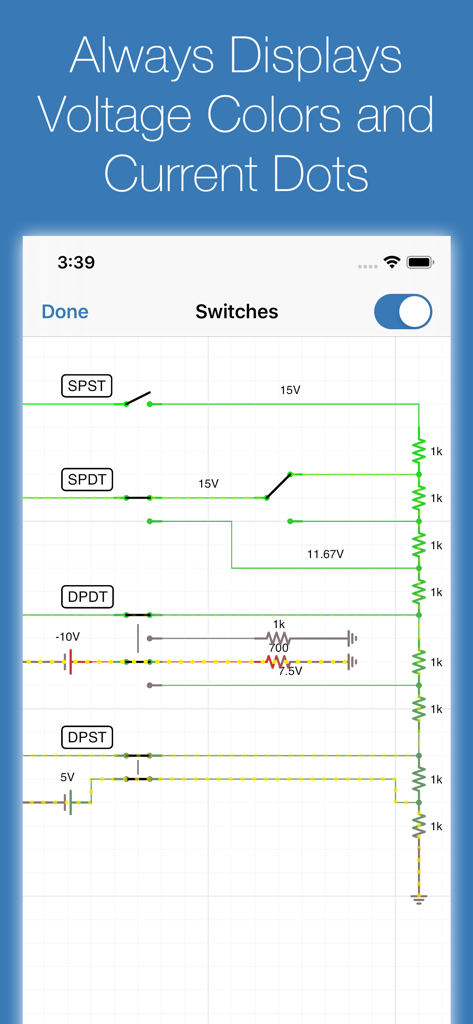
전압 색상과 전류 흐름 표시기가 있는 실시간 회로 시뮬레이션을 보여주는 iCircuit 앱 인터페이스
전압 색상과 전류 흐름 표시기가 있는 실시간 회로 시뮬레이션을 보여주는 iCircuit 앱 인터페이스

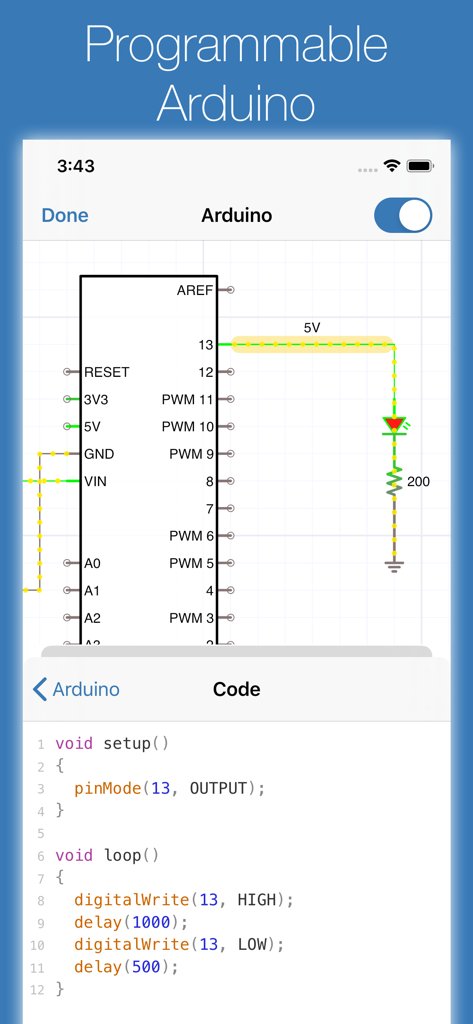
Arduino 회로도와 해당 C 코드 편집기를 보여주는 iCircuit 앱 인터페이스
Arduino 회로도와 해당 C 코드 편집기를 보여주는 iCircuit 앱 인터페이스

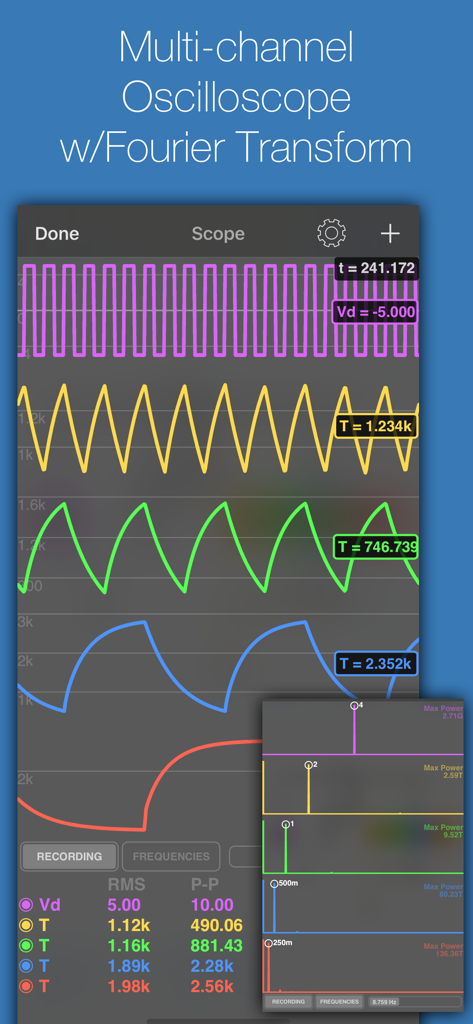
파형과 푸리에 변환 분석이 포함된 iCircuit 앱 다중 채널 오실로스코프 디스플레이
파형과 푸리에 변환 분석이 포함된 iCircuit 앱 다중 채널 오실로스코프 디스플레이

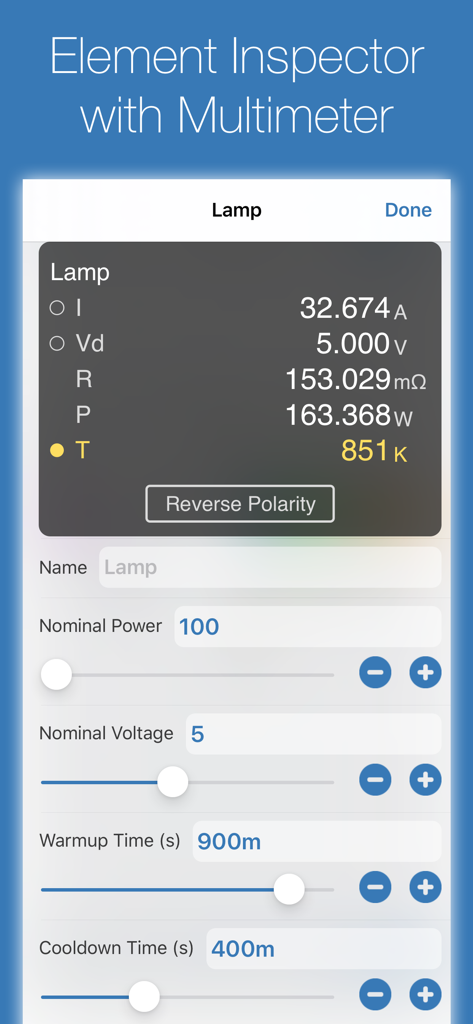
램프 구성 요소에 대한 멀티미터 판독값이 있는 iCircuit 요소 검사기 인터페이스.
램프 구성 요소에 대한 멀티미터 판독값이 있는 iCircuit 요소 검사기 인터페이스.

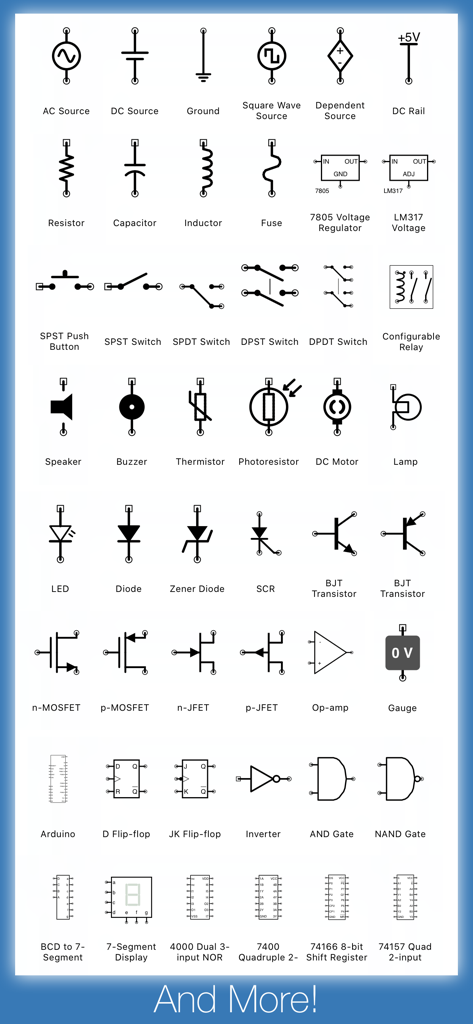
iCircuit 앱에서 사용할 수 있는 포괄적인 전자 회로 기호 및 구성 요소 모음
iCircuit 앱에서 사용할 수 있는 포괄적인 전자 회로 기호 및 구성 요소 모음

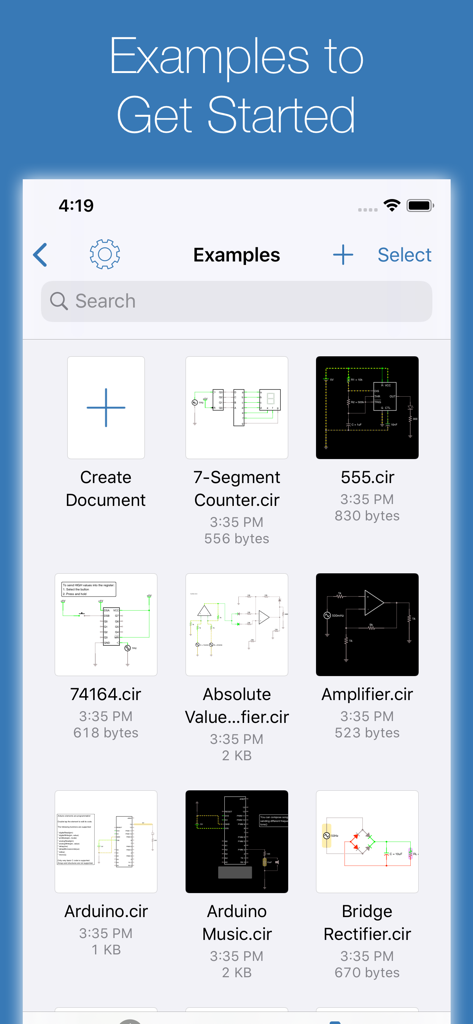
Arduino 및 앰프 프로젝트를 포함한 iCircuit 앱의 회로 설계 예제 라이브러리

Arduino 및 앰프 프로젝트를 포함한 iCircuit 앱의 회로 설계 예제 라이브러리

주머니 속 전문 전자 실험실

이 앱을 돋보이게 하는 도구, 414K+ 명의 사용자가 선택.

항상 켜져 있는 실시간 시뮬레이션

즉각적인 피드백을 경험하세요. 기존 CAD 도구와 달리 iCircuit은 구축하는 동안 지속적으로 시뮬레이션하므로 '실행' 버튼을 누르지 않고도 매개변수를 조정하고 결과를 볼 수 있습니다.

📉

고급 신호 분석

터치 컨트롤 오실로스코프와 멀티미터로 회로 성능을 시각화하세요. 여러 신호를 동시에 추적하고 푸리에 변환을 수행하여 심층적인 주파수 분석을 하세요.

🤖

Arduino 및 로직 프로토타이핑

C를 사용하여 가상 Arduino를 코딩하고 테스트하거나 180개 이상의 디지털 IC 및 로직 게이트를 실험하세요. 안전하고 충실도가 높은 샌드박스에서 소프트웨어와 하드웨어 간의 격차를 해소하세요.

앱 소개

에 대해 알아야 할 모든 것 iCircuit.

설명

iCircuit is the premier iPad and iPhone app for designing and experimenting with circuits and Arduinos. Its advanced simulation engine can handle both analog and digital circuits and features realtime always-on analysis. It is the perfect companion to students, hobbyists, and engineers. You use it as you would any CAD program: you add elements, connect them together, and set their properties. But iCircuit is unlike other CAD programs because it is always simulating. It's just like working with the real circuit. You do not stop to take a measurement or spend a lot of time configuring reports. Instead, you just play with the circuit as you normally would, with the power on! There are over 300 elements you can use to build your circuits. The app has everything from a programmable Arduino, to simple resistors, to switches, to MOSFETS, to digital gates. The app features a multimeter that you use to probe around the circuit to instantly read voltages and currents. If you want to see how a value changes over time, then you can add values to the built-in oscilloscope. The scope can simultaneously track many signals over time and features a touch interface to control the total time displayed and stacked and unstacked modes to easily compare signals. The scope can also display the Fourier transform of any signal so that you can see the performance of filters. Supported elements include: • Programmable Arduino using a subset of the C programming language • Programmable PIC controllers using assembly language or hex files • Signal generators, Voltage sources, Current sources, and Dependent sources • Resistors, Capacitors, and Inductors • Manual SPST/SPDT and DPST/DPDT Switches, Push buttons, and Relays • LEDs, Diodes, BJ Transistors, and MOSFETs, Thermistors • Triodes and tetrodes • Audio simulation with Speakers, Microphones, Buzzers, and LEDs • DC Motors and Servos • ADCs, and DACs • Logic gates: AND, OR, NAND, NOR, XOR • JK and D Flip-flops • 180 digital ICs from the 4000 and 7400 series • 78xx and LM317 voltage regulators • 7-segment and matrix displays • Antenna with simulated AM and FM signals You can also create sub circuits to introduce new elements and componentize your designs. No matter your skill set, you'll be playing with circuits in no time with iCircuit. Terms of Use: https://www.apple.com/legal/internet-services/itunes/dev/stdeula/

최신 버전

1.14.2

크기

78.8 MB

출시일

2010년 7월 29일

기기를 살아있는 전자 실험실로 바꾸세요

400,000명 이상의 메이커 및 엔지니어와 함께하세요. 퓨즈를 태우지 않고 실시간으로 복잡한 회로를 설계, Arduino 코딩, 시뮬레이션하세요.

다운로드: App Store

App information, icons, screenshots, and descriptions displayed on this page are sourced from the Apple App Store and are the property of their respective developers. Download estimates and rankings are based on MWM's proprietary models and may not reflect actual figures. This page is provided for informational and analytical purposes only.

Believe this page infringes your intellectual property? File a dispute