
이 페이지는 앱이나 개발자의 공식 페이지가 아니며, 정보 제공 및 논평을 목적으로 작성된 독립 편집 간행물입니다. 명시적으로 달리 언급되지 않는 한, 해당 앱이나 개발자는 MWM, Apple, Google Play, 앱 퍼블리셔 또는 앱 개발자와 제휴, 보증, 후원, 승인 또는 공식적으로 연결되어 있지 않으며, 이 페이지의 어떤 내용도 해당 앱이 MWM의 서비스를 사용하여 개발되었음을 의미하지 않습니다. 모든 상표, 로고, 스크린샷 및 기타 콘텐츠는 해당 소유자의 자산입니다.


다운로드
2.5M+사용자 평점
총 평가 수
37.0K개발사
카테고리
Education지원 언어
1최신 버전
7.7.1크기
49.9 MB출시일
2014년 7월 31일이 분석은 iClicker Student 앱이 대학생들의 학업 참여와 성과 향상에 어떻게 기여하는지 평가합니다.
iClicker Student 앱 핵심 기능 분석
실시간 답변 및 참여
이 앱은 사용자가 강의 중 질문에 즉시 답변하고 적극적으로 참여할 수 있도록 하여 학습 몰입도를 높입니다.
수업 후 학습 자료 검토
이 플랫폼은 사용자가 수업 후 저장된 질문과 답변을 검토하여 시험 및 퀴즈 준비에 효과적으로 활용할 수 있도록 지원합니다.
클래스 응답 비교
이 도구는 사용자가 자신의 답변을 다른 학생들의 응답과 비교하여 자신의 이해도를 객관적으로 파악하고 부족한 부분을 식별할 수 있게 합니다.
정오답 즉시 피드백
이 시스템은 교수가 질문을 채점할 때 사용자가 정오답 여부에 대한 즉각적인 피드백을 받아 학습 내용을 즉시 교정하고 강화할 수 있도록 돕습니다.
클라우드 기반 학습 기록 접근성
이 서비스는 모든 학습 데이터를 클라우드에 저장하여 사용자가 언제 어디서든 어떤 기기에서든 자신의 수업 기록에 편리하게 접근할 수 있도록 보장합니다.
다양한 질문 유형 지원
이 앱은 객관식, 단답형, 숫자형, 타겟형 등 다양한 질문 유형을 지원하여 교수가 폭넓은 방식으로 학생들의 이해도를 측정하고 상호작용할 수 있게 합니다.
자주 묻는 질문
에 대해 알아야 할 모든 것 iClicker Student
What is the iClicker Student app used for?
The iClicker Student app enables students to answer instructor questions, receive instant feedback, compare responses to the class, and access saved poll questions for studying using Apple devices.
Which devices are compatible with the iClicker Student app?
The iClicker Student app is compatible with iPhone, iPad, and iPod Touch. It also works seamlessly with all iClicker remotes, integrating physical clickers with the app functionality.
Does the iClicker Student app store data in the cloud?
Yes, the iClicker Student app stores all user data, including session history, securely in the cloud. This cloud storage ensures accessibility from any device at any time.
Does the iClicker Student app offer a free trial?
Yes, the iClicker Student app offers a free trial subscription. Users gain access to this trial immediately upon creating an account within the app.
What question types does the iClicker Student app support?
The iClicker Student app supports various question types, including Multiple Choice, Short Answer, Numeric, and Target questions. It also displays instructor questions as high-resolution screenshots.
Can students track their performance and attendance in the iClicker Student app?
Yes, iClicker Student allows students to track important course statistics. This includes performance scores and attendance records, which are displayed in the app's 'Statistics' tab.
How can I review past sessions in the iClicker Student app?
Students can review past sessions in the iClicker Student app by accessing the 'Course History' tab. This section provides details on quizzes, polls, and check-ins, stored in the cloud.
Does the iClicker Student app provide study tools?
Yes, the iClicker Student app includes built-in 'Study Tools'. These features offer Flashcards and Practice Tests to assist students in preparing for upcoming tests and quizzes.
Does iClicker Student provide feedback on answers?
Yes, the iClicker Student app provides instant feedback on answers. Students receive immediate correct/incorrect feedback when instructors grade questions, aiding real-time learning.
How does iClicker Student display class results after a question?
The iClicker Student app displays class results by showing 'Your Answer', the 'Correct Answer', and 'All Results' with percentage breakdowns for each option. This allows for comparative analysis.
다음 스크린샷과 설명은 앱의 공식 스토어 목록에서 직접 가져온 것이며 앱 개발자의 자산입니다.
앱 스토어
스크린샷
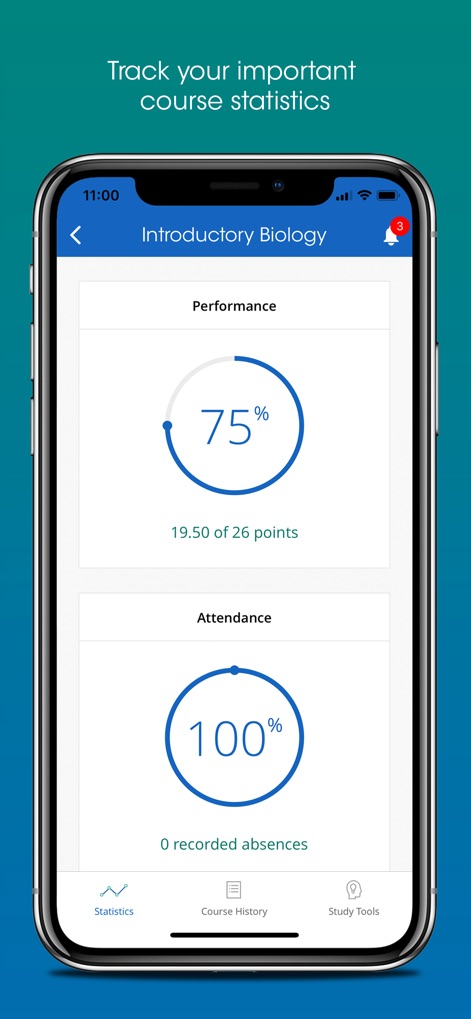
이 화면은 사용자의 수업 성적과 출석 현황을 명확하게 보여줍니다. '75% 성과'와 '100% 출석률'을 통해 학업 진행 상황을 한눈에 파악할 수 있습니다.
성과 및 출석 관리
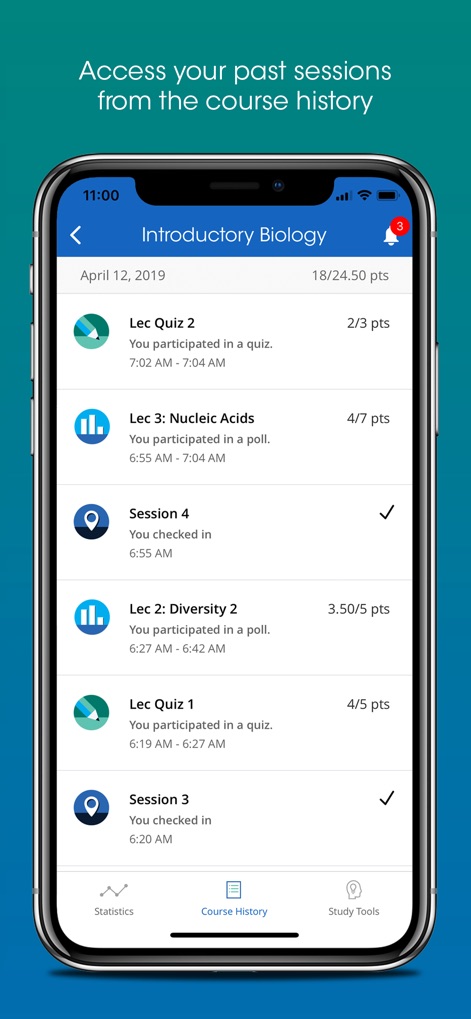
사용자는 '강의 퀴즈' 결과와 '강의 참여 내역'을 포함한 과거 수업 활동 기록을 손쉽게 확인할 수 있습니다.
수업 기록 확인
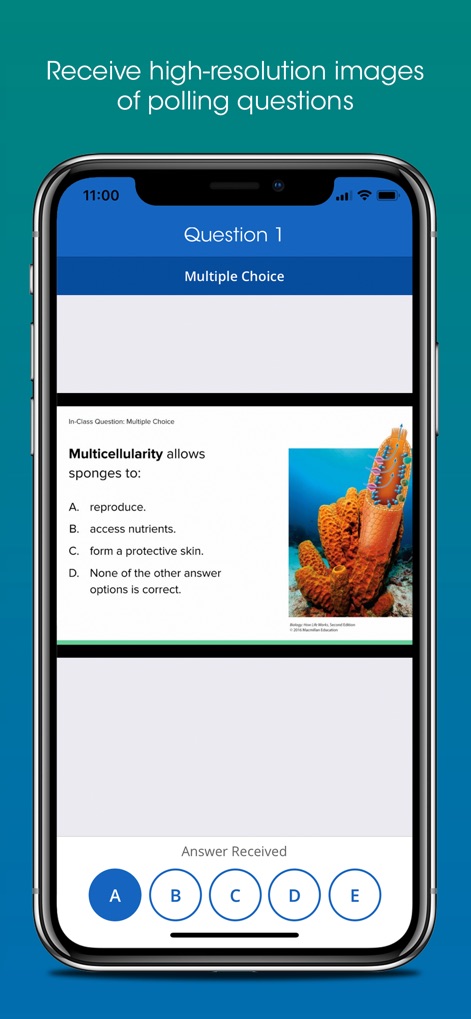
이 화면은 '고화질 이미지'가 포함된 설문 질문을 보여주며, 사용자는 '간편한 보기 선택 버튼'을 통해 응답할 수 있습니다.
선명한 질문 화면
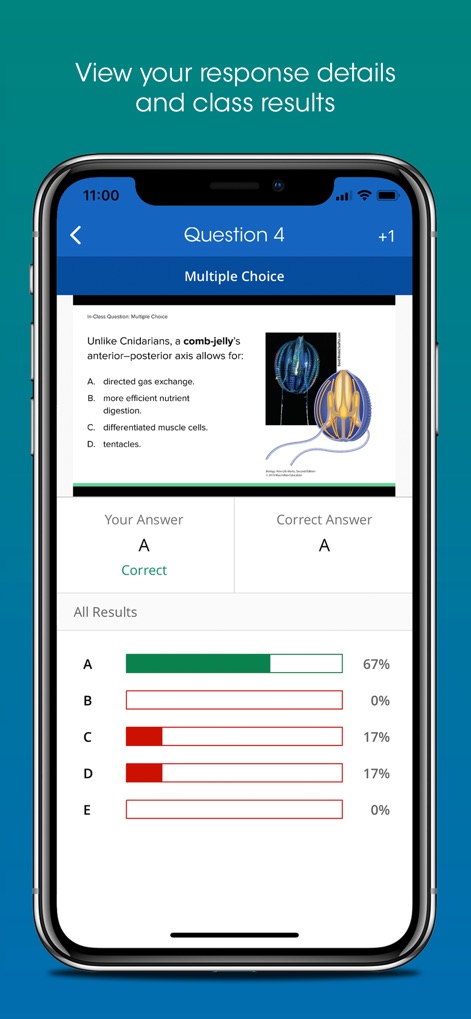
이 화면에서 사용자는 자신의 '답변과 정답을 확인'하고, 전체 학생들의 '응답 분포도'를 비교하여 이해도를 높일 수 있습니다.
응답 및 결과 비교
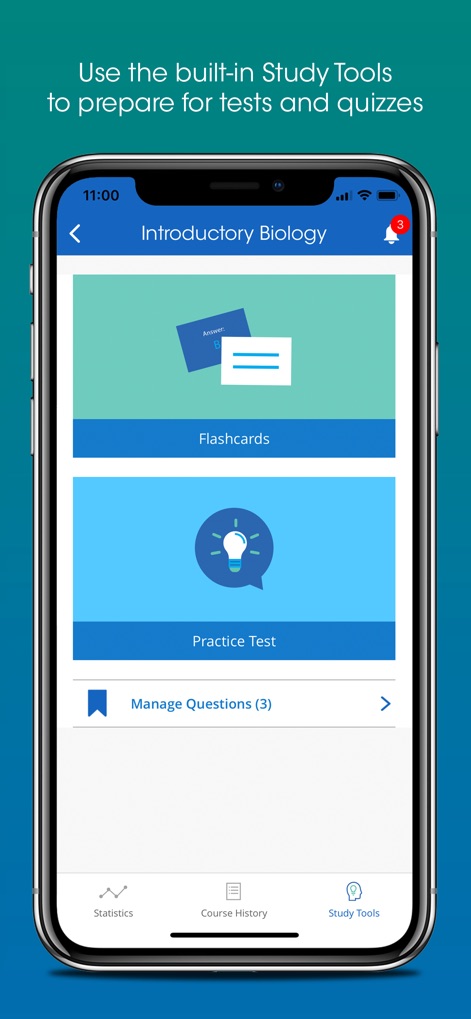
이 도구는 '플래시카드'와 '연습 문제' 기능을 제공하여 사용자가 시험을 효율적으로 준비하고 복습하는 데 도움을 줍니다.
효과적인 학습 도구
설명
Download
비슷한 앱
유사한 기능과 사용자 경험을 가진 앱

wePix arena
FREDERIC GIRY

Stadium FX
CUE Audio, LLC

CrowdFX
Jamie Severns

Top Hat - Better Learning
TopHatMonocle Corp

Poll Everywhere
Poll Everywhere, Inc.
TXT Official Light Stick Ver.2
HYBE Co., Ltd

&TEAM Official Light Stick V1
HYBE Co., Ltd

PointSolutions
Turning Technologies, LLC

Budweiser Sports App
Fandom Connect Operating Pty Ltd
이 페이지는 앱이나 개발자의 공식 페이지가 아니며, 정보 제공 및 논평을 목적으로 작성된 독립 편집 간행물입니다. 명시적으로 달리 언급되지 않는 한, 해당 앱이나 개발자는 MWM, Apple, Google Play, 앱 퍼블리셔 또는 앱 개발자와 제휴, 보증, 후원, 승인 또는 공식적으로 연결되어 있지 않으며, 이 페이지의 어떤 내용도 해당 앱이 MWM의 서비스를 사용하여 개발되었음을 의미하지 않습니다. 모든 상표, 로고, 스크린샷 및 기타 콘텐츠는 해당 소유자의 자산입니다.