
이 페이지는 앱이나 개발자의 공식 페이지가 아니며, 정보 제공 및 논평을 목적으로 작성된 독립 편집 간행물입니다. 명시적으로 달리 언급되지 않는 한, 해당 앱이나 개발자는 MWM, Apple, Google Play, 앱 퍼블리셔 또는 앱 개발자와 제휴, 보증, 후원, 승인 또는 공식적으로 연결되어 있지 않으며, 이 페이지의 어떤 내용도 해당 앱이 MWM의 서비스를 사용하여 개발되었음을 의미하지 않습니다. 모든 상표, 로고, 스크린샷 및 기타 콘텐츠는 해당 소유자의 자산입니다.

ICONIT QRcode Reader
다른 사람들이 못하는 것을 스캔하세요. 즉각적인 기록 추적, 가격 비교 및 일상적인 생산성을 위한 안전한 데이터 관리를 통해 세계적인 수준의 성능을 경험하세요.
다운로드
5M+사용자 평점
총 평가 수
480K+개발사
카테고리
Productivity지원 언어
12최신 버전
4.9.9크기
101.4 MB출시일
2012년 3월 2일모든 스캔을 위한 비할 데 없는 정밀도
느린 기본 카메라로 시간을 낭비하지 마세요. ICONIT은 효율성, 정리 및 개인 정보를 중시하는 사람들을 위해 세계적인 수준의 속도와 전문적인 유틸리티 도구를 제공합니다.
번개처럼 빠른 정확도
다른 사람들이 해독하지 못하는 것을 해독하는 고성능 엔진으로 복잡하거나 작거나 손상된 바코드를 즉시 스캔하세요.
고급 데이터 관리
모든 스캔을 자동으로 보관하고 CSV 파일로 기록을 내보내 경비 추적 및 재고 관리를 쉽게 하세요.
자주 묻는 질문
에 대해 알아야 할 모든 것 ICONIT QRcode Reader
ICONIT QR 코드 리더 앱이란 무엇인가요?
ICONIT은 세계 최고 수준의 스캔 속도와 정확도로 알려진 일본의 QR 코드 및 바코드 리더 앱으로, 스캔 후 즉시 정보를 검색해 줍니다.
ICONIT QR 코드 리더는 무료로 사용할 수 있나요?
네, ICONIT QR 코드 리더의 모든 핵심 기능은 무료로 제공됩니다. 광고를 제거하기 위한 유료 프리미엄 플랜도 이용 가능합니다.
ICONIT은 빠른 QR 코드 스캔을 제공하나요?
네, ICONIT은 세계 최고 수준의 속도와 정확도를 자랑하는 매우 빠른 QR 코드 및 바코드 스캔 기능을 제공합니다. 0.03초의 스캔 속도를 자랑합니다.
ICONIT으로 손상되거나 어려운 QR 코드를 스캔할 수 있나요?
네, ICONIT은 다른 리더기로는 읽기 어려운 QR 코드도 쉽게 스캔할 수 있습니다. 탁월한 스캔 정확도로 높은 평가를 받고 있습니다.
ICONIT은 어떤 종류의 바코드 및 QR 코드를 지원하나요?
ICONIT은 QR 코드, JAN 코드, EAN-128, NW-7, CODE39, Data Matrix, ITF 코드, GS1 DataBar Limited, GS1 DataBar Limited Composite Symbol, GS1 DataBar Stacked Composite Symbol 등 다양한 종류를 지원합니다.
ICONIT 앱으로 스캔하는 것이 안전한가요?
네, ICONIT은 일본에서 제작된 안전한 QR 코드 및 바코드 리더 앱입니다. 사용자 개인 정보를 존중하며 명시적인 허가 없이 개인 정보를 수집하지 않습니다.
ICONIT을 사용하여 내 사진 앨범의 이미지를 스캔하려면 어떻게 해야 하나요?
ICONIT을 사용하여 앨범의 이미지를 스캔하려면 "스캔" 화면으로 이동한 후 오른쪽 상단의 "사진"을 탭한 다음 앨범 또는 클립보드에서 원하는 이미지를 선택하세요.
ICONIT 앱으로 QR 코드를 생성할 수 있나요?
네, ICONIT을 사용하여 연락처 정보, 일반 텍스트, URL에 대한 QR 코드를 쉽게 생성할 수 있습니다. 이 기능은 "QR 생성기" 기능을 통해 이용할 수 있습니다.
ICONIT 앱이 내 스캔 기록을 저장하나요?
네, ICONIT은 스캔된 모든 데이터를 자동으로 기록에 저장합니다. 언제든지 이 기록을 검토하고 외부 사용을 위해 CSV 파일로 내보낼 수도 있습니다.
ICONIT이 제품 가격 및 리뷰 비교에 도움이 되나요?
네, ICONIT을 사용하면 바코드를 스캔하여 Amazon 또는 Google의 제품 페이지로 즉시 이동할 수 있습니다. 이를 통해 제품 세부 정보를 신속하게 확인하고 사용자 리뷰 및 가격을 비교할 수 있습니다.
ICONIT 계정을 만드는 이점은 무엇인가요?
ICONIT 계정을 생성하면 새 기기로 전환할 때 스캔 기록과 누적 포인트를 유지할 수 있어 사용자 편의성과 데이터 보존을 향상시킵니다.
ICONIT 앱의 다운로드 횟수는 얼마나 되나요?
ICONIT QR 코드 및 바코드 스캐너 앱은 전 세계적으로 3,600만 건 이상의 다운로드를 기록하며 광범위한 채택과 사용자 만족도를 보여주고 있습니다.
다음 스크린샷과 설명은 앱의 공식 스토어 목록에서 직접 가져온 것이며 앱 개발자의 자산입니다.
앱 스토어
스크린샷
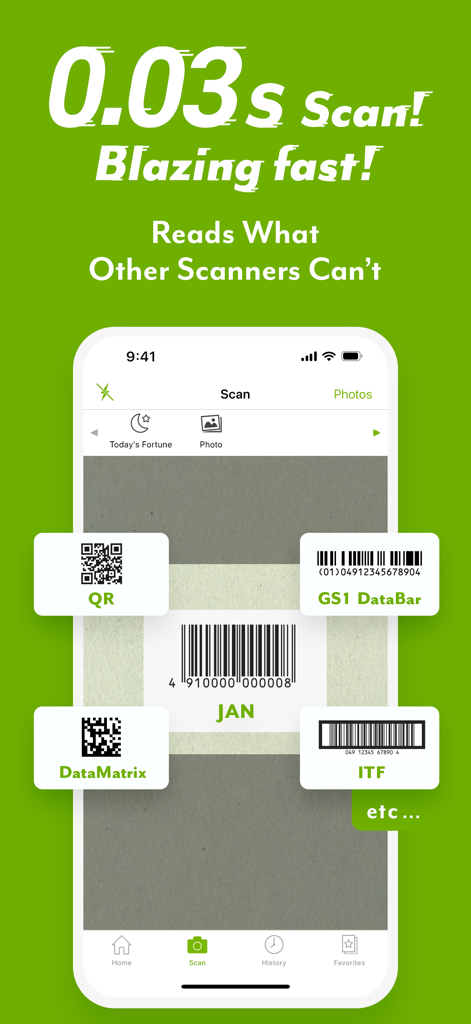
ICONIT QR 코드 리더기 앱 인터페이스, GS1 DataBar 및 DataMatrix를 포함한 다양한 바코드 유형의 0.03초 빠른 스캔 강조
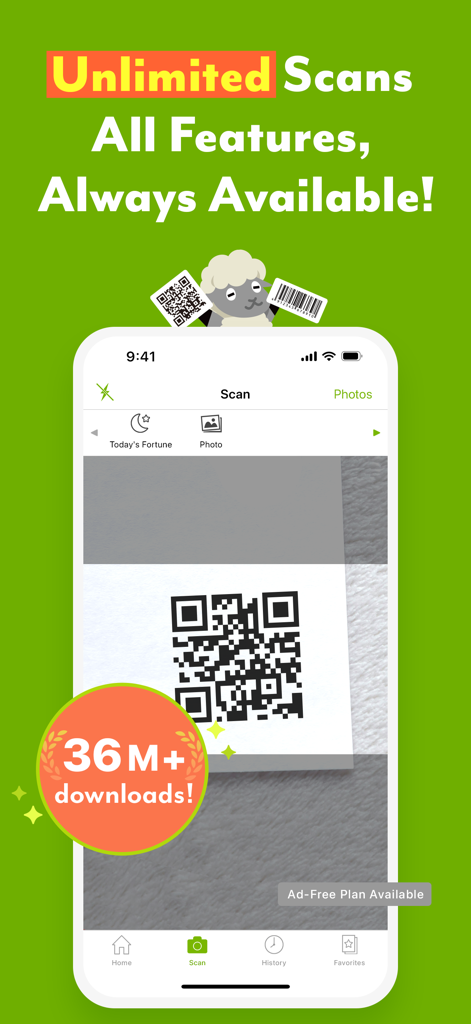
ICONIT QR 코드 리더기 앱 인터페이스, iPhone 화면의 QR 코드 스캔 표시
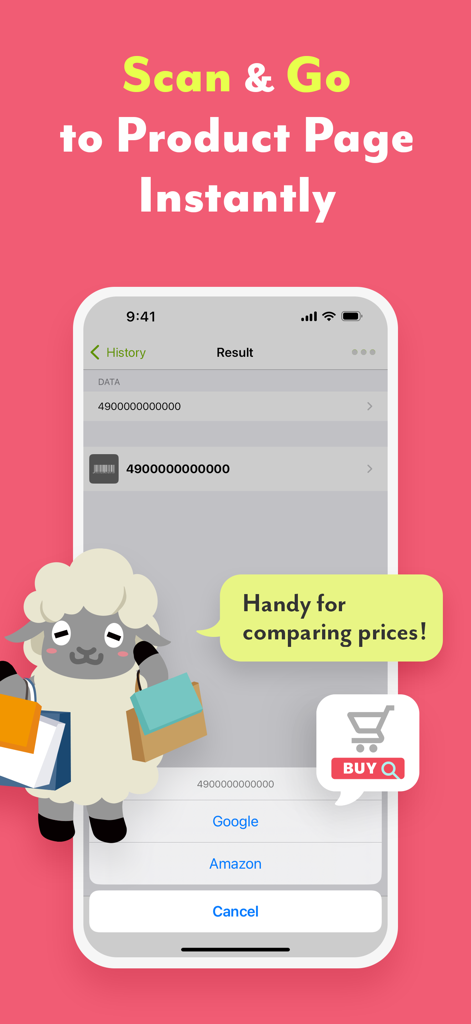
ICONIT 앱 스크린샷, 바코드 스캔 결과 및 가격 비교를 위한 Amazon 및 Google 링크 직접 표시
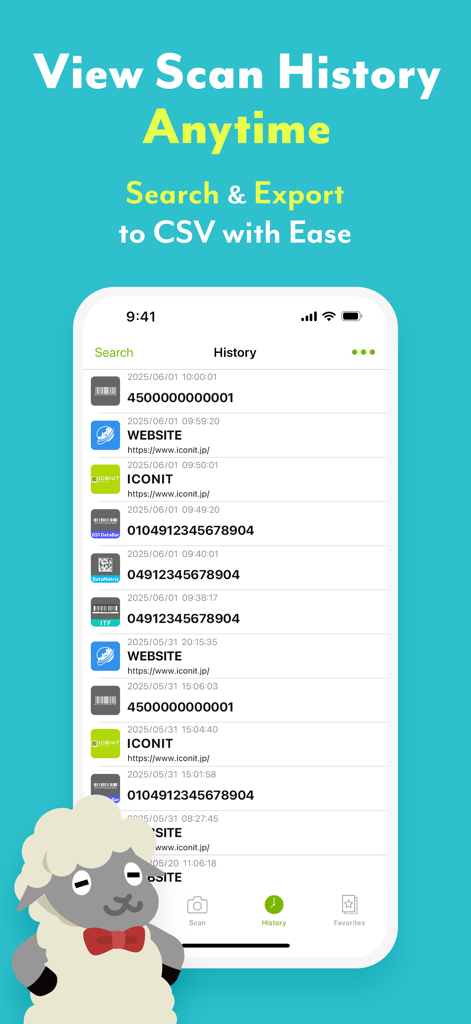
Iconit 앱 기록 화면, CSV 내보내기 옵션과 함께 스캔된 QR 코드 및 바코드 목록 표시
설명
Download
비슷한 앱
유사한 기능과 사용자 경험을 가진 앱

Me QR - QR Code Generator
ME TEAM LTD

QR Code Reader/QR Scanner App
MixerBox Inc.

QR Code Barcode: Scanner Maker
DE BITT LTD

QR Code Reader & QR Scanner ·
Simple Health Limited

Scan QR Code & Barcode
Mars Mobile LLC

QR Bot
Petr Polasek

QR Reader- Scanner & Generator
SAN MOBILE YAZILIM TICARET LIMITED SIRKETI

What's App -QR code scanner
DIGITALSTALK PRIVATE LIMITED

Power Barcode Scanner
Irvinesoft Inc
이 페이지는 앱이나 개발자의 공식 페이지가 아니며, 정보 제공 및 논평을 목적으로 작성된 독립 편집 간행물입니다. 명시적으로 달리 언급되지 않는 한, 해당 앱이나 개발자는 MWM, Apple, Google Play, 앱 퍼블리셔 또는 앱 개발자와 제휴, 보증, 후원, 승인 또는 공식적으로 연결되어 있지 않으며, 이 페이지의 어떤 내용도 해당 앱이 MWM의 서비스를 사용하여 개발되었음을 의미하지 않습니다. 모든 상표, 로고, 스크린샷 및 기타 콘텐츠는 해당 소유자의 자산입니다.