iDailyDiary: Diary Journal
다운로드: App Store

이 페이지는 앱이나 개발자의 공식 페이지가 아니며, 정보 제공 및 논평을 목적으로 작성된 독립 편집 간행물입니다. 명시적으로 달리 언급되지 않는 한, 해당 앱이나 개발자는 MWM, Apple, Google Play, 앱 퍼블리셔 또는 앱 개발자와 제휴, 보증, 후원, 승인 또는 공식적으로 연결되어 있지 않으며, 이 페이지의 어떤 내용도 해당 앱이 MWM의 서비스를 사용하여 개발되었음을 의미하지 않습니다. 모든 상표, 로고, 스크린샷 및 기타 콘텐츠는 해당 소유자의 자산입니다.


로고: iDailyDiary: Diary Journal
다운로드: App Store

iDailyDiary: Diary Journal

여러 개의 일기와 암호화된 동기화 기능으로 생각, 할 일 및 프로젝트를 정리하세요. 파일을 안전하게 첨부하고, 이벤트를 추적하고, 자신만의 방식으로 데이터를 비공개로 유지하세요.

주요 수치

다운로드

600

사용자 평점

5.0/5

총 평가 수

0

개발사

Splinterware Ltd

카테고리

Lifestyle

지원 언어

1

최신 버전

1.15

크기

33.5 MB

출시일

2021년 11월 1일
기능

개인 일일 기록에 대한 완벽한 제어

절대적인 개인 정보 보호, 다면적인 정리 및 전문가 수준의 유용성을 중요하게 생각하는 사람들을 위해 설계된 고성능 저널링 제품군입니다.

전담 업무 및 개인 공간

기업 프로젝트 추적부터 개인적인 추억까지, 삶의 다양한 영역을 위한 여러 개의 별도 일기를 중복 없이 관리하세요.

타협하지 않는 데이터 주권

로컬 암호화 및 개인 Dropbox로 기록을 안전하게 보호하세요. 저희는 귀하의 데이터에 액세스하지 않으며, 데이터는 귀하의 장치와 클라우드에 저장됩니다.

다음 스크린샷과 설명은 앱의 공식 스토어 목록에서 직접 가져온 것이며 앱 개발자의 자산입니다.

앱 스토어

스크린샷
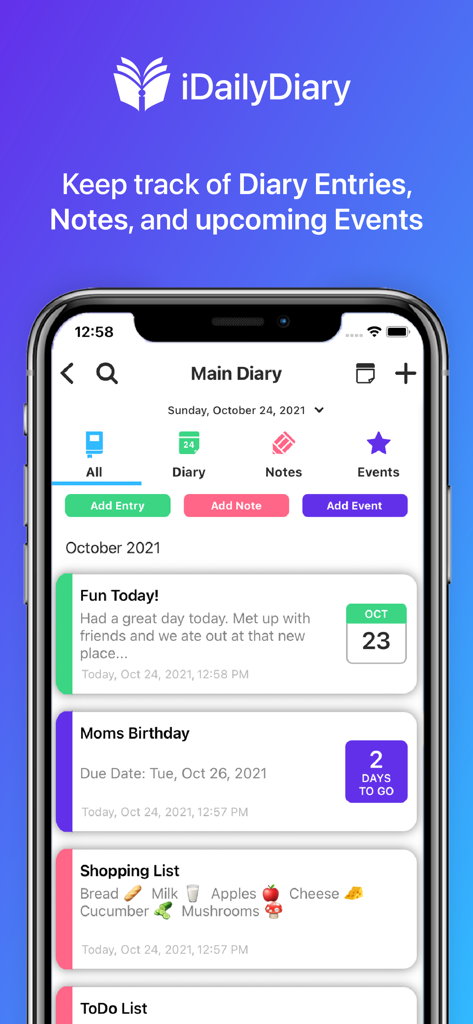
iDailyDiary: Diary Journal - iDailyDiary 앱 인터페이스에 일기 항목, 메모 및 이벤트 표시
iDailyDiary 앱 인터페이스에 일기 항목, 메모 및 이벤트 표시

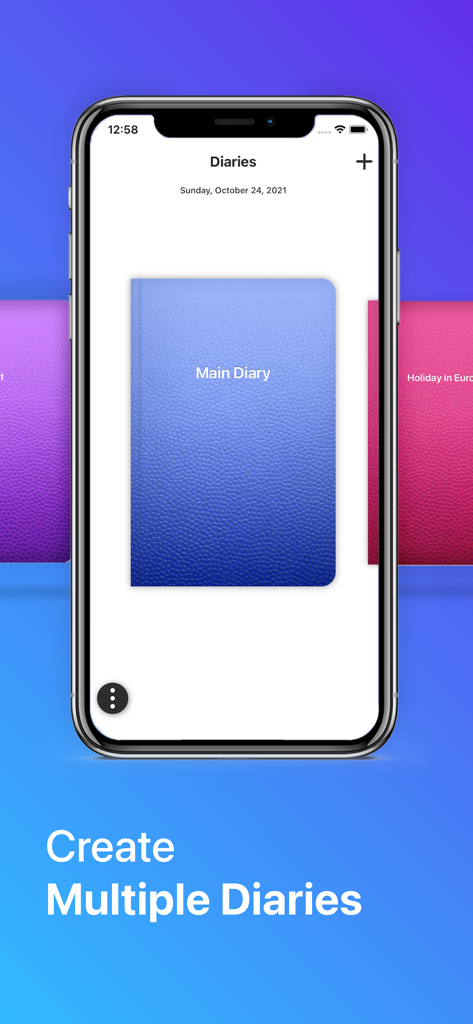
iDailyDiary: Diary Journal - 다양한 색상의 일기 표지와 '여러 일기 만들기'라는 텍스트가 표시된 iDailyDiary 앱 인터페이스를 보여주는 스마트폰 화면
다양한 색상의 일기 표지와 '여러 일기 만들기'라는 텍스트가 표시된 iDailyDiary 앱 인터페이스를 보여주는 스마트폰 화면

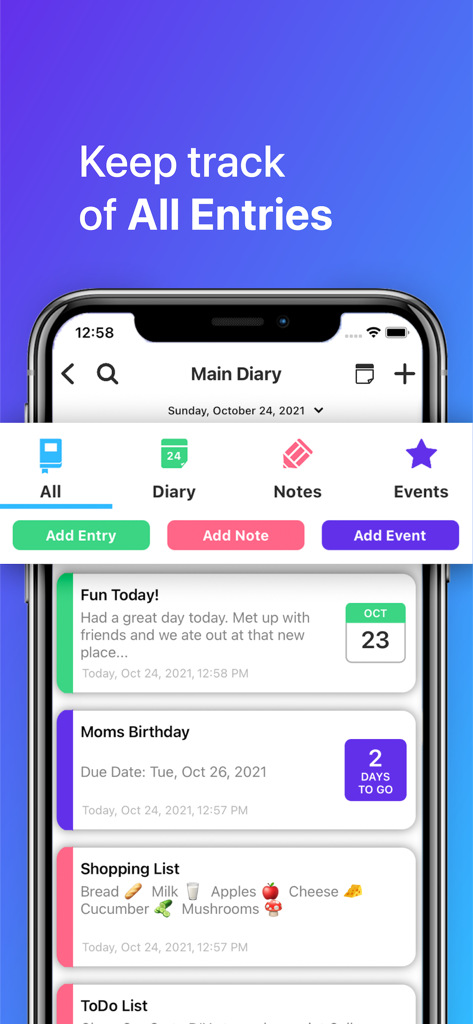
iDailyDiary: Diary Journal - iDailyDiary 모바일 앱에서 일기 항목, 메모 및 예정된 이벤트 대시보드를 보여줌
iDailyDiary 모바일 앱에서 일기 항목, 메모 및 예정된 이벤트 대시보드를 보여줌

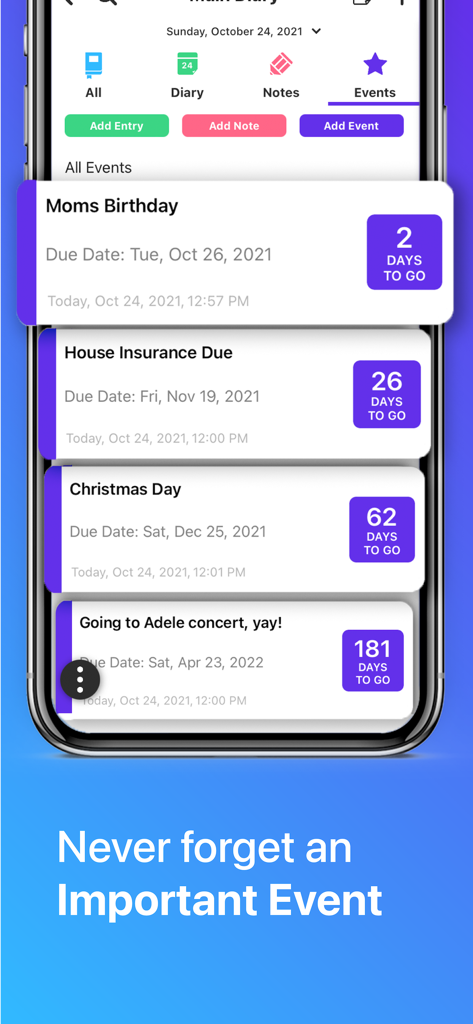
iDailyDiary: Diary Journal - iDailyDiary 앱 인터페이스에 남은 날짜 카운트다운이 표시된 예정된 이벤트 목록 표시
iDailyDiary 앱 인터페이스에 남은 날짜 카운트다운이 표시된 예정된 이벤트 목록 표시

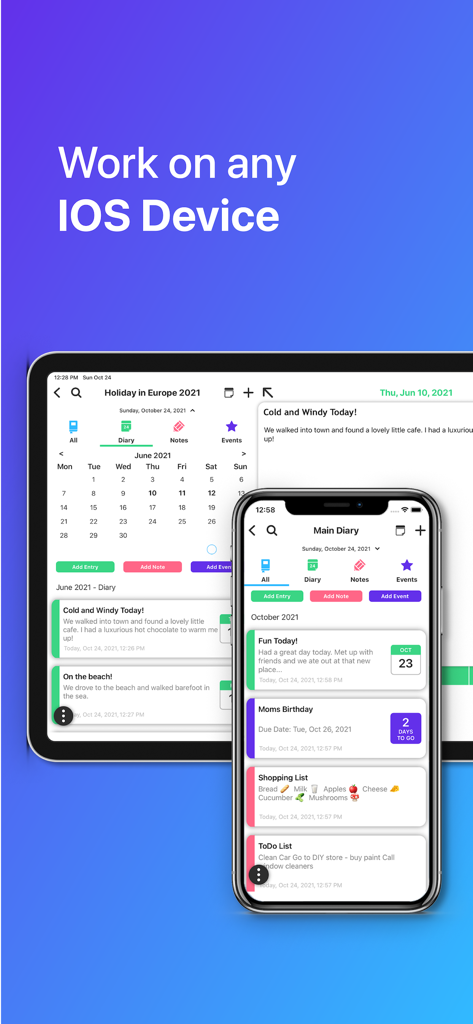
iDailyDiary: Diary Journal - iPhone 및 iPad에 표시된 iDailyDiary 앱으로 다중 장치 지원 및 동기화 시연
iPhone 및 iPad에 표시된 iDailyDiary 앱으로 다중 장치 지원 및 동기화 시연

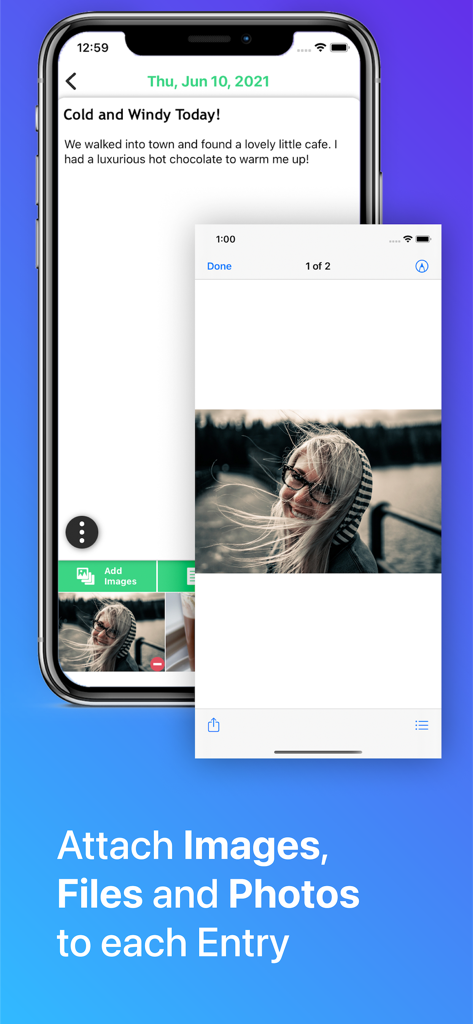
iDailyDiary: Diary Journal - iDailyDiary 앱 인터페이스에 첨부된 사진과 바람이 많이 부는 날에 대한 텍스트가 있는 일기 항목 표시

iDailyDiary 앱 인터페이스에 첨부된 사진과 바람이 많이 부는 날에 대한 텍스트가 있는 일기 항목 표시

설명

iDailyDiary from Splinterware is a simple but powerful diary, journal, notes and events app designed to record your thoughts, activities, to-do lists, and any information you can think of, and remind you about upcoming important events and anniversaries. FEATURES - Create Multiple Diaries. You could have one diary for work, or home, a diary to capture everything that happened on holiday, or a diary to keep specific project info. - Create Diary/Journal dated entries, for today or sometime in the past or future. - Create non-dated Notes entries, to capture to-do lists or any other information. - Create Event entries for birthdays and anniversaries, set to run just once or every day, week, month or year. Never forget an important event again. - Attach Pictures, Files and Photos to each diary entry - with the tap of a button. - Fast Search of entire diary, find those important entries quickly. - Automatic save - your entries are saved as you type, no need to remember to press a save button. - And much more... ALL FEATURES FOR 30 DAYS When you install iDailyDiary you can access and use ALL features for a full 30 days, including sync between devices, unlimited diaries and attachments. After 30 days you can still use iDailyDiary to record and update your diary entries, but some of the features will be limited (e.g. Sync between devices, how many diaries you can create or how many attachments per entry). Simply press the Buy button to continue to get Unlimited Access to all Features for a year, see the subscription section below for more info. SECURE & PRIVATE Splinterware has no access to your private diary entries stored by the App. Your diary entries are stored on your device (e.g iPhone, iPad), and if you decide to turn on the Cloud Backup/Sync option they are copied your own Dropbox Cloud account. Your diary entries are encrypted on your local device and are also encrypted in transit and at rest on the Dropbox Cloud servers. PERSONALIZE Choose from a range of diary covers for each of your diaries - more covers and theme colors to be added later. BACKUP AND SYNC Connect iDailyDiary to your own Dropbox Cloud Account to enable automatic cloud backups, and automatic sync with other iOS devices. HELP & SUPPORT There is a Contact Us section in the App Settings, send us an email or bug report, or a suggestion. Or email us direct at support@splinterware.com. We are here to support you. COMING SOON This is just the start... We have a long list of features coming soon to iDailyDiary, so stay tuned to pick up those regular updates. SUBSCRIPTION & PURCHASE INFO When you click the Buy button you can purchase Unlimited Access to all iDailyDiary features either for a whole year subscription price, or a one-off lifetime price. You do not need to purchase to continue using iDailyDiary, however some features will be limited after the first 30 days. The price for your locale is shown in the app. For subscriptions, these will be charged through your iTunes Account. Your annual subscription will automatically renew unless canceled at least 24 hours before the end of the current period. You can cancel at any time. Privacy Policy: https://www.splinterware.com/api/ios/contact/privacy_idailydiary.php Terms of Service: https://www.splinterware.com/api/ios/contact/terms_idailydiary.php

Download

다운로드: App Store

이 페이지는 앱이나 개발자의 공식 페이지가 아니며, 정보 제공 및 논평을 목적으로 작성된 독립 편집 간행물입니다. 명시적으로 달리 언급되지 않는 한, 해당 앱이나 개발자는 MWM, Apple, Google Play, 앱 퍼블리셔 또는 앱 개발자와 제휴, 보증, 후원, 승인 또는 공식적으로 연결되어 있지 않으며, 이 페이지의 어떤 내용도 해당 앱이 MWM의 서비스를 사용하여 개발되었음을 의미하지 않습니다. 모든 상표, 로고, 스크린샷 및 기타 콘텐츠는 해당 소유자의 자산입니다.








