
이 페이지는 앱이나 개발자의 공식 페이지가 아니며, 정보 제공 및 논평을 목적으로 작성된 독립 편집 간행물입니다. 명시적으로 달리 언급되지 않는 한, 해당 앱이나 개발자는 MWM, Apple, Google Play, 앱 퍼블리셔 또는 앱 개발자와 제휴, 보증, 후원, 승인 또는 공식적으로 연결되어 있지 않으며, 이 페이지의 어떤 내용도 해당 앱이 MWM의 서비스를 사용하여 개발되었음을 의미하지 않습니다. 모든 상표, 로고, 스크린샷 및 기타 콘텐츠는 해당 소유자의 자산입니다.


IDVaaS
사무실 방문 없이 몇 분 안에 신원을 확인하세요. 스마트폰에서 바로 전자 여권을 안전하게 스캔하고 생체 인식 정보를 확인하세요. 실제 방문이나 서류 우편 발송이 필요 없습니다.
다운로드
19K+사용자 평점
총 평가 수
0개발사
카테고리
Utilities지원 언어
1최신 버전
8.0.925크기
224.9 MB출시일
2025년 4월 19일손끝에서 이루어지는 안전한 신원 확인
IDVaaS는 실제 약속과 서류 작업의 필요성을 없앱니다. 몇 주가 아닌 몇 분 안에 이민 또는 디지털 서비스에 대한 신원을 확인하세요.
사무실 방문 건너뛰기
정부 시설이나 등록 센터를 방문하지 않고 원격으로 신원 확인을 완료하세요.
안전한 칩 읽기
휴대폰의 NFC 리더를 사용하여 전자 여권 또는 신분증을 안전하게 확인하세요. 서류 우편 발송이 필요 없습니다.
자주 묻는 질문
에 대해 알아야 할 모든 것 IDVaaS
Entrust IDVaaS 앱은 무엇에 사용되나요?
Entrust IDVaaS 솔루션은 개인의 주장된 신원을 원격으로 확인하는 데 사용됩니다. 스마트폰 기술을 활용하여 이민, 국경 관리 또는 디지털 서비스 제공에 사용됩니다.
IDVaaS 앱은 어떻게 신원을 확인하나요?
IDVaaS 앱은 스마트폰으로 전자 기계 판독 가능 여행 문서(ePassports/eIDs)를 읽고 검증하며, 신뢰할 수 있는 생체 인식 데이터에 액세스하여 실시간 얼굴 생체 인식 데이터와 비교합니다.
Entrust IDVaaS 앱은 신원 확인에 어떤 문서를 사용하나요?
Entrust IDVaaS 앱은 신원 확인을 위해 전자 기계 판독 가능 여행 문서(ePassports 또는 eIDs)를 사용합니다. 스마트폰의 카메라와 비접촉 NFC 리더 기능을 사용하여 이러한 문서를 읽습니다.
IDVaaS 신원 확인 절차는 안전한가요?
네, IDVaaS 신원 확인 절차는 안전합니다. 공개 네트워크를 통한 전송을 위해 종단 간 암호화 보안을 사용하며, 신뢰할 수 없는 스마트폰으로 인한 위험을 완화하기 위해 보안 설계 아키텍처를 특징으로 합니다.
IDVaaS 앱으로 신원 확인을 완료하는 데 얼마나 걸리나요?
처음 사용하는 사용자의 경우, IDVaaS 앱으로 신청서를 작성하는 데 일반적으로 약 5분에서 10분이 소요됩니다. 절차가 완료되면 거의 실시간으로 승인이 이루어집니다.
Entrust IDVaaS 앱은 신원 확인을 위해 물리적 방문이 필요한가요?
아니요, Entrust IDVaaS 앱은 생체 인식 등록 시설에 물리적으로 방문할 필요가 없습니다. 편리한 원격 대안을 제공하여 신원 문서를 물리적으로 제출할 필요가 없습니다.
IDVaaS 앱은 신원 확인을 위해 제 스마트폰을 어떻게 사용하나요?
IDVaaS 앱은 스마트폰의 카메라를 사용하여 문서를 촬영하고, 비접촉 NFC 리더를 사용하여 전자 신원 문서에 저장된 정보를 확인합니다. 또한 카메라를 사용하여 얼굴을 스캔하고 사진을 찍습니다.
IDVaaS는 분실 또는 도난 문서에 대한 신원 확인을 지원하나요?
네, IDVaaS 솔루션은 분실 또는 도난 신원 문서에 대한 확인 및 경고를 용이하게 합니다. 또한 확인 절차의 일부로 감시 목록 확인도 지원합니다.
Entrust IDVaaS 앱은 얼굴 생체 인식 확인 중에 사기를 감지할 수 있나요?
네, Entrust IDVaaS 앱은 실시간 감지 및 기타 사기 방지 기능을 포함한 안전한 얼굴 생체 인식 신원 확인을 수행하여 보안을 강화합니다.
Entrust IDVaaS 앱은 개인 정보 보호 규정을 준수하나요?
네, Entrust IDVaaS 앱은 GDPR 및 개인 정보 보호 설계 원칙을 포함한 국제 보안 요구 사항 및 개인 정보 보호 규정을 준수합니다.
다음 스크린샷과 설명은 앱의 공식 스토어 목록에서 직접 가져온 것이며 앱 개발자의 자산입니다.
앱 스토어
스크린샷
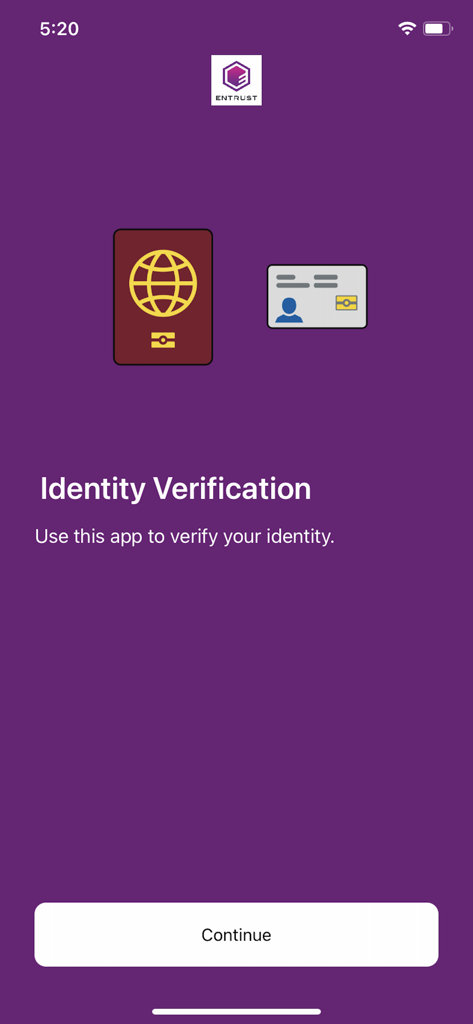
여권 및 신분증 아이콘이 포함된 Entrust IDVaaS 신원 확인 시작 화면
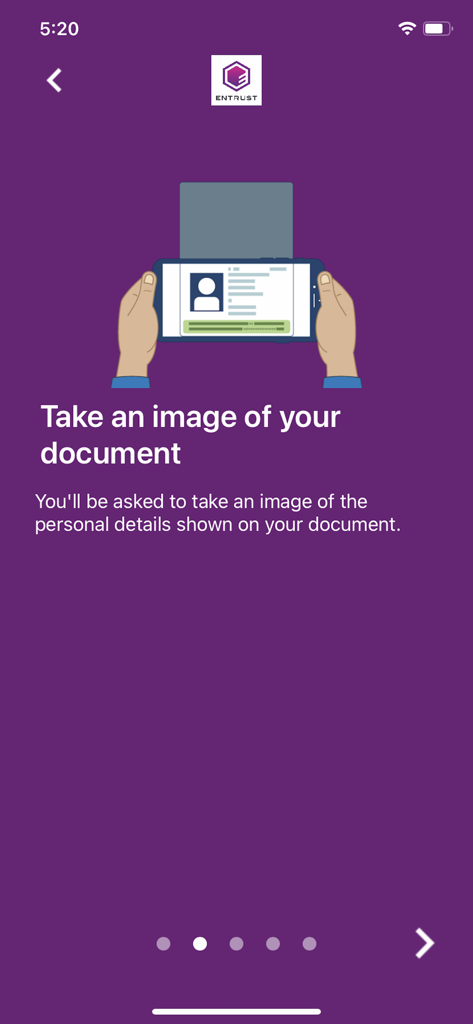
신분증을 스캔하는 스마트폰 그림이 포함된 IDVaaS 앱의 안내 화면
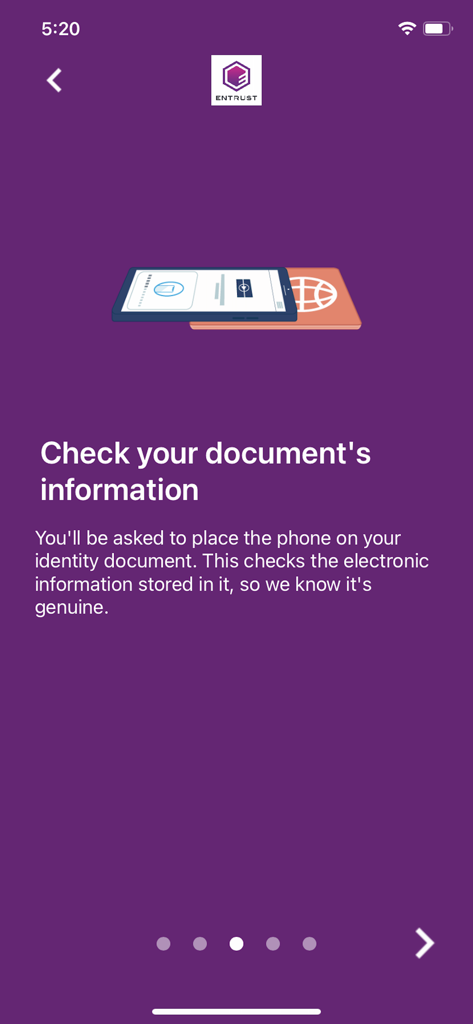
전자 여권을 스캔하는 스마트폰을 보여주는 안내 화면.
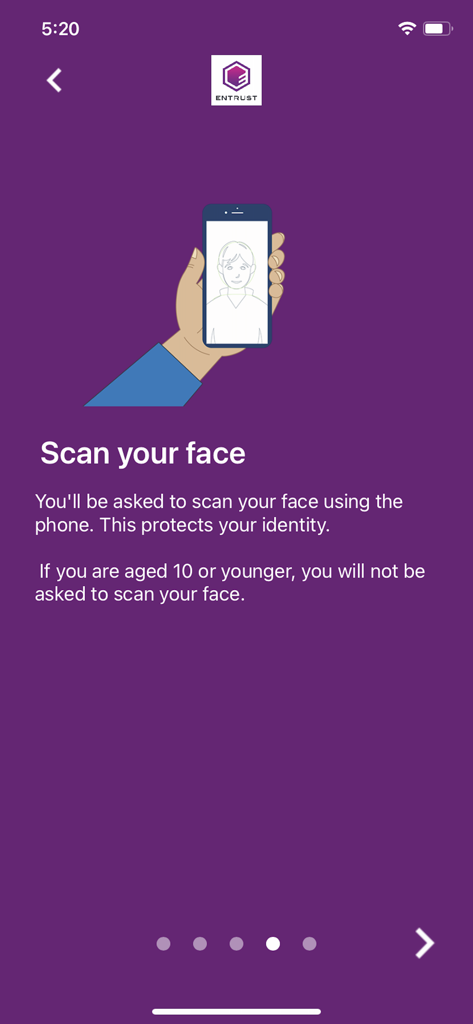
보라색 배경과 스마트폰을 들고 있는 손 그림이 있는 IDVaaS 앱의 얼굴 스캔 안내 화면.
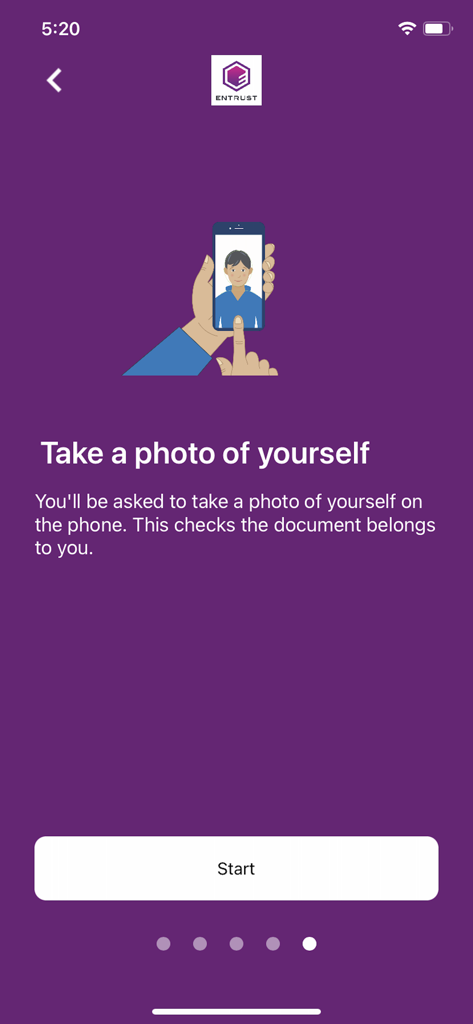
신원 확인을 위해 자신의 사진을 찍도록 사용자에게 안내하는 IDVaaS 앱의 화면
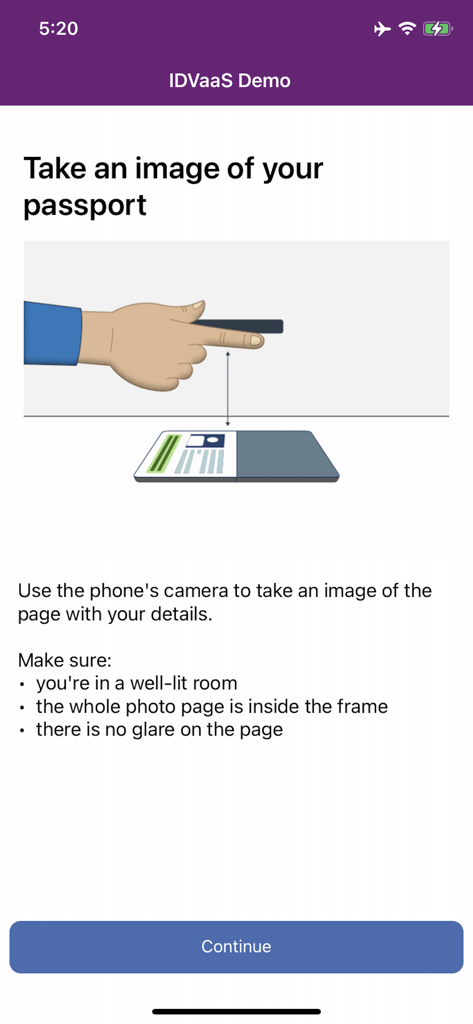
신원 확인을 위해 여권 페이지 사진을 찍는 방법과 일러스트를 보여주는 IDVaaS 앱의 안내 화면
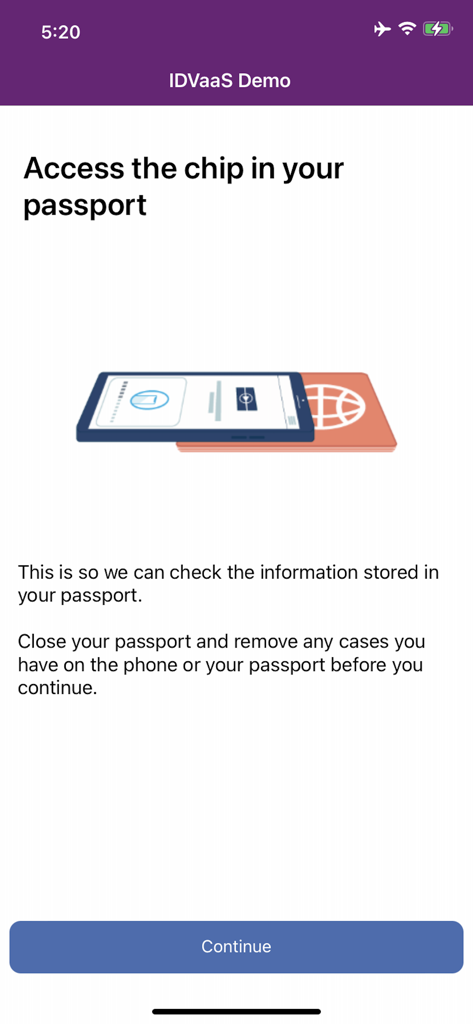
신원 확인을 위해 전자 칩을 스캔하는 방법을 보여주는 IDVaaS 앱의 안내 화면, 스마트폰을 여권 위에 올리는 방법 표시
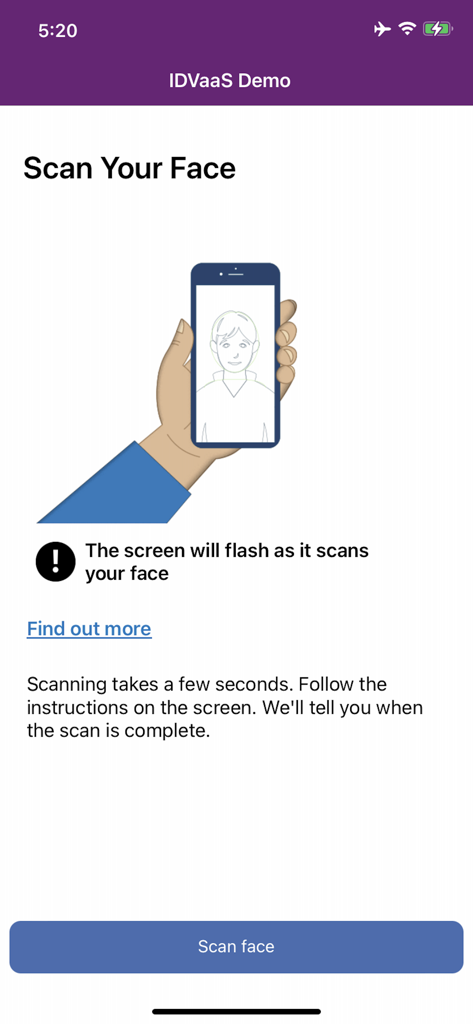
IDVaaS 신원 확인 앱의 얼굴 생체 인식 스캔 안내 화면.
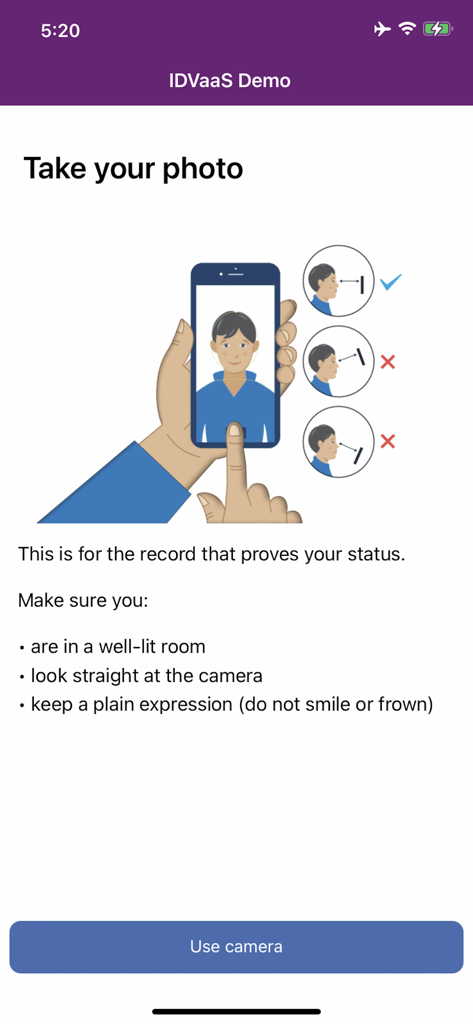
신원 확인을 위한 생체 인식 사진 촬영에 대한 안내 및 일러스트를 보여주는 IDVaaS 앱 인터페이스.
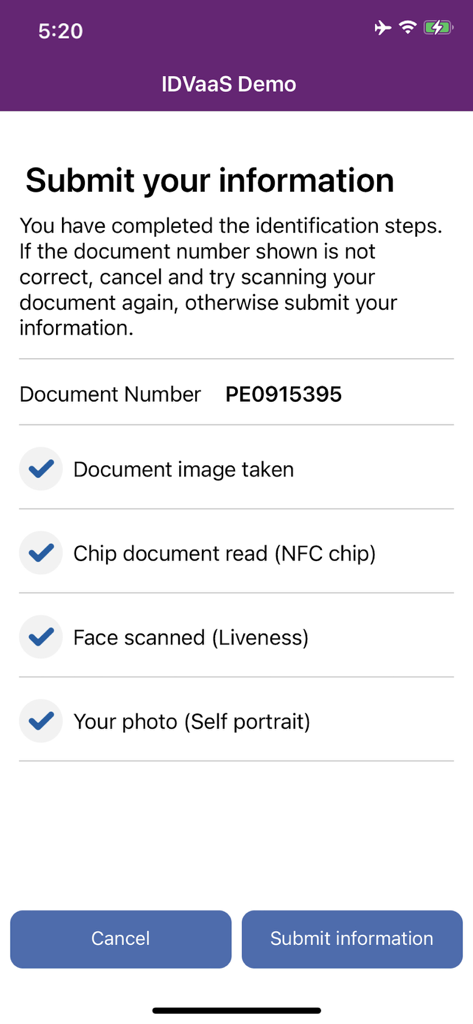
문서 스캔, NFC 칩 읽기, 얼굴 활성도 확인 등 완료된 신원 확인 단계를 보여주는 체크리스트가 있는 IDVaaS 앱 인터페이스.
설명
Download
비슷한 앱
유사한 기능과 사용자 경험을 가진 앱

HPO
HD SAISON FINANCE CO.,LTD

ALDI TALK Registrierung
MEDION AG
GOV.UK ID Check
Government Digital Service

IDnow AutoIdent
IDnow Gmbh

ID-Pal
ID-Pal Ltd.

MyID O'zbekiston
Center UZINFOCOM SUE

Ockto
Ockto B.V.
Experian Candidate RTW
T4 Communications UK Limited
Datakeeper
Datakeeper B.V.
이 페이지는 앱이나 개발자의 공식 페이지가 아니며, 정보 제공 및 논평을 목적으로 작성된 독립 편집 간행물입니다. 명시적으로 달리 언급되지 않는 한, 해당 앱이나 개발자는 MWM, Apple, Google Play, 앱 퍼블리셔 또는 앱 개발자와 제휴, 보증, 후원, 승인 또는 공식적으로 연결되어 있지 않으며, 이 페이지의 어떤 내용도 해당 앱이 MWM의 서비스를 사용하여 개발되었음을 의미하지 않습니다. 모든 상표, 로고, 스크린샷 및 기타 콘텐츠는 해당 소유자의 자산입니다.