iLook ott player
iLook ott player
다운로드: App Store

이 페이지는 앱이나 개발자의 공식 페이지가 아니며, 정보 제공 및 논평을 목적으로 작성된 독립 편집 간행물입니다. 명시적으로 달리 언급되지 않는 한, 해당 앱이나 개발자는 MWM, Apple, Google Play, 앱 퍼블리셔 또는 앱 개발자와 제휴, 보증, 후원, 승인 또는 공식적으로 연결되어 있지 않으며, 이 페이지의 어떤 내용도 해당 앱이 MWM의 서비스를 사용하여 개발되었음을 의미하지 않습니다. 모든 상표, 로고, 스크린샷 및 기타 콘텐츠는 해당 소유자의 자산입니다.


로고: iLook ott player
다운로드: App Store

iLook ott player

홈 엔터테인먼트를 제어하세요. 채널을 정리하고, 개인화된 가족 프로필을 만들고, Apple TV, iPhone 및 iPad에서 중단 없이 프리미엄 케이블과 같은 경험을 즐기세요.

주요 수치

다운로드

13K+

사용자 평점

4.5/5

총 평가 수

400

개발사

STRICKLAND SOFTWARE ENGINEERING CORPORATION

카테고리

Entertainment

지원 언어

27

최신 버전

2.0.8

크기

18.5 MB

출시일

2021년 2월 1일
기능

IPTV를 위한 궁극의 제어 센터

iLook은 M3U 재생 목록을 전체 가정과 모든 Apple 장치에 맞춰진 전문적이고 광고 없는 스트리밍 서비스로 전환합니다.

스마트 가족 관리

관리자 패널로 책임을 맡으세요. 선별된 시청 경험을 위해 모든 가족 구성원을 위한 사용자 지정 액세스 그룹 및 전용 프로필을 만드세요.

100% 광고 없는 성능

성가신 팝업과 중간 광고 중단에 작별을 고하세요. 콘텐츠에 집중할 수 있도록 깨끗하고 프리미엄한 인터페이스를 우선시합니다. 혼란에 집중하지 마세요.

다음 스크린샷과 설명은 앱의 공식 스토어 목록에서 직접 가져온 것이며 앱 개발자의 자산입니다.

앱 스토어

스크린샷
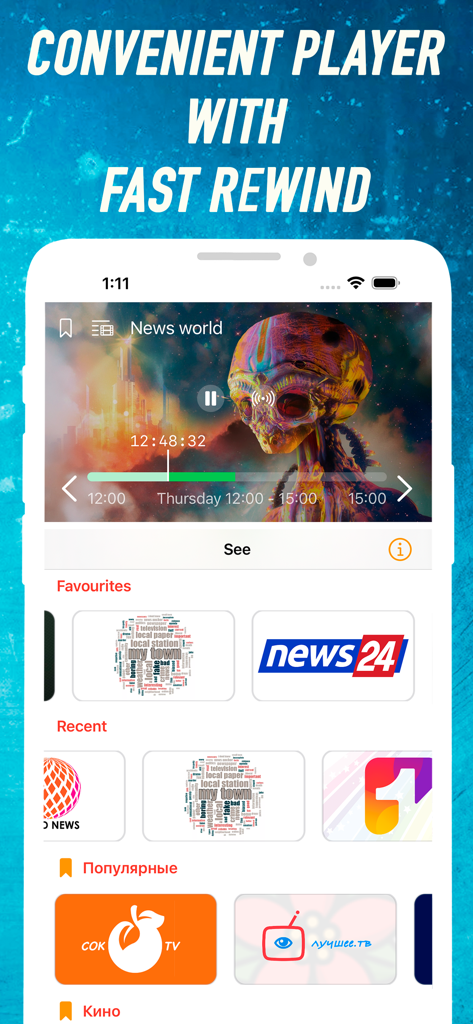
iLook ott player - 빠른 되감기 및 채널 카테고리를 보여주는 비디오 플레이어인 iLook ott player의 모바일 앱 인터페이스
빠른 되감기 및 채널 카테고리를 보여주는 비디오 플레이어인 iLook ott player의 모바일 앱 인터페이스

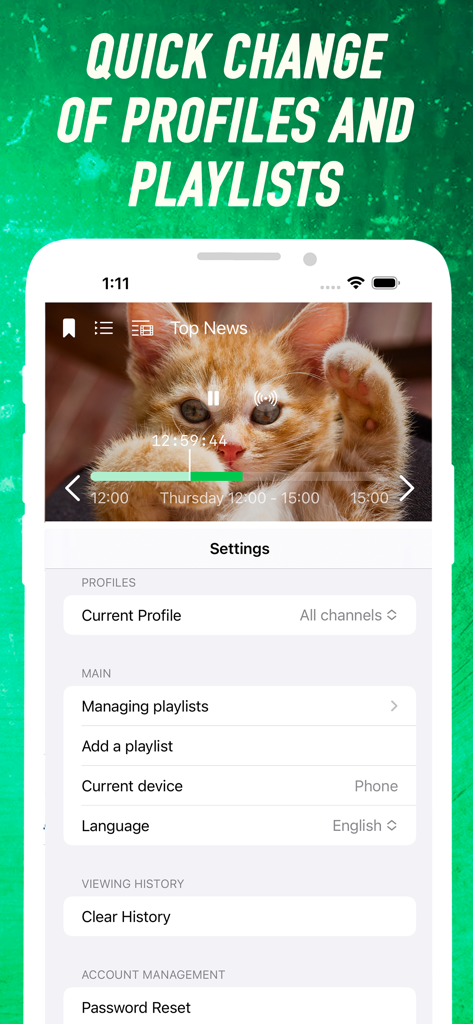
iLook ott player - 프로필 및 재생 목록 설정을 보여주는 iLook ott player의 인터페이스
프로필 및 재생 목록 설정을 보여주는 iLook ott player의 인터페이스

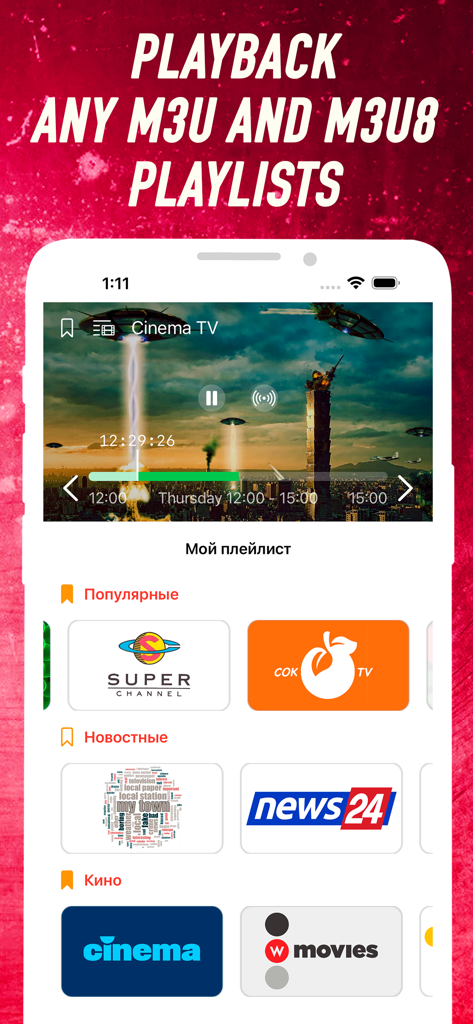
iLook ott player - 비디오 스트리밍 및 채널 카테고리가 있는 iLook ott player 앱을 표시하는 스마트폰

비디오 스트리밍 및 채널 카테고리가 있는 iLook ott player 앱을 표시하는 스마트폰

설명

Enjoy watching IPTV with your whole family and friends using the iLook player. You will have access to the most convenient options for configuring your playlists in the administrative control panel on the website. You will be able to divide streams into access groups by setting up user profiles for each family member. Application Features: - HLS, TS over UDP, RTMP protocols are supported - It is possible to use playlists M3U8 and M3U - Flow management is available, combining them into groups and clearing access to them - A program program is available for most channels - No advertising important! This application does not contain TV channels and serves exclusively for playing playlists that you already have. For the application to work, you must have a link to the M3U or M3U8 playlist, which you can, for example, get from your Internet provider or another IPTV provider. Before you start working with the application, you should: 1. Create a user account on the website https://tv.ilook.su; 2. Log in to the application under the created account; 3. In the administrative panel on the site, add your existing playlist M3U8; 4. The site should also allow access to the new playlist from your device for playback; 5. Have fun watching IPTV! This is the second version of the player, it will only get more interesting! More features, more joy with the iLook ott player! ==== If you own a TV channel and want the app users to be able to watch it for free. Please write to us at info@overinet.com to have your channel included in a free playlist available to all users by default. ==== All the functionality of the application is available immediately and for free. However, if you like the application, I ask you to help in the development of the project by signing up for a monthly subscription or provide one-time financial assistance, which will be aimed at improving the application and adding new interesting and useful features. In the case of a monthly subscription, the amount for the upcoming period will be debited from your iTunes account, unless you disable automatic renewal or cancel the subscription in your account settings no later than 24 hours before the end of the current period. Terms of Use: https://file.ilook.su/public/AppInfo/iLook/docs/ilook_terms_en.pdf Privacy Policy: https://file.ilook.su/public/AppInfo/iLook/docs/ilook_policy_en.pdf

Download

다운로드: App Store

이 페이지는 앱이나 개발자의 공식 페이지가 아니며, 정보 제공 및 논평을 목적으로 작성된 독립 편집 간행물입니다. 명시적으로 달리 언급되지 않는 한, 해당 앱이나 개발자는 MWM, Apple, Google Play, 앱 퍼블리셔 또는 앱 개발자와 제휴, 보증, 후원, 승인 또는 공식적으로 연결되어 있지 않으며, 이 페이지의 어떤 내용도 해당 앱이 MWM의 서비스를 사용하여 개발되었음을 의미하지 않습니다. 모든 상표, 로고, 스크린샷 및 기타 콘텐츠는 해당 소유자의 자산입니다.








