
이 페이지는 앱이나 개발자의 공식 페이지가 아니며, 정보 제공 및 논평을 목적으로 작성된 독립 편집 간행물입니다. 명시적으로 달리 언급되지 않는 한, 해당 앱이나 개발자는 MWM, Apple, Google Play, 앱 퍼블리셔 또는 앱 개발자와 제휴, 보증, 후원, 승인 또는 공식적으로 연결되어 있지 않으며, 이 페이지의 어떤 내용도 해당 앱이 MWM의 서비스를 사용하여 개발되었음을 의미하지 않습니다. 모든 상표, 로고, 스크린샷 및 기타 콘텐츠는 해당 소유자의 자산입니다.


InShot - Video Editor
제한적인 모바일 환경? 이 앱은 그 한계를 부수고, 당신의 아이디어를 즉시 고품질 시각 콘텐츠로 변환시키는 권한을 부여한다.
다운로드
100M+사용자 평점
총 평가 수
17.0M개발사
카테고리
Photo & Video지원 언어
16최신 버전
1.95.0크기
232.3 MB출시일
2015년 6월 11일InShot - Video Editor 기능 심층 분석
모바일 영상 및 사진 편집을 위한 주요 도구 및 AI 기능 평가
AI 자동 캡션 생성
이 도구는 AI 기반 음성-텍스트 변환 기술을 활용하여 수동 텍스트 입력을 없애고 영상 편집 과정을 간소화합니다.
4K 60fps 고해상도 출력
이 앱은 4K 해상도와 60fps를 지원하여 고품질의 전문적인 영상 결과물 저장을 가능하게 합니다.
원탭 AI 효과
사용자는 원탭으로 이미 스캔된 프리셋을 통해 인공지능 기반의 영상 및 사진 효과를 즉시 적용할 수 있습니다.
AI 배경 자동 제거
이 도구는 한 번의 터치로 영상 및 사진의 배경을 자동으로 제거하여 피사체에 집중하는 편집을 돕습니다.
고급 키프레임 애니메이션
이 기능을 통해 사용자는 맞춤형 키프레임 애니메이션을 추가하여 영상에 동적인 움직임과 전환 효과를 부여할 수 있습니다.
전문적인 크로마키 편집
이 앱은 그린 스크린 영상을 쉽게 편집하여 다양한 배경이나 특수 효과를 자연스럽게 합성할 수 있도록 지원합니다.
스마트 객체 트래킹
이 기능은 스티커나 텍스트가 움직이는 객체와 매끄럽게 동기화되도록 하여 영상에 역동적인 요소를 추가합니다.
화면 속 화면(PIP) 효과
이 도구는 다중 레이어 영상을 생성할 수 있게 하여, 여러 개의 영상 클립이나 이미지를 동시에 화면에 배치할 수 있습니다.
자주 묻는 질문
에 대해 알아야 할 모든 것 InShot - Video Editor
What is InShot - Video Editor?
InShot is a comprehensive video and photo editing application designed to empower creators with easy-to-use features and powerful AI tools, elevating their editing experience.
Does InShot - Video Editor support auto captions?
Yes, InShot features an AI-powered speech-to-text tool for auto captions, making video editing effortless by eliminating manual text typing. It supports multiple languages.
Can InShot remove backgrounds from videos and photos?
Yes, InShot provides an AI tool called Auto Remove Background that enables users to remove backgrounds from both videos and photos with a single tap.
How does the InShot Pro Unlimited subscription work?
The InShot Pro Unlimited subscription grants access to all features, paid editing materials, and automatically removes watermarks and advertisements. It is billed monthly or annually.
What is the maximum video output resolution supported by InShot?
InShot supports high video output resolutions, including saving videos in 4K at 60 frames per second (fps) for excellent quality.
Does InShot - Video Editor offer keyframe editing?
Yes, InShot - Video Editor offers keyframe editing capabilities, allowing users to add custom keyframe animations for dynamic video effects.
Can I add speed ramping effects in InShot videos?
Yes, InShot allows users to control video speed and add speed ramping effects for seamless and dynamic adjustments within their video projects.
Does InShot - Video Editor support green screen editing?
Yes, InShot includes a Chromakey feature that enables users to easily edit green screen videos, facilitating professional-looking composites.
Does the InShot Pro Unlimited subscription auto-renew?
Yes, the InShot Pro Unlimited subscription automatically renews unless auto-renew is explicitly turned off at least 24 hours before the end of the current billing period.
Can InShot apply AI effects to photos?
Yes, InShot provides AI effects like Clone, Stroke, and Auto-blur, along with instant presets, to enhance images with a single tap.
다음 스크린샷과 설명은 앱의 공식 스토어 목록에서 직접 가져온 것이며 앱 개발자의 자산입니다.
앱 스토어
스크린샷
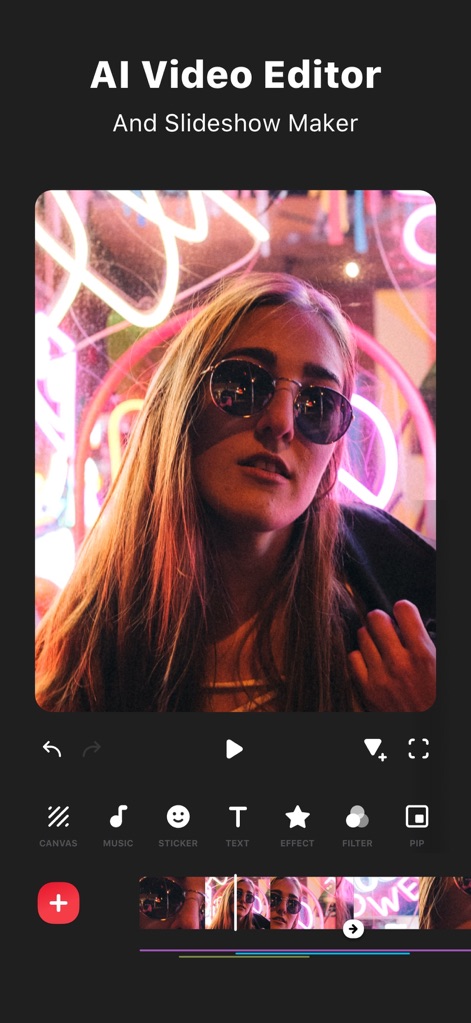
AI 비디오 편집
이 앱은 슬라이드쇼 메이커 기능을 통해 사용자가 캔버스 조정과 텍스트 추가로 영상 콘텐츠를 쉽게 제작할 수 있도록 돕습니다.
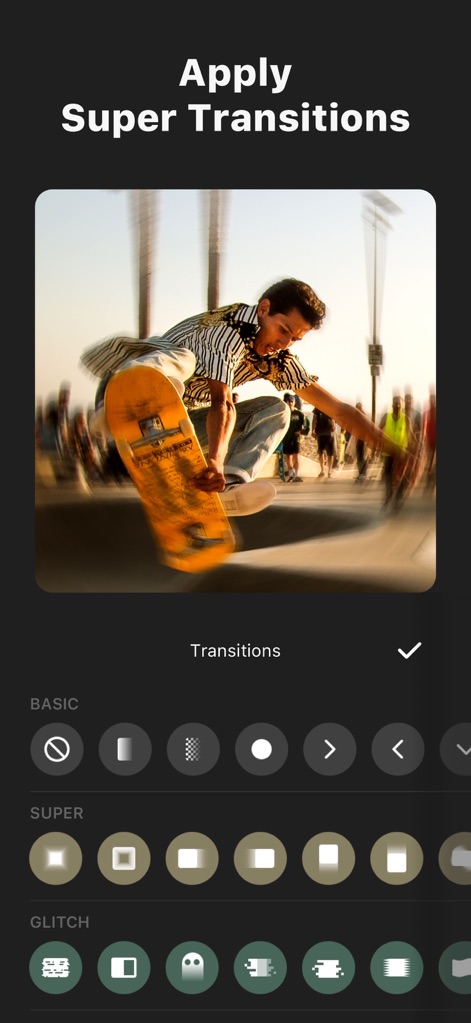
역동적인 전환 효과
사용자는 'Super Transitions' 기능을 활용하여 클립 사이에 특별한 시각적 연결을 만들 수 있으며, 다양한 Basic 및 Glitch 전환 스타일을 적용할 수 있습니다.
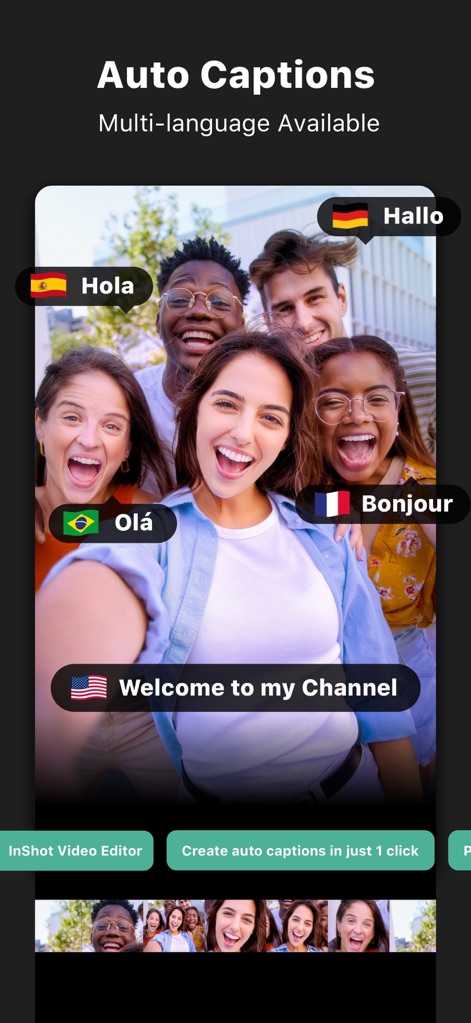
자동 자막 생성
이 앱은 AI 기반의 자동 자막 기능을 제공하여, 다양한 언어의 자막 생성을 지원하고 텍스트 편집 기능을 통해 사용자가 손쉽게 수정할 수 있도록 합니다.
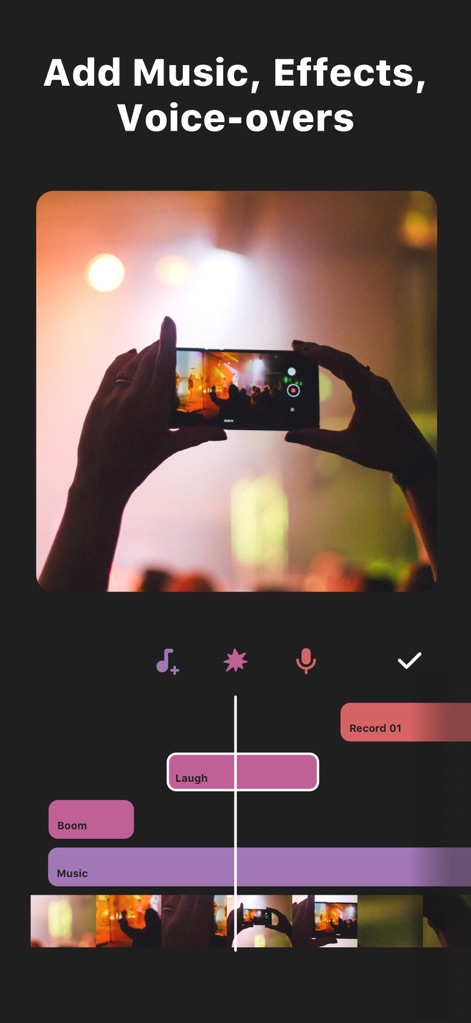
음악 및 음성 추가
사용자는 영상에 음악 트랙을 추가하거나 음성 녹음 기능을 사용하여 나레이션을 삽입할 수 있으며, 다양한 사운드 이펙트와 보이스오버를 적용할 수 있습니다.
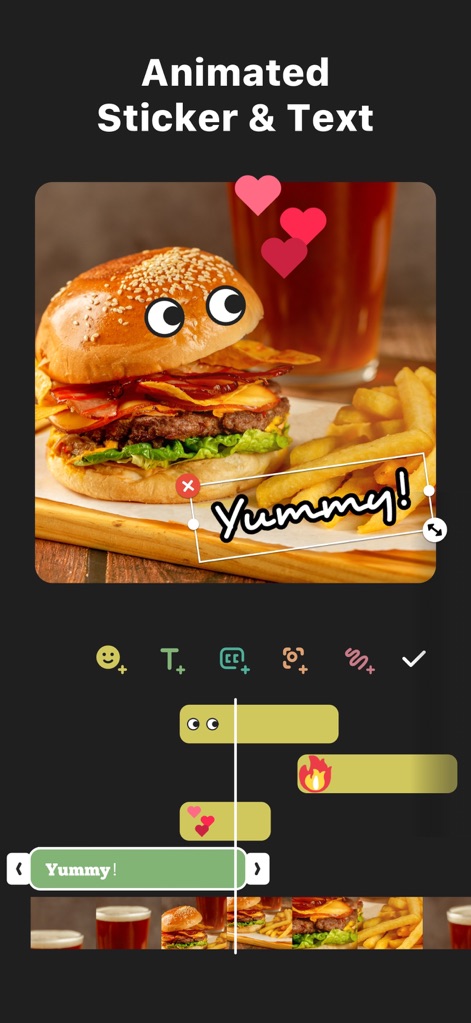
애니메이션 스티커 활용
이 도구는 사용자가 애니메이션 스티커와 동적인 텍스트 효과를 영상에 추가할 수 있도록 지원하며, 키프레임 편집을 통해 움직임을 정교하게 제어할 수 있습니다.

AI 효과로 영상 개선
이 앱은 'Clone' 및 'Color'와 같은 AI 효과를 통해 사용자가 영상에 독창적인 시각적 요소를 추가할 수 있도록 하며, 효과의 강도를 조절하는 기능도 제공합니다.
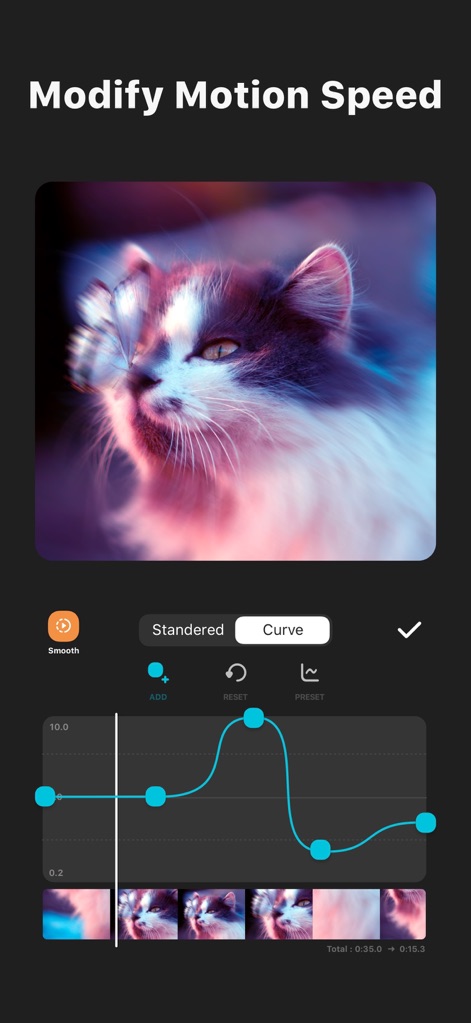
정교한 속도 조절
사용자는 'Curve' 기능을 통해 영상 속도를 세밀하게 조절하여 부드러운 슬로우 모션을 만들 수 있으며, 키프레임을 사용하여 속도 변화 지점을 정확하게 설정할 수 있습니다.

영상 콜라주 만들기
이 앱은 여러 영상을 하나의 화면에 배치하여 독특한 콜라주를 만들 수 있도록 지원하며, 타임라인에서 각 비디오 클립을 개별적으로 편집할 수 있습니다.
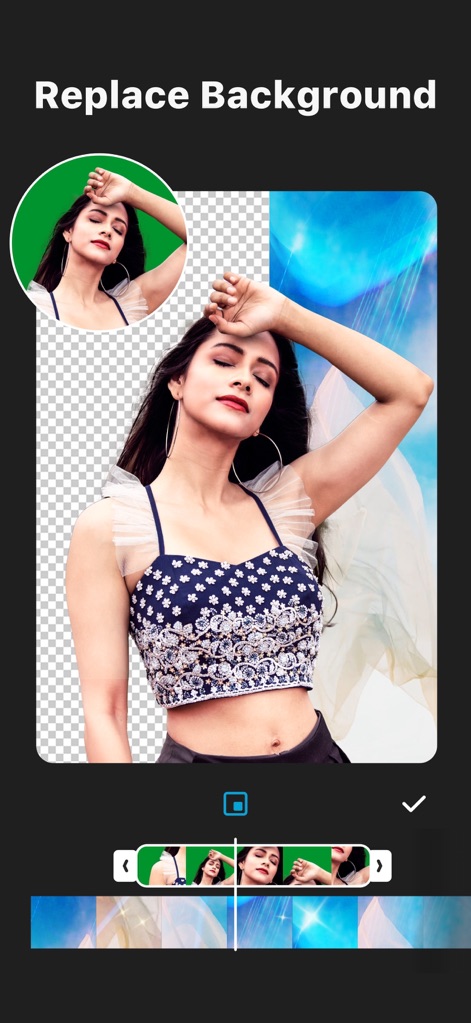
배경 손쉽게 교체
사용자는 이 앱의 배경 제거 기능을 활용하여 인물 이미지를 분리할 수 있으며, 제거된 배경을 새로운 시각적 요소로 대체하여 다채로운 효과를 연출할 수 있습니다.
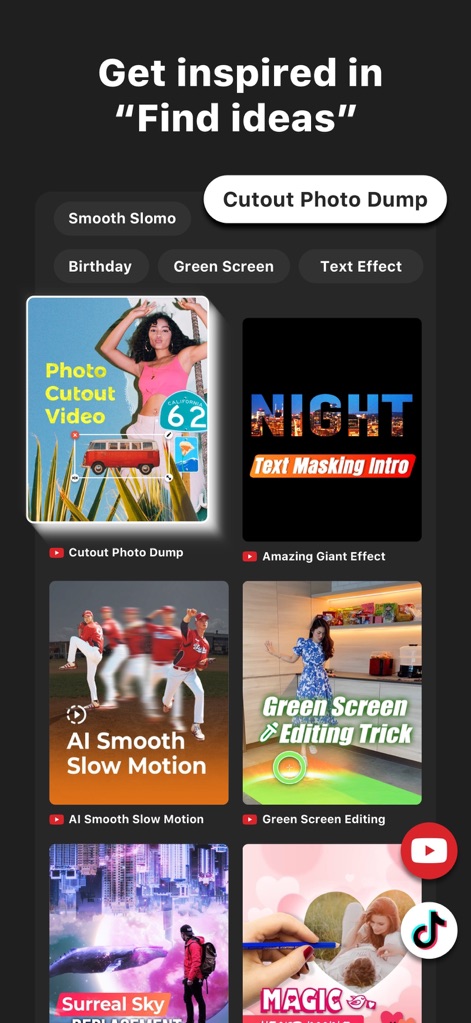
아이디어 탐색 및 활용
이 도구는 'Find ideas' 섹션을 통해 사용자가 다양한 편집 튜토리얼과 영감을 얻을 수 있도록 하며, 'Cutout Photo Dump' 및 'Green Screen Editing'과 같은 인기 콘텐츠를 탐색할 수 있습니다.
설명
Download
비슷한 앱
유사한 기능과 사용자 경험을 가진 앱

快影
Beijing Kwai Technology Co., Ltd.

Leto: Font for Instagram Story
Leto.Fonts FZCO

Templify・ Photo & Video Editor
Templify Media, Inc.

Spring - Video Editor
KineMaster Corporation

Impresso - Video & Logo Maker
PIXERY BILGI TEKNOLOJILERI ANONIM SIRKETI

Movavi - Video Editor
Movavi Emea LLC

Zebra: Photo & Video Editor
Dmitriy Biserov

快剪辑-AI写真&视频大片一键制作
Wenzhou XunChi Digital Technology Co., Ltd.

Vozo AI Video Maker | Blink
Vistring Technology Holdings Limited
이 페이지는 앱이나 개발자의 공식 페이지가 아니며, 정보 제공 및 논평을 목적으로 작성된 독립 편집 간행물입니다. 명시적으로 달리 언급되지 않는 한, 해당 앱이나 개발자는 MWM, Apple, Google Play, 앱 퍼블리셔 또는 앱 개발자와 제휴, 보증, 후원, 승인 또는 공식적으로 연결되어 있지 않으며, 이 페이지의 어떤 내용도 해당 앱이 MWM의 서비스를 사용하여 개발되었음을 의미하지 않습니다. 모든 상표, 로고, 스크린샷 및 기타 콘텐츠는 해당 소유자의 자산입니다.