iPeng
iPeng
다운로드: App Store

이 페이지는 앱이나 개발자의 공식 페이지가 아니며, 정보 제공 및 논평을 목적으로 작성된 독립 편집 간행물입니다. 명시적으로 달리 언급되지 않는 한, 해당 앱이나 개발자는 MWM, Apple, Google Play, 앱 퍼블리셔 또는 앱 개발자와 제휴, 보증, 후원, 승인 또는 공식적으로 연결되어 있지 않으며, 이 페이지의 어떤 내용도 해당 앱이 MWM의 서비스를 사용하여 개발되었음을 의미하지 않습니다. 모든 상표, 로고, 스크린샷 및 기타 콘텐츠는 해당 소유자의 자산입니다.


로고: iPeng
다운로드: App Store

iPeng

Logitech Squeezebox 및 Roon을 위한 가장 강력한 제어 앱으로 고음질 에코시스템을 현대화하세요. 모든 Apple 기기에서 원활한 멀티룸 관리, 심층 라이브러리 맞춤 설정 및 전문가 수준의 재생을 경험하세요.

주요 수치

다운로드

287K+

사용자 평점

4.6/5

총 평가 수

6K+

개발사

Du!Business GmbH

카테고리

Music

지원 언어

10

최신 버전

9.8.4

크기

36.4 MB

출시일

2013년 12월 10일
기능

고음질 에코시스템 마스터하기

iPeng 9는 iPhone, iPad 및 Apple Watch를 Squeezebox 및 Roon을 위한 전문가 수준의 리모컨 및 플레이어로 변환하며, 안목 있는 오디오 애호가를 위해 특별히 설계되었습니다.

원활한 멀티룸 제어

직관적인 드래그 앤 드롭 컨트롤과 QuickSwitch 기능을 사용하여 플레이어를 쉽게 그룹화하고 방 간에 음악을 이동하세요.

오디오 애호가 수준의 재생

iOS 기기를 Roon 또는 Squeezebox를 위한 고성능 플레이어로 변환하여 비트 단위 라이브러리가 항상 액세스 가능하도록 합니다.

다음 스크린샷과 설명은 앱의 공식 스토어 목록에서 직접 가져온 것이며 앱 개발자의 자산입니다.

앱 스토어

스크린샷
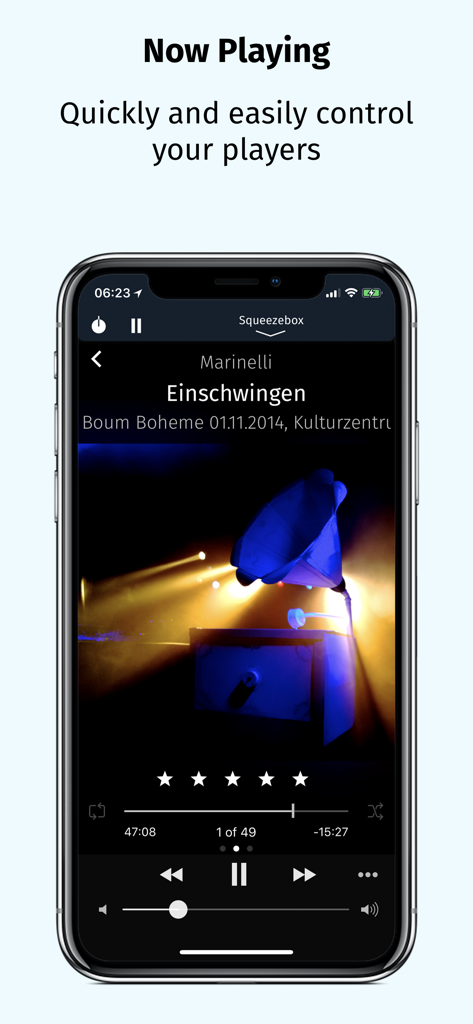
iPeng - iPeng 9 음악 리모컨 앱이 iPhone에서 재생 중인 화면과 재생 컨트롤 및 앨범 아트를 보여줍니다.
iPeng 9 음악 리모컨 앱이 iPhone에서 재생 중인 화면과 재생 컨트롤 및 앨범 아트를 보여줍니다.

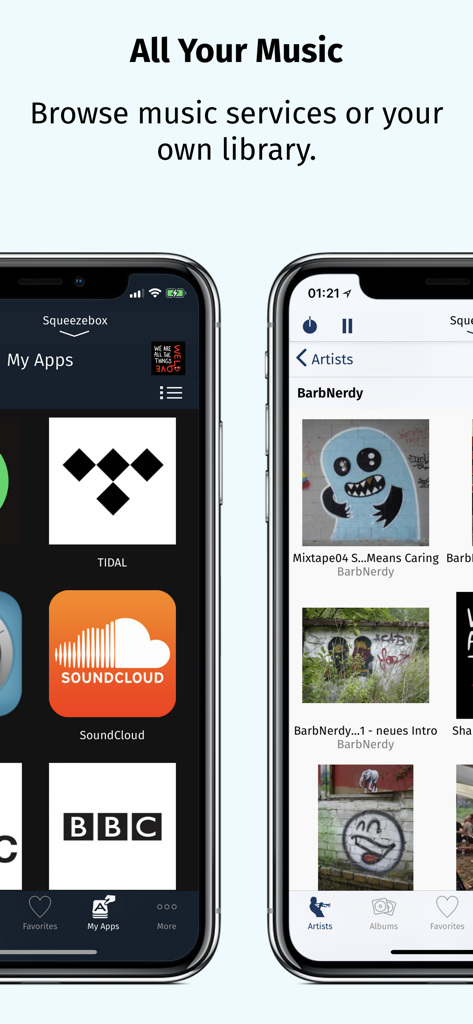
iPeng - iPeng 9 앱 스크린샷은 Tidal 및 SoundCloud와 같은 통합 음악 서비스와 아티스트별로 구성된 개인 음악 라이브러리를 보여줍니다.
iPeng 9 앱 스크린샷은 Tidal 및 SoundCloud와 같은 통합 음악 서비스와 아티스트별로 구성된 개인 음악 라이브러리를 보여줍니다.

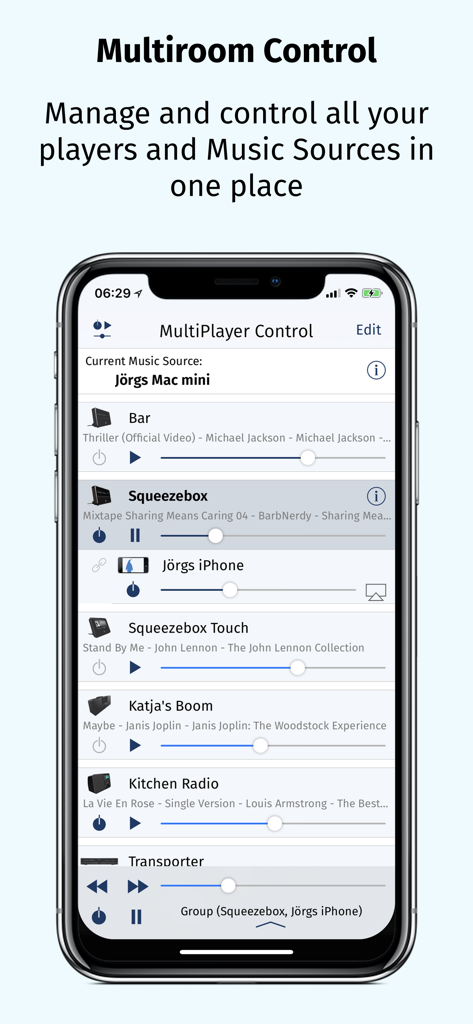
iPeng - iPhone 화면이 여러 오디오 플레이어를 관리하기 위한 iPeng 9 MultiPlayer Control 인터페이스를 보여줍니다.
iPhone 화면이 여러 오디오 플레이어를 관리하기 위한 iPeng 9 MultiPlayer Control 인터페이스를 보여줍니다.

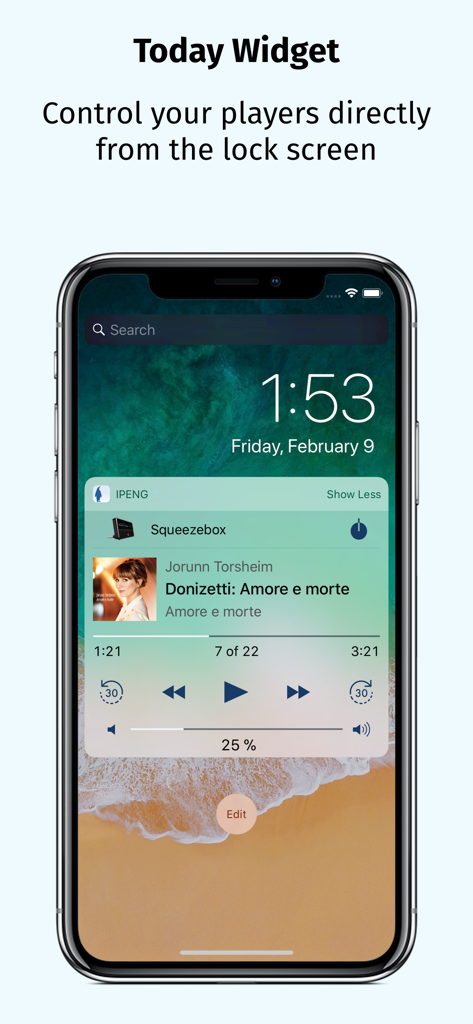
iPeng - iPeng 9 오늘 위젯이 iPhone 잠금 화면에 Squeezebox 음악 플레이어 컨트롤을 보여줍니다.
iPeng 9 오늘 위젯이 iPhone 잠금 화면에 Squeezebox 음악 플레이어 컨트롤을 보여줍니다.

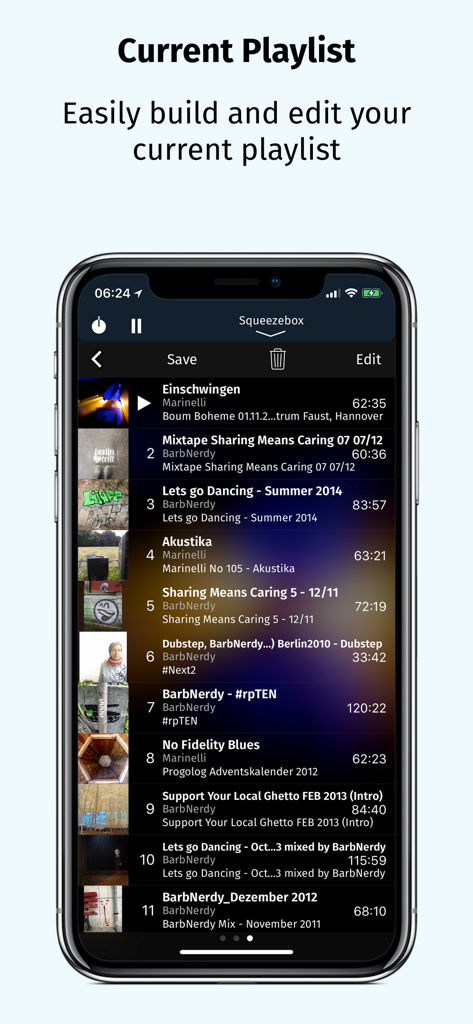
iPeng - iPeng 9 현재 재생 목록 화면이 트랙 목록과 편집 옵션을 보여줍니다.

iPeng 9 현재 재생 목록 화면이 트랙 목록과 편집 옵션을 보여줍니다.

설명

iPeng 9, the music remote for the Logitech® Squeezebox™, has been designed for the latest iOS versions and fully supports all iPhone and iPad form factors. iPeng 9 is a remote control app that will work all over your home with your iPhone, iPad, iPod touch and Apple Watch. You can also purchase an additional playback capability as an In-App-Purchase that will turn your iPhone or iPad into a full-blown music player for your Squeezebox Server or Roon Server. *** New in iPeng 9 *** • Support of iPhone 11, Pro, X/XS and XS Max • Latest Apple Watch support including Series 5, under watchOS 3 and newer • Today Widget to use iPeng in Notification Center and on the lock screen. • Full multitasking support on iPad and iPad Pro, including Split View and Slide Over under iOS 9 and newer. *** What’s new compared to iPeng Classic? *** * Full Support of latest iOS Versions * • iPeng has been redesigned, matching Apple's flat UI design for an up-to-date appeal, and uses a modernized platform and code base for continuous support of new iOS features. * Universal App * • iPeng 9 is a universal app for both iPhone, iPad and Apple Watch, so you only have to purchase the app once. Older iPeng versions had separate apps for iPhone and iPad. * Customizable * • The customizable main menu allows you to show different menu items in your top level menu or hide things that you don’t need. • Change the structure of your main menu through a simple drag-and-drop interface. • You can select a bright or dark color scheme for iPeng, and iPeng can even automatically select it based on your lighting conditions. * Easier Multi-Room Control * • The redesigned MultiPlayer Control simplifies handling many players. • QuickSwitch lets you move playlists from one player to another easily with a swipe of your finger. • Have direct access to Power/Volume for each connected player and change other player settings in the player details. • Group players to synchronized groups. Jointly control playback and volume for these groups and move players between them using drag-and-drop or a toolbar. • Power all players in a group off with a single click when you leave. * Manage Playlists and Favorites * • View, save, change and rearrange not only your current playlist but also saved playlists and favorites. * Works with Logitech Squeezebox and compatible players * • iPeng 9 works with all Logitech Squeezebox Players as well as many Squeezebox-compatible players like Innuos Zen, the SOtM sMS-1000SQ and sMS-100 or VortexBox players. • With iPeng Playback, iPeng also works as a player with Roon. *** Enjoy the familiar features and comfort of iPeng. *** * Easy and Fast to Use * • The functionality of iPeng is optimized for speed of use guaranteeing long-term fun. • Built-in Tutorials help you to learn iPeng’s operation. * Explore Your Music Library (1) * • Browse your own files by categories like Albums, Artists, Genres or simply search for your music. * Explore Remote Services * • You get access to a whole world of internet radio and music services like Rhapsody™ and Spotify™ and have control over them as if they were in your own library. * Use 3rd Party Plugins (2) * • iPeng supports a growing number of 3rd party plugins for Squeezebox™, e.g. CustomBrowse, TrackStat, Music and Artist Information and many more. * Use MySqueezebox.com * • iPeng 9 doesn’t require a server to operate your Squeezebox, it also supports Logitech’s MySqueezbox.com online service. Note: This does not apply to the Playback functionality. iPeng requires one or more Squeezebox™ or any compatible hard- or software player. Squeezebox™ is a trademark of Logitech. (1) LogitechMedia Server/Squeezebox Server version 7.5 or newer available for free from mysqueezebox.com/download or downloads.slimdevices.com/nightly/ (2) Installation of 3rd party plugins in Logitech Media Server required.

Download

다운로드: App Store

이 페이지는 앱이나 개발자의 공식 페이지가 아니며, 정보 제공 및 논평을 목적으로 작성된 독립 편집 간행물입니다. 명시적으로 달리 언급되지 않는 한, 해당 앱이나 개발자는 MWM, Apple, Google Play, 앱 퍼블리셔 또는 앱 개발자와 제휴, 보증, 후원, 승인 또는 공식적으로 연결되어 있지 않으며, 이 페이지의 어떤 내용도 해당 앱이 MWM의 서비스를 사용하여 개발되었음을 의미하지 않습니다. 모든 상표, 로고, 스크린샷 및 기타 콘텐츠는 해당 소유자의 자산입니다.







