iWriteMusic Pro SE
iWriteMusic Pro SE
다운로드: App Store

이 페이지는 앱이나 개발자의 공식 페이지가 아니며, 정보 제공 및 논평을 목적으로 작성된 독립 편집 간행물입니다. 명시적으로 달리 언급되지 않는 한, 해당 앱이나 개발자는 MWM, Apple, Google Play, 앱 퍼블리셔 또는 앱 개발자와 제휴, 보증, 후원, 승인 또는 공식적으로 연결되어 있지 않으며, 이 페이지의 어떤 내용도 해당 앱이 MWM의 서비스를 사용하여 개발되었음을 의미하지 않습니다. 모든 상표, 로고, 스크린샷 및 기타 콘텐츠는 해당 소유자의 자산입니다.

로고: iWriteMusic Pro SE
다운로드: App Store

iWriteMusic Pro SE

작곡가, 학생 및 교육자를 위한 궁극의 모바일 채보 도구입니다. 직관적인 원터치 입력 시스템으로 영감을 즉시 포착하고 이동 중에 아름답고 인쇄 가능한 악보를 만드세요.

주요 수치

다운로드

85K+

사용자 평점

4.1/5

총 평가 수

1K+

개발사

Kazuo Nakamura

카테고리

Music

지원 언어

1

최신 버전

3.6.8

크기

18.9 MB

출시일

2012년 8월 2일
기능

복잡함 없이 프로처럼 작곡하세요

데스크톱 소프트웨어의 가파른 학습 곡선 없이 전문적인 결과를 필요로 하는 학생, 교사 및 작곡가를 위한 가장 직관적인 음악 채보 앱입니다.

번개처럼 빠른 원터치 입력

복잡한 메뉴는 잊으세요. 혁신적인 스와이프 시스템을 사용하면 한 번의 동작으로 음표와 길이를 입력할 수 있어 이동 중에도 생산성이 두 배가 됩니다.

전문적인 성능, 15MB 크기

완전한 채보 도구 모음(다중 트랙 작성, 조옮김, 믹서 재생)을 장치 저장 공간을 차지하지 않는 가벼운 앱으로 사용하세요.

다음 스크린샷과 설명은 앱의 공식 스토어 목록에서 직접 가져온 것이며 앱 개발자의 자산입니다.

앱 스토어

스크린샷
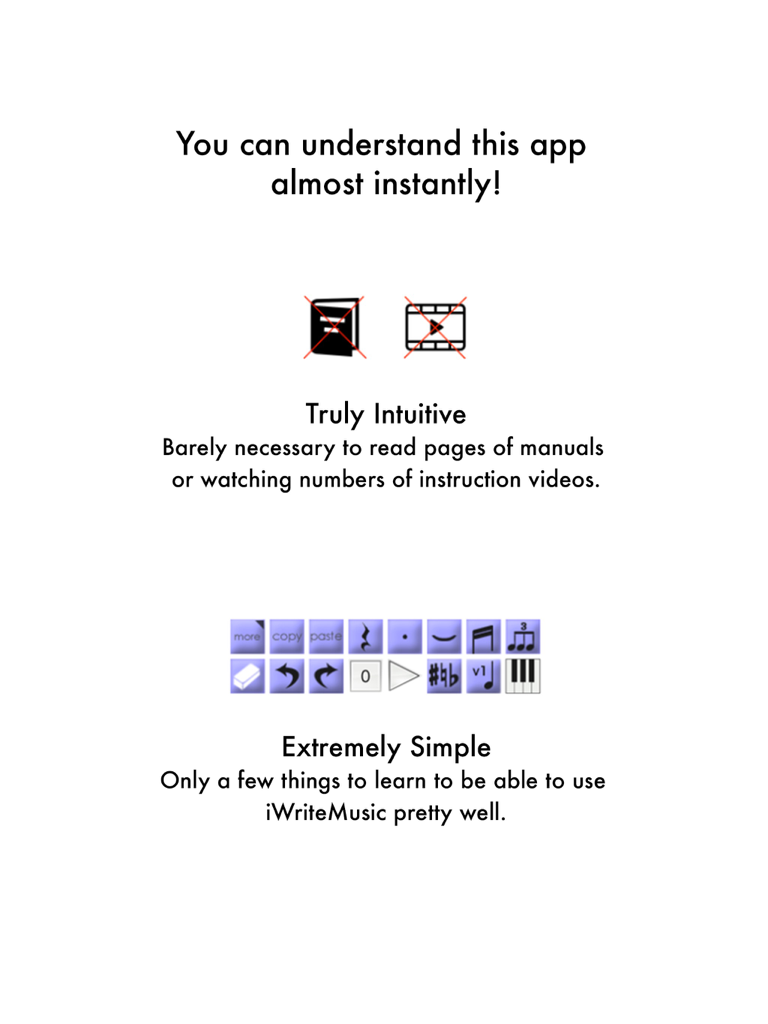
iWriteMusic Pro SE - iWriteMusic Pro SE의 직관적이고 간단한 사용자 인터페이스를 설명하는 그래픽
iWriteMusic Pro SE의 직관적이고 간단한 사용자 인터페이스를 설명하는 그래픽

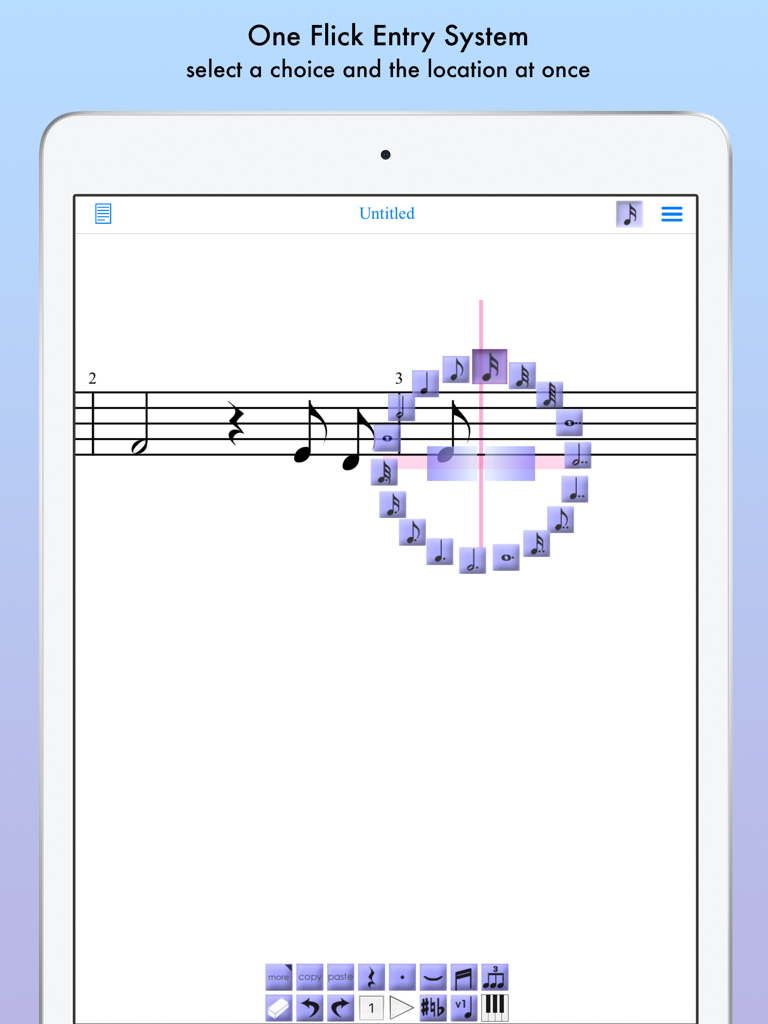
iWriteMusic Pro SE - iWriteMusic Pro SE의 iPad에서 음악 채보를 위한 원터치 입력 시스템
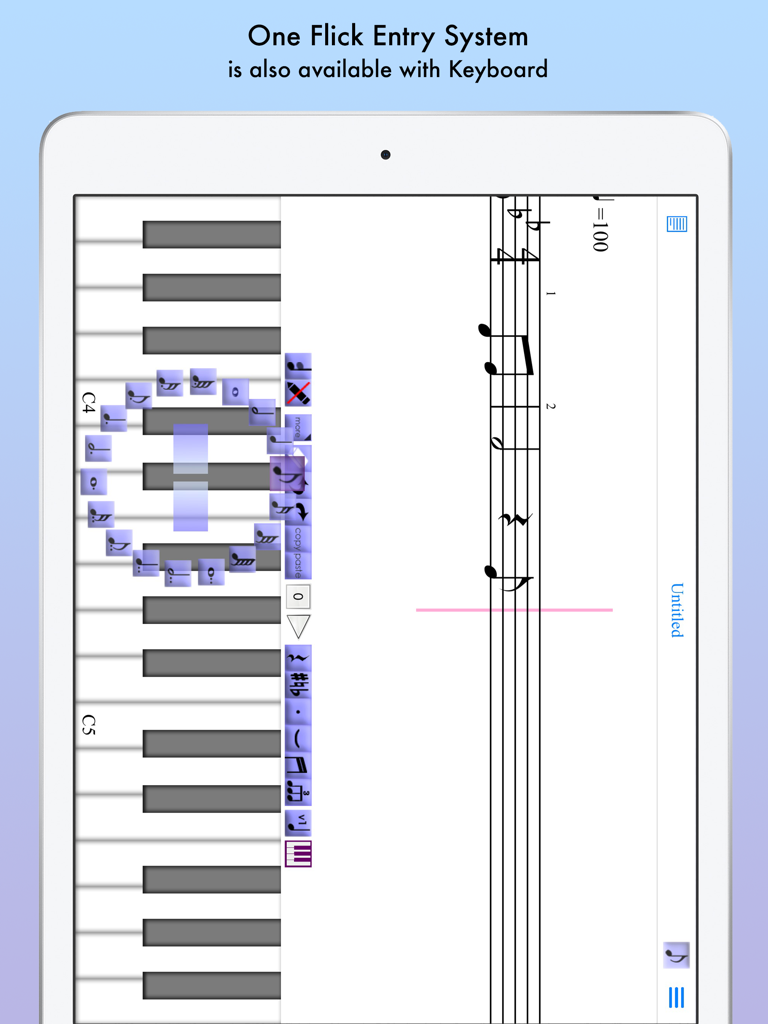
iWriteMusic Pro SE의 iPad에서 음악 채보를 위한 원터치 입력 시스템

iWriteMusic Pro SE - 피아노 건반과 음표를 위한 원터치 입력 시스템을 보여주는 음악 작곡 앱
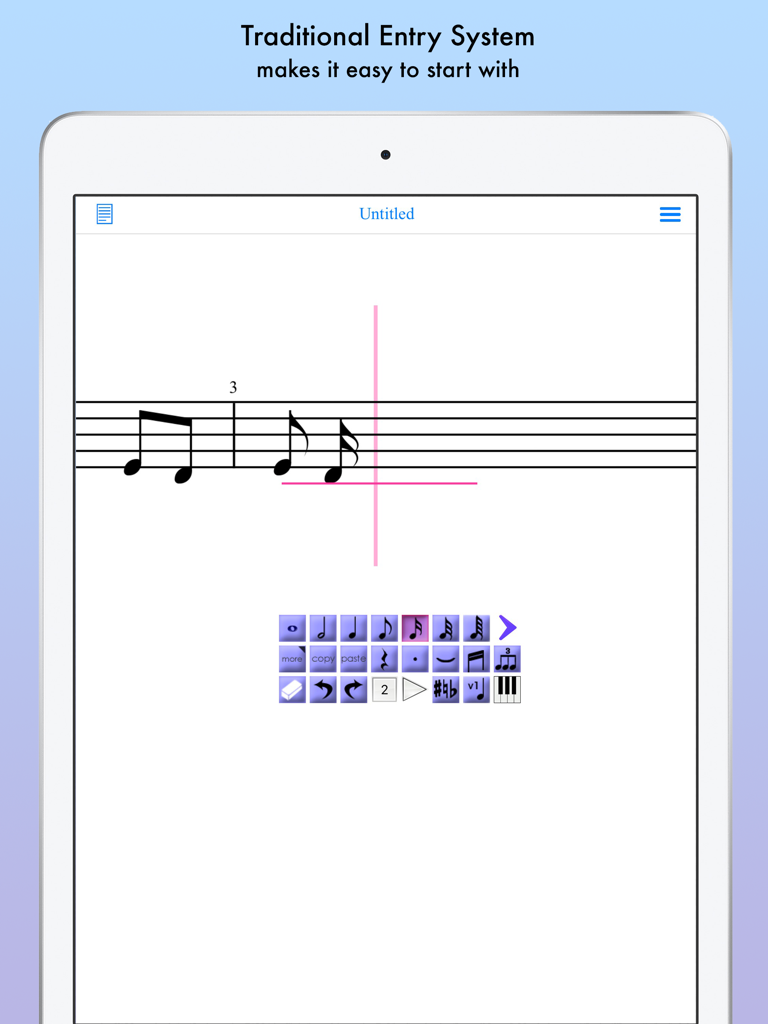
피아노 건반과 음표를 위한 원터치 입력 시스템을 보여주는 음악 작곡 앱

iWriteMusic Pro SE - 디지털 악보에 음악을 쓰기 위한 기존 입력 시스템을 보여주는 iWriteMusic Pro SE의 인터페이스
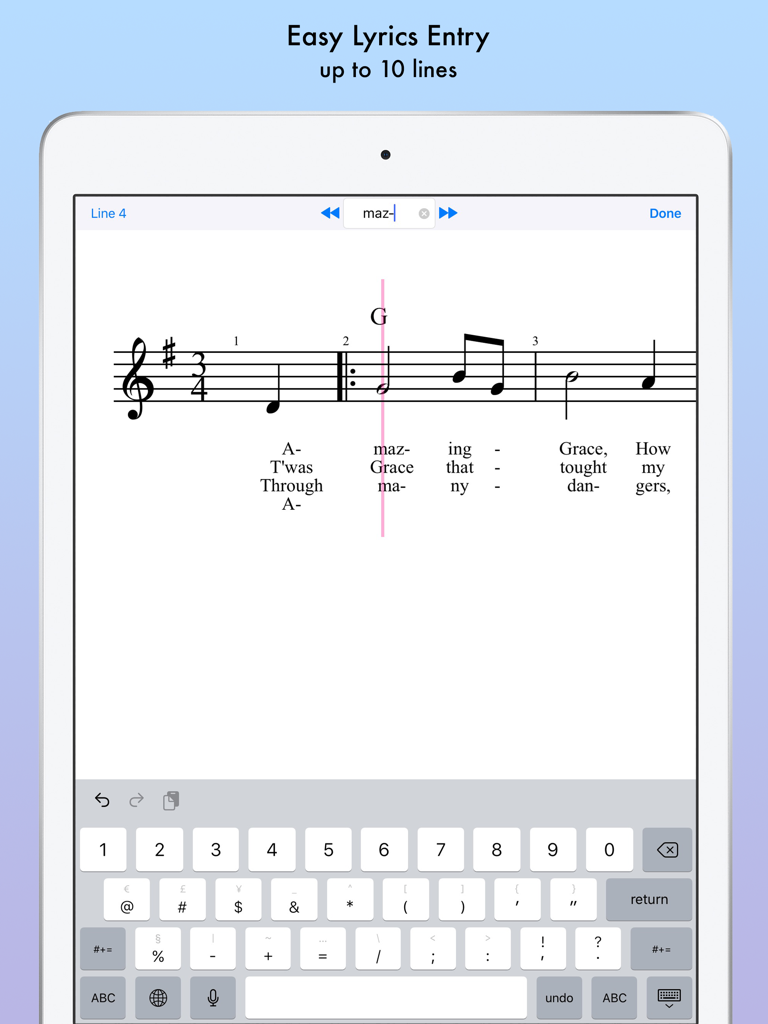
디지털 악보에 음악을 쓰기 위한 기존 입력 시스템을 보여주는 iWriteMusic Pro SE의 인터페이스

iWriteMusic Pro SE - iPad에서 악보에 대한 쉬운 여러 줄 가사 입력을 보여주는 iWriteMusic Pro SE 앱 인터페이스
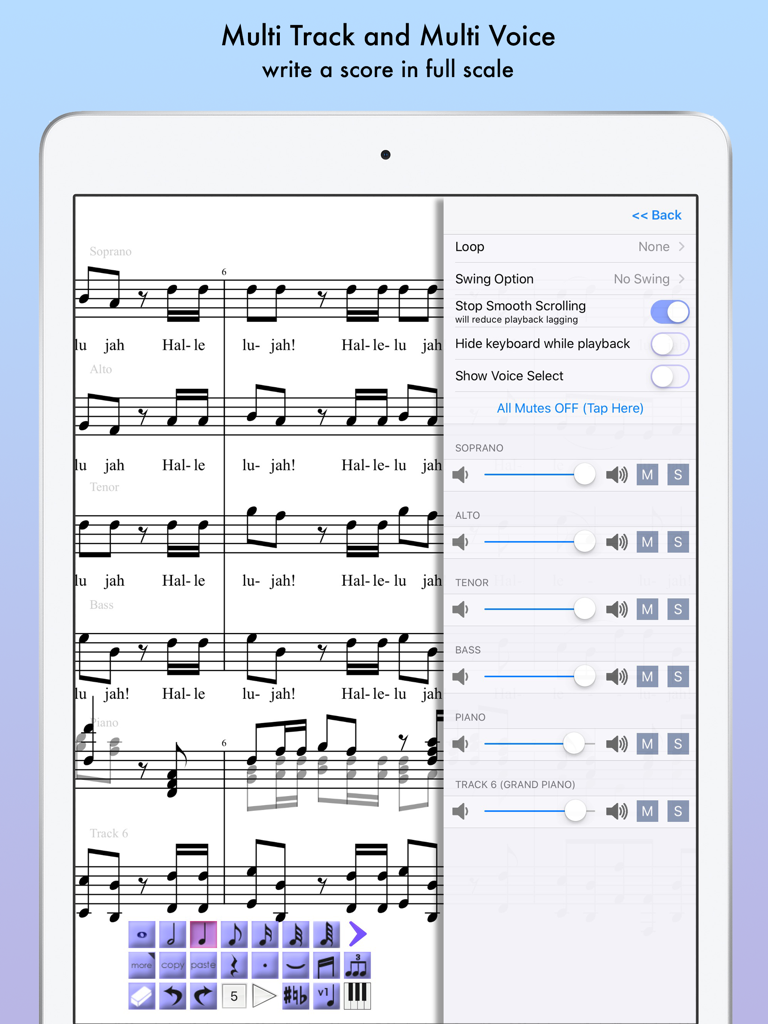
iPad에서 악보에 대한 쉬운 여러 줄 가사 입력을 보여주는 iWriteMusic Pro SE 앱 인터페이스

iWriteMusic Pro SE - iPad에서 iWriteMusic Pro SE의 다중 트랙 합창 채보 및 재생 믹서를 표시하는 인터페이스.
iPad에서 iWriteMusic Pro SE의 다중 트랙 합창 채보 및 재생 믹서를 표시하는 인터페이스.

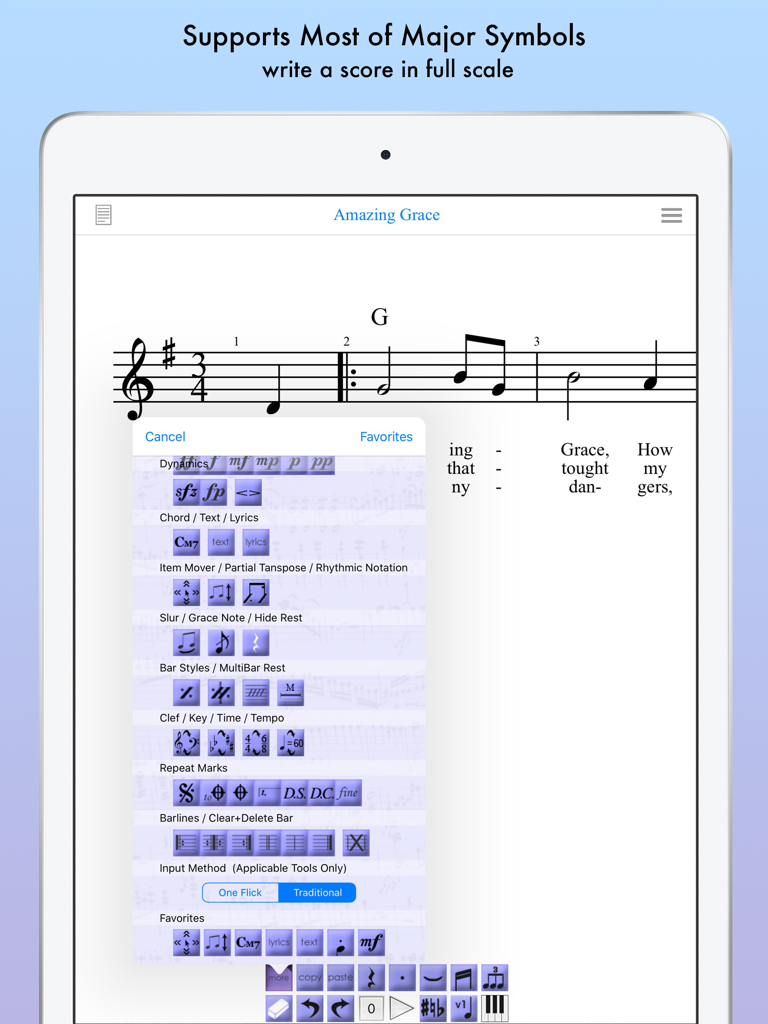
iWriteMusic Pro SE - iPad에서 Amazing Grace의 악보 및 기호 메뉴를 보여주는 iWriteMusic Pro SE 앱 인터페이스.
iPad에서 Amazing Grace의 악보 및 기호 메뉴를 보여주는 iWriteMusic Pro SE 앱 인터페이스.

iWriteMusic Pro SE - iPad에 표시되는 전문 음악 채보 및 악보

iPad에 표시되는 전문 음악 채보 및 악보

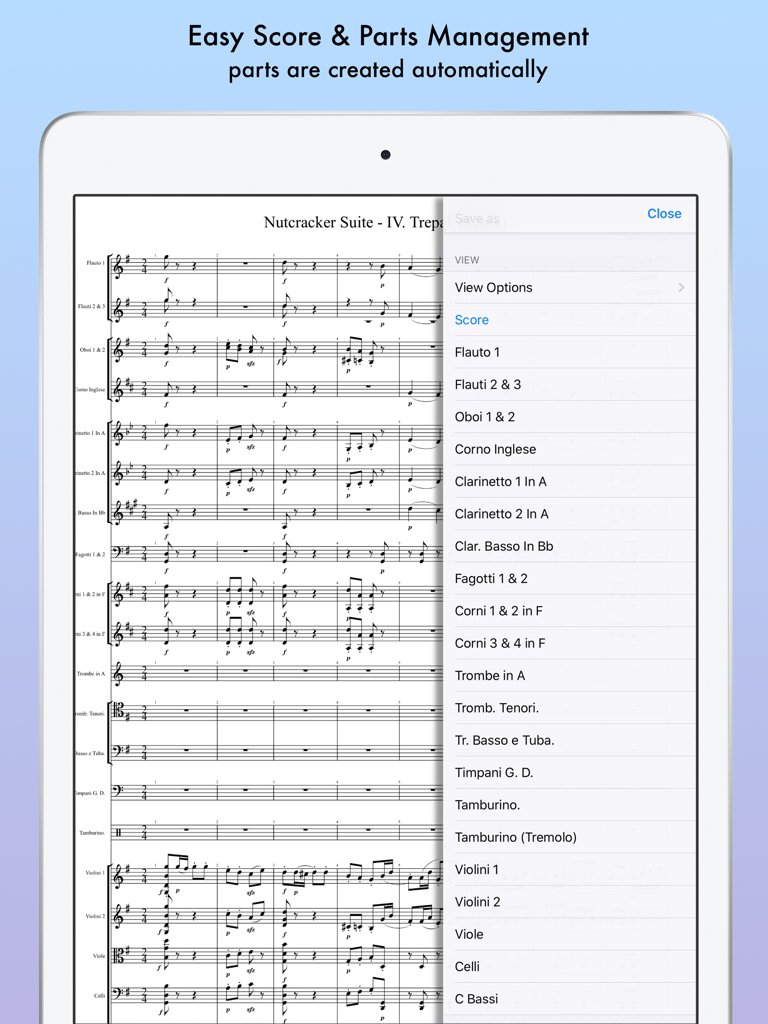
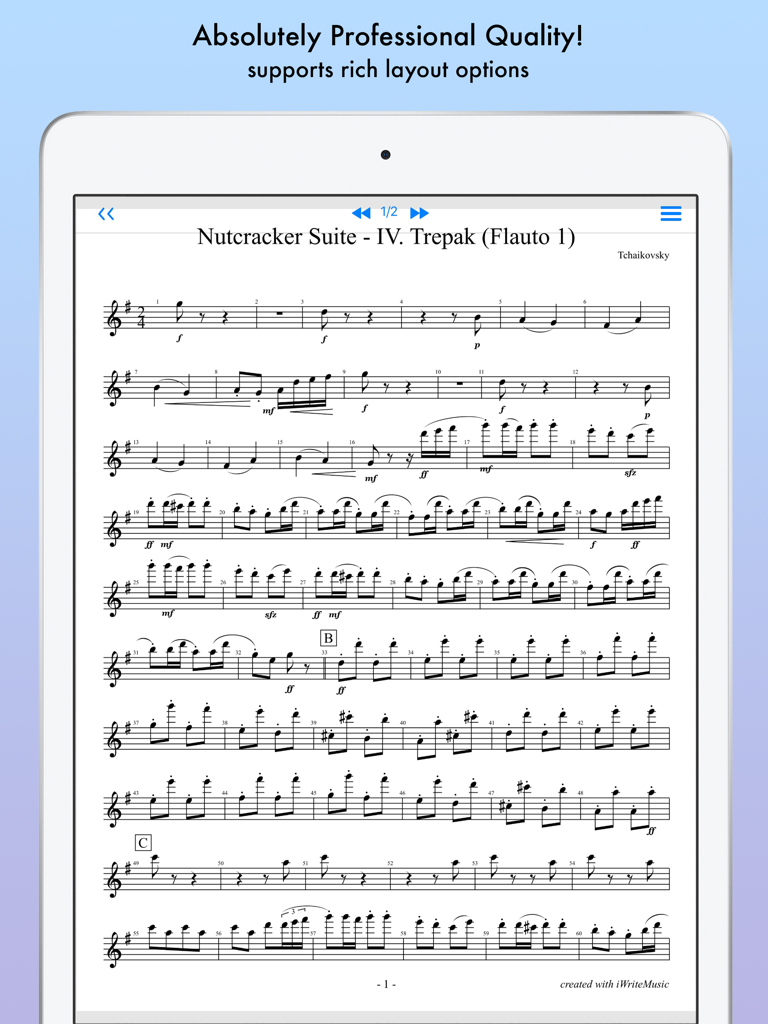
iWriteMusic Pro SE - iWriteMusic Pro SE 오케스트라 악보 및 악기 파트 목록을 보여주는 iPad 화면
iWriteMusic Pro SE 오케스트라 악보 및 악기 파트 목록을 보여주는 iPad 화면

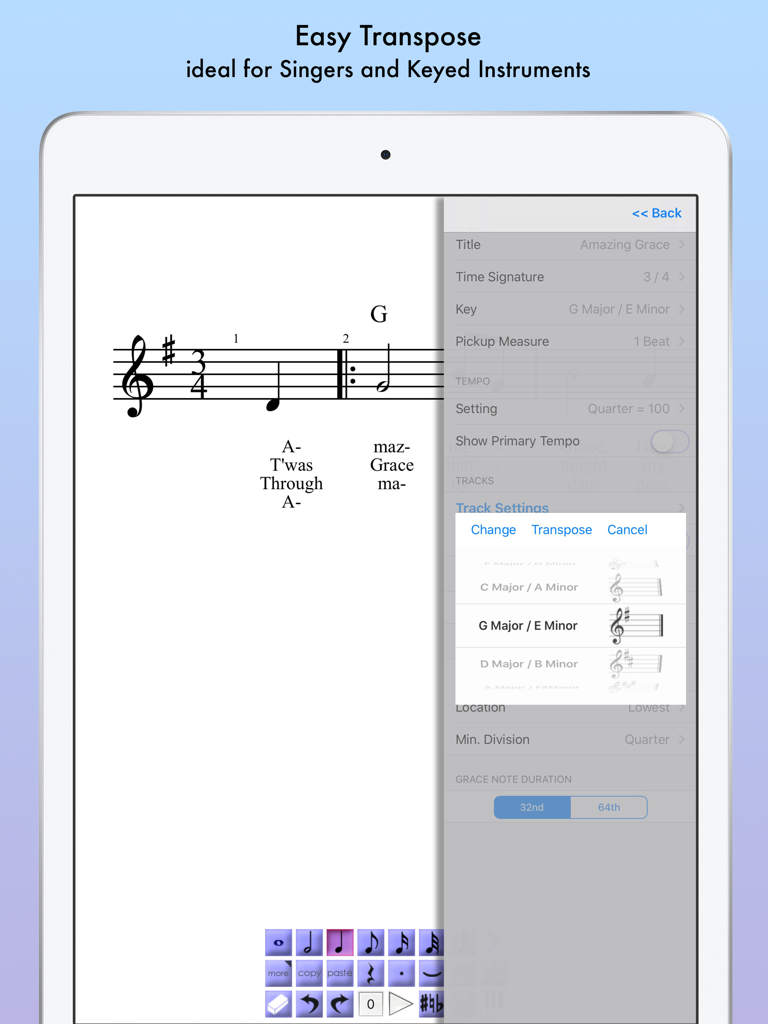
iWriteMusic Pro SE - 다른 키에 대한 쉬운 조옮김 기능을 보여주는 사이드바 메뉴와 함께 Amazing Grace의 악보를 표시하는 iPad 화면

다른 키에 대한 쉬운 조옮김 기능을 보여주는 사이드바 메뉴와 함께 Amazing Grace의 악보를 표시하는 iPad 화면

설명

Music Writing is easy and fun when you use iWriteMusic! Experience the perfect harmony of ease and versatility in sheet music creation with iWriteMusic! Say goodbye to complicated notation apps and hello to intuitive design. Enjoy quick and beautiful sheet music creation with a comprehensive suite of essential tools for concerts, lessons, and music classes. Best fit for professional musicians, music teachers and students. For songwriters, composers and arrangers. For both singers and instrumentalists (piano, violin, cello, guitar, flute, saxophone, trumpet, drums, etc.). Great for writing down ideas, creating lesson materials, creating lead sheets, or creating scores and parts for chorus groups, choirs, chamber orchestras, jazz bands, Latin bands, orchestras, and more. For daily practice, rehearsals, concerts, iWriteMusic will help you enrich your musical life! Check out 8 reasons to choose iWriteMusic SE (Special Edition) 1. You can understand this app almost instantly! Because of Truly Intuitive and Extremely Simple user interface, you barely need to read pages of manuals nor watching numbers of instruction videos. Unlike Finale, Sibelius and other similar apps, you just have a few things to learn to be able to use this app pretty well. 2.Double your productivity with our Highly Efficient Input System. If you’re already familiar with notation apps and looking for faster & more efficient entry system, try our innovative One-Flick Entry System along with Traditional Entry System to get your job done in no time! What is Traditional Entry System? - The choices will appear with ToolBox. - Select a value and the location separately. - Recommended to those who are not yet familiar with any music notation apps. What is OneFlick Entry System? - The choices will appear when you touch the screen. - Select a location and the value at once. - The selection will change as you slide your finger to left/right. - Recommended to those who are familiar with music notation apps and looking for faster and more efficient entry system. 3. Creates beautiful sheet music / music score - absolutely professional quality! - rich options for page layout adjustment - easy parts creation - easy score/parts management - direct print-out via AirPrint 4. Supports most of major notation elements - multi-track writing - multi-voice writing - percussion/drums notation - chord symbols and lyrics - multi-bar rest - time change - key change - clef change - tempo change - grace note - articulations and dynamics marks - easy song transpose - partial transpose and many more! 5. Useful playback options for practice - mixer with solo, mute and voice select - loop and swing options 6. Data & sheet music sharing - exports/Imports iWriteMusic data file - exports PDF or JPG - exports Standard MIDI file which can be imported by other apps such as GarageBand 7. Extremely Compact Size (15 MB) You can save your device storage space for photos and other apps. 8. Best of all, it's Free! Yes, it's Free and Over 1.4 Million people all over the world has created music with this app family. Let's get started now! Note: This is for iPhone (iPad version sold separately) ATTENTION:  Latency during playback and drawing may occur by device capacity or number of tracks and background applications. Limitations on SE (Special Edition): 1. Water mark appears on page views and printouts. 2. Can’t save more than 5 songs. 3. Can't play more than 30 seconds at a time. 4. Can't import iWriteMusic data file. (export only) 5. Can't export Standard MIDI file.

Download

다운로드: App Store

이 페이지는 앱이나 개발자의 공식 페이지가 아니며, 정보 제공 및 논평을 목적으로 작성된 독립 편집 간행물입니다. 명시적으로 달리 언급되지 않는 한, 해당 앱이나 개발자는 MWM, Apple, Google Play, 앱 퍼블리셔 또는 앱 개발자와 제휴, 보증, 후원, 승인 또는 공식적으로 연결되어 있지 않으며, 이 페이지의 어떤 내용도 해당 앱이 MWM의 서비스를 사용하여 개발되었음을 의미하지 않습니다. 모든 상표, 로고, 스크린샷 및 기타 콘텐츠는 해당 소유자의 자산입니다.