iziCast
iziCast
다운로드: App Store

이 페이지는 앱이나 개발자의 공식 페이지가 아니며, 정보 제공 및 논평을 목적으로 작성된 독립 편집 간행물입니다. 명시적으로 달리 언급되지 않는 한, 해당 앱이나 개발자는 MWM, Apple, Google Play, 앱 퍼블리셔 또는 앱 개발자와 제휴, 보증, 후원, 승인 또는 공식적으로 연결되어 있지 않으며, 이 페이지의 어떤 내용도 해당 앱이 MWM의 서비스를 사용하여 개발되었음을 의미하지 않습니다. 모든 상표, 로고, 스크린샷 및 기타 콘텐츠는 해당 소유자의 자산입니다.

로고: iziCast
다운로드: App Store

iziCast

스튜디오급 제어로 모바일 스트림을 강화하세요. 좋아하는 외부 장비와 믹서를 사용하여 Icecast, Shoutcast 또는 RTMP로 고음질 사운드를 방송하세요.

주요 수치

다운로드

82K+

사용자 평점

4.7/5

총 평가 수

300

개발사

Daniel Noethen

카테고리

Music

지원 언어

2

최신 버전

1.10.7

크기

24.4 MB

출시일

2019년 5월 17일
기능

어디서든 전문가 수준의 방송

iPhone 또는 iPad를 전문 모바일 스튜디오로 변환하세요. iziCast는 이동 중에도 고음질 라이브 콘텐츠를 제작하는 데 필요한 기술적 정밀도와 하드웨어 호환성을 제공합니다.

전문 하드웨어 통합

클래스 호환 믹서, 인터페이스 및 마이크를 연결하세요. Focusrite부터 Zoom까지, 모바일 설정에서 선명한 오디오를 위해 전문 장비를 활용하세요.

보편적인 스트리밍 지원

RTMP를 통해 YouTube, Twitch, Facebook에서 라이브 방송을 하거나 Icecast 및 Shoutcast 서버에서 자신만의 쇼를 호스팅하세요. 방송 대상에 대한 완전한 제어권을 갖습니다.

다음 스크린샷과 설명은 앱의 공식 스토어 목록에서 직접 가져온 것이며 앱 개발자의 자산입니다.

앱 스토어

스크린샷
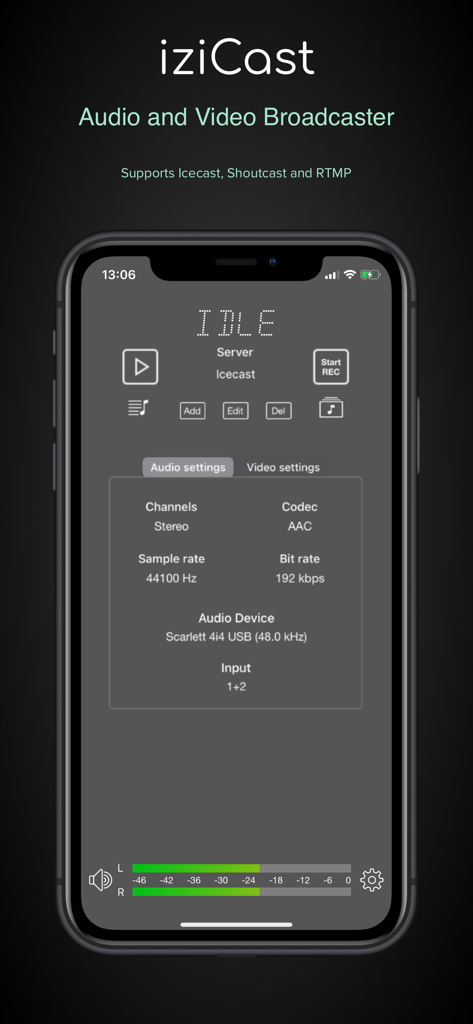
iziCast - 오디오 설정 및 하드웨어 연결 상태를 표시하는 iziCast 모바일 앱 인터페이스
오디오 설정 및 하드웨어 연결 상태를 표시하는 iziCast 모바일 앱 인터페이스

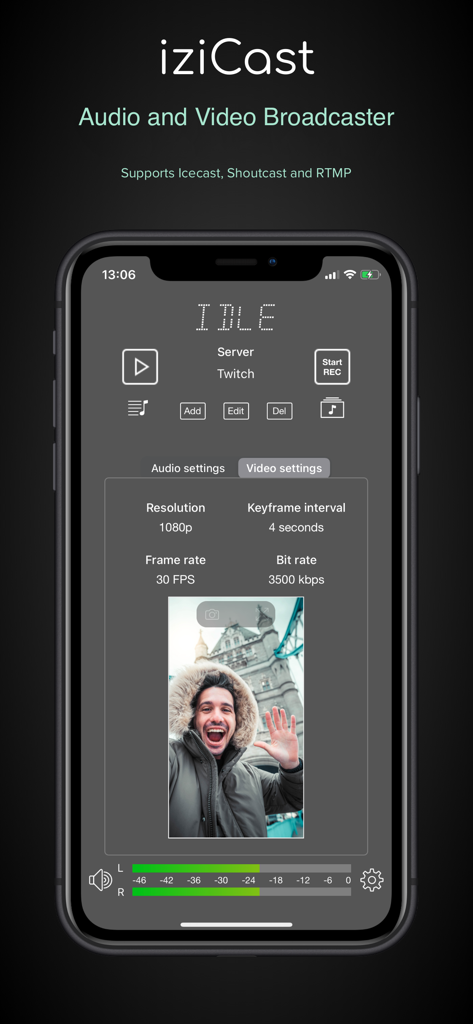
iziCast - iPhone에서 해상도 및 프레임 속도를 보여주는 iziCast 앱 비디오 설정 인터페이스
iPhone에서 해상도 및 프레임 속도를 보여주는 iziCast 앱 비디오 설정 인터페이스

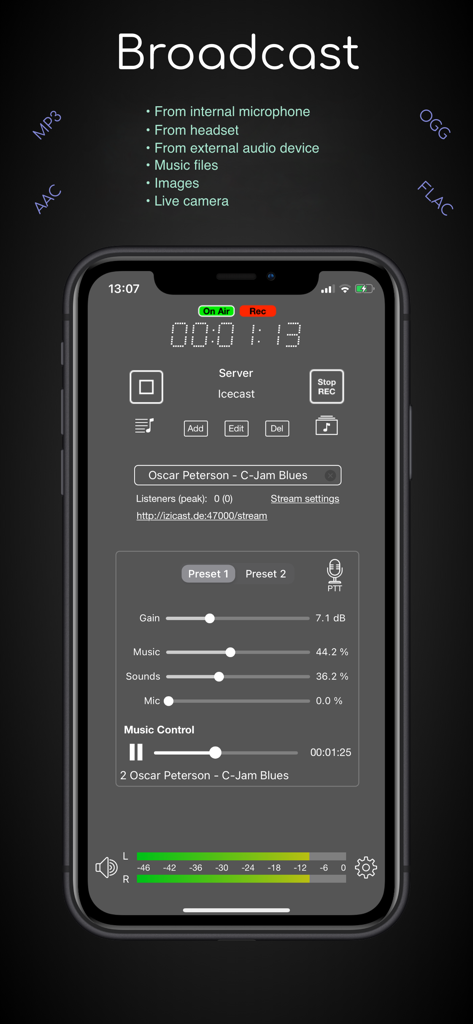
iziCast - 스마트폰에서 전문가 수준의 실시간 오디오 방송 제어를 보여주는 iziCast 앱 디스플레이
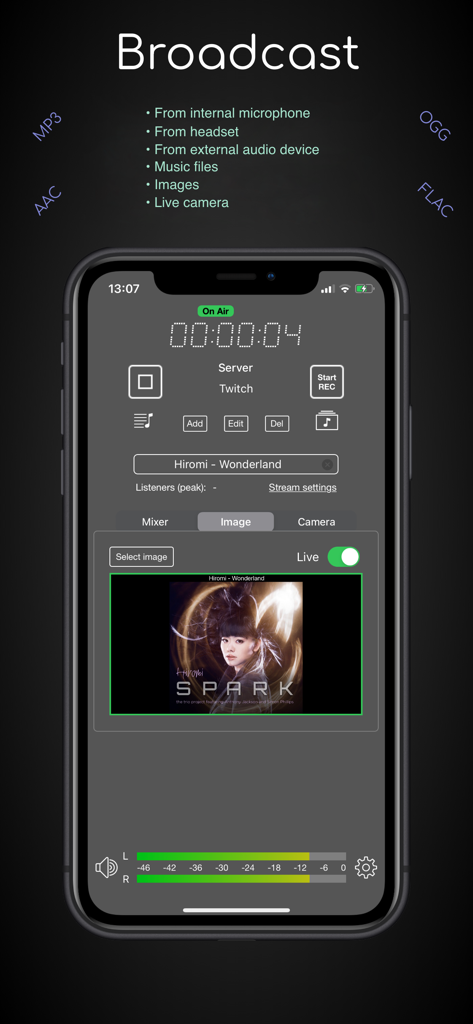
스마트폰에서 전문가 수준의 실시간 오디오 방송 제어를 보여주는 iziCast 앱 디스플레이

iziCast - 오디오 레벨과 앨범 아트를 포함한 실시간 Twitch 스트림을 보여주는 iziCast 앱 인터페이스
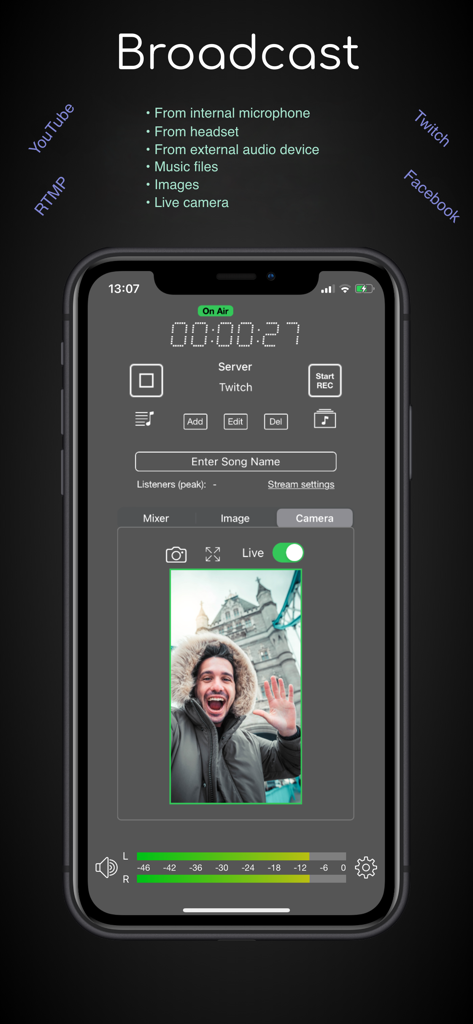
오디오 레벨과 앨범 아트를 포함한 실시간 Twitch 스트림을 보여주는 iziCast 앱 인터페이스

iziCast - 실시간 오디오 레벨 모니터링이 있는 실시간 비디오 방송을 보여주는 iziCast 앱 인터페이스
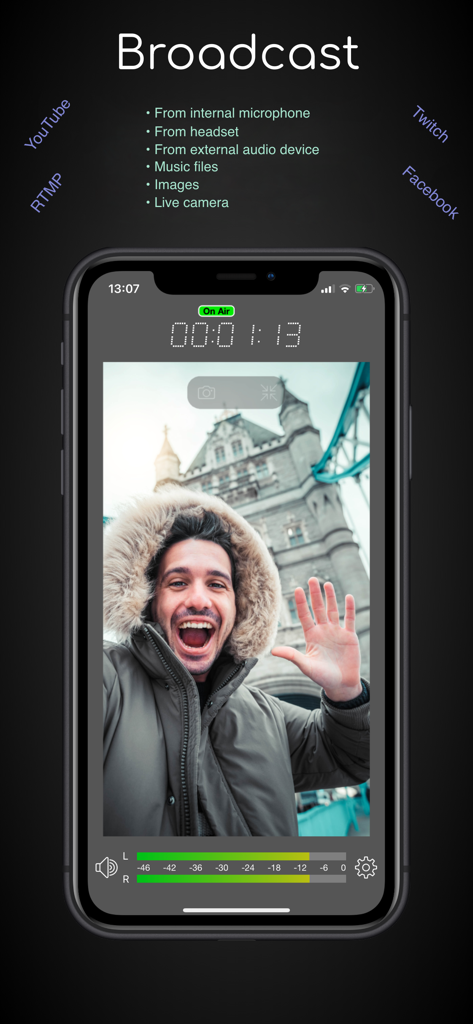
실시간 오디오 레벨 모니터링이 있는 실시간 비디오 방송을 보여주는 iziCast 앱 인터페이스

iziCast - 온에어 타이머와 오디오 레벨 미터가 있는 실시간 비디오 방송을 보여주는 iziCast 앱 인터페이스
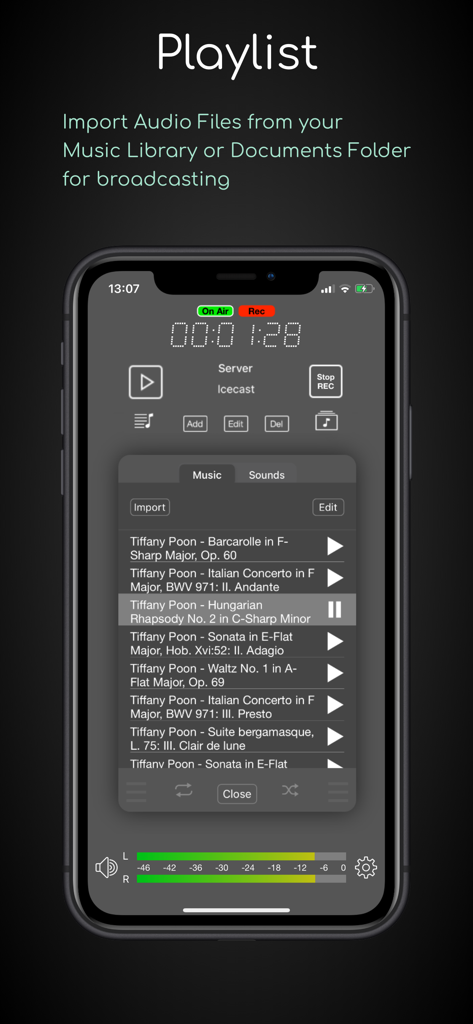
온에어 타이머와 오디오 레벨 미터가 있는 실시간 비디오 방송을 보여주는 iziCast 앱 인터페이스

iziCast - 볼륨 레벨 및 녹음 상태와 함께 라이브 방송 준비가 된 음악 트랙 목록을 보여주는 iziCast 앱 재생 목록 인터페이스
볼륨 레벨 및 녹음 상태와 함께 라이브 방송 준비가 된 음악 트랙 목록을 보여주는 iziCast 앱 재생 목록 인터페이스

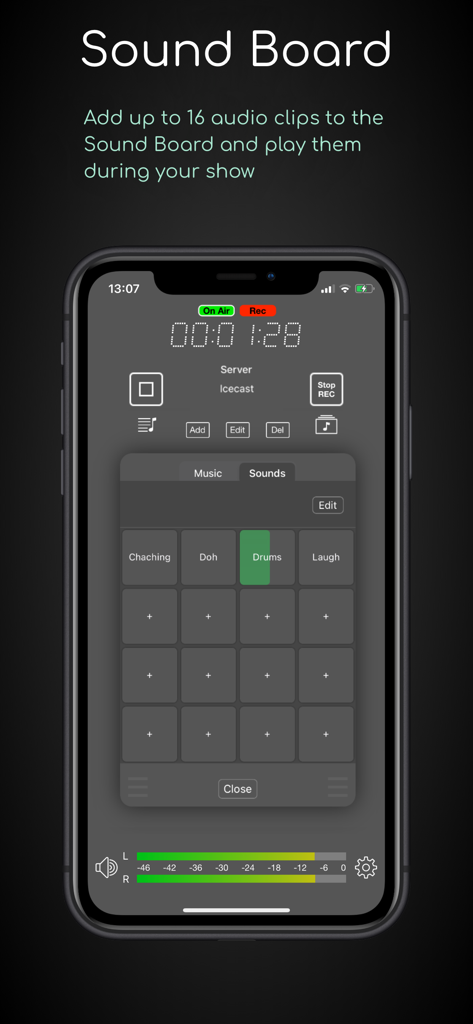
iziCast - 라이브 방송용 16개 오디오 패드를 보여주는 iziCast 앱 사운드 보드 기능
라이브 방송용 16개 오디오 패드를 보여주는 iziCast 앱 사운드 보드 기능

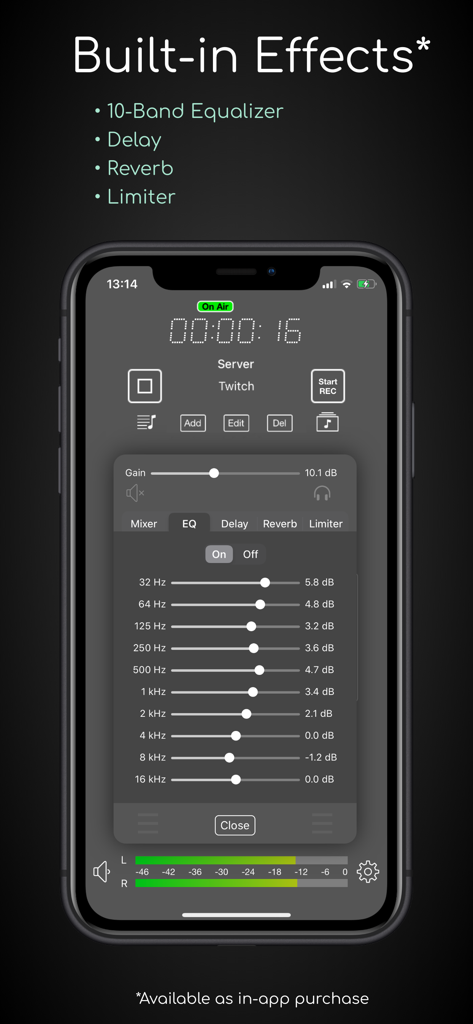
iziCast - 라이브 방송용 10밴드 이퀄라이저와 내장 오디오 효과를 보여주는 iziCast 앱 인터페이스
라이브 방송용 10밴드 이퀄라이저와 내장 오디오 효과를 보여주는 iziCast 앱 인터페이스

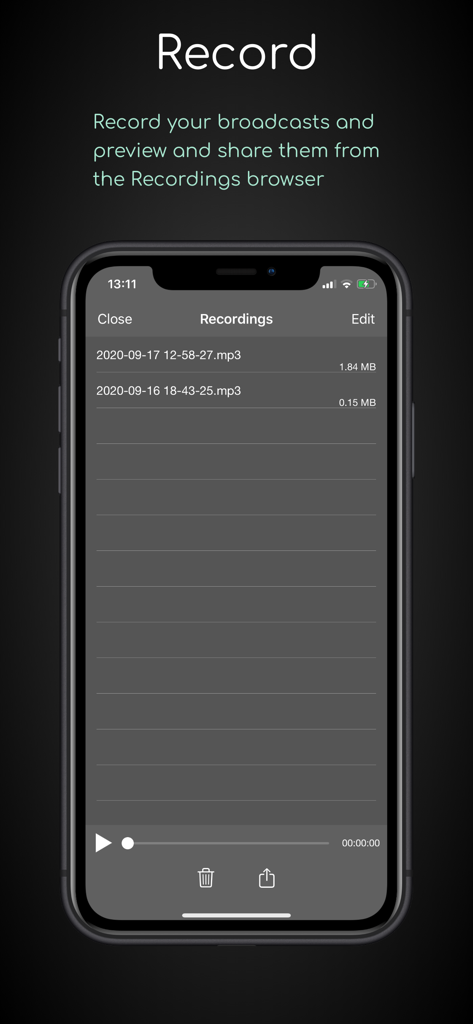
iziCast - 모바일 휴대폰에서 녹음된 오디오 방송 목록과 재생 제어를 표시하는 iziCast 앱 인터페이스

모바일 휴대폰에서 녹음된 오디오 방송 목록과 재생 제어를 표시하는 iziCast 앱 인터페이스

설명

iziCast is a versatile audio and video broadcaster. You can broadcast audio from the internal microphone, external audio devices, audio files and Audiobus compatible apps to Icecast, Shoutcast and RTMP servers.  Live video from your camera can be broadcasted to any RTMP compatible service, such as YouTube, Twitch, Facebook and Telegram. Any of the supported audio sources listed above can be combined with your live camera.   When using RTMP you can decide if you want to use one of your device cameras as video source or simply an image. In case of an image it is up to you if you want to stream a single image, the album cover of the current track or just a black image to save bandwidth.  The image can be changed during the broadcast and you can even let iziCast write text like the current song on the image. Besides that, iziCast comes with a lot more features. Have a look at the list below to find out what else iziCast can do. If you have any questions or suggestions feel free to contact me at izicast@danielnoethen.de The following features are included in iziCast: • Supports internal microphones • Supports external multi channel audio devices • Supports video streaming from your device camera • Supports audio files • Sound Board with up to 16 sound pads • Supports Icecast 2 and Shoutcast 1 & 2 (legacy mode) • Supports Liquidsoap based internet radio platforms (e.g. Airtime/Azuracast) • Supports RTMP/RTMPS (YouTube, Twitch, Facebook, Telegram, etc.) • Supports Audiobus • Supports audio recording • Supports Push To Talk • Preview and share your audio recordings • Provides multiple effects via In-App Purchase (10-Band EQ, Delay, Reverb, Limiter) • Supports MP3 (bit rates from 8 kbps to 320 kbps) • Supports AAC (bit rates from 96 kbps to 320 kbps) • Supports AAC+/AAC-HE (bit rates from 24 bps to 80 kbps) • Supports OGG/Vorbis (bit rates from 16 kbps to 320 kbps) • Supports FLAC (Free Lossless Audio Codec) • Shows you the input audio volume on its level meter • Shows you the used traffic and file size of a session (tap the dot matrix text) • Shows you the number of current and peak listeners • Automatically reconnects on connection failures • Allows you to update the song information • Allows you to apply gain to the input volume • Allows you to mix multiple audio sources with individual volumes • Supports monitoring Which external audio devices are supported?  Basically, every class-compliant audio device is supported. Manufacturers will usually indicate whether a device is class-compliant or not.  If you cannot find information about class compliance, a good rule of thumb is that an audio device is class-compliant if it does not need a driver to work on macOS. So, if your device works on macOS without a driver, it will also work on your iPhone or iPad with iziCast. List of successfully tested external audio devices: (There is a very high chance that your device will work with iziCast even if it is not listed here) • 1010music Bluebox • Alesis MultiMux 12 USB (Please set the preferred input sample rate to 44100 Hz) • Apogee jam+ • Apple AirPods (Pro) • Apple EarPods • Behringer U-Control UCA202 / UCA222 • Behringer Xenyx 302 USB • Behringer U-Phoria UMC404HD • Elektron Digitakt • Elektron Syntakt • Evermix MixBox • Focusrite Scarlett 4i4 • M-audio Fast Track Ultra Pro • Pyle PAD30MXUBT • Roland go:mixer • Tascam iM2X • Tascam iXJ2 • Tascam US-1800 • Traktor Z1 • Yamaha SC2 Silent Piano • Zoom F1 • Zoom H2 Recorder (Please set the sample rate on the device to 48 kHz) • Zoom H3-VR • Zoom H4n Pro • Zoom H6

Download

다운로드: App Store

이 페이지는 앱이나 개발자의 공식 페이지가 아니며, 정보 제공 및 논평을 목적으로 작성된 독립 편집 간행물입니다. 명시적으로 달리 언급되지 않는 한, 해당 앱이나 개발자는 MWM, Apple, Google Play, 앱 퍼블리셔 또는 앱 개발자와 제휴, 보증, 후원, 승인 또는 공식적으로 연결되어 있지 않으며, 이 페이지의 어떤 내용도 해당 앱이 MWM의 서비스를 사용하여 개발되었음을 의미하지 않습니다. 모든 상표, 로고, 스크린샷 및 기타 콘텐츠는 해당 소유자의 자산입니다.







