JUMP PAINT by MediBang

JUMP PAINT by MediBang

다운로드: App Store
로고: JUMP PAINT by MediBang

JUMP PAINT: 나만의 공식 소년 점프 만화 무료로 그리기

주간 소년 점프 편집자들이 제공하는 독점 강좌로 만화의 기술을 마스터하세요. 전문 G펜, 스크린톤, 폰트를 사용하여 걸작을 만들고 아이폰에서 바로 공식 콘테스트에 참가하세요.

개발사

MediBang inc.

카테고리

Entertainment

다운로드

1M+

사용자 평점

4.5/5

총 평가 수

11K+

지원 언어

18

크리에이터 스튜디오 내부

이 인터페이스를 사용하는 1M+ 명의 사용자.

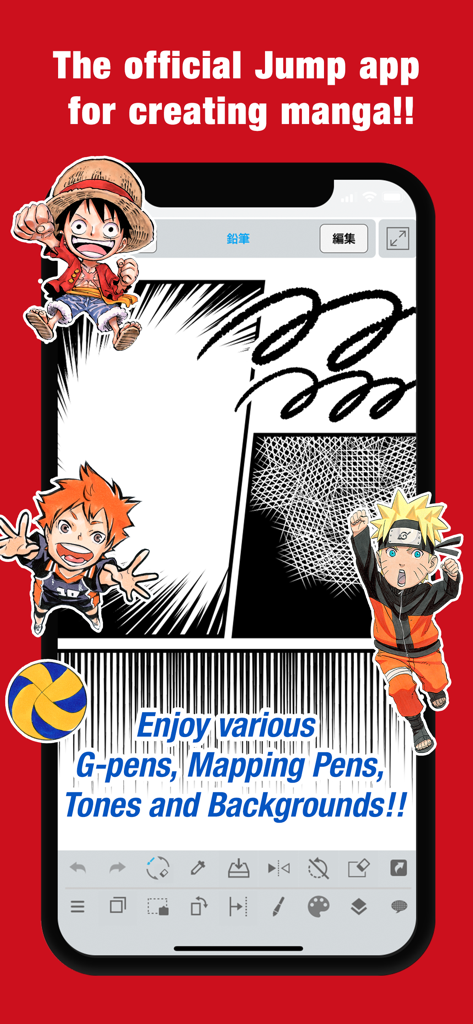
나루토, 루피와 같은 만화 패널과 캐릭터가 등장하는 JUMP PAINT 앱의 모바일 인터페이스
나루토, 루피와 같은 만화 패널과 캐릭터가 등장하는 JUMP PAINT 앱의 모바일 인터페이스

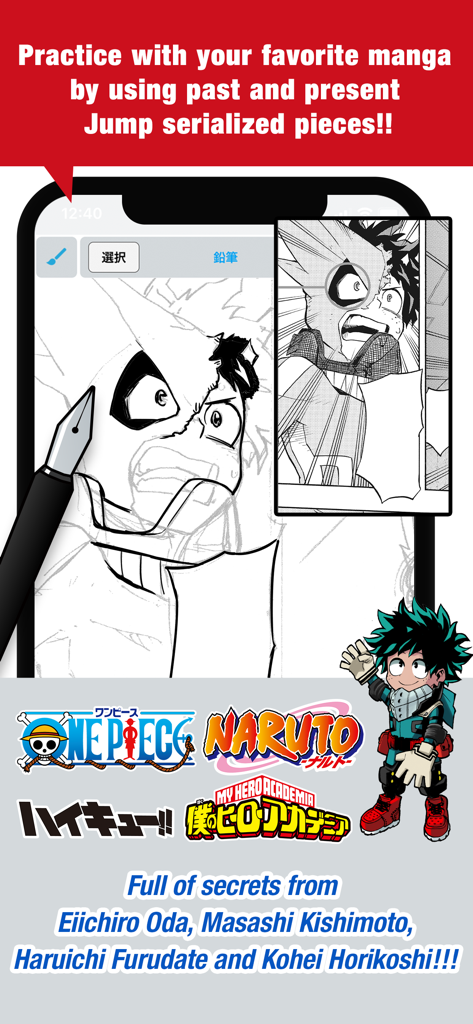
JUMP PAINT 앱 화면에 나의 히어로 아카데미아 캐릭터와 인기 소년 점프 시리즈 로고가 있는 만화 그리기 연습이 표시됨
JUMP PAINT 앱 화면에 나의 히어로 아카데미아 캐릭터와 인기 소년 점프 시리즈 로고가 있는 만화 그리기 연습이 표시됨

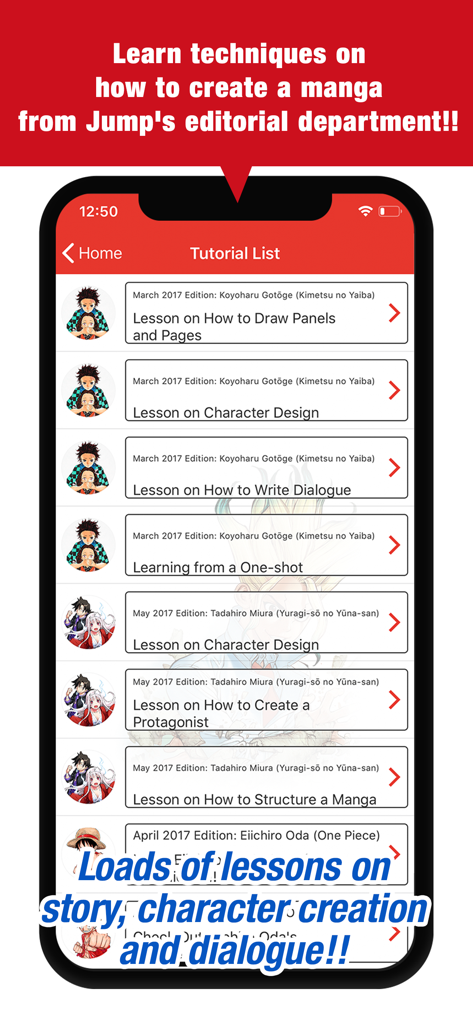
점프 작가의 공식 만화 제작 튜토리얼 목록을 보여주는 JUMP PAINT 앱 스크린샷

점프 작가의 공식 만화 제작 튜토리얼 목록을 보여주는 JUMP PAINT 앱 스크린샷

만화의 기술 마스터하기

이 앱을 돋보이게 하는 도구, 1M+ 명의 사용자가 선택.

🖋️

프로 수준의 만화 도구

정품 G펜과 매핑펜을 포함한 90개 이상의 무료 브러시와 800개 이상의 전문 스크린톤 및 배경을 이용하세요.

🎓

주간 소년 점프 강좌

세계 최고 만화 편집자들의 스토리보드, 캐릭터 디자인, 대사에 대한 독점 튜토리얼로 기술을 마스터하세요.

🏆

공식 콘테스트 참가

전 세계 어디서든 공식 점프 대회에 직접 작품을 제출하여 팬에서 프로로 나아가세요.

앱 소개

에 대해 알아야 할 모든 것 JUMP PAINT by MediBang.

설명

■A completely free app for creating official Weekly Shonen Jump manga and illustrations!! G-pens, Mapping Pens, Tones and Backgrounds are all free to use!! ■Learn techniques on how to create a manga from Jump's editorial department!! Loads of lessons on story, character creation and dialogue!! ■You can also enter Jump contests!! The app will give you information on each contest. Don't miss out!! What is JUMP PAINT? It's the ultimate app for creating manga and illustrations -- a collaboration between MediBang Paint (12 million downloads) and Weekly Shonen Jump. JUMP PAINT was developed to provide an environment for creators to draw anytime and anywhere using MediBang Paint's features. JUMP PAINT is the perfect paint software for creating illustrations and manga. It comes with many features to enjoy drawing illustrations and manga, like a multitude of brushes, materials and manga fonts. ■ Draw Anywhere!   ・With JUMP PAINT you can have almost all the features of a desktop painting program in your pocket.   ・Despite being packed with so many features, the interface of JUMP PAINT has been designed especially for the iPhone in mind.   ・The UI can be closed and opened in one touch.   ・The sleek interface allows users to change brush sizes or color modes with ease. ■ Painting Tools   ・90 free brushes!!   ・In addition to the Pen, Pencil, Watercolor, Blur, Smudge, G Pen, Mapping Pen, Rotation Symmetry and Edge Pens, we have added over 50 different kinds of brushes, including the Brush, Flat Brush, Round Brush, Acrylic, School Pen, and Soft Pastel.   ・Force Fade In and Out make your lines sharp even if you’re drawing with your fingers. ・Users can create their own custom brushes. ■ Pen Pressure on the iPhone   ・The 3D Touch on iPhone 6 and iPhone 6 Plus is now supported to enable you to use pen pressure when drawing. ■ Free Resources ・800 different types of free tones and backgrounds. ・Premade clouds, buildings, and vehicles are included. ・Tones can be added with one simple touch. ■ Layers ・Comes with layers complete with blending modes. ・Can be used to preserves different elements of you work. ■ Comic Fonts ・Use them to change the atmosphere of your comics. ・Use them to define your character’s moods or personalities. ・50 fonts used by industry professionals available. ■Comic Creation ・Just drag across the screen to create comic panels. ・Freely transform their shape. ■ User Friendly ・Includes customizable shortcuts ・Geared towards first time users. ・Has an interface designed to give artists room to draw. ・One touch to access full-screen mode. ■ Other Tools ・Guides for drawing in perspective, or creating lines, and curves. ・Correction to stabilize your line strokes. ■ Photo Reference   ・You can take photos in the app and use them as references on a different layer.   ・Use them for reference or learning how to draw new things. ■ Cloud Storage ・You can backup and manage your data safely. ・Easily transfer your work. ■ Manage Project ・Save and manage multipage documents. ■ Syncability ・You can sync your preset settings with the PC version of JUMP PAINT. ■ Team Creation ・You can collaborate on work with friends no matter where you are. ■ Auto Recovery ・Your data is automatically backed up if your device crashes. IMPORTANT In order to use the app’s cloud features a MediBang account is required(https://medibang.com/). Recommended Specs   ・iPhone 5s and above

최신 버전

6.4

크기

81.2 MB

출시일

2017년 6월 22일

나만의 소년 점프 전설을 그릴 준비가 되셨나요?

주간 소년 점프 편집팀의 공식 도구, 브러시, 전문 강좌를 사용하는 1,200만 명 이상의 크리에이터들과 함께하세요. 팬에서 만화가로의 여정을 오늘부터 완전히 무료로 시작하세요.

다운로드: App Store
FAQ

자주 묻는 질문

에 대해 알아야 할 모든 것 JUMP PAINT by MediBang

JUMP PAINT는 무엇인가요?

JUMP PAINT는 주간 소년 점프 만화 및 일러스트를 제작할 수 있는 완전 무료 앱입니다. 메디방 페인트와 주간 소년 점프의 협업으로 도구, 브러시, 소재, 만화 폰트 등을 제공합니다.

JUMP PAINT는 무료로 사용할 수 있나요?

네, JUMP PAINT는 완전 무료 앱입니다. 만화와 일러스트를 무료로 제작할 수 있도록 G펜, 마감펜, 톤, 배경 등을 무료로 제공합니다.

JUMP PAINT에서 사용할 수 있는 그림 도구는 무엇인가요?

JUMP PAINT에는 펜, 연필, 수채화, G펜, 마감펜, 아크릴 등 90개 이상의 무료 브러시가 포함되어 있습니다. 사용자는 사용자 정의 브러시를 만들고 정밀한 선을 위한 강제 페이드 인/아웃과 같은 기능을 활용할 수도 있습니다.

JUMP PAINT는 만화 제작을 위한 학습 자료를 제공하나요?

네, JUMP PAINT는 만화 제작을 위한 광범위한 학습 자료를 제공합니다. 여기에는 점프 편집 부서에서 제공하는 스토리, 캐릭터 디자인, 대화에 대한 레슨이 포함되어 있으며 앱 내에서 직접 액세스할 수 있습니다.

JUMP PAINT를 통해 만화 콘테스트에 참가할 수 있나요?

네, JUMP PAINT 앱을 통해 점프 콘테스트에 직접 참가할 수 있습니다. 이 앱은 각 콘테스트에 대한 정보를 제공하여 창작자가 작품 제출 기회를 인지하도록 합니다.

JUMP PAINT는 iPhone에서 펜 압력을 지원하나요?

네, JUMP PAINT는 호환되는 iPhone 모델에서 펜 압력을 지원합니다. 구체적으로 iPhone 6 및 iPhone 6 Plus의 3D Touch 기능은 사용자가 앱 내에서 그림을 그릴 때 펜 압력을 적용할 수 있도록 합니다.

JUMP PAINT에서 배경과 톤을 위한 무료 자료는 무엇인가요?

JUMP PAINT는 800가지의 무료 톤과 배경을 제공합니다. 이러한 자료에는 미리 만들어진 구름, 건물, 차량이 포함되어 있어 사용자가 원터치로 쉽게 창작물에 추가할 수 있습니다.

JUMP PAINT 사용자는 프로젝트를 협업할 수 있나요?

네, JUMP PAINT는 팀 제작을 지원하여 사용자가 어디서든 친구와 함께 작업할 수 있습니다. 이 기능을 통해 여러 사용자가 공유 창작 프로젝트를 진행할 수 있습니다.

JUMP PAINT의 클라우드 기능을 사용하려면 MediBang 계정이 필요한가요?

네, JUMP PAINT의 클라우드 기능을 사용하려면 MediBang 계정이 필요합니다. 사용자는 medibang.com에서 계정을 생성하여 클라우드 스토리지 및 데이터 백업과 같은 기능을 활용해야 합니다.

JUMP PAINT는 만화를 위한 어떤 종류의 폰트를 제공하나요?

JUMP PAINT는 50가지의 전문 만화 폰트를 제공합니다. 이 폰트는 사용자가 만화의 분위기를 설정하고 캐릭터의 기분이나 개성을 작품 내에서 효과적으로 정의하는 데 도움이 됩니다.

App information, icons, screenshots, and descriptions displayed on this page are sourced from the Apple App Store and are the property of their respective developers. Download estimates and rankings are based on MWM's proprietary models and may not reflect actual figures. This page is provided for informational and analytical purposes only.

Believe this page infringes your intellectual property? File a dispute