KopieID
KopieID
다운로드: App Store

이 페이지는 앱이나 개발자의 공식 페이지가 아니며, 정보 제공 및 논평을 목적으로 작성된 독립 편집 간행물입니다. 명시적으로 달리 언급되지 않는 한, 해당 앱이나 개발자는 MWM, Apple, Google Play, 앱 퍼블리셔 또는 앱 개발자와 제휴, 보증, 후원, 승인 또는 공식적으로 연결되어 있지 않으며, 이 페이지의 어떤 내용도 해당 앱이 MWM의 서비스를 사용하여 개발되었음을 의미하지 않습니다. 모든 상표, 로고, 스크린샷 및 기타 콘텐츠는 해당 소유자의 자산입니다.

로고: KopieID
다운로드: App Store

KopieID

민감한 데이터를 편집하고 사용자 지정 워터마크를 추가하여 신원 도용을 방지하세요. 정부 수준의 보안으로 개인 정보가 비공개로 유지되고 의도된 목적으로만 사용되도록 하세요.

주요 수치

다운로드

1M+

사용자 평점

4.7/5

총 평가 수

24K+

개발사

Rijksoverheid

카테고리

Utilities

지원 언어

4

최신 버전

4.5.14

크기

27.8 MB

출시일

2015년 1월 8일
기능

신분증 사본을 하나씩 보호하세요

신분증 사본 공유를 위한 전문가 표준입니다. 정밀 편집 및 추적 가능한 워터마크로 신원 도용을 방지하고, 모든 것은 장치에 안전하게 저장됩니다.

정밀 편집

보내기 전에 주민등록번호나 서명과 같은 민감한 세부 정보를 가려 개인 정보 보호를 제어하세요.

오용 방지 워터마킹

날짜와 수신자 이름이 포함된 보안 워터마크를 추가하여 ID 사본이 의도된 목적으로만 사용될 수 있도록 하세요.

FAQ

자주 묻는 질문

에 대해 알아야 할 모든 것 KopieID

KopieID 앱의 주요 기능은 무엇인가요?

KopieID 앱을 사용하면 신분증의 안전한 사본을 만들 수 있습니다. 관련 없는 정보를 지우고, 목적과 수신자를 포함한 워터마크를 추가한 다음, 사본을 공유, 인쇄 또는 저장할 수 있습니다.

KopieID 앱에서 인식하는 신분증은 무엇인가요?

KopieID 앱은 네덜란드 신분증, 국가 여권, 네덜란드 운전 면허증, 그리고 네덜란드 및 BES 제도(보네르, 신트 에스타티우스, 사바)의 다양한 여행 및 거주 문서를 인식합니다.

KopieID 앱은 사용자가 개인 데이터를 어떻게 지울 수 있도록 허용하나요?

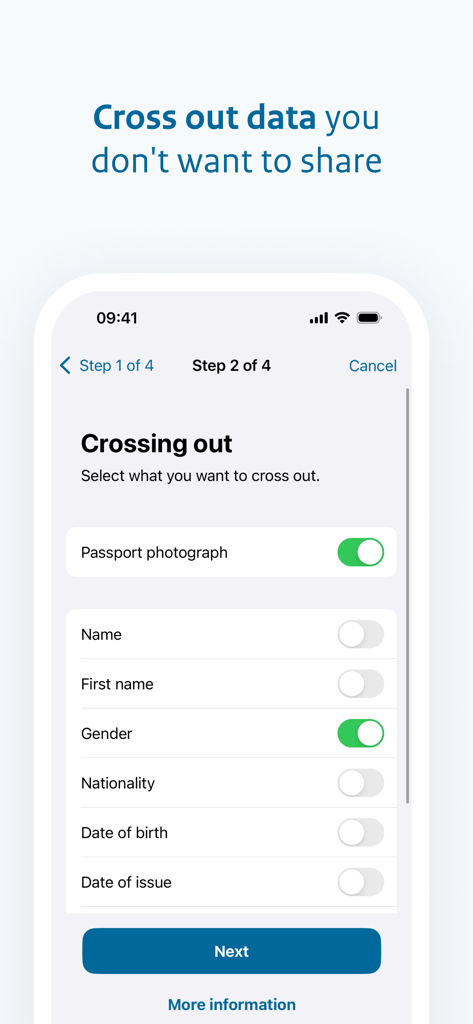
KopieID 앱은 자동 지우기 기능을 제공합니다. 사용자는 여권 사진, 이름, 성별과 같은 특정 데이터 필드를 선택하여 사본이 생성되고 워터마크가 지정되기 전에 가릴 수 있습니다.

다음 스크린샷과 설명은 앱의 공식 스토어 목록에서 직접 가져온 것이며 앱 개발자의 자산입니다.

앱 스토어

스크린샷
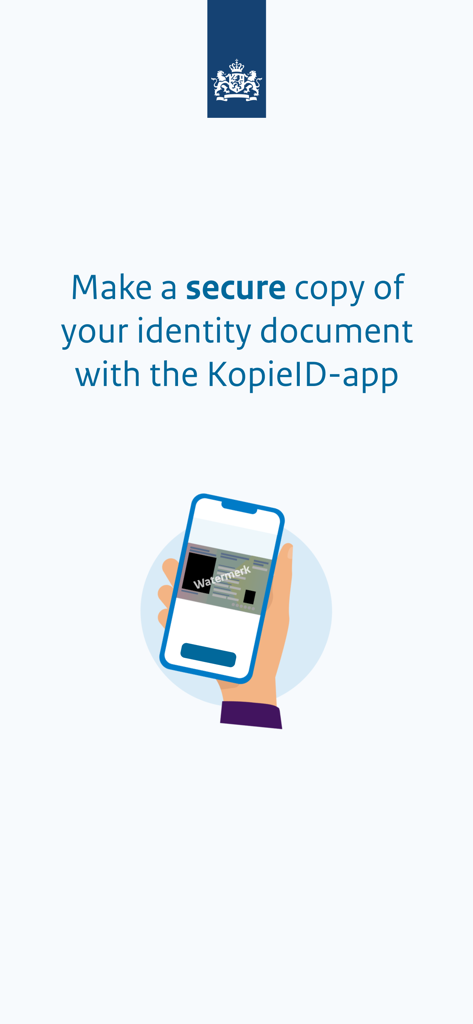
KopieID - 워터마크가 있는 보안 신분증 사본 만드는 방법을 설명하는 KopieID 앱 소개 화면
워터마크가 있는 보안 신분증 사본 만드는 방법을 설명하는 KopieID 앱 소개 화면

KopieID - 네덜란드 정부 로고와 보안 신분증 아이콘이 포함된 KopieID 앱 시작 화면
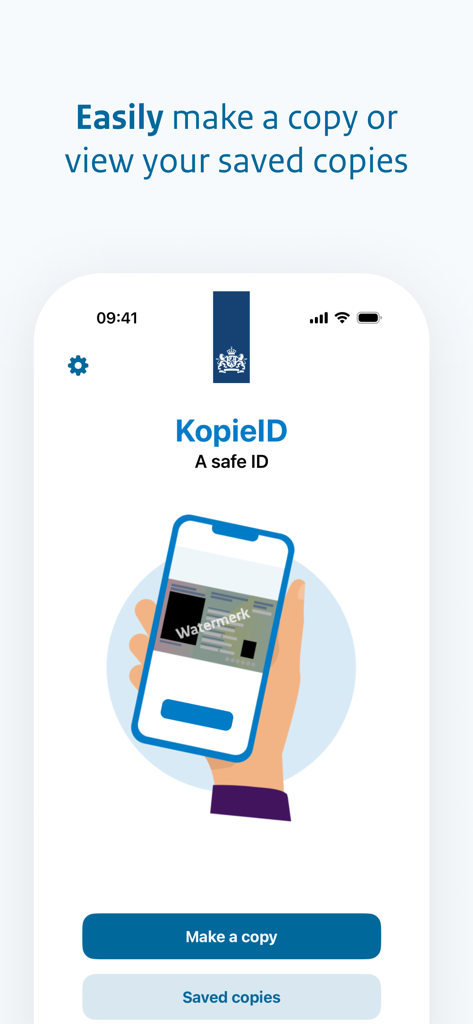
네덜란드 정부 로고와 보안 신분증 아이콘이 포함된 KopieID 앱 시작 화면

KopieID - 보안 편집 신분증 사본을 만드는 KopieID 앱 홈 화면

보안 편집 신분증 사본을 만드는 KopieID 앱 홈 화면

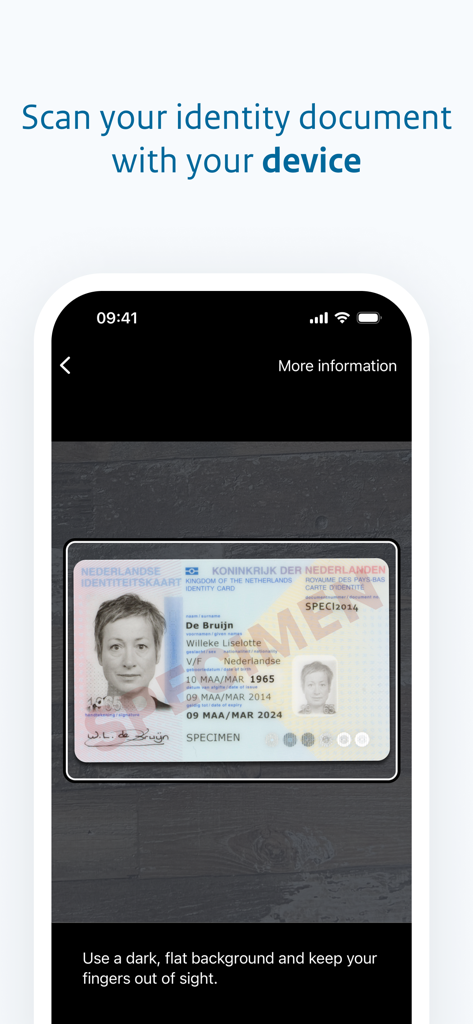
KopieID - 어두운 평평한 표면의 네덜란드 신분증을 스캔하기 위해 KopieID 앱을 사용하는 스마트폰 화면
어두운 평평한 표면의 네덜란드 신분증을 스캔하기 위해 KopieID 앱을 사용하는 스마트폰 화면

KopieID - 신분증의 개인 정보 편집을 위한 선택 상자를 보여주는 KopieID 앱의 모바일 인터페이스
신분증의 개인 정보 편집을 위한 선택 상자를 보여주는 KopieID 앱의 모바일 인터페이스

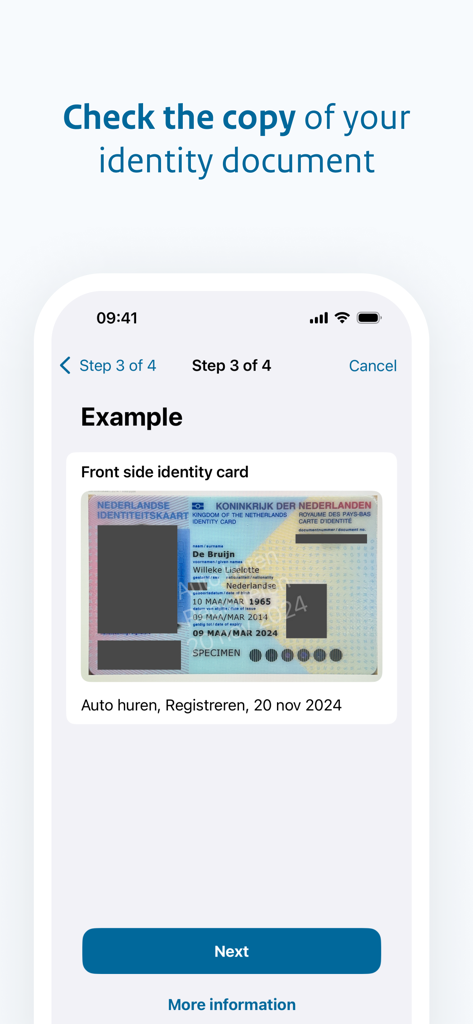
KopieID - 사용자 지정 워터마크와 다음 버튼이 있는 편집된 네덜란드 신분증을 보여주는 KopieID 앱 미리보기 화면
사용자 지정 워터마크와 다음 버튼이 있는 편집된 네덜란드 신분증을 보여주는 KopieID 앱 미리보기 화면

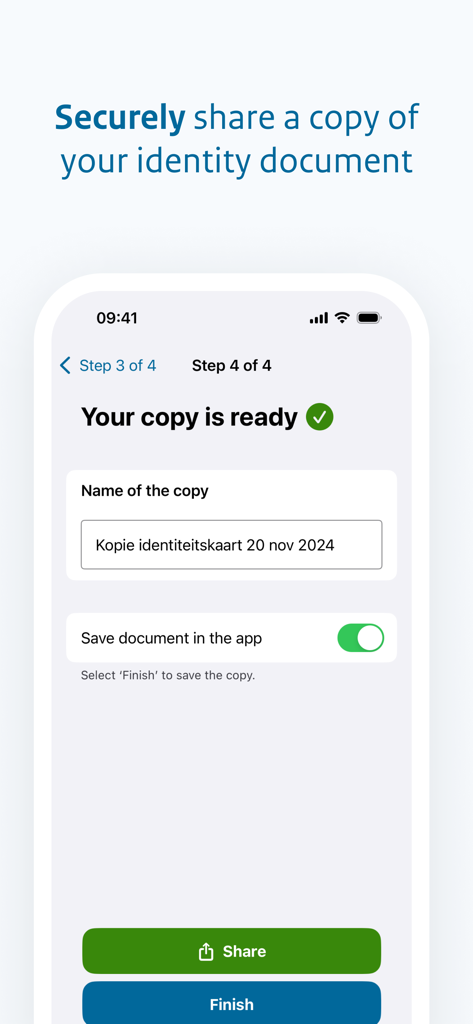
KopieID - 신분증 사본을 안전하게 공유하거나 저장하는 마지막 단계를 보여주는 모바일 앱 화면

신분증 사본을 안전하게 공유하거나 저장하는 마지막 단계를 보여주는 모바일 앱 화면

설명

- Take a photograph of your identity document. - Cross out information that is not relevant for the recipient. - Enter for whom the copy is intended and for what purpose the copy is required. This text is superimposed with the date on the copy, as a watermark. - You can then send, print or save the copy for subsequent use. You can only store the copy if your telephone or tablet is password protected. What rules apply to the use of the KopieID-app? Definitions App An application that can be used on a mobile telephone or other portable device. Identity document The KopieID app recognises the following Dutch identity documents and documents of Bonaire, St. Eustatius and Saba (BES): - Dutch ID card - National passport - Dutch driving licence - Travel documents for refugees - Travel documents for foreign nationals - Residence documents - Foreign nationals documents - Service passport - Diplomatic passport - Facility passport - Business passport - BES driving licence - Sedula – Bonaire – St. Eustatius – Saba National Office for Identity Data (RvIG) RvIG is an implementing organisation that reports to the Ministry of the Interior and Kingdom Relations (BZK). RvIG is the authority and manager for the safe and reliable use of identity data. For more information visit our website. Conditions of use General These conditions of use apply to users of the KopieID-app. By using the app, you agree to these conditions of use. Use of the KopieID-app You may only use the app for non-commercial purposes. You manage supply of provide the app to third parties without receiving prior written permission the National Office for Identity Data (RvIG). You may not disammble the app, decompile the app to its original code of subject the app to reverse engineering. You may not use the app in an improper manner of in a manner that could in any way have negative consequences for RvIG. Availability and functioning For RvIG, it is important that the app functions correctly and can be used by everyone. Nevertheless, we are unable to guarantee that the app will always be available in the future, and will function faultlessly. Automatic crossing out Using the KopieID-app, you can make your own copy of your identity document and select which data the app should automatically cross out. After crossing out selected data and adding a watermark, you can share the copy with third parties or save the copy. Personal responsibility It is up to you to check whether the correct data have been crossed out. Subsequently, you decide for yourself with whom and how you wish to share a copy of your identity document. This is beyond the responsibility of RvIG. RvIG accepts no liability for any damages that may arise from the use of this app. You are personally responsible for the correct use of the app. About the copy A copy is securely saved within the app. The saved copies can be consulted via an access code. It is your personal responsibility to manage the access code and to ensure that it is not shared with anyone else. Saving a copy outside the app is your personal responsibility. Privacy statement RvIG can gather anonymous statistical data about the use of this app. For example how often the app is downloaded each month. This data is only used to improve the app and cannot be derived to an individual. You can withdraw your permission for this data use at any time. Changes to the conditions of use RvIG is entitled to make changes to these conditions of use.

Download

다운로드: App Store

이 페이지는 앱이나 개발자의 공식 페이지가 아니며, 정보 제공 및 논평을 목적으로 작성된 독립 편집 간행물입니다. 명시적으로 달리 언급되지 않는 한, 해당 앱이나 개발자는 MWM, Apple, Google Play, 앱 퍼블리셔 또는 앱 개발자와 제휴, 보증, 후원, 승인 또는 공식적으로 연결되어 있지 않으며, 이 페이지의 어떤 내용도 해당 앱이 MWM의 서비스를 사용하여 개발되었음을 의미하지 않습니다. 모든 상표, 로고, 스크린샷 및 기타 콘텐츠는 해당 소유자의 자산입니다.