LexisNexis® Digital Library
다운로드: App Store

이 페이지는 앱이나 개발자의 공식 페이지가 아니며, 정보 제공 및 논평을 목적으로 작성된 독립 편집 간행물입니다. 명시적으로 달리 언급되지 않는 한, 해당 앱이나 개발자는 MWM, Apple, Google Play, 앱 퍼블리셔 또는 앱 개발자와 제휴, 보증, 후원, 승인 또는 공식적으로 연결되어 있지 않으며, 이 페이지의 어떤 내용도 해당 앱이 MWM의 서비스를 사용하여 개발되었음을 의미하지 않습니다. 모든 상표, 로고, 스크린샷 및 기타 콘텐츠는 해당 소유자의 자산입니다.


로고: LexisNexis® Digital Library
다운로드: App Store

LexisNexis® Digital Library

전문적인 모바일 경험으로 기관의 전체 법률 전자책 컬렉션에 액세스하십시오. 사무실에서 법정까지 인터넷 연결 없이도 필수 자료를 검색, 주석, 인용하십시오.

주요 수치

다운로드

33K+

사용자 평점

3.5/5

총 평가 수

0

개발사

OverDrive, Inc.

카테고리

Reference

지원 언어

1

최신 버전

9.0.0

크기

4.1 MB

출시일

2020년 1월 22일
기능

법률 실무 역량 강화

변호사 및 법률 학자를 위해 설계된 전문가 수준의 도구를 사용하여 이동 중에도 조직의 전체 법률 컬렉션에 액세스하십시오.

휴대용 전문 도서관

수천 권의 법률 서적을 iPad 또는 휴대폰으로 휴대하여 증언, 청문회 또는 회의 중에 법률을 항상 손쉽게 이용할 수 있도록 하십시오.

활성 연구 도구

전자책에 직접 하이라이트, 태그 지정 및 주석을 추가하십시오. 통찰력을 내보내어 간략한 작성 및 문서화 프로세스를 간소화하십시오.

다음 스크린샷과 설명은 앱의 공식 스토어 목록에서 직접 가져온 것이며 앱 개발자의 자산입니다.

앱 스토어

스크린샷
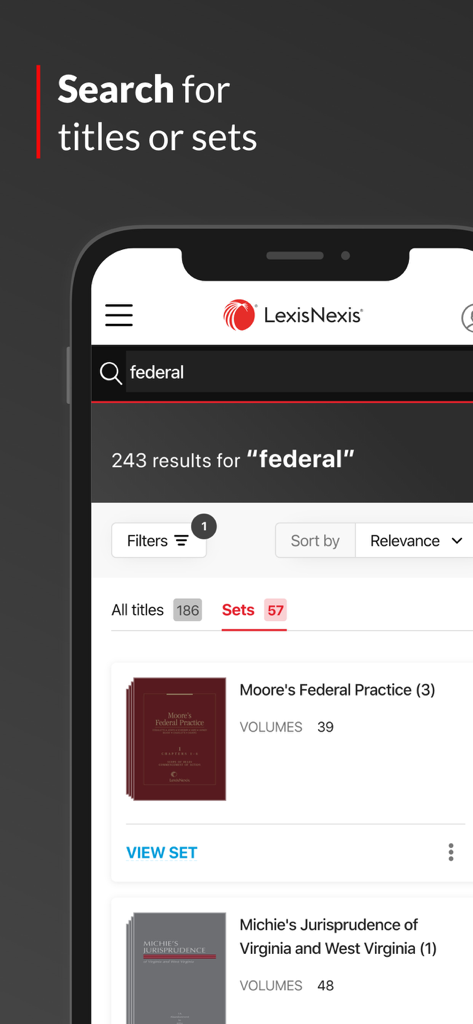
LexisNexis® Digital Library - LexisNexis Digital Library 모바일 애플리케이션 내에서 연방 법률 제목에 대한 검색 결과
LexisNexis Digital Library 모바일 애플리케이션 내에서 연방 법률 제목에 대한 검색 결과

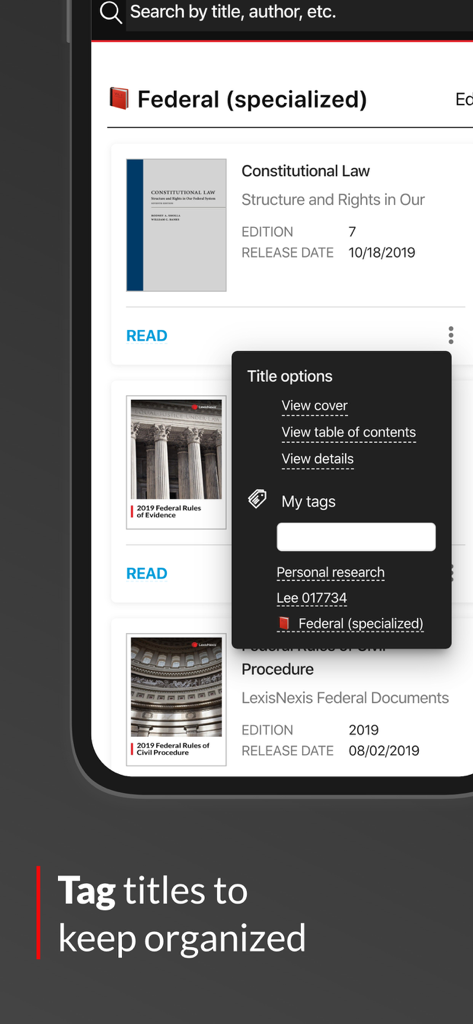
LexisNexis® Digital Library - 법률 연구를 구성하기 위해 LexisNexis Digital Library 앱에서 제목 태그 지정
법률 연구를 구성하기 위해 LexisNexis Digital Library 앱에서 제목 태그 지정

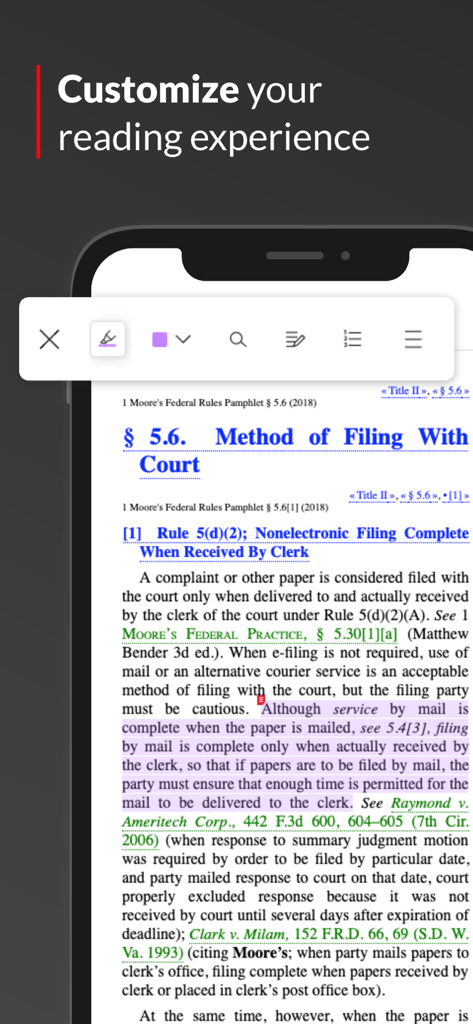
LexisNexis® Digital Library - LexisNexis 앱 화면에서 보라색 하이라이트 및 읽기 도구가 있는 법률 텍스트 표시
LexisNexis 앱 화면에서 보라색 하이라이트 및 읽기 도구가 있는 법률 텍스트 표시

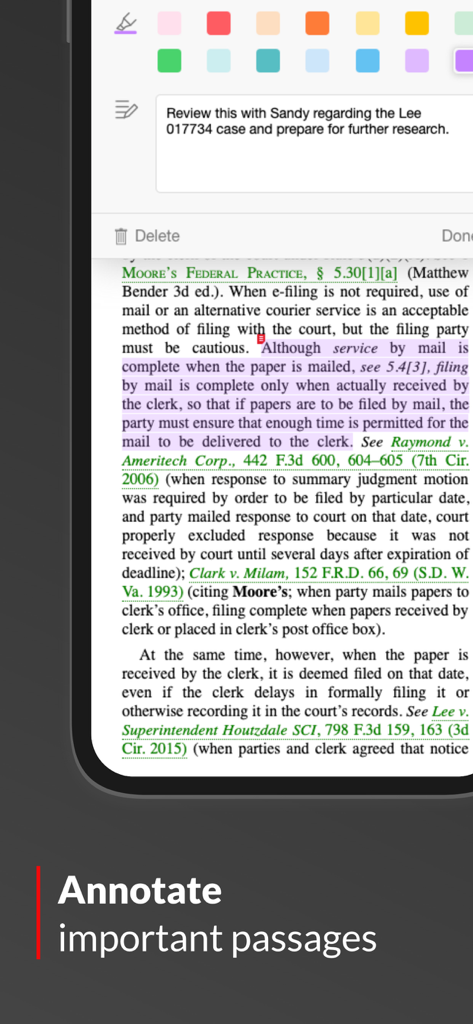
LexisNexis® Digital Library - LexisNexis Digital Library 앱에서 법률 구절 주석 및 하이라이트 처리
LexisNexis Digital Library 앱에서 법률 구절 주석 및 하이라이트 처리

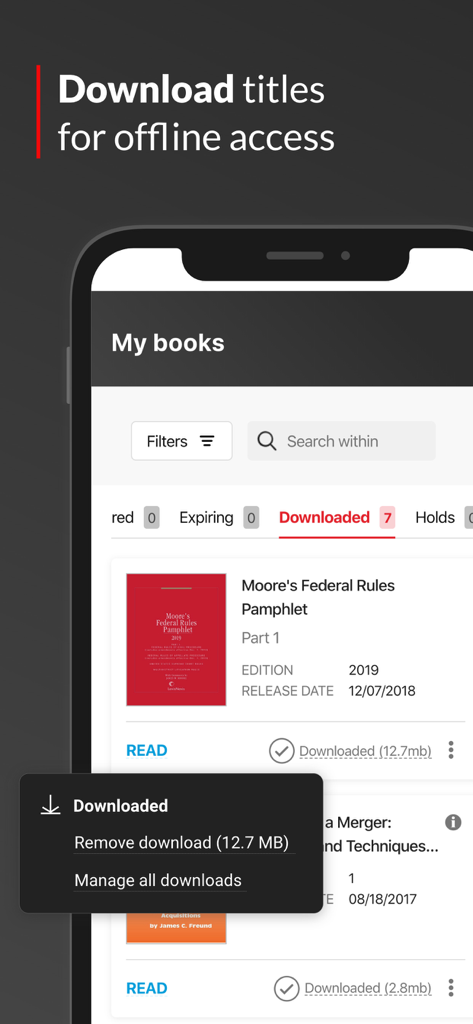
LexisNexis® Digital Library - 오프라인 액세스를 위해 다운로드된 법률 제목을 보여주는 LexisNexis Digital Library 앱 인터페이스
오프라인 액세스를 위해 다운로드된 법률 제목을 보여주는 LexisNexis Digital Library 앱 인터페이스

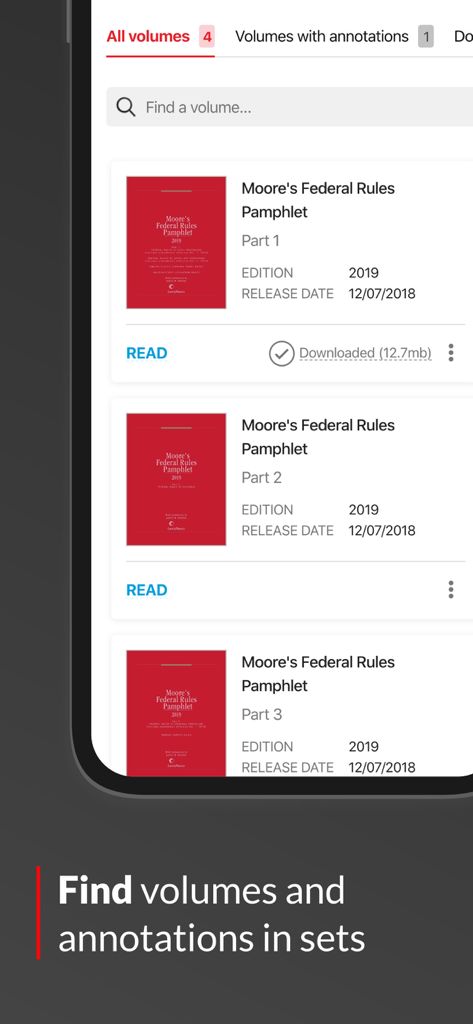
LexisNexis® Digital Library - 법률 볼륨 목록과 세트에서 책을 찾기 위한 검색 표시줄을 보여주는 LexisNexis Digital Library 앱 인터페이스

법률 볼륨 목록과 세트에서 책을 찾기 위한 검색 표시줄을 보여주는 LexisNexis Digital Library 앱 인터페이스

설명

With the LexisNexis Digital Library app, you can access your law library’s full eBook collection when online or download books so you can use them offline in the courtroom or while traveling. Features: • Use your organization’s complete eBook collection on your phone or tablet – allowing for convenient access to important legal resources anywhere work happens. • Easily read and search inside eBooks. • Get links to specific sections within a book to easily share research with colleagues. • Follow links from within books to the Lexis Advance online service (with an active subscription). • Add your own highlights, annotations, bookmarks, and tags to books for quick reference. • Jump right back into recently read eBooks, highlights, and annotations easily from your custom workspace. • Export annotations and highlights for use in your documentation. • Adjust fonts and reading modes based on your preference. Support for OpenDyslexic font included. • Stay organized with tags, now with improved visibility and functionality. • Subscribe to alerts and receive updates about individual titles and set volumes. How it works Libraries subscribe to LexisNexis digital content to share with their organizations. Many more eBooks and audiobooks are available from additional publishers through OverDrive. The way you access this content is simple: 1. Download and install the app. 2. When prompted, enter your institution’s library code To get this code, contact your library administrator. 3. Start exploring your LexisNexis Digital Library.

Download

다운로드: App Store

이 페이지는 앱이나 개발자의 공식 페이지가 아니며, 정보 제공 및 논평을 목적으로 작성된 독립 편집 간행물입니다. 명시적으로 달리 언급되지 않는 한, 해당 앱이나 개발자는 MWM, Apple, Google Play, 앱 퍼블리셔 또는 앱 개발자와 제휴, 보증, 후원, 승인 또는 공식적으로 연결되어 있지 않으며, 이 페이지의 어떤 내용도 해당 앱이 MWM의 서비스를 사용하여 개발되었음을 의미하지 않습니다. 모든 상표, 로고, 스크린샷 및 기타 콘텐츠는 해당 소유자의 자산입니다.







