Light Meter Ultra
Light Meter Ultra
다운로드: App Store

이 페이지는 앱이나 개발자의 공식 페이지가 아니며, 정보 제공 및 논평을 목적으로 작성된 독립 편집 간행물입니다. 명시적으로 달리 언급되지 않는 한, 해당 앱이나 개발자는 MWM, Apple, Google Play, 앱 퍼블리셔 또는 앱 개발자와 제휴, 보증, 후원, 승인 또는 공식적으로 연결되어 있지 않으며, 이 페이지의 어떤 내용도 해당 앱이 MWM의 서비스를 사용하여 개발되었음을 의미하지 않습니다. 모든 상표, 로고, 스크린샷 및 기타 콘텐츠는 해당 소유자의 자산입니다.

로고: Light Meter Ultra
다운로드: App Store

Light Meter Ultra

빈티지 장비 및 필름 스톡을 위해 설계된 빠르고 전문적인 도구로 부피가 큰 하드웨어를 대체하세요. 탭 한 번으로 정확한 노출 측정 및 상호 작용 실패 보정을 얻으세요.

주요 수치

다운로드

76K+

사용자 평점

4.7/5

총 평가 수

3K+

개발사

Ultrafine, Lda

카테고리

Photo & Video

지원 언어

8

최신 버전

2.4.11

크기

63.3 MB

출시일

2021년 3월 12일
기능

수동 노출 기술 마스터

빈티지의 감성과 현대의 정밀함 사이의 격차를 해소하세요. Light Meter Ultra는 iPhone을 필름 및 수동 사진가를 위해 특별히 설계된 전문가 수준의 조명 측정기로 변환합니다.

전문가 수준의 정밀도

잘못된 노출로 비싼 필름 롤을 낭비하지 마세요. 가장 넓은 다이내믹 레인지를 캡처하기 위한 정확한 조리개 및 셔터 측정값을 얻어 부피가 큰 레거시 하드웨어보다 뛰어난 성능을 발휘합니다.

필름별 지능

내장된 상호 작용 실패 보정 및 좋아하는 필름 스톡에 맞춰진 사용자 정의 유제 프로필로 장시간 노출의 추측을 제거하세요.

다음 스크린샷과 설명은 앱의 공식 스토어 목록에서 직접 가져온 것이며 앱 개발자의 자산입니다.

앱 스토어

스크린샷
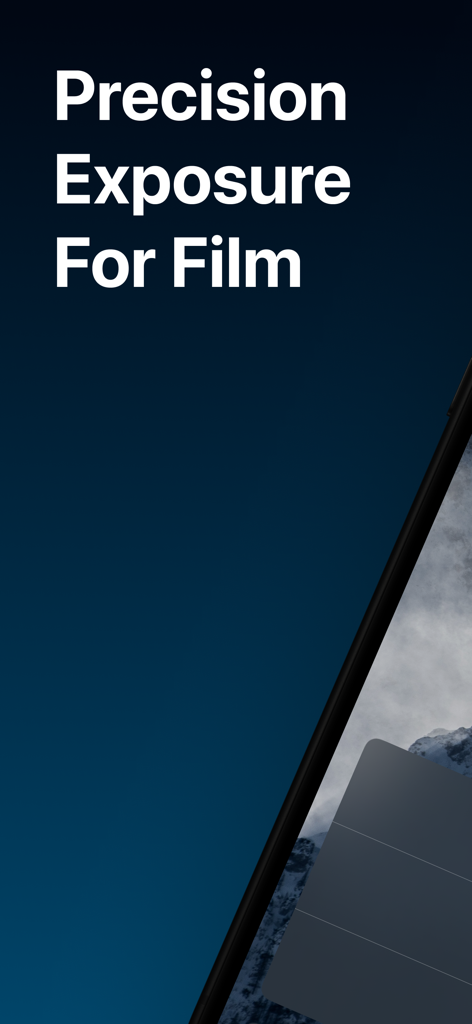
Light Meter Ultra - 필름 사진을 위한 정밀 노출을 표시하는 Light Meter Ultra 앱 화면
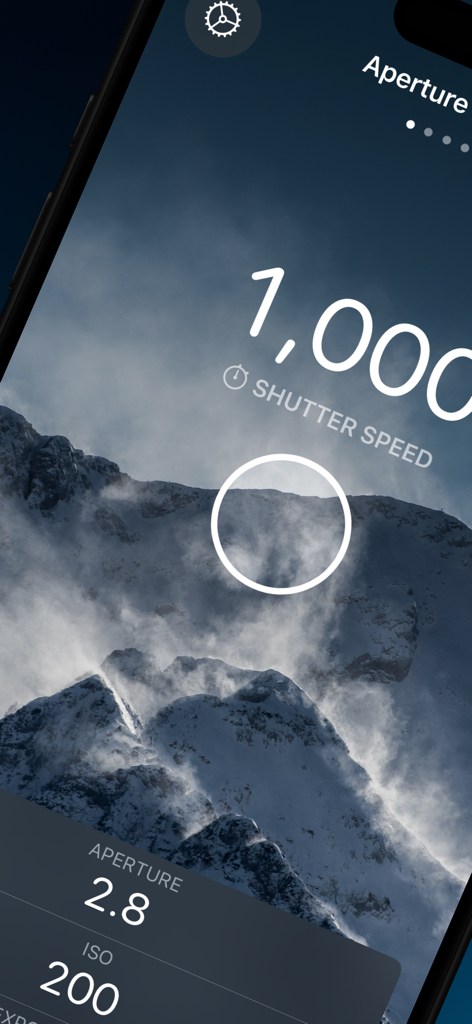
필름 사진을 위한 정밀 노출을 표시하는 Light Meter Ultra 앱 화면

Light Meter Ultra - 수동 사진을 위한 셔터 속도 및 ISO 측정값을 가진 조리개 우선 모드를 보여주는 Light Meter Ultra 앱 인터페이스
수동 사진을 위한 셔터 속도 및 ISO 측정값을 가진 조리개 우선 모드를 보여주는 Light Meter Ultra 앱 인터페이스

Light Meter Ultra - 산악 풍경에 대한 노출 설정을 표시하는 iPhone의 Light Meter Ultra 앱
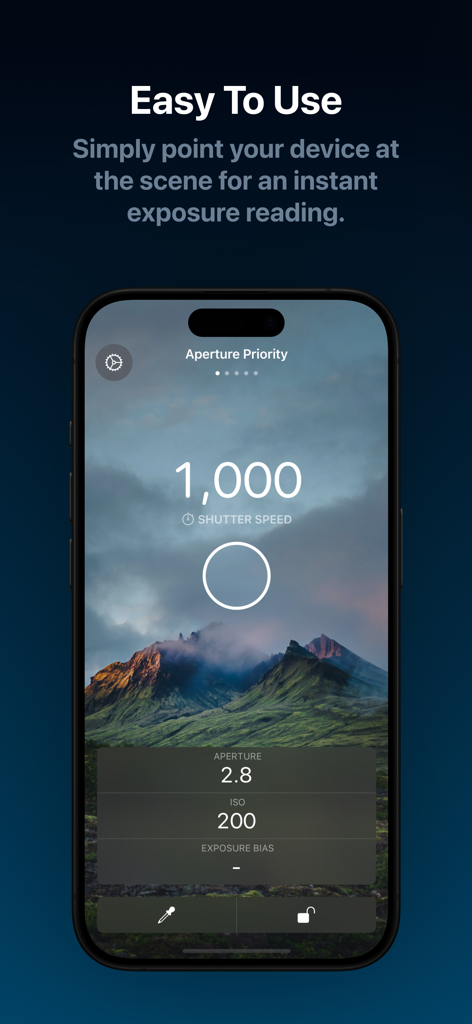
산악 풍경에 대한 노출 설정을 표시하는 iPhone의 Light Meter Ultra 앱

Light Meter Ultra - 수동 사진을 위한 조리개 우선 모드에서 즉각적인 노출 측정값을 표시하는 Light Meter Ultra 앱 화면
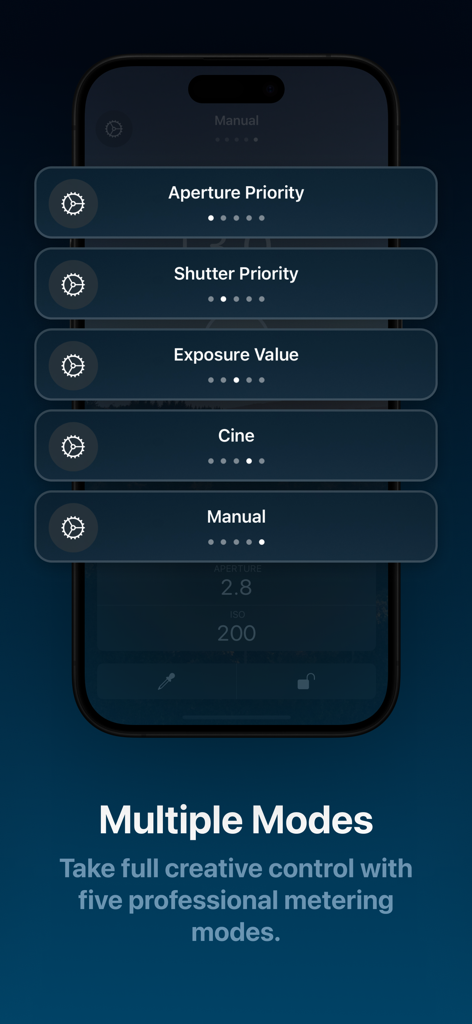
수동 사진을 위한 조리개 우선 모드에서 즉각적인 노출 측정값을 표시하는 Light Meter Ultra 앱 화면

Light Meter Ultra - 수동 사진을 위한 조리개 우선 및 셔터 우선을 포함한 다섯 가지 전문 측정 모드를 표시하는 iPhone 화면
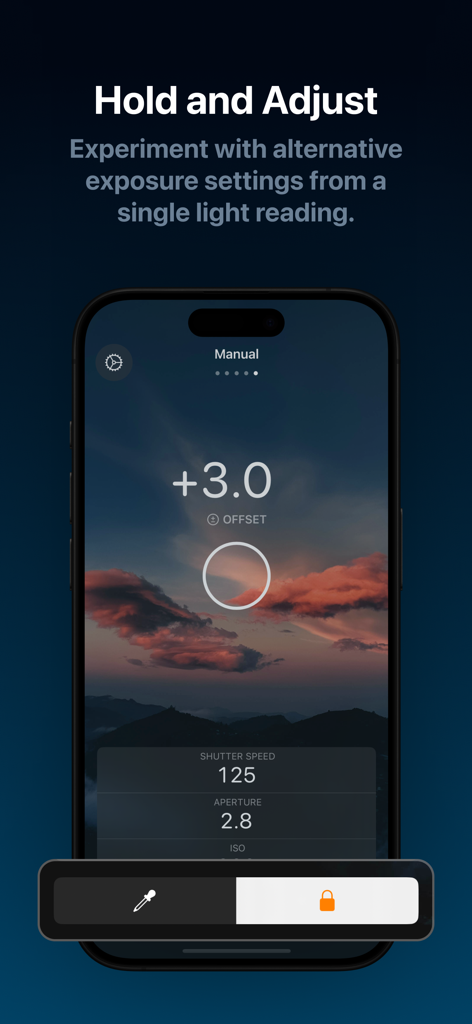
수동 사진을 위한 조리개 우선 및 셔터 우선을 포함한 다섯 가지 전문 측정 모드를 표시하는 iPhone 화면

Light Meter Ultra - 일몰 풍경에 대한 셔터 속도 및 조리개에 대한 수동 노출 설정이 있는 Light Meter Ultra 앱 인터페이스를 보여주는 스마트폰 화면
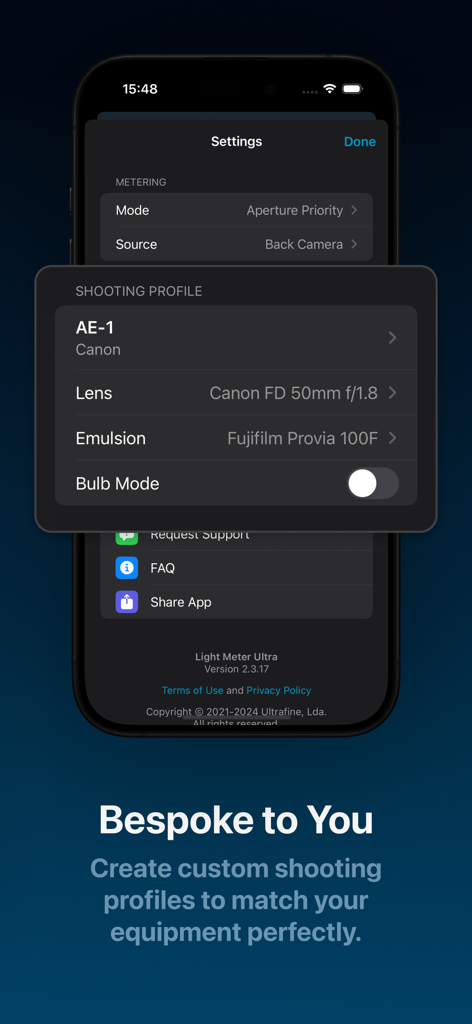
일몰 풍경에 대한 셔터 속도 및 조리개에 대한 수동 노출 설정이 있는 Light Meter Ultra 앱 인터페이스를 보여주는 스마트폰 화면

Light Meter Ultra - Canon AE-1 카메라 및 Fujifilm Provia 유제에 대한 사용자 정의 촬영 프로필을 보여주는 Light Meter Ultra 앱의 인터페이스

Canon AE-1 카메라 및 Fujifilm Provia 유제에 대한 사용자 정의 촬영 프로필을 보여주는 Light Meter Ultra 앱의 인터페이스

설명

Fast, precise and easy to use. Get perfect exposures every time. No additional hardware required. Say goodbye to arcane Sunny 16. Figuring out the best exposure settings for your manual camera doesn’t have to be difficult. Light Meter Ultra for iPhone gives you the exact readings you need for your camera by simply pointing your device at the scene. Precise measurements mean you can dial in the perfect exposure settings for capturing the widest dynamic range, whilst customizable shooting profiles allow you to switch between settings with a single tap. Download now and take advantage of our free plan which includes our precision Aperture Priority metering mode, limited settings, and single-use shooting profiles. Or choose one of our PRO plans and gain access to everything the app has to offer, including our full suite of professional metering modes, quick-select reusable shooting profiles, plus advanced features such as reciprocity failure correction that you won't find elsewhere. Capture your creative vision with powerful features, including: - Aperture Priority Metering Mode - Shutter Priority Metering Mode* - Exposure Priority Metering Mode* - Stop increment selection of full, half or third stops* - Customizable ISO, Shutter Speed and Aperture ranges* - Exposure Compensation - Exposure Lock - Sample Offset - Custom Camera Profiles* - Detachable Lens Profiles* - Film/Emulsion Profiles* - Bulb-mode* - Reciprocity Failure Correction* *Features marked with an asterisk require an active PRO plan Download now and start metering on your iPhone today. Terms of Use: https://lightmeterultra.com/terms Privacy Policy: https://lightmeterultra.com/privacy

Download

다운로드: App Store

이 페이지는 앱이나 개발자의 공식 페이지가 아니며, 정보 제공 및 논평을 목적으로 작성된 독립 편집 간행물입니다. 명시적으로 달리 언급되지 않는 한, 해당 앱이나 개발자는 MWM, Apple, Google Play, 앱 퍼블리셔 또는 앱 개발자와 제휴, 보증, 후원, 승인 또는 공식적으로 연결되어 있지 않으며, 이 페이지의 어떤 내용도 해당 앱이 MWM의 서비스를 사용하여 개발되었음을 의미하지 않습니다. 모든 상표, 로고, 스크린샷 및 기타 콘텐츠는 해당 소유자의 자산입니다.