
이 페이지는 앱이나 개발자의 공식 페이지가 아니며, 정보 제공 및 논평을 목적으로 작성된 독립 편집 간행물입니다. 명시적으로 달리 언급되지 않는 한, 해당 앱이나 개발자는 MWM, Apple, Google Play, 앱 퍼블리셔 또는 앱 개발자와 제휴, 보증, 후원, 승인 또는 공식적으로 연결되어 있지 않으며, 이 페이지의 어떤 내용도 해당 앱이 MWM의 서비스를 사용하여 개발되었음을 의미하지 않습니다. 모든 상표, 로고, 스크린샷 및 기타 콘텐츠는 해당 소유자의 자산입니다.

Live Home 3D - House Design
DIY 애호가와 전문가를 위한 가장 직관적인 주택 디자인 앱입니다. LiDAR로 방을 스캔하고, 상세한 2D 평면도를 작성하며, 리모델링에 비용을 들이기 전에 3D 또는 AR로 미래의 공간을 미리 탐색해 보세요.
다운로드
9M+사용자 평점
총 평가 수
53K+개발사
카테고리
Productivity지원 언어
10최신 버전
4.11.2크기
435.9 MB출시일
2018년 10월 23일전문가처럼 꿈의 집을 디자인하세요
빠른 2D 평면도부터 몰입형 AR 워크스루까지, 리모델링 비용을 지출하기 전에 모든 디테일을 시각화하세요.
즉각적인 LiDAR 룸 스캐닝
줄자는 이제 필요 없습니다. iPhone 또는 iPad를 사용하여 몇 초 만에 모든 방의 완벽한 디지털 트윈을 만들어 보세요.
몰입형 3D 워크스루
AR 또는 Apple Vision Pro를 사용하여 프로젝트 내부를 걸으며 미래 공간의 동선과 조명을 경험해 보세요.
자주 묻는 질문
에 대해 알아야 할 모든 것 Live Home 3D - House Design
Live Home 3D는 무엇인가요?
Live Home 3D는 직관적인 주택, 인테리어 및 조경 디자인 앱입니다. 상세한 2D 평면도, 3D 인테리어 디자인을 만들고 흥미로운 과정을 통해 정원을 계획하는 강력한 도구를 제공합니다.
Live Home 3D로 2D 평면도를 만들 수 있나요?
네, Live Home 3D를 사용하면 상세한 2D 평면도 레이아웃을 만들 수 있습니다. 이 기능은 앱의 디자인 기능의 핵심으로, 인터페이스 내에서 정확한 방 및 구조 계획을 가능하게 합니다.
Live Home 3D는 3D 인테리어 디자인 워크스루를 지원하나요?
네, Live Home 3D는 사용자가 3D 인테리어 디자인을 걸어 다니며 살펴볼 수 있도록 합니다. 이 기능은 제작된 공간을 몰입적으로 탐색할 수 있게 하여 현실적인 시각화를 위한 디자인 프로세스를 향상시킵니다.
Live Home 3D에는 가구 및 객체 항목이 몇 개나 있나요?
Live Home 3D는 5,000개 이상의 가구 및 기타 객체를 제공합니다. 또한 사용자는 3,000개 이상의 제공된 재질을 적용하고 Trimble 3D Warehouse에서 수천 개의 무료 모델을 가져올 수 있습니다.
Live Home 3D에는 증강 현실(AR) 기능이 포함되어 있나요?
네, Live Home 3D에는 'AR로 보기' 옵션이 있습니다. 이를 통해 사용자는 3D 주택 디자인을 실제 환경에 투사하고 가상 집 안팎을 걸어 다니며 몰입형 경험을 할 수 있습니다.
Live Home 3D는 LiDAR 기술을 사용하여 방을 스캔할 수 있나요?
네, Live Home 3D에는 LiDAR 기술을 기반으로 한 '방 스캐너' 기능이 포함되어 있습니다. 이를 통해 LiDAR 지원 장치를 사용하는 사용자는 앱 내에서 자신의 방 또는 집의 디지털 복사본을 재현할 수 있습니다.
Live Home 3D는 프로젝트에 어떤 내보내기 형식을 지원하나요?
Live Home 3D는 2D 평면도를 PDF로, 3D 뷰를 고해상도 이미지로, 현실적인 워크스루 비디오를 내보낼 수 있습니다. 또한 스테레오 3D 비디오, 360° 비디오, 스테레오 3D 360° 비디오 및 360° 파노라마 JPEG 이미지를 지원합니다.
Live Home 3D의 무료 버전에는 제한 사항이 있나요?
네, Live Home 3D의 무료 버전은 모든 내보내기에 워터마크를 적용합니다. 또한 사용자에게 한 번에 하나의 프로젝트만 작업하도록 제한하고 디자인에 2층 제한이 있습니다.
Live Home 3D의 '표준 기능' 인앱 구매는 무엇을 제공하나요?
Live Home 3D의 '표준 기능' 인앱 구매는 워터마크를 제거하고, 저장 제한을 완화하며, 앱의 무료 버전에서 제공되는 2층 제한을 없애 사용성을 향상시킵니다.
Live Home 3D의 '프로 기능' 인앱 구매는 어떤 고급 기능을 잠금 해제하나요?
Live Home 3D의 '프로 기능' 인앱 구매는 Ultra HD 내보내기, 지형 편집, 재질 편집기, 2D 높이 뷰, 사용자 지정 지붕, 빌딩 블록 도구 및 확장된 내보내기 형식과 같은 고급 기능을 잠금 해제합니다.
Live Home 3D의 인앱 구매는 플랫폼 간에 이전되나요?
아니요, Live Home 3D의 전화, iPad 또는 Apple Vision용 인앱 구매는 Mac 또는 다른 플랫폼용 버전으로 적용되거나 이전되지 않습니다. 구매는 플랫폼별입니다.
Live Home 3D는 미리 만들어진 집 및 인테리어 디자인을 제공하나요?
네, Live Home 3D는 미리 만들어진 집 및 인테리어 디자인 샘플을 제공합니다. 여기에는 주방, 욕실, 거실에 대한 다양한 스타일이 포함되어 있어 사용자가 디자인 기술을 쉽게 연마할 수 있습니다.
Live Home 3D는 디자인에서 조명을 어떻게 처리하나요?
Live Home 3D는 실제 지리적 위치, 시간대 및 구름의 양을 설정하여 자연광을 구현합니다. 사용자는 또한 집 전체의 조명 기구를 조정하여 현실적인 조명 장면을 연출할 수 있습니다.
사용자는 Live Home 3D에서 지붕을 사용자 지정할 수 있나요?
네, Live Home 3D에는 완벽하게 사용자 지정 가능한 지붕 도구가 있습니다. 사용자는 코너 창, 복잡한 개구부를 만들 수 있으며, 프로 기능으로는 지붕 세그먼트를 자유롭게 편집하여 모든 형태와 복잡성을 구현할 수 있습니다.
다음 스크린샷과 설명은 앱의 공식 스토어 목록에서 직접 가져온 것이며 앱 개발자의 자산입니다.
앱 스토어
스크린샷
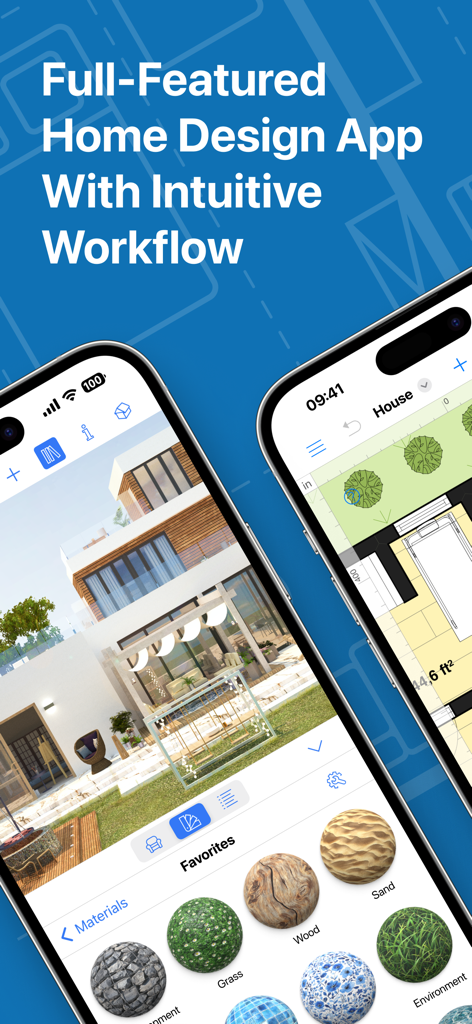
3D 주택 렌더링과 2D 평면도를 보여주는 Live Home 3D 앱 인터페이스
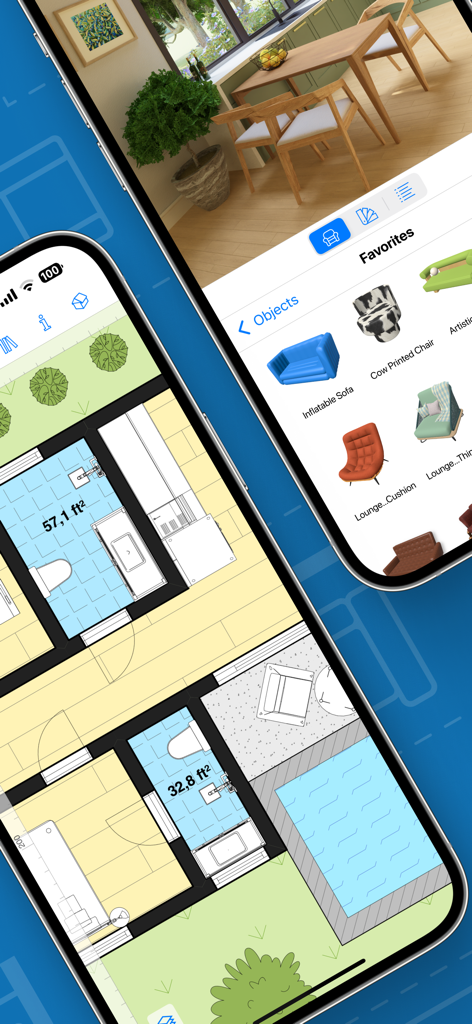
모바일 기기에서 2D 평면도와 3D 인테리어 디자인 뷰를 보여주는 Live Home 3D 앱 인터페이스
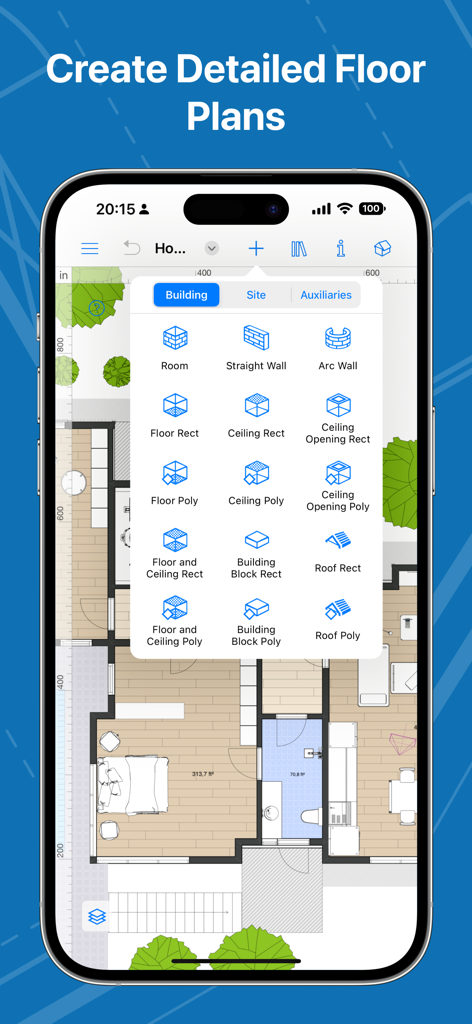
건축 도구와 함께 2D 평면도 레이아웃을 보여주는 Live Home 3D의 스마트폰 인터페이스
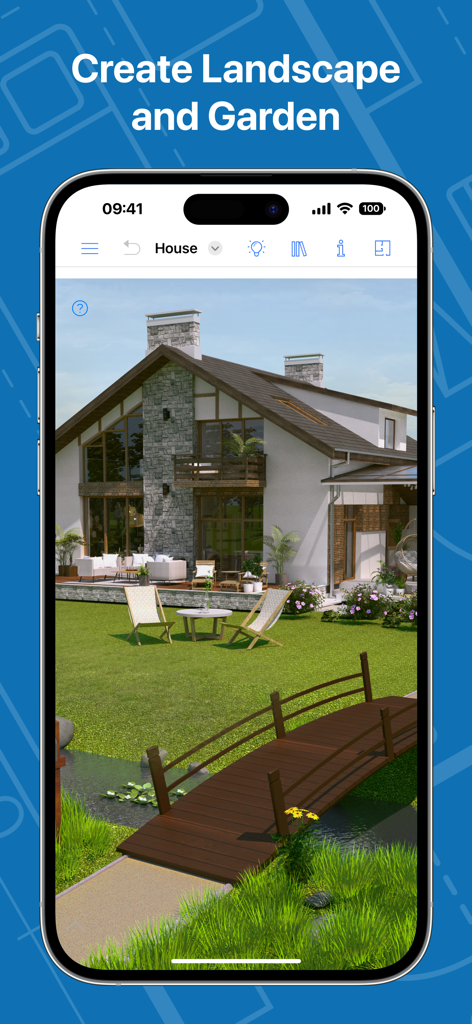
스마트폰 화면에 나무 다리와 잔디밭이 있는 현대적인 주택을 보여주는 3D 조경 및 정원 디자인
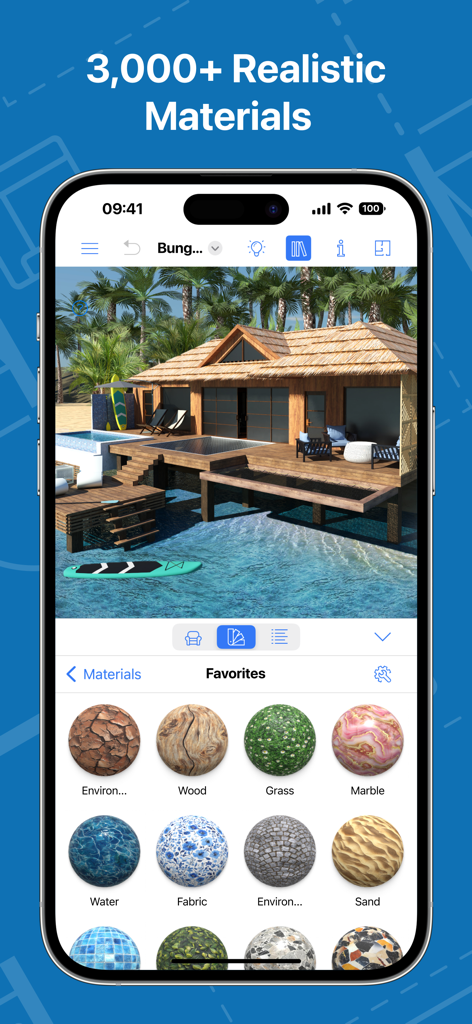
열대 방갈로와 목재, 대리석, 잔디 등 사실적인 질감 선택 화면을 보여주는 3D 주택 디자인 앱 인터페이스
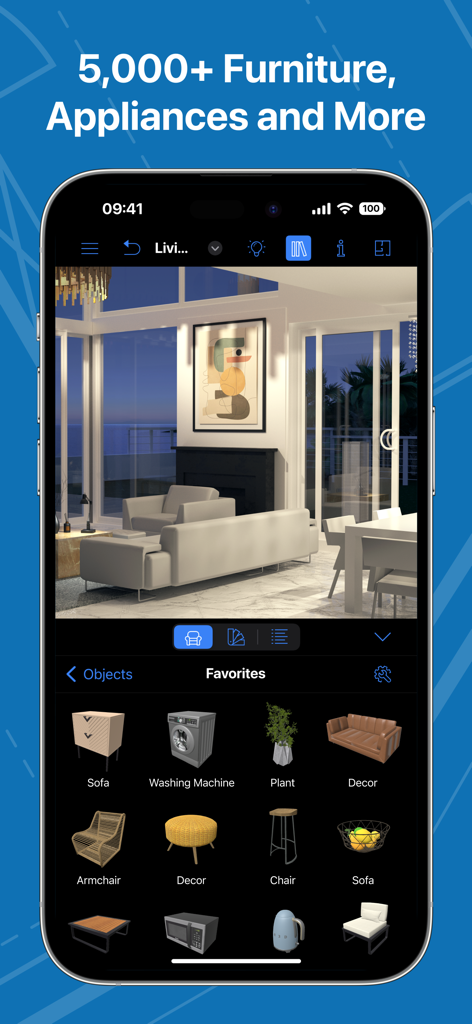
3D 거실 디자인과 가구 및 가전제품 라이브러리를 보여주는 Live Home 3D 앱 인터페이스
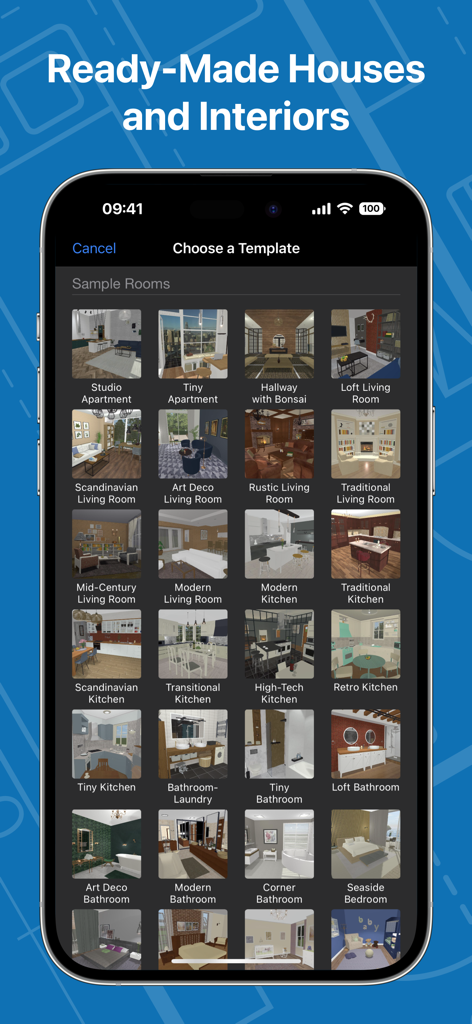
Live Home 3D 앱에서 미리 디자인된 다양한 주택 및 인테리어 방 템플릿을 보여주는 스마트폰 화면
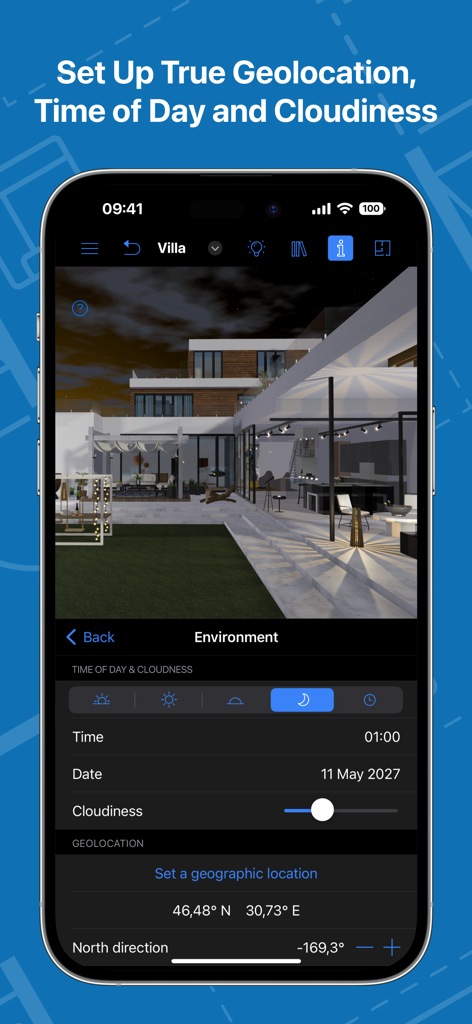
환경 조명 및 지오로케이션 설정을 조정하는 Live Home 3D 앱의 인터페이스
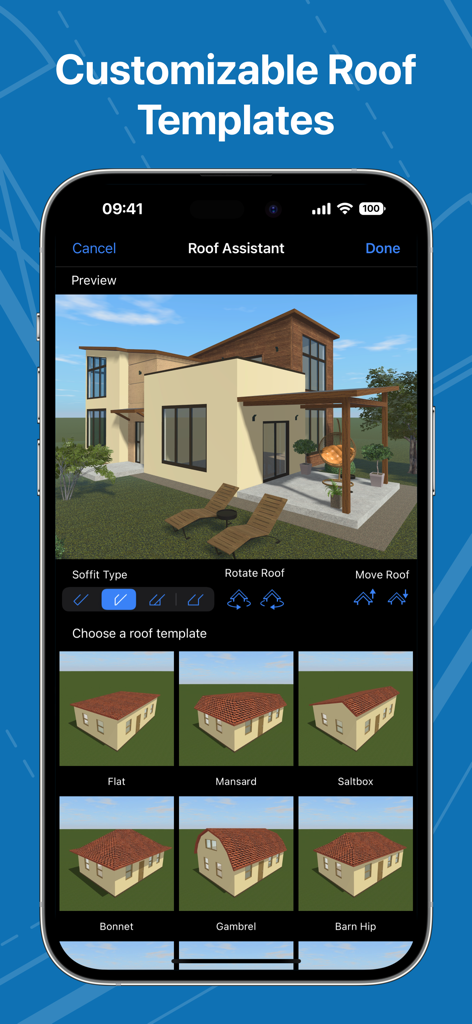
3D 주택 모델을 위한 다양한 지붕 템플릿 옵션과 Live Home 3D 앱의 지붕 보조(Roof Assistant) 기능을 보여주는 스마트폰 인터페이스
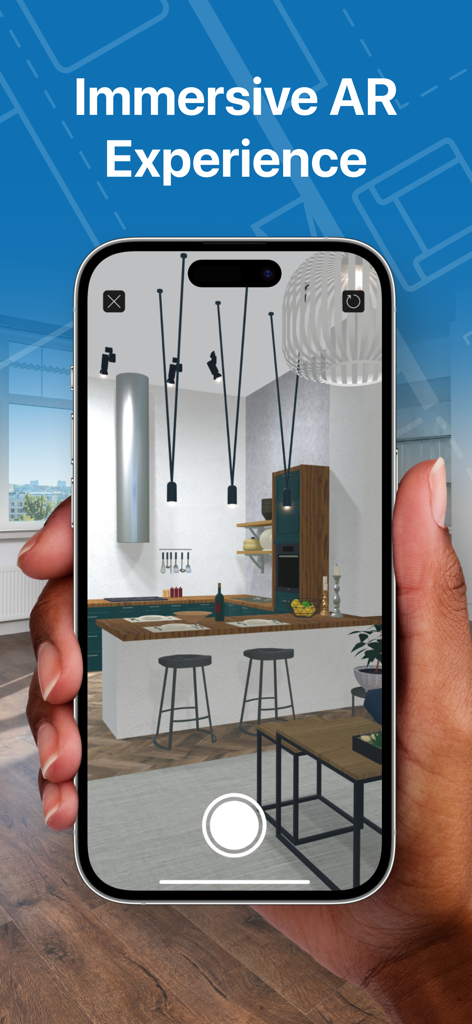
증강 현실로 구현된 3D 주방 인테리어 디자인을 보여주는 스마트폰 화면
설명
Download
비슷한 앱
유사한 기능과 사용자 경험을 가진 앱

AI Decor - AI Home Design
Yspira Digital Limited

Remodel AI - Home Design
REIMAGE AI INC.

Interior Design:AI Spacely
翠霞 郭

AI Home Design - Homely AI
OCEAN FLOAT MOBILE LIMITED

Smartist: Art Preview on Wall
Smartist, Inc.

AI Interior Design Home Decor
Ngoan Doan Thi
AI Interior Design Decor Home.
Le Khanh
Deco: AI Remodel & Home Design
ANCIENDA TEKNOLOJI YAZILIM VE PAZARLAMA ANONIM SIRKETI

HOQI - Home Staging AI
Intella
이 페이지는 앱이나 개발자의 공식 페이지가 아니며, 정보 제공 및 논평을 목적으로 작성된 독립 편집 간행물입니다. 명시적으로 달리 언급되지 않는 한, 해당 앱이나 개발자는 MWM, Apple, Google Play, 앱 퍼블리셔 또는 앱 개발자와 제휴, 보증, 후원, 승인 또는 공식적으로 연결되어 있지 않으며, 이 페이지의 어떤 내용도 해당 앱이 MWM의 서비스를 사용하여 개발되었음을 의미하지 않습니다. 모든 상표, 로고, 스크린샷 및 기타 콘텐츠는 해당 소유자의 자산입니다.