Locker: Hidden Photo Vault
다운로드: App Store

이 페이지는 앱이나 개발자의 공식 페이지가 아니며, 정보 제공 및 논평을 목적으로 작성된 독립 편집 간행물입니다. 명시적으로 달리 언급되지 않는 한, 해당 앱이나 개발자는 MWM, Apple, Google Play, 앱 퍼블리셔 또는 앱 개발자와 제휴, 보증, 후원, 승인 또는 공식적으로 연결되어 있지 않으며, 이 페이지의 어떤 내용도 해당 앱이 MWM의 서비스를 사용하여 개발되었음을 의미하지 않습니다. 모든 상표, 로고, 스크린샷 및 기타 콘텐츠는 해당 소유자의 자산입니다.

로고: Locker: Hidden Photo Vault
다운로드: App Store

Locker: Hidden Photo Vault

실수로 스와이프할까 걱정하지 마세요. 가장 민감한 사진, 동영상, 메모 및 앱 링크를 FaceID 보호 기능으로 안전하게 보관하세요. 궁극의 디지털 요새를 위해 앱 아이콘을 계산기나 타이머로 위장하는 스텔스 모드를 사용하세요.

주요 수치

다운로드

4M+

사용자 평점

4.2/5

총 평가 수

11K+

개발사

Relentless Consulting, Inc

카테고리

Utilities

지원 언어

21

최신 버전

4.1.2

크기

42.3 MB

출시일

2017년 7월 24일
기능

눈에 띄지 않는 완벽한 프라이버시

가장 개인적인 콘텐츠를 위한 궁극의 보관함입니다. 디지털 주권을 위한 영리한 위장 및 생체 인식 보호 기능으로 사진, 앱 및 메모를 보호하세요.

소셜 위장

집 화면에서 눈을 떼지 않도록 보관함을 무해한 계산기나 타이머로 위장하고 실수로 노출될 가능성을 없애세요.

생체 인식 잠금

'실수 스와이프' 불안을 없애세요. FaceID 또는 TouchID를 사용하여 기기에 그대로 유지되는 2차 인증 계층으로 개인 미디어를 보호하세요.

다음 스크린샷과 설명은 앱의 공식 스토어 목록에서 직접 가져온 것이며 앱 개발자의 자산입니다.

앱 스토어

스크린샷
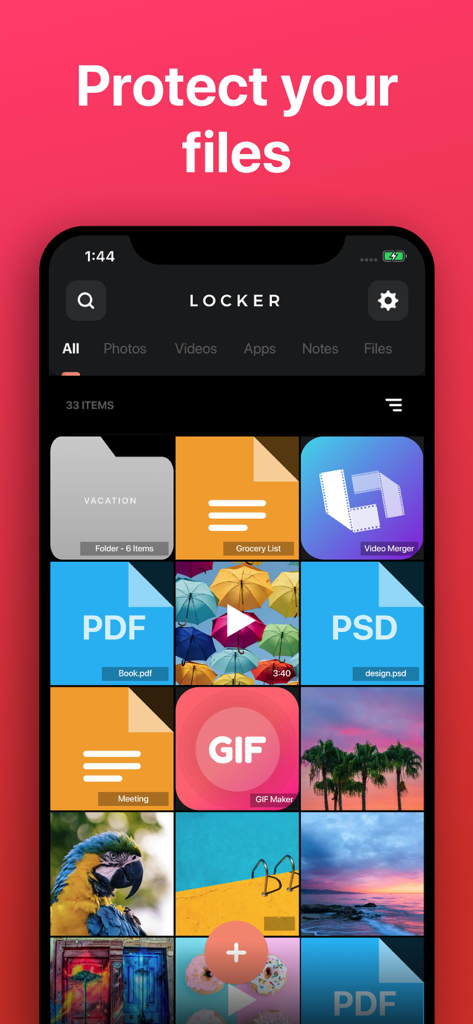
Locker: Hidden Photo Vault - 보호된 사진, PDF 문서 및 개인 메모 그리드를 보여주는 Locker 앱의 인터페이스
보호된 사진, PDF 문서 및 개인 메모 그리드를 보여주는 Locker 앱의 인터페이스

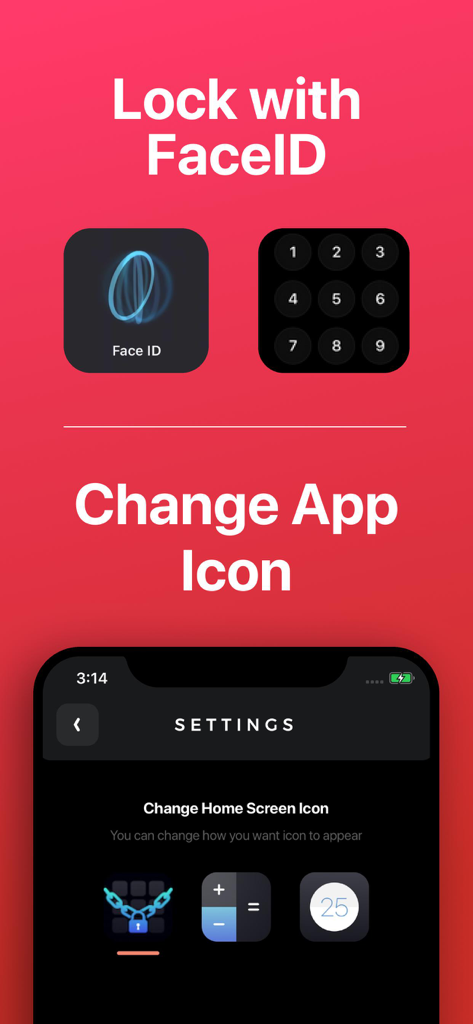
Locker: Hidden Photo Vault - FaceID 보안 옵션과 프라이버시를 위해 앱 아이콘을 계산기로 변경하는 설정을 보여주는 Locker 앱 인터페이스
FaceID 보안 옵션과 프라이버시를 위해 앱 아이콘을 계산기로 변경하는 설정을 보여주는 Locker 앱 인터페이스

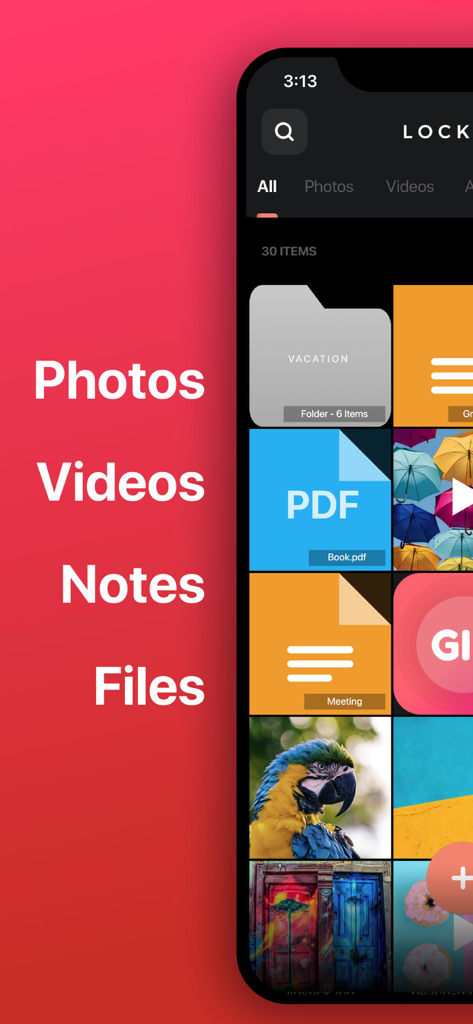
Locker: Hidden Photo Vault - 안전한 보관함에서 구성된 개인 폴더, PDF 파일, 메모 및 사진을 보여주는 Locker 앱의 인터페이스
안전한 보관함에서 구성된 개인 폴더, PDF 파일, 메모 및 사진을 보여주는 Locker 앱의 인터페이스

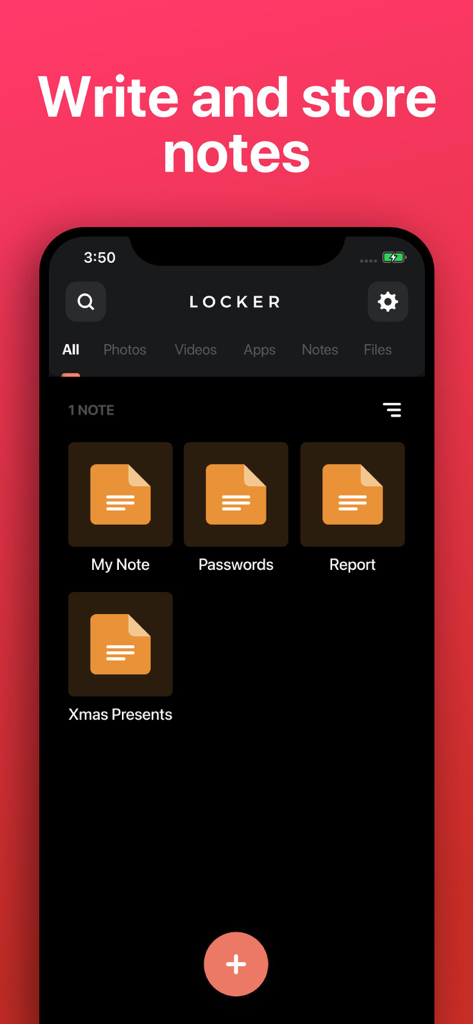
Locker: Hidden Photo Vault - 개인 메모 작성 및 저장을 위한 인터페이스를 보여주는 Locker 앱의 스크린샷

개인 메모 작성 및 저장을 위한 인터페이스를 보여주는 Locker 앱의 스크린샷

설명

Store your Photos, Videos, Notes, Files and App Links behind FaceID/TouchID protection! • Change Locker’s app icon to a calculator or timer! • Set up FaceID, TouchID, or PIN protection to access your Locker! • Store any type of file! Protect your: • Photos & Videos: Store photos and videos in your Locker rather than your Photos library • Notes: Write private notes directly inside the Locker app! • Files: Store any file inside your Locker where only YOU can access! • App links: Add app links to Locker, so you can remove them from your home screen while still easily accessing them. NOTE: Apps cannot be removed from your device's "App Library", so there is no way to completely password-protect an app. Note: You will not be able to access your Locker if you choose not to set up FaceID / TouchID and you forget your PIN. We are not responsible for lost files and we cannot remove information or apps from other areas of your device. If app is deleted, or device is lost/broken, you files will not be recoverable except if you have a previous backup of your device. Files are only stored on your device, are never stored on our servers and are not accessible by Locker developers. This app includes an optional auto-renewable subscription (Premium Pass): Premium Pass beings with a free trial period, then an auto-renewable monthly subscription when trial ends. Payment will be charged to your Apple account at confirmation of purchase and will automatically renew (at the duration/price selected) unless auto-renew is turned off at least 24 hrs before the end of the current period. Account will be charged for renewal within 24-hours prior to the end of the current period. Current subscription may not be cancelled during the active subscription period; however, you can manage your subscription and/or turn off auto-renewal by visiting your Apple Account Settings after purchase. Any unused portion of the free initial period will be forfeited when you purchase a subscription. Privacy Policy: https://float.support/locker/privacy Terms of Use: https://float.support/locker/terms

Download

다운로드: App Store

이 페이지는 앱이나 개발자의 공식 페이지가 아니며, 정보 제공 및 논평을 목적으로 작성된 독립 편집 간행물입니다. 명시적으로 달리 언급되지 않는 한, 해당 앱이나 개발자는 MWM, Apple, Google Play, 앱 퍼블리셔 또는 앱 개발자와 제휴, 보증, 후원, 승인 또는 공식적으로 연결되어 있지 않으며, 이 페이지의 어떤 내용도 해당 앱이 MWM의 서비스를 사용하여 개발되었음을 의미하지 않습니다. 모든 상표, 로고, 스크린샷 및 기타 콘텐츠는 해당 소유자의 자산입니다.







