
이 페이지는 앱이나 개발자의 공식 페이지가 아니며, 정보 제공 및 논평을 목적으로 작성된 독립 편집 간행물입니다. 명시적으로 달리 언급되지 않는 한, 해당 앱이나 개발자는 MWM, Apple, Google Play, 앱 퍼블리셔 또는 앱 개발자와 제휴, 보증, 후원, 승인 또는 공식적으로 연결되어 있지 않으며, 이 페이지의 어떤 내용도 해당 앱이 MWM의 서비스를 사용하여 개발되었음을 의미하지 않습니다. 모든 상표, 로고, 스크린샷 및 기타 콘텐츠는 해당 소유자의 자산입니다.


Logo Maker, Design Creator.
이 앱은 당신의 손끝에서 디자인 스튜디오를 휘두를 수 있게 합니다. 아이폰, 아이패드, 아이팟 터치만 있으면 어디서든 로고를 제작하고, 포스터를 만들고, 초대장을 디자인할 수 있습니다. 전문가에게 의뢰할 필요 없이 당신의 비전을 현실로 바꿀 강력한 도구를 손에 넣는 것입니다.
다운로드
5M+사용자 평점
총 평가 수
53.5K개발사
카테고리
Graphics & Design지원 언어
31최신 버전
7.91크기
378.0 MB출시일
2018년 1월 7일소규모 사업자 및 콘텐츠 크리에이터를 위한 모바일 로고 디자인 솔루션 평가
앱 'Logo Maker, Design Creator.' 분석 보고서
직관적인 로고 디자인 도구
이 앱은 사용자가 아이폰, 아이패드에서 로고, 포스터, 전단지 등을 쉽고 빠르게 디자인할 수 있도록 지원합니다.
편리한 공유 및 저장 옵션
이 도구는 투명 배경으로 저장하는 기능을 제공하며, 사용자는 이메일, 페이스북으로 공유하거나 드롭박스, 에버노트, 박스 등 클라우드 서비스에 업로드하여 로고를 안전하게 보관하고 쉽게 배포할 수 있습니다.
방대한 디자인 에셋 라이브러리
이 도구는 방대한 로고 라이브러리, 270개 이상의 다양한 글꼴을 제공하며, 사용자는 사진 라이브러리에서 이미지를 가져와 디자인 선택의 폭을 넓힐 수 있습니다.
고급 편집 및 조정 기능
사용자는 그라디언트 및 색상 변경, 전문적인 그림자 추가, 격자선 및 정밀 이동을 통해 로고 요소를 세밀하게 조정하여 전문적인 결과물을 얻을 수 있습니다.
다양한 iOS 기기 및 액세서리 지원
이 앱은 아이폰, 아이패드, 아이팟 터치뿐만 아니라 아이패드 프로, 애플 펜슬, 애플 워치 및 3D 터치를 지원하여 최적화된 모바일 디자인 환경을 제공합니다.
오류 수정 및 유연한 편집
사용자는 실행 취소/다시 실행, 지우개 도구, 라소 도구를 활용하여 디자인 과정에서 발생할 수 있는 실수를 쉽게 수정하고 요소를 유연하게 이동할 수 있습니다.
전문적인 색상 선택 도구
이 앱은 RGB/HSB/Hex 값을 지원하는 전문 색상 선택기와 즐겨찾기 색상 팔레트를 갖추고 있어 정확하고 일관된 브랜드 색상 적용을 가능하게 합니다.
맞춤형 텍스트 및 개체 관리
사용자는 텍스트에 사용자 지정 테두리를 추가하고, 텍스트 간격 및 곡률을 조절하며, 개체의 불투명도를 조정할 수 있어 텍스트와 개체를 정밀하게 제어할 수 있습니다.
자주 묻는 질문
에 대해 알아야 할 모든 것 Logo Maker, Design Creator.
What is InstaLogo Logo Maker 2?
InstaLogo Logo Maker 2 transforms your iOS device into a logo-making machine. It enables users to design logos, posters, flyers, and invitations directly on their iPhone, iPad, or iPod Touch, offering a fresh new design and Apple Watch support.
What devices support the Logo Maker, Design Creator app?
The Logo Maker, Design Creator app supports iPhone, iPad, iPod touch, iPad Pro, Apple Pencil, and Apple Watch. Multitasking is available on iPad Air 2 and newer models, operating in both landscape and portrait orientations.
Can I create custom logos with the Logo Maker, Design Creator app?
Yes, the Logo Maker, Design Creator app allows custom logo creation. Users can choose from a massive library of logos, import photos, select from over 270 handpicked fonts, and manipulate elements with pinch, drag, and spin gestures for precise design.
Does InstaLogo 2 offer design templates?
Yes, InstaLogo 2 offers over 1000 logo templates. These templates are categorized for various designs such as Logo, Business Card, Poster, Instagram Story, Badge, and Watercolor, providing a diverse starting point for users' creative projects.
How much does the InstaLogo 2 Pro Subscription cost?
The InstaLogo 2 Pro Subscription costs vary based on the selected plan, with billing options available weekly, monthly, or annually. The app is free to download, but the Pro Subscription unlocks unlimited access to premium content and features.
Can I save logos with a transparent background in InstaLogo 2?
Yes, InstaLogo 2 supports saving logos with a transparent background. This feature is perfect for integrating logos into various contexts, ensuring flexibility and professional presentation for everyday use.
How can I share or export my designs from Logo Maker, Design Creator?
Users can share or export their designs from Logo Maker, Design Creator via email. Additionally, they can upload designs to cloud services like Dropbox, Evernote, and Box, save them directly to their iOS device, or send them to be printed.
Does InstaLogo 2 support various fonts and backgrounds?
Yes, InstaLogo 2 provides a vast selection including over 1000 exclusive fonts and more than 1 million backgrounds. Users also have the option to import their own images from their Photo Library for use in their designs.
Does Logo Maker, Design Creator offer advanced editing tools?
Yes, Logo Maker, Design Creator includes advanced editing tools such as changing gradients, adding professional-grade shadows, utilizing grid lines for alignment, and precise element movement. It also features full undo and redo functionality for error correction.
Can I sync my logos across Apple devices with InstaLogo 2?
Yes, InstaLogo 2 allows users to sync their logos with iCloud. This feature ensures that all designs created within the app are consistent and accessible across all linked Apple devices for seamless workflow.
Is InstaLogo 2 a free app to use?
InstaLogo 2 is free to download, but a Pro Subscription is required for unlimited access to its premium content and features. Some specific features may also necessitate individual in-app purchases to unlock their functionality.
다음 스크린샷과 설명은 앱의 공식 스토어 목록에서 직접 가져온 것이며 앱 개발자의 자산입니다.
앱 스토어
스크린샷
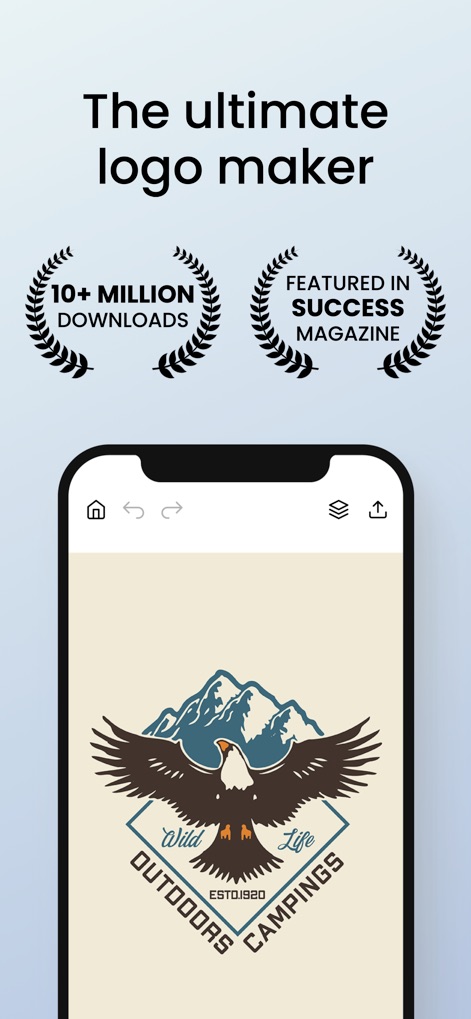
이 앱은 1천만 이상의 다운로드와 성공 잡지에 소개된 이력으로 사용자에게 신뢰를 주며, 화면에 보이는 독수리 로고처럼 정교한 디자인을 생성할 수 있게 합니다.
궁극의 로고 메이커

이 도구는 로고, 명함, 포스터를 포함한 다양한 카테고리의 템플릿을 제공하여 사용자가 쉽게 시작할 수 있도록 돕습니다. 화면에서 피트니스 및 배지 로고 템플릿을 확인할 수 있습니다.
1000+ 로고 템플릿

이 앱은 수많은 독점 폰트 옵션을 제공하여 사용자가 텍스트를 창의적으로 표현할 수 있게 합니다. 화면 하단에서 'Stylish' 폰트 카테고리와 'Vision-Bold' 폰트명을 볼 수 있습니다.
1000+ 독점 폰트

사용자는 1백만 개 이상의 다양한 배경 중에서 선택하여 디자인에 깊이와 스타일을 더할 수 있습니다. 화면에는 다채로운 추상 및 대리석 질감의 배경 이미지가 다양하게 나타나 있습니다.
100만+ 배경

이 앱은 로고 편집을 위한 직관적인 도구들을 제공하여 사용자가 정교한 조정을 할 수 있도록 지원합니다. '회전' 및 '크기' 조절과 같은 다양한 편집 기능이 명확하게 표시되어 있습니다.
로고를 쉽게 편집

사용자는 iCloud를 통해 자신의 디자인을 여러 Apple 기기에서 원활하게 동기화할 수 있어, 작업의 연속성을 보장합니다. iPad와 iPhone 화면에서 동일한 디자인 갤러리가 나타나 있습니다.
iCloud와 로고 동기화

이 도구는 로고를 투명 배경으로 저장하는 기능을 제공하여 사용자가 디자인을 다양한 매체에 쉽게 적용할 수 있게 합니다. 화면에는 투명 배경을 나타내는 체크무늬와 실제 로고 디자인이 명확하게 보입니다.
투명 배경으로 저장

이 앱은 포스터, Instagram 스토리, 명함을 포함한 다양한 마케팅 자료를 제작할 수 있는 기능을 제공합니다. 화면에 표시된 'IBIZA' 포스터와 'BIG BLACK FRIDAY SALE' Instagram 스토리가 그 예시입니다.
포스터, IG 스토리, 명함
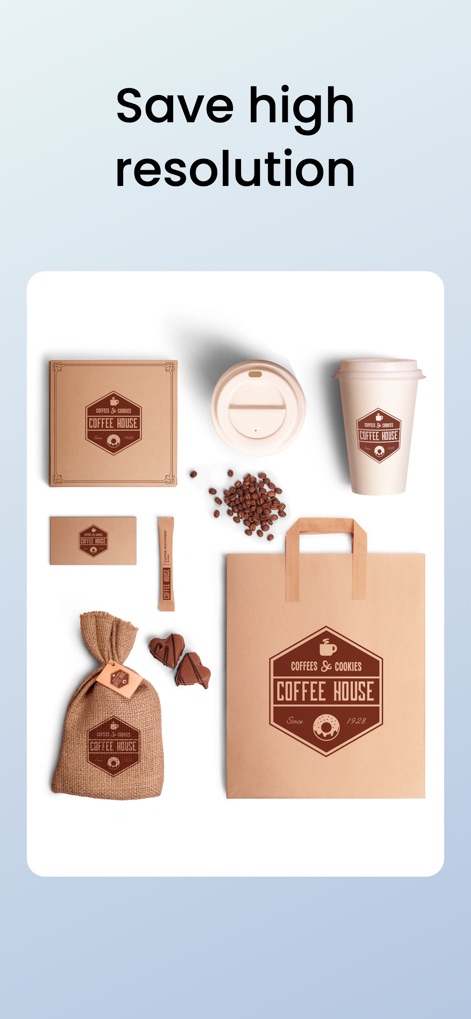
사용자는 디자인을 고해상도로 저장하여 인쇄물이나 전문가용 자료에 활용할 수 있습니다. 화면에는 커피 하우스 로고가 적용된 고품질의 컵과 가방 목업 이미지가 보입니다.
고해상도로 저장

이 앱은 iPhone, iPad, Apple Watch 등 다양한 Apple 기기에서 완벽하게 작동하여 사용자에게 유연한 작업 환경을 제공합니다. 화면에 캠핑 로고가 적용된 iPad 및 Apple Watch 이미지가 함께 나타나 있습니다.
다양한 Apple 기기 지원
설명
Download
비슷한 앱
유사한 기능과 사용자 경험을 가진 앱

Canva: AI Photo & Video Editor
Canva Pty Ltd

Adobe Express: Create Anything
Adobe Inc.

Bazaart AI Photo Editor Design
Bazaart Ltd.

稿定设计-AI图片海报壁纸,一键p图拼图修图抠图照片美化
Gaoding (Xiamen) Technology Co., Ltd.

Poster Maker - Crea
Salix Dijital Pazarlama Anonim Sirketi

Logo Maker AI Creator — Boon
PIXO Incorporation

MiriCanvas: Poster, PPT design
MIRI D.I.H

Logo Maker: Art Design Creator
LOGOFLY LLC

创客贴设计-AI海报图片设计,一键p图拼图修图抠图照片美化
Beijing yiyuanku science and Technology Co., Ltd.
이 페이지는 앱이나 개발자의 공식 페이지가 아니며, 정보 제공 및 논평을 목적으로 작성된 독립 편집 간행물입니다. 명시적으로 달리 언급되지 않는 한, 해당 앱이나 개발자는 MWM, Apple, Google Play, 앱 퍼블리셔 또는 앱 개발자와 제휴, 보증, 후원, 승인 또는 공식적으로 연결되어 있지 않으며, 이 페이지의 어떤 내용도 해당 앱이 MWM의 서비스를 사용하여 개발되었음을 의미하지 않습니다. 모든 상표, 로고, 스크린샷 및 기타 콘텐츠는 해당 소유자의 자산입니다.