이 페이지는 앱이나 개발자의 공식 페이지가 아니며, 정보 제공 및 논평을 목적으로 작성된 독립 편집 간행물입니다. 명시적으로 달리 언급되지 않는 한, 해당 앱이나 개발자는 MWM, Apple, Google Play, 앱 퍼블리셔 또는 앱 개발자와 제휴, 보증, 후원, 승인 또는 공식적으로 연결되어 있지 않으며, 이 페이지의 어떤 내용도 해당 앱이 MWM의 서비스를 사용하여 개발되었음을 의미하지 않습니다. 모든 상표, 로고, 스크린샷 및 기타 콘텐츠는 해당 소유자의 자산입니다.

LoveMusic Player - Local Play
iPhone, iPad 및 Mac에서 고해상도 라이브러리를 정리, 편집 및 동기화하세요. 오프라인 재생, 여러 라이브러리, 구독 없이—순수한 음악 소유권으로 완벽하게 제어하세요.
주요 수치
다운로드
1K+
사용자 평점
4.2/5
총 평가 수
100
개발사
煦 张
카테고리
Music
지원 언어
12
최신 버전
2.5
크기
7.6 MB
출시일
2022년 8월 10일
기능
개인 오디오 컬렉션을 완벽하게 제어하세요
디지털 아카이브 전문가를 위해 설계된 LoveMusic은 구독료 없이 전문적인 라이브러리 관리 및 크로스 디바이스 동기화를 통해 강력하고 오프라인 우선 경험을 제공합니다.
맞춤형 다중 라이브러리 시스템
단순한 폴더를 넘어서세요. 음악, 전문 녹음, 개인 시 모음을 분리하여 집중적인 감상을 위한 독립적인 라이브러리를 만드세요.
프로 수준의 메타데이터 제어
컬렉션에 자부심을 가지세요. ID3 태그를 편집하고, 앨범 아트를 업데이트하고, 앱에 직접 가사를 포함하여 완벽하게 큐레이션된 디지털 볼트를 유지하세요.
다음 스크린샷과 설명은 앱의 공식 스토어 목록에서 직접 가져온 것이며 앱 개발자의 자산입니다.
앱 스토어
스크린샷
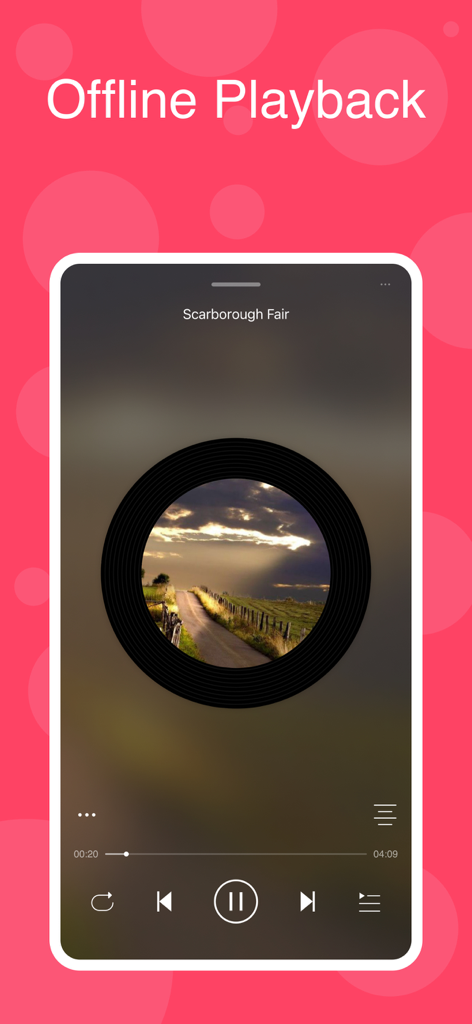
LoveMusic 플레이어 인터페이스, 오프라인 재생 및 바이닐 레코드 미학 기능
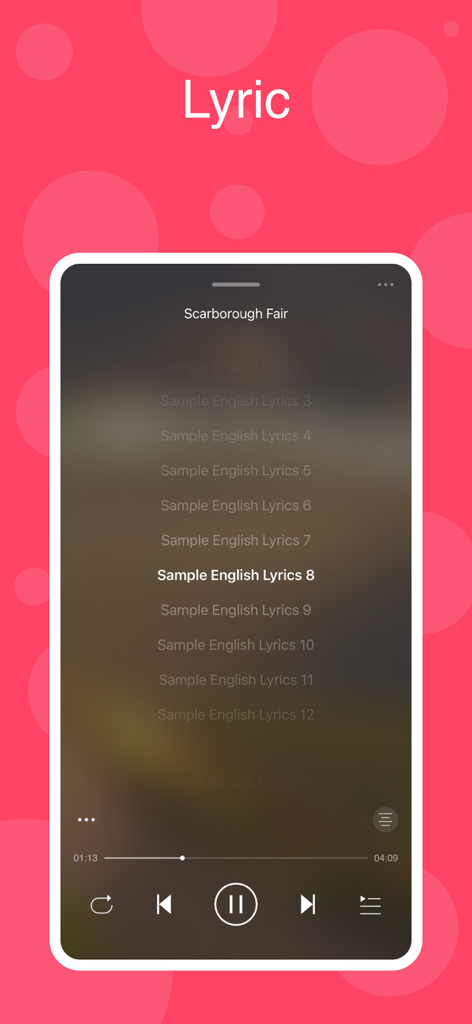
로컬 음악 재생을 위해 동기화된 노래 가사를 보여주는 LoveMusic 플레이어의 모바일 앱 인터페이스.
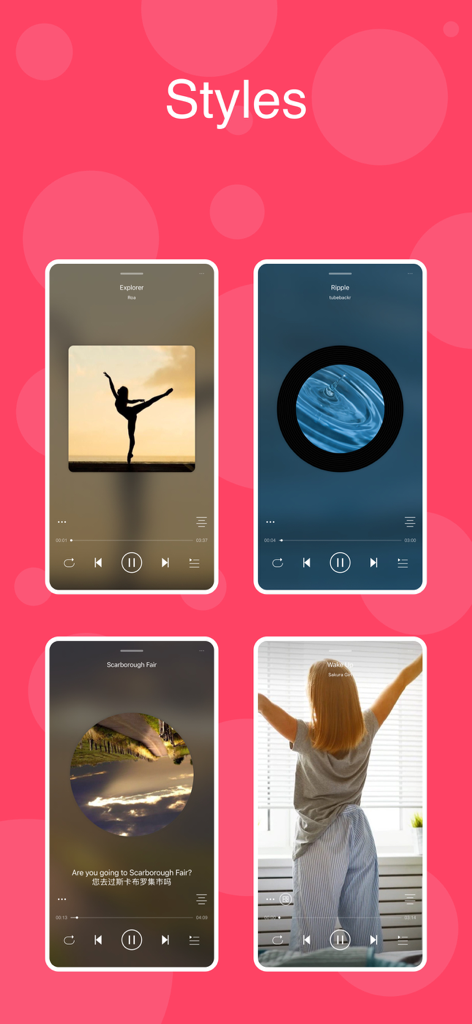
바이닐 및 CD 미학을 포함한 LoveMusic 플레이어의 다양한 시각적 재생 스타일 쇼케이스
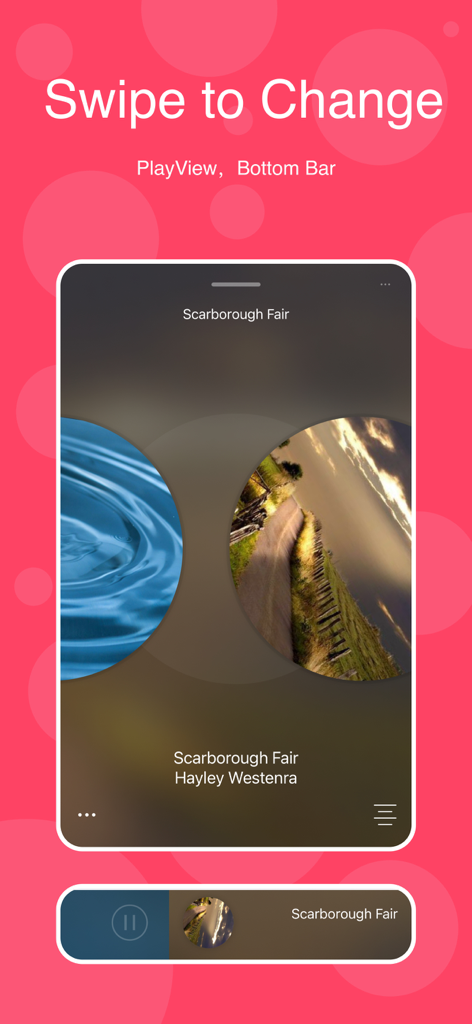
PlayView의 스와이프하여 변경 기능과 하단 탐색 모음을 보여주는 LoveMusic 플레이어 앱의 인터페이스
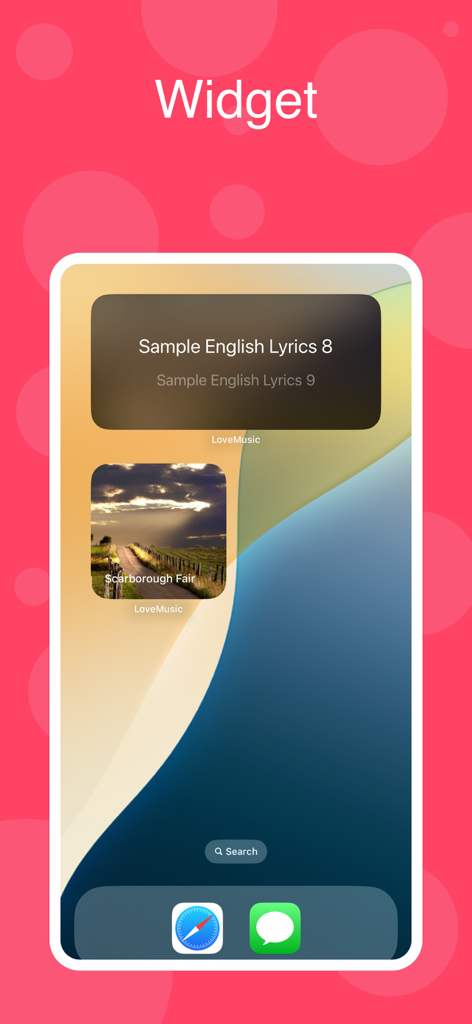
가사와 앨범 커버를 표시하는 LoveMusic 플레이어의 iOS 위젯
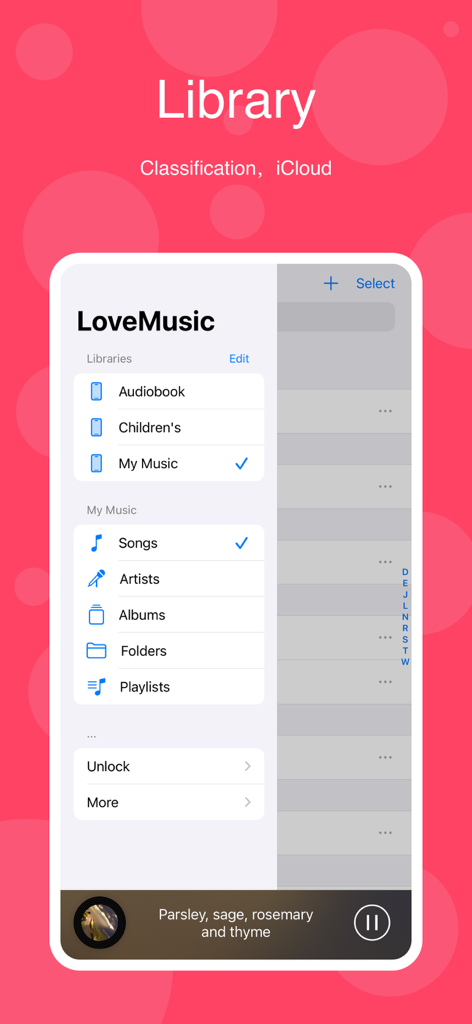
LoveMusic 앱 라이브러리 인터페이스, iPhone에서 오디오북 및 내 음악과 같은 다양한 음악 라이브러리와 노래 및 아티스트 탐색 옵션 표시
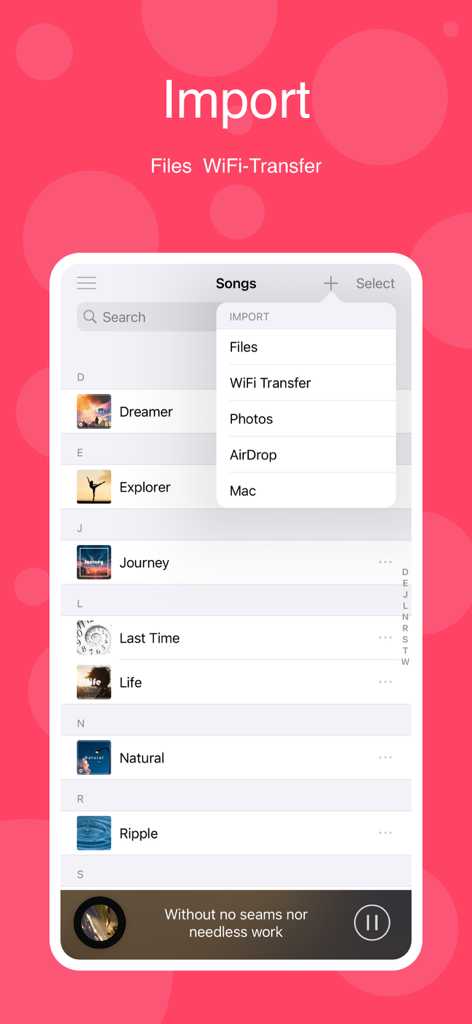
파일, WiFi 전송, AirDrop 및 Mac 옵션이 있는 음악 가져오기 메뉴를 보여주는 LoveMusic 앱 스크린샷
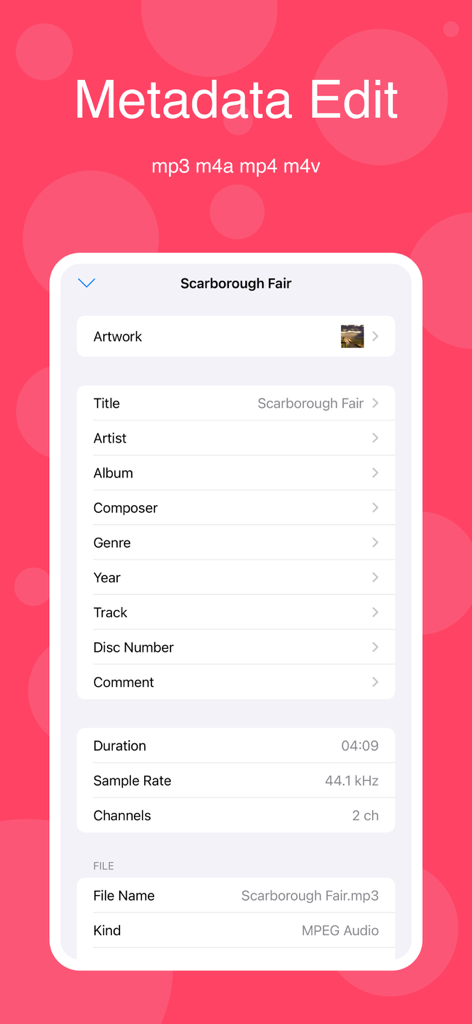
LoveMusic 플레이어 앱에서 음악 메타데이터 및 ID3 태그 편집을 위한 인터페이스
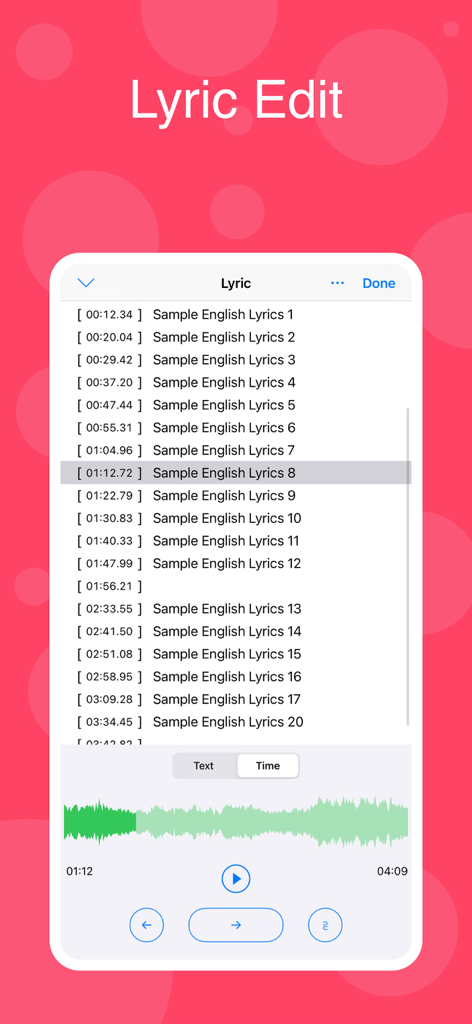
시간이 지정된 가사와 오디오 파형 시각화를 특징으로 하는 LoveMusic 플레이어의 가사 편집 인터페이스.
설명
LoveMusic is a local music player / offline music player. Support multiple music libraries, iCloud synchronization of different devices, information editing, ID3 Tag editing, Lyrics editing ...
[Supported Formats]
- AAC, AIFF, CAF, FLAC, MP3, M4A, WAV
- M4V, MP4, MOV
[Management Method]
1, Can be managed by LoveMusic application
2, You can manage files through the Files application that comes with the device
2.1, Files > My Device > LoveMusic Folder : Can manage local files
2.2, Files > iCloud Drive > LoveMusic Folder : Manage iCloud Drive files, support synchronization between different devices
Note: If a file exists in a user-defined playlist, moving the file through the Files application may cause a link error to the playlist file
[iCloud]
- Support iCloud file backup and optionally download part of the file to the device
- Through iCloud, resources can be shared on multiple devices such as iPad, iPhone, etc.; (For example, music files on Mac, you can directly drag and drop them to iCloud Drive> LoveMusic > My Music, iPhone, iPad can see the related files and choose whether to download them)
[Document Organization]
- Multiple music libraries can be established, and each music library can manage different categories of materials. For example, build the following music library: my music, my poetry, children's music.
- Independent management of each music library
- You can browse files in the library by song, artist, album, folder, etc.
- Playlist management
[File Import]
- Files import
- WiFi transport (HTTP)
- Airdrop
- Mac import
- Photo import
[Information Edited]
- Support editing information of some files ( m4a, mp3, mov, mp4, m4v)
- Edit lyrics
1, If the software supports embedded lyrics in the corresponding audio file and the LRC file does not exist, the lyrics will be saved in the audio file
2, If the software supports embedded lyrics in the corresponding audio file and the LRC file exists at the same time, the lyrics will be saved in both the audio file and the LRC file
3, If the software does not support the embedded lyrics of the corresponding audio file, an LRC file with the same name will be created and the lyrics will be saved
[Play Style]
- Image
- Vinyl Records
- CD
- Photo pictures
[Play Functions]
- Timing: time/number of songs
- Double speed: click the time on the right of the progress bar to display the shortcut of this function
- Fast forward and fast backward: click the time on the left of the progress bar to display the shortcut operation of this function
[Purchase]
- This program can be downloaded for free to experience, preview
- Some built-in functions need to be purchased to use
- All current purchases are one-time purchases and lifetime use.
이 페이지는 앱이나 개발자의 공식 페이지가 아니며, 정보 제공 및 논평을 목적으로 작성된 독립 편집 간행물입니다. 명시적으로 달리 언급되지 않는 한, 해당 앱이나 개발자는 MWM, Apple, Google Play, 앱 퍼블리셔 또는 앱 개발자와 제휴, 보증, 후원, 승인 또는 공식적으로 연결되어 있지 않으며, 이 페이지의 어떤 내용도 해당 앱이 MWM의 서비스를 사용하여 개발되었음을 의미하지 않습니다. 모든 상표, 로고, 스크린샷 및 기타 콘텐츠는 해당 소유자의 자산입니다.








