Lyric Creator
Lyric Creator
다운로드: App Store

이 페이지는 앱이나 개발자의 공식 페이지가 아니며, 정보 제공 및 논평을 목적으로 작성된 독립 편집 간행물입니다. 명시적으로 달리 언급되지 않는 한, 해당 앱이나 개발자는 MWM, Apple, Google Play, 앱 퍼블리셔 또는 앱 개발자와 제휴, 보증, 후원, 승인 또는 공식적으로 연결되어 있지 않으며, 이 페이지의 어떤 내용도 해당 앱이 MWM의 서비스를 사용하여 개발되었음을 의미하지 않습니다. 모든 상표, 로고, 스크린샷 및 기타 콘텐츠는 해당 소유자의 자산입니다.


로고: Lyric Creator
다운로드: App Store

Lyric Creator

Casio CT-S1000V를 위한 최고의 동반자. 커스텀 보컬리스트 디자인, 미세한 음소 편집, 가사와 하드웨어를 전문적인 리듬 제어로 연결하세요.

주요 수치

다운로드

2K+

사용자 평점

3.8/5

총 평가 수

0

개발사

CASIO COMPUTER CO., LTD.

카테고리

Music

지원 언어

2

최신 버전

2.0.2

크기

396.5 MB

출시일

2022년 1월 20일
기능

보컬 합성 마스터하기

Casio CT-S1000V를 위한 최고의 동반자. 정밀한 가사 프로그래밍과 커스텀 보컬리스트 디자인으로 텍스트와 사운드의 간극을 좁히세요.

직관적인 가사 프로그래밍

하드웨어 메뉴는 건너뛰세요. 가사를 직접 입력하거나 가져오고 드래그 앤 드롭 그리드를 사용하여 완벽한 리듬 프레이징을 위한 음절별 음표 값을 할당하세요.

독창적인 보컬리스트 만들기

자신의 10초 WAV 샘플을 업로드하여 커스텀 보컬리스트 패치를 만드세요. 나이, 성별, 비브라토를 미세 조정하여 당신만의 시그니처 사운드를 만드세요.

다음 스크린샷과 설명은 앱의 공식 스토어 목록에서 직접 가져온 것이며 앱 개발자의 자산입니다.

앱 스토어

스크린샷
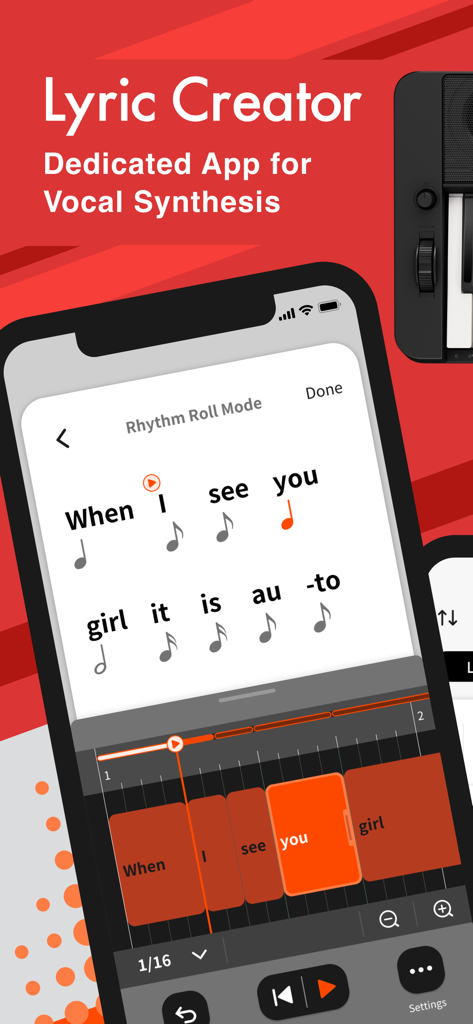
Lyric Creator - Lyric Creator 앱 인터페이스로, 리듬 롤 모드에서 음절이 음표 값에 할당된 것을 보여줍니다.
Lyric Creator 앱 인터페이스로, 리듬 롤 모드에서 음절이 음표 값에 할당된 것을 보여줍니다.

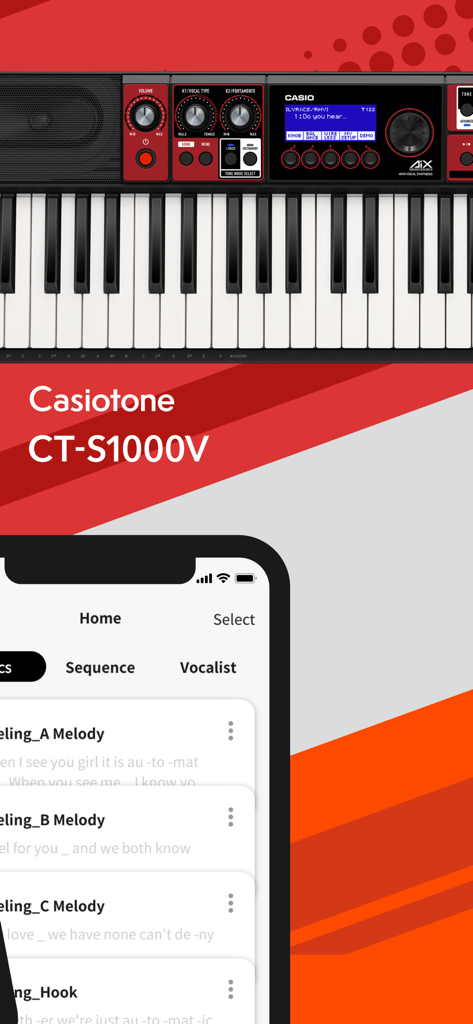
Lyric Creator - Casio CT-S1000V 키보드와 함께 스마트폰에 표시된 Lyric Creator 앱 인터페이스
Casio CT-S1000V 키보드와 함께 스마트폰에 표시된 Lyric Creator 앱 인터페이스

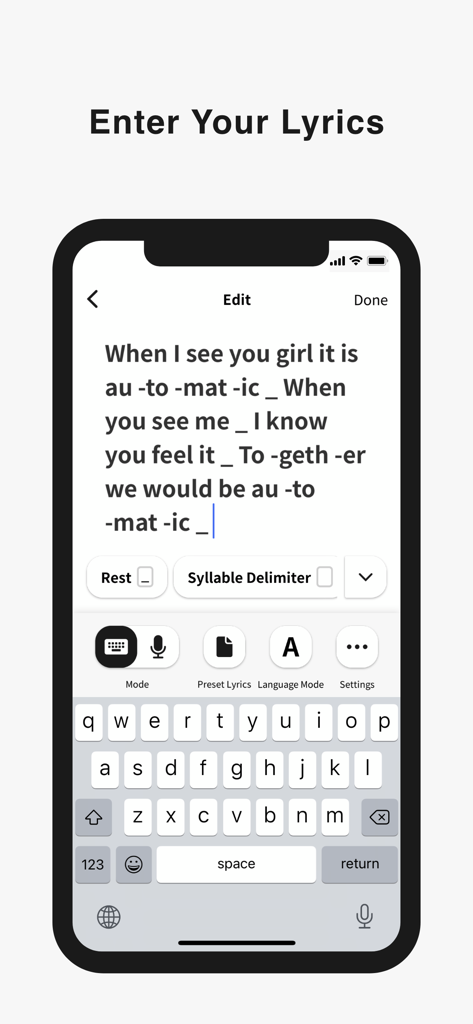
Lyric Creator - 스마트폰에 Lyric Creator 앱 인터페이스가 표시되어 음절 구분이 있는 노래 가사를 입력하고 형식화합니다.
스마트폰에 Lyric Creator 앱 인터페이스가 표시되어 음절 구분이 있는 노래 가사를 입력하고 형식화합니다.

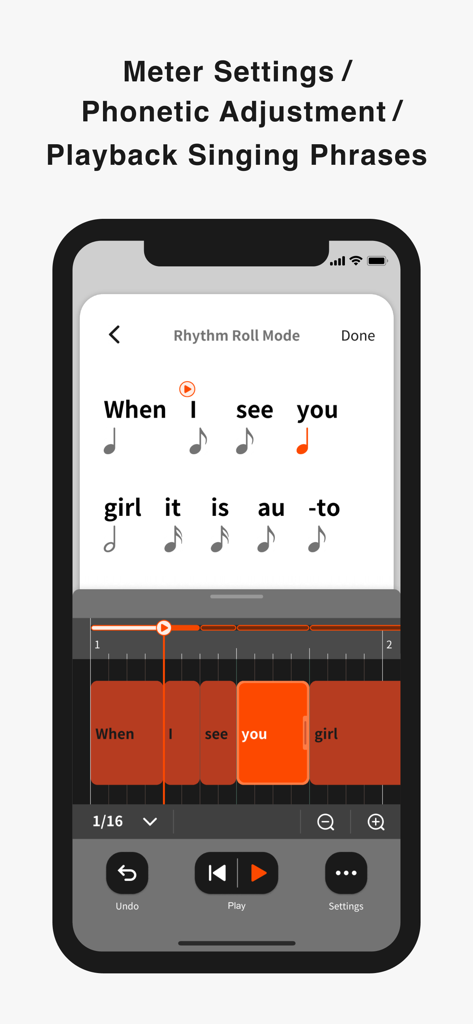
Lyric Creator - 보컬 프레이즈 타이밍과 미터를 조정하기 위한 리듬 롤 모드 인터페이스를 보여주는 Lyric Creator 앱 스크린샷
보컬 프레이즈 타이밍과 미터를 조정하기 위한 리듬 롤 모드 인터페이스를 보여주는 Lyric Creator 앱 스크린샷

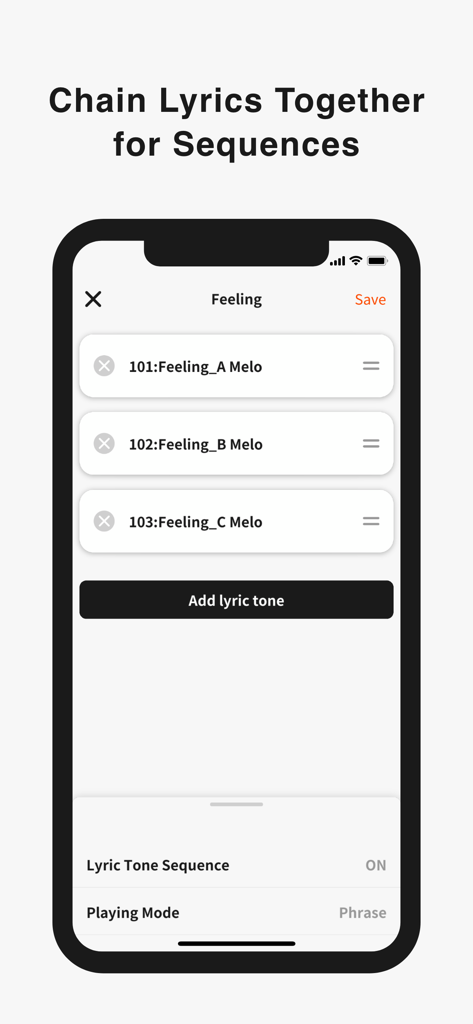
Lyric Creator - 음악 시퀀스에 연결된 가사 톤 목록을 보여주는 Lyric Creator 앱 인터페이스
음악 시퀀스에 연결된 가사 톤 목록을 보여주는 Lyric Creator 앱 인터페이스

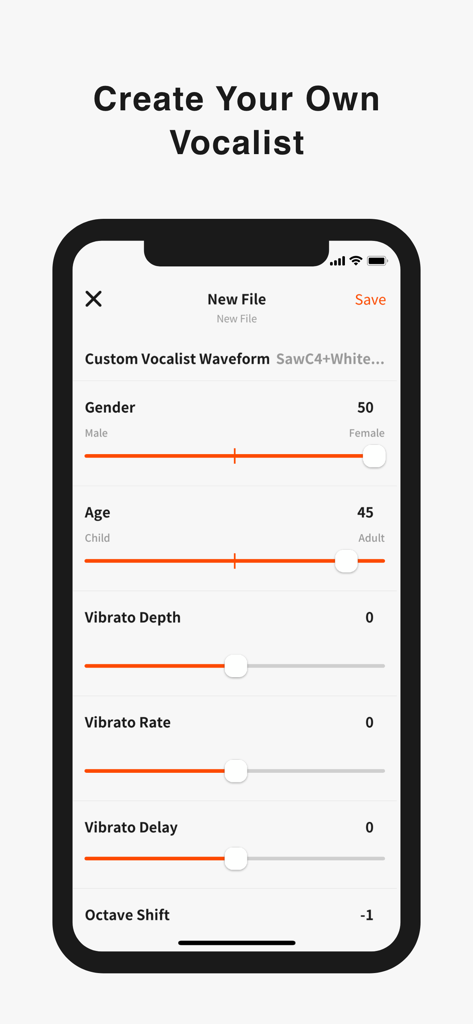
Lyric Creator - 나이, 성별, 비브라토 컨트롤로 보컬리스트를 맞춤 설정하기 위한 Lyric Creator 앱 인터페이스
나이, 성별, 비브라토 컨트롤로 보컬리스트를 맞춤 설정하기 위한 Lyric Creator 앱 인터페이스

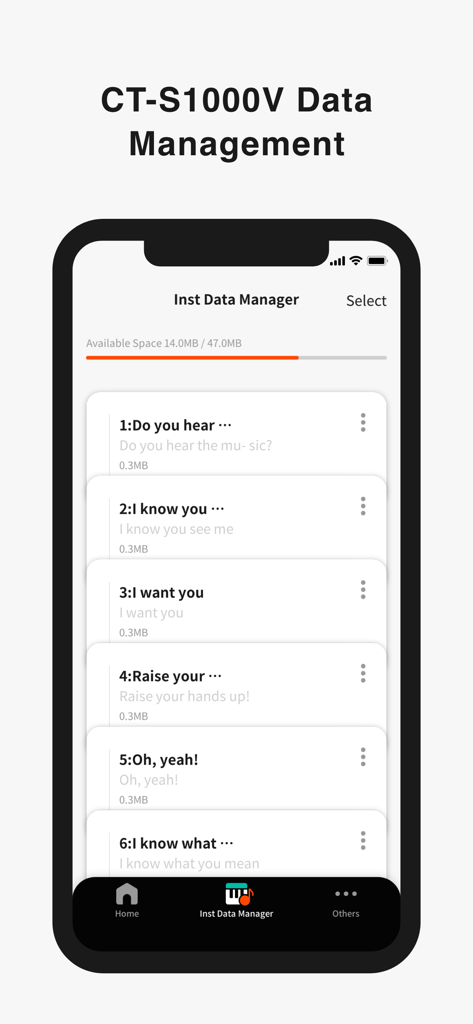
Lyric Creator - Casio 키보드용 저장된 가사 파일 목록이 있는 악기 데이터 관리자를 보여주는 Lyric Creator 앱 인터페이스

Casio 키보드용 저장된 가사 파일 목록이 있는 악기 데이터 관리자를 보여주는 Lyric Creator 앱 인터페이스

설명

Enter Your Lyrics Favorite song lyrics and original creations alike can be entered in English and Japanese using your iOS device via Casio’s own Lyric Creator app. This text is automatically divided into syllable units (though you can also assign divisions manually and group multiple syllables together), and after exporting the resulting data to your CT-S1000V, you’re ready to play. Set the Meter In Phrase Mode, the playback meter of the lyrics is determined by assigning note values (8th notes, quarter notes, etc.) to the individual syllable units and inserting rests. In addition to the traditional input of note symbols, you can now also edit the note values by visually dragging boxes along grid lines for more intuitive control. Individual lyric tones include tempo data, which can be adjusted both during the playback of singing phrases in the app as well as when playing on the CT-S1000V. Tempo can also be synced to the MIDI clock from your DAW or other external MIDI device to ensure that your vocal phrasing always remains in time regardless of how adventurous you get. Get Granular with Phrasing and Diction Users with the appetite for a truly granular approach can go even deeper and edit the phonemes that comprise individual syllables. And besides crafting clearer vocal diction, this process can be used to approximate regional accents or mimic the pronunciation of words in languages other than English and Japanese. (Note that the available phoneme library consists only of sounds that occur in standard English and Japanese.) Playback Singing Phrases Preview lyrics phrases directly in the app, in any tempo. Instantly check the rhythm and how the lyric phrase will sound before transferring the lyric data to an instrument. Chain Lyrics Together for Longer Sequences While Lyric Creator places a limit on the length of lyric that can be entered (up to 100 eighth-note syllables), once uploaded to your CT-S1000V, individual lyrics can be chained together into much longer sequences. This function allows you to fine tune individual sections at the input stage before combining them within your CT-S1000V to create a complete song. Create Your Own Vocalists The Lyric Creator app can also be used to transform a WAV audio sample (16bit/44.1kHz, mono/stereo, max. 10 seconds in length) stored within your mobile device into an original Vocalist patch that can then be loaded into the CT-S1000V. The editing interface allows you to set characteristics such as age, gender, vocal range, and vibrato. The CT-S1000V’s 22 Vocalist presets have each been designed for maximum clarity of enunciation by blending different waveforms with elements such as white noise, and as such User Vocalist waveforms may not achieve the same level of articulation. But with some experimentation you can create new sounds, including abstract ones akin to the CT-SV1000V’s Animal preset. Connecting the CT-S1000V to Your Smart Device Once the Lyric Creator app is installed on your smartphone or tablet, you can start transferring lyrics, sequences, vocal samples, etc., by connecting your device to your CT-S1000V via a USB cable. While connected, you can also use the app to view how much space is available on the CT-S1000V’s internal drive, delete files, and edit file names. Program files are exported using a proprietary format that enables sharing between CT-S1000V users. You can also import Music XML lyric data and note values from your DAW.

Download

다운로드: App Store

이 페이지는 앱이나 개발자의 공식 페이지가 아니며, 정보 제공 및 논평을 목적으로 작성된 독립 편집 간행물입니다. 명시적으로 달리 언급되지 않는 한, 해당 앱이나 개발자는 MWM, Apple, Google Play, 앱 퍼블리셔 또는 앱 개발자와 제휴, 보증, 후원, 승인 또는 공식적으로 연결되어 있지 않으며, 이 페이지의 어떤 내용도 해당 앱이 MWM의 서비스를 사용하여 개발되었음을 의미하지 않습니다. 모든 상표, 로고, 스크린샷 및 기타 콘텐츠는 해당 소유자의 자산입니다.







