
이 페이지는 앱이나 개발자의 공식 페이지가 아니며, 정보 제공 및 논평을 목적으로 작성된 독립 편집 간행물입니다. 명시적으로 달리 언급되지 않는 한, 해당 앱이나 개발자는 MWM, Apple, Google Play, 앱 퍼블리셔 또는 앱 개발자와 제휴, 보증, 후원, 승인 또는 공식적으로 연결되어 있지 않으며, 이 페이지의 어떤 내용도 해당 앱이 MWM의 서비스를 사용하여 개발되었음을 의미하지 않습니다. 모든 상표, 로고, 스크린샷 및 기타 콘텐츠는 해당 소유자의 자산입니다.


Macquarie Mobile Banking
국경 없는 라이프스타일을 위해 설계된 지능형 예산 관리, 원활한 비즈니스-개인 계정 통합, 세계적 수준의 보안으로 자산을 완벽하게 관리하세요.
다운로드
961K+사용자 평점
총 평가 수
900개발사
카테고리
Finance지원 언어
1최신 버전
8.15크기
312.6 MB출시일
2015년 8월 31일현대 전문가를 위해 설계된 뱅킹
효율성, 보안 및 국경 없는 라이프스타일을 위해 설계된 지능형 도구 모음으로 금융 생활을 완벽하게 제어하세요.
확고한 보안
실시간으로 온라인 거래 및 계정 변경을 승인하거나 거부할 수 있는 Macquarie Authenticator로 자산을 보호하세요. 단 한 번의 탭으로 모든 것이 가능합니다.
지능형 자산 통찰력
스프레드시트는 이제 그만. 자연어를 사용하여 거래 내역을 검색하고 자동 지출 분류를 확인하여 예산을 즉시 최적화하세요.
자주 묻는 질문
에 대해 알아야 할 모든 것 Macquarie Mobile Banking
Macquarie Mobile Banking 앱의 주요 기능은 무엇인가요?
Macquarie Mobile Banking 앱은 결제 및 송금 기능, 명세서 접근, 예산 설정, 거래 검색, 카드 관리 기능을 제공합니다. 또한 실시간 알림 및 고급 보안 기능을 제공합니다.
Macquarie Mobile Banking 앱으로 예산을 설정하고 지출을 추적할 수 있나요?
네, Macquarie Mobile Banking 앱을 사용하면 즉시 예산을 설정하고 지출 진행 상황을 빠르게 확인할 수 있습니다. 또한 더 나은 재정 이해를 위해 거래를 자동으로 분류합니다.
Macquarie Mobile Banking 앱에서 거래 내역을 어떻게 검색할 수 있나요?
사용자는 자연어 쿼리를 사용하여 Macquarie Mobile Banking 앱에서 거래를 검색할 수 있습니다. 예를 들어, "올해 Woolworths에서 얼마를 썼나요?"라고 입력하여 특정 지출 세부 정보를 검색할 수 있습니다.
Macquarie Mobile Banking 앱은 거래 보안을 어떻게 보장하나요?
Macquarie Mobile Banking 앱은 Macquarie Authenticator 앱을 통해 실시간 푸시 알림을 사용하여 온라인 거래 및 계정 변경을 승인하거나 거부합니다. 또한 오프라인 인증을 위한 롤링 코드 옵션을 제공합니다.
Macquarie Mobile Banking 앱은 해외 여행 기능을 제공하나요?
네, 사용자들은 은행에 여행 계획을 알릴 수 있습니다. 해외에서 계정에 접근할 때 여행 모드는 현재 위치, 현지 환율을 표시하고 카드를 잠그거나 도난으로 신고하기 위한 빠른 링크를 제공합니다.
Macquarie Mobile Banking 앱에 영수증을 거래 내역에 업로드할 수 있나요?
네, Macquarie Mobile Banking 앱을 사용하면 사용자는 휴대폰으로 영수증이나 보증서를 촬영하여 거래 내역에 직접 안전하게 업로드하여 디지털 보관할 수 있습니다.
Macquarie Mobile Banking 앱은 Apple Pay를 지원하나요?
네, Macquarie Mobile Banking 앱은 Apple Pay와 통합되어 사용자가 카드 없는 거래를 할 수 있습니다. 이 기능은 앱 인터페이스에 시각적으로 표시됩니다.
Macquarie Mobile Banking 앱은 비즈니스 뱅킹을 지원하나요?
네, Macquarie Mobile Banking 앱을 사용하면 비즈니스 고객이 비즈니스 뱅킹 프로필을 추가할 수 있습니다. 이를 통해 개인 계정과 비즈니스 계정 간을 원활하게 전환하고 잔액 및 거래 내역 추적을 통합할 수 있습니다.
Macquarie Mobile Banking 앱에 로그인하지 않고 계좌 잔액을 확인할 수 있나요?
네, Macquarie Mobile Banking 앱은 빠른 보기 기능을 제공합니다. 이를 통해 사용자는 정보를 얻기 위해 전체 로그인 없이 계좌 잔액을 한눈에 안전하게 확인할 수 있습니다.
Macquarie Mobile Banking 앱의 모양을 사용자 정의할 수 있나요?
네, Macquarie Mobile Banking 앱을 사용하면 사용자는 앱 설정에서 볼 수 있듯이 다른 배경 화면을 선택하는 등 환경을 사용자 정의할 수 있습니다.
다음 스크린샷과 설명은 앱의 공식 스토어 목록에서 직접 가져온 것이며 앱 개발자의 자산입니다.
앱 스토어
스크린샷
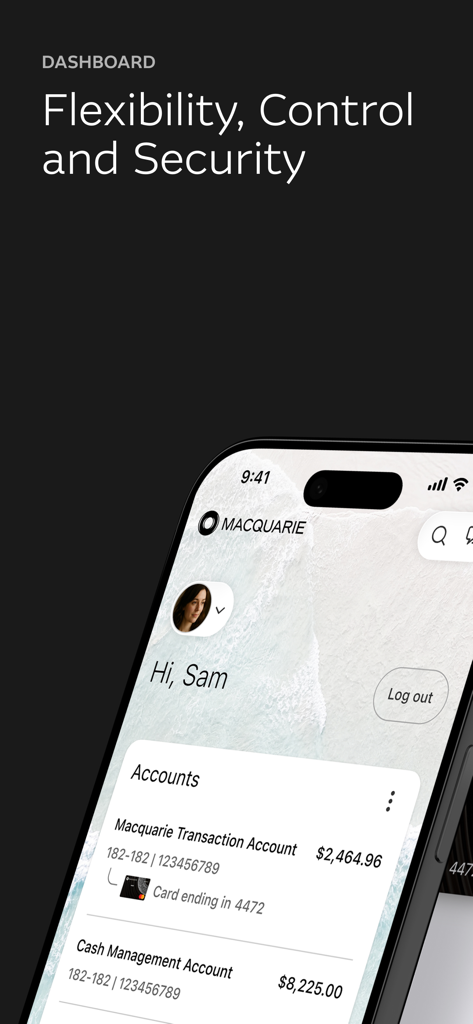
계정 잔액 및 사용자 프로필을 보여주는 Macquarie Mobile Banking 앱 대시보드
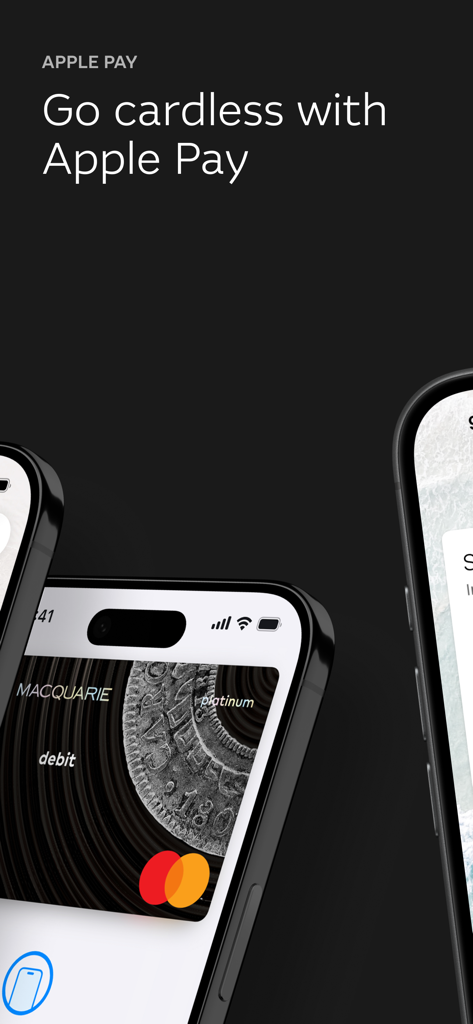
Apple Pay를 통한 카드 없는 결제를 강조하는 Macquarie Mobile Banking 앱 화면
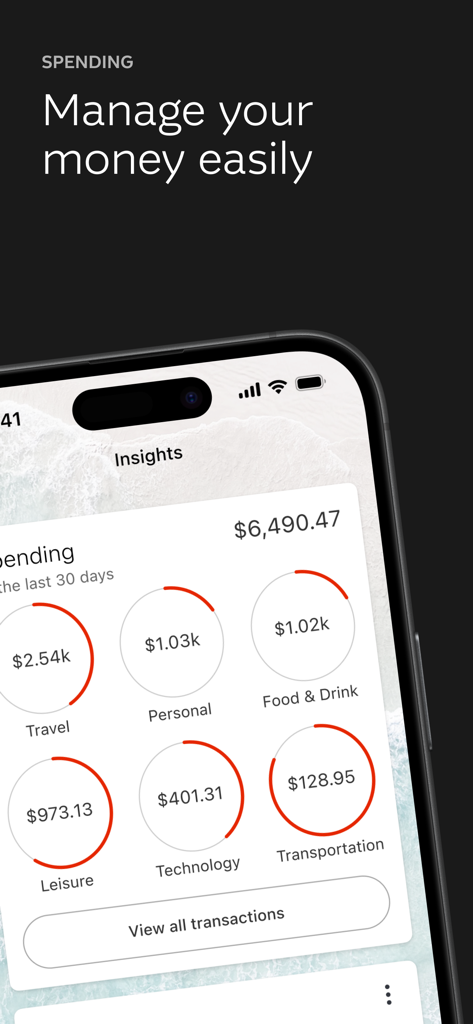
여행 및 음식과 같은 카테고리별 통찰력을 보여주는 지출 대시보드를 보여주는 Macquarie Bank의 모바일 앱 인터페이스
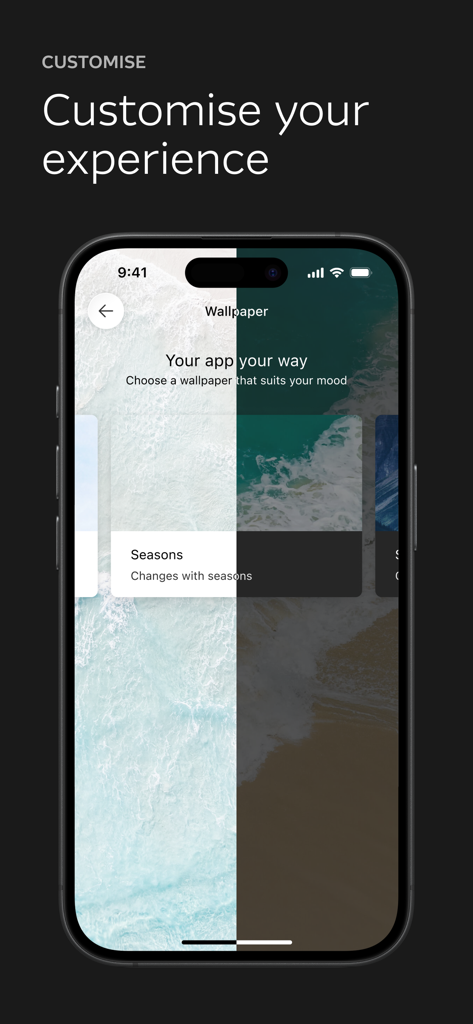
개인화된 사용자 경험을 위한 배경화면 사용자 지정 옵션을 보여주는 Macquarie Mobile Banking 앱 화면
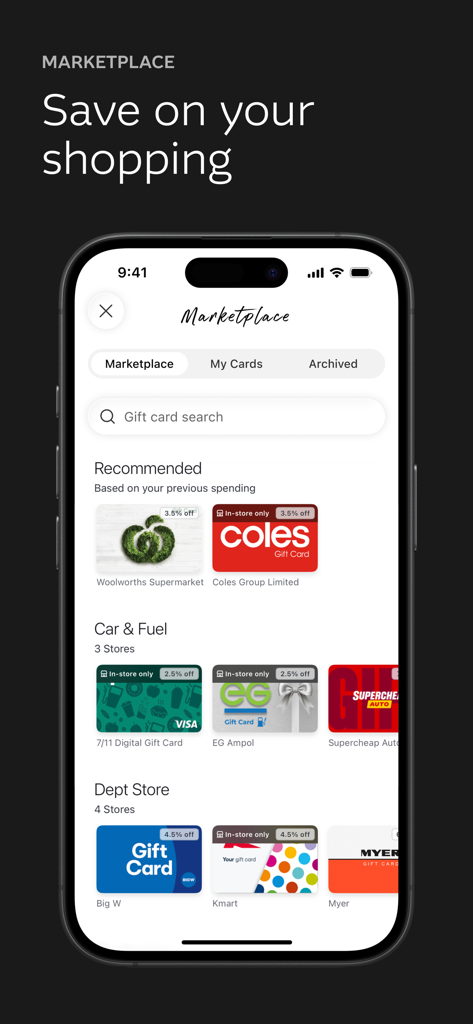
다양한 소매업체의 할인된 eGift 카드를 보여주는 Macquarie Mobile Banking 앱의 마켓플레이스 화면
설명
Download
비슷한 앱
유사한 기능과 사용자 경험을 가진 앱

ZA Bank
ZA Bank Limited

ING Mobil
ING BANK A S

Davivienda
BANCO DAVIVIENDA SA

Starling - Mobile Banking
STARLING BANK LIMITED

M&T Mobile Banking
M&T Bank

àbank24 — Цінуємо стосунки
Accent-Bank, AT

上海农商银行
SHANGHAI RURAL COMMERCIAL BANK CO., LTD.

Up — Easy Money
Up Money Pty Ltd

Desjardins mobile services
Federation des caisses Desjardins du Quebec
이 페이지는 앱이나 개발자의 공식 페이지가 아니며, 정보 제공 및 논평을 목적으로 작성된 독립 편집 간행물입니다. 명시적으로 달리 언급되지 않는 한, 해당 앱이나 개발자는 MWM, Apple, Google Play, 앱 퍼블리셔 또는 앱 개발자와 제휴, 보증, 후원, 승인 또는 공식적으로 연결되어 있지 않으며, 이 페이지의 어떤 내용도 해당 앱이 MWM의 서비스를 사용하여 개발되었음을 의미하지 않습니다. 모든 상표, 로고, 스크린샷 및 기타 콘텐츠는 해당 소유자의 자산입니다.