Mandiri Mobile Token

Mandiri Mobile Token


다운로드: App Store
로고: Mandiri Mobile Token

Mandiri Mobile Token: 안전하고 원활한 기업 거래 승인

하드웨어 토큰을 디지털 우선 솔루션으로 대체하세요. QR 코드 또는 OTP를 통해 Kopra 현금 관리 작업을 즉시 인증하여 어디서든 비즈니스 연속성을 보장합니다.

개발사

PT Bank Mandiri (Persero) Tbk.

카테고리

Business

다운로드

131K+

사용자 평점

2.4/5

총 평가 수

100

지원 언어

2

손끝에서 펼쳐지는 보안

이 인터페이스를 사용하는 131K+ 명의 사용자.

은행 로고가 있는 Mandiri Mobile Token 시작 화면

은행 로고가 있는 Mandiri Mobile Token 시작 화면

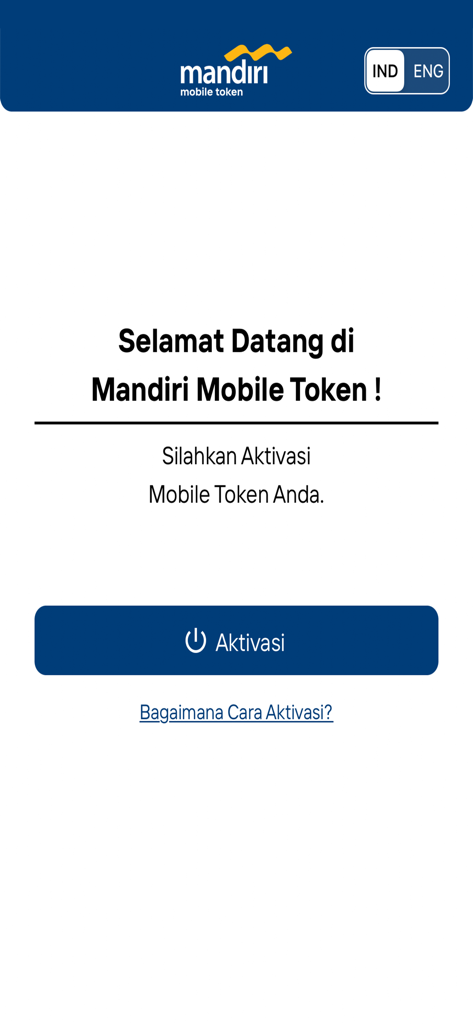
활성화 버튼 및 언어 선택 기능이 있는 Mandiri Mobile Token 앱 환영 화면

활성화 버튼 및 언어 선택 기능이 있는 Mandiri Mobile Token 앱 환영 화면

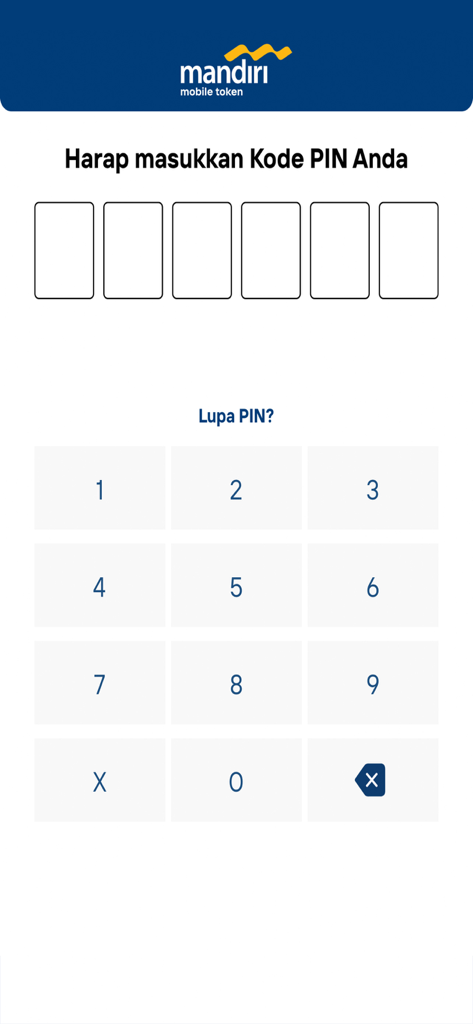
숫자 키패드가 있는 Mandiri Mobile Token 보안 PIN 입력 인터페이스

숫자 키패드가 있는 Mandiri Mobile Token 보안 PIN 입력 인터페이스

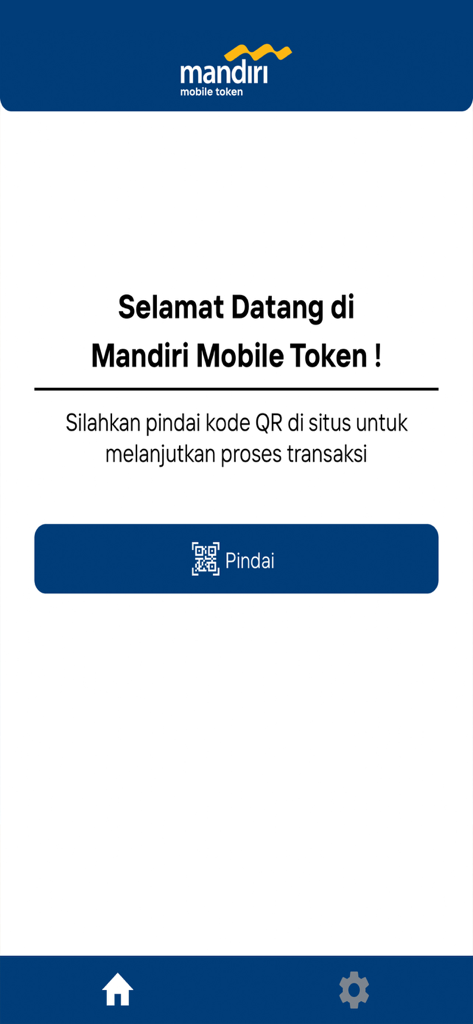
거래 인증을 위해 QR 코드 스캔 버튼이 있는 Mandiri Mobile Token 앱 환영 화면.

거래 인증을 위해 QR 코드 스캔 버튼이 있는 Mandiri Mobile Token 앱 환영 화면.

Mandiri Mobile Token 앱 QR 코드 스캐너 인터페이스

Mandiri Mobile Token 앱 QR 코드 스캐너 인터페이스

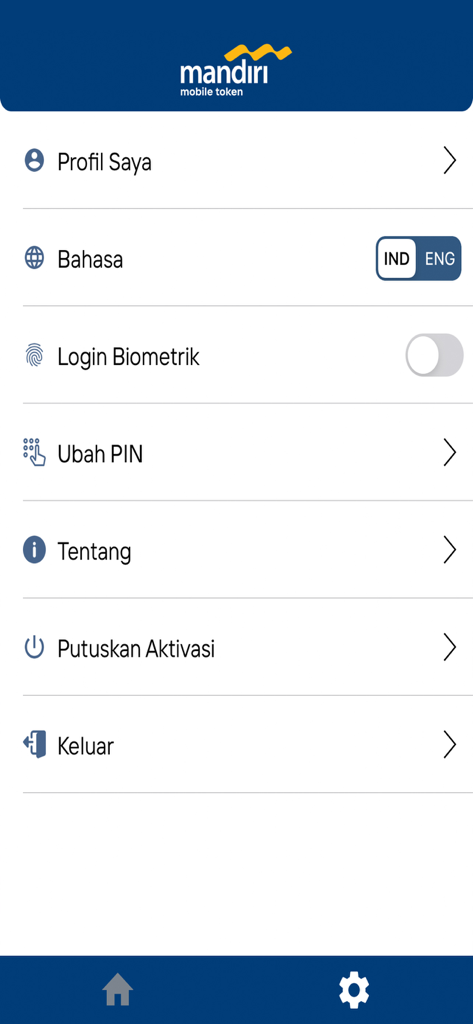
보안 및 프로필 옵션을 보여주는 Mandiri Mobile Token 앱 설정 메뉴

보안 및 프로필 옵션을 보여주는 Mandiri Mobile Token 앱 설정 메뉴

기업 승인 안전 및 간소화

이 앱을 돋보이게 하는 도구, 131K+ 명의 사용자가 선택.

즉각적인 QR 인증

안전한 QR 코드 스캔을 사용하여 몇 초 만에 거래를 승인하여 워크플로우를 가속화하고 즉각적인 검증을 받으세요.

🛡️

엔터프라이즈급 보안

고가치 운영을 위해 설계된 강력한 다단계 인증 및 동적 OTP 생성을 통해 비즈니스 자산을 보호하세요.

🌍

글로벌 이동성

전 세계 어디서든 인도네시아 기업 계정을 관리하고 실물 토큰 배송의 번거로움을 없애세요.

앱 소개

에 대해 알아야 할 모든 것 Mandiri Mobile Token.

설명

Mandiri Mobile Token is an application-based Token that is used to authenticate transactions in Kopra Cash Management or Kopra Mobile App. The Mandiri Mobile Token provides you with a quicker way of transaction approval by Scanning QR Code or using OTP. How to Activate Your Mandiri Mobile Token App: 1. Click “Activate” in the Mobile Token App 2. Read and Agree the Mobile Token’s Terms and Conditions 3. Log into your account in the Kopra by Mandiri website 4. Open the Mobile Token Activation menu 5. Input Your phone number to request OTP and click “Request OTP”. 6. Input OTP into the website and click "Activate". 7. Scan QR Code from the website 8. Input Verification Code from the website into the Mobile Token App 9. Click “OK” to confirm the Verification Code 10. Input Registration Code into the website 11. Click “Next” to complete the activation process on the website 12. Click “Next” in the application 13. Create and confirm Your PIN Code to complete the activation process in the App 14. Click "OK" to use the Mobile Token.

최신 버전

3.2.2

크기

20.4 MB

출시일

2022년 8월 12일

어디서든 기업 승인 보안 강화

실물 토큰을 버리고 금융 워크플로우를 간소화하세요. 지금 Mandiri Mobile Token을 다운로드하여 이동 중에도 원활하고 높은 보안의 인증을 경험하세요.

다운로드: App Store

App information, icons, screenshots, and descriptions displayed on this page are sourced from the Apple App Store and are the property of their respective developers. Download estimates and rankings are based on MWM's proprietary models and may not reflect actual figures. This page is provided for informational and analytical purposes only.

Believe this page infringes your intellectual property? File a dispute