
이 페이지는 앱이나 개발자의 공식 페이지가 아니며, 정보 제공 및 논평을 목적으로 작성된 독립 편집 간행물입니다. 명시적으로 달리 언급되지 않는 한, 해당 앱이나 개발자는 MWM, Apple, Google Play, 앱 퍼블리셔 또는 앱 개발자와 제휴, 보증, 후원, 승인 또는 공식적으로 연결되어 있지 않으며, 이 페이지의 어떤 내용도 해당 앱이 MWM의 서비스를 사용하여 개발되었음을 의미하지 않습니다. 모든 상표, 로고, 스크린샷 및 기타 콘텐츠는 해당 소유자의 자산입니다.


Manga Library, The FREE Manga and Comics Reader: Import your CBZ, ZIP, PDF, RAR, CBR files.
디지털 아카이브를 완벽하게 제어하세요. 매끄러운 WiFi 전송부터 대용량 컬렉션의 끊김 없는 감상까지, 망가 라이브러리는 iPhone 및 iPad에서 최상의 만화 경험을 제공하기 위해 제작되었습니다.
다운로드
317K+사용자 평점
총 평가 수
200개발사
카테고리
Books지원 언어
2최신 버전
1.0.1크기
6.6 MB출시일
2015년 8월 12일진정한 수집가를 위해 설계되었습니다
지연 현상 없이 모든 포맷을 자유롭게 지원하며 전체 디지털 망가 라이브러리를 관리하는 고성능 뷰어를 경험해 보세요.
강력한 성능
수천 권의 작품을 손쉽게 탐색하세요. 저희 엔진은 충돌이나 속도 저하 없이 대규모 컬렉션을 처리합니다.
범용 포맷 지원
원하는 방식으로 파일을 읽으세요. 별도의 사전 처리 없이 .cbr, .cbz, .pdf, .rar 파일을 기본적으로 완벽 지원합니다.
다음 스크린샷과 설명은 앱의 공식 스토어 목록에서 직접 가져온 것이며 앱 개발자의 자산입니다.
앱 스토어
스크린샷
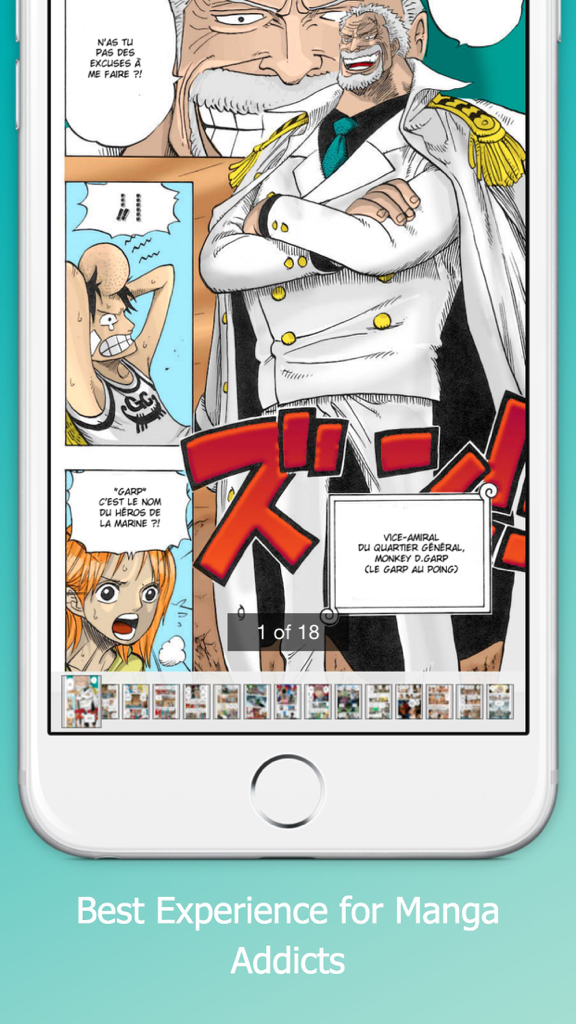
화려한 만화 페이지와 탐색 썸네일이 표시된 망가 뷰어 앱 인터페이스
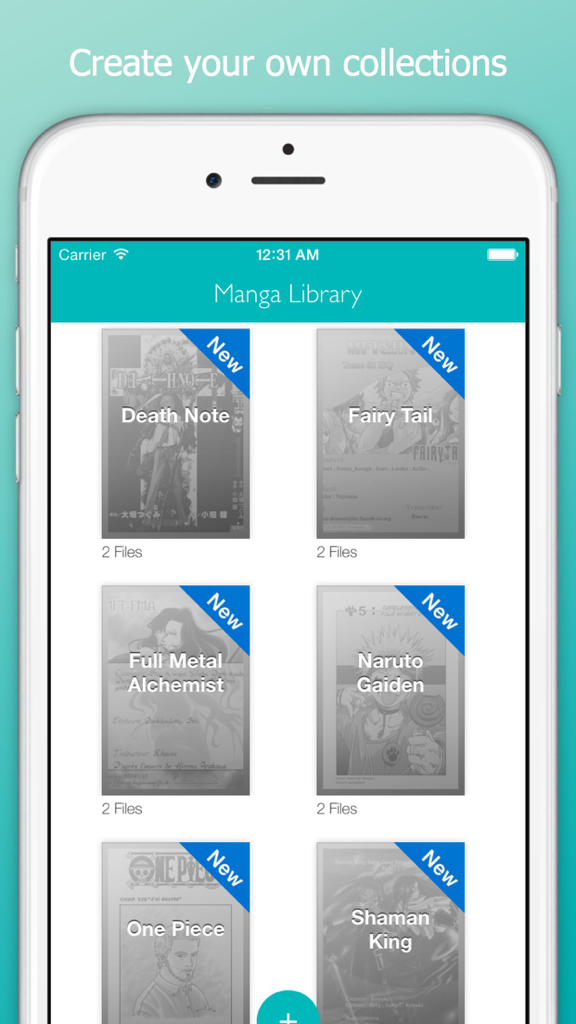
iPhone에서 데스노트, 원피스와 같이 정리된 망가 컬렉션을 그리드 뷰로 보여주는 망가 라이브러리 앱
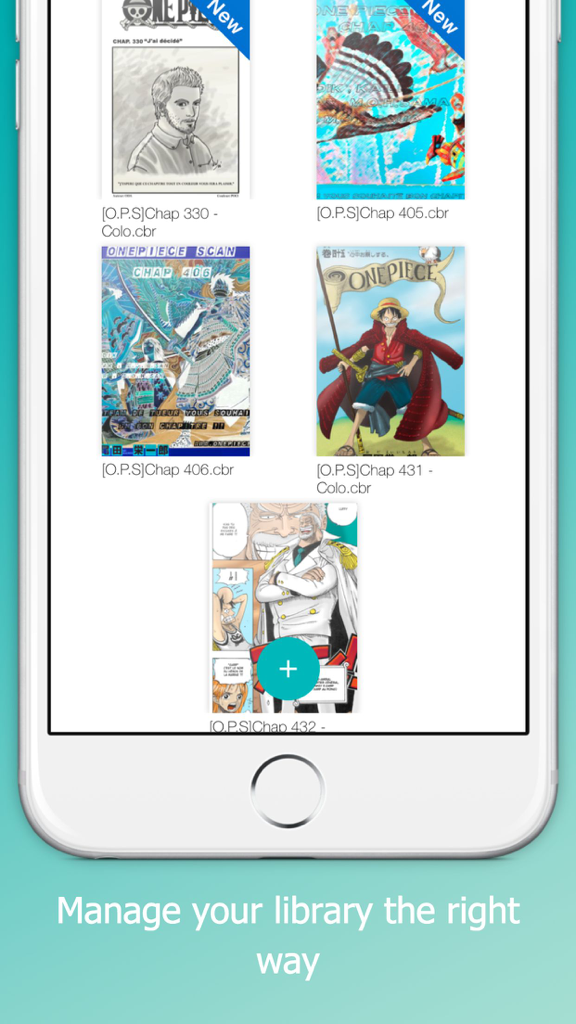
파일명과 신규 뱃지가 포함된 원피스 같은 만화 표지 라이브러리를 보여주는 모바일 앱 화면
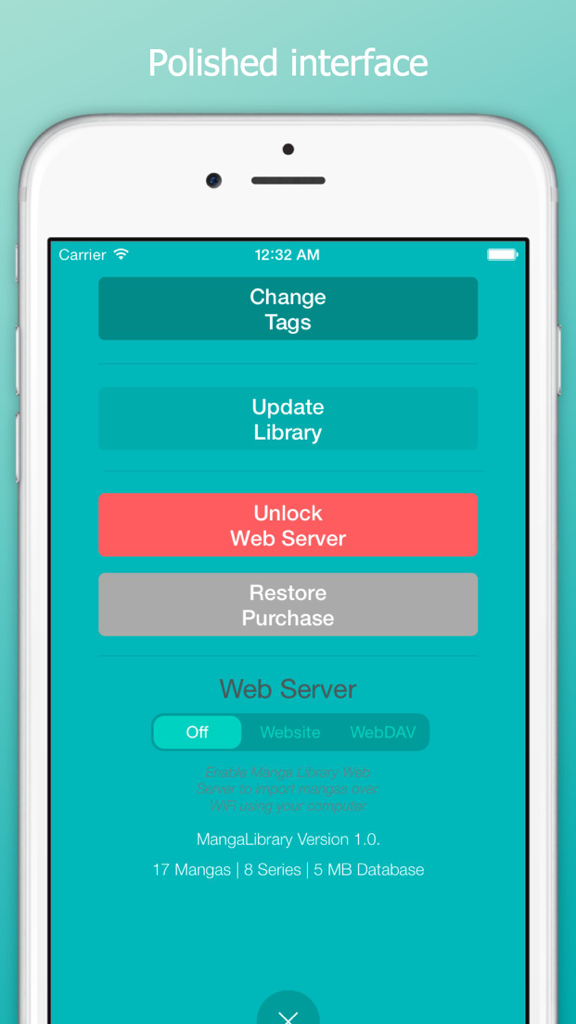
웹 서버 및 가져오기 옵션이 있는 망가 라이브러리 앱의 설정 화면
설명
Download
비슷한 앱
같은 카테고리의 상위 앱

Amazon Kindle
AMZN Mobile LLC

Audible: Audiobooks & Podcasts
Audible, Inc.

七猫小说-看小说电子书的阅读神器
Shanghai Seven-Cat Culture Media Co.,Ltd.

QQ阅读
Shenzhen Tencent Computer Systems Company Limited

Wattpad - Read & Write Stories
Wattpad Corp

Libby, the library app
OverDrive, Inc.

微信读书
Tencent Technology (Shenzhen) Company Limited

起点读书-看小说听书的阅读神器
Shanghai Xuan Ting Entertainment Information & technology CO.,LTD

Goodreads: Book Reviews
Goodreads, Inc
이 페이지는 앱이나 개발자의 공식 페이지가 아니며, 정보 제공 및 논평을 목적으로 작성된 독립 편집 간행물입니다. 명시적으로 달리 언급되지 않는 한, 해당 앱이나 개발자는 MWM, Apple, Google Play, 앱 퍼블리셔 또는 앱 개발자와 제휴, 보증, 후원, 승인 또는 공식적으로 연결되어 있지 않으며, 이 페이지의 어떤 내용도 해당 앱이 MWM의 서비스를 사용하여 개발되었음을 의미하지 않습니다. 모든 상표, 로고, 스크린샷 및 기타 콘텐츠는 해당 소유자의 자산입니다.