
이 페이지는 앱이나 개발자의 공식 페이지가 아니며, 정보 제공 및 논평을 목적으로 작성된 독립 편집 간행물입니다. 명시적으로 달리 언급되지 않는 한, 해당 앱이나 개발자는 MWM, Apple, Google Play, 앱 퍼블리셔 또는 앱 개발자와 제휴, 보증, 후원, 승인 또는 공식적으로 연결되어 있지 않으며, 이 페이지의 어떤 내용도 해당 앱이 MWM의 서비스를 사용하여 개발되었음을 의미하지 않습니다. 모든 상표, 로고, 스크린샷 및 기타 콘텐츠는 해당 소유자의 자산입니다.


MarginNote 4: AI Notes·MindMap
복잡한 PDF 및 교과서를 시각적 마인드맵, 구조화된 개요 및 스마트 플래시카드로 변환하세요. 모든 과목을 마스터하기 위한 학생, 연구원 및 파워 유저를 위한 궁극의 올인원 작업 공간입니다.
다운로드
334K+사용자 평점
총 평가 수
17K+개발사
카테고리
Productivity지원 언어
4최신 버전
4.2.3크기
522.7 MB출시일
2024년 5월 12일고부담 학습을 위한 궁극의 도구 모음
읽기와 이해 사이의 격차를 해소하세요. MarginNote 4는 문서, 마인드맵 및 플래시카드를 하나의 강력한 AI 기반 작업 공간으로 통합하여 학술 및 전문적 마스터를 위해 설계되었습니다.
시각적 지식 합성
단편화된 하이라이트를 동적 마인드맵으로 변환하세요. 수백 개의 PDF에 걸쳐 복잡한 연결을 시각화하여 '세컨드 브레인'을 쉽게 구축하세요.
스마트 AI 연구 추출
문헌 검토 속도를 높이세요. 고속 OCR 및 지능형 콘텐츠 감지를 통해 학술 논문에서 공식, 차트 및 핵심 통찰력을 즉시 추출하세요.
자주 묻는 질문
에 대해 알아야 할 모든 것 MarginNote 4: AI Notes·MindMap
MarginNote 4란 무엇인가요?
MarginNote 4는 읽기, 노트 필기, 마인드 맵핑, 간격 반복 플래시카드를 단일 워크스페이스에서 결합한 학습 애플리케이션입니다. 미리보기부터 복습까지 포괄적인 학습 워크플로우를 지원합니다.
MarginNote 4는 마인드 맵핑 기능을 제공하나요?
네, MarginNote 4는 광범위한 마인드 맵핑 기능을 제공하여 사용자가 아이디어 트리를 구축하고 10가지 브랜치 스타일 중에서 선택하며 카드 속성에서 마인드 맵을 자동 생성할 수 있습니다.
MarginNote 4에서 간격 반복을 위한 플래시카드를 사용할 수 있나요?
네, MarginNote 4에는 자체 플래시카드 편집기가 포함되어 있으며 FSRS 간격 반복 알고리즘을 사용합니다. 이를 통해 장기 기억 유지를 위한 최적의 복습 시간을 예약합니다.
MarginNote 4의 멤버십 옵션은 무엇인가요?
MarginNote 4는 기본(무료), 프로(iPad 기능에 대한 일회성 구매), 맥스(모든 Apple 기기용 일회성 구매 또는 학기 업그레이드 및 고급 학술 도구)를 제공합니다. 모든 플랜에는 14일 무료 평가판이 포함됩니다.
MarginNote 4는 광학 문자 인식(OCR)을 지원하나요?
네, MarginNote 4는 깔끔한 PDF 주석을 위한 빠른 OCR 엔진을 갖추고 있습니다. 프로 플랜에는 온디바이스 OCR이 포함되며, 앱은 스캔된 책을 위한 디지털화된 클로즈를 지원합니다.
MarginNote 4는 여러 Apple 기기에서 동기화되나요?
네, MarginNote 4는 iPhone, iPad, Mac 기기 간 iCloud 동기화를 지원합니다. 맥스 멤버십 등급은 모든 Apple 기기에서 프로 기능을 사용할 수 있도록 제공합니다.
MarginNote 4는 비판적 사고에 어떻게 도움이 되나요?
MarginNote 4는 단락 옆에 쓰기 공간을 추가하는 빠른 확장 노트와 같은 기능으로 비판적 사고를 향상시킵니다. 또한 새로운 학습 세션을 위해 책을 새로 고칠 수 있는 필기 레이어도 있습니다.
MarginNote 4를 사용하면 다른 학습 자료를 결합할 수 있나요?
네, MarginNote 4에서는 학습 세트 기능을 사용하여 다양한 학습 자료를 결합할 수 있습니다. 이를 통해 PDF, EPUB, 동영상 및 오디오를 하나의 프로젝트에 함께 보관할 수 있습니다.
MarginNote 4로 PDF에 주석을 달 수 있나요?
네, 무료 기본 멤버십으로도 MarginNote 4에서 강조 표시와 빠른 확장 노트를 사용하여 PDF에 주석을 달 수 있습니다. 앱은 깔끔한 PDF 주석을 위한 빠른 OCR 엔진도 갖추고 있습니다.
MarginNote 4는 Zotero와 같은 외부 라이브러리와 통합되나요?
네, MarginNote 4는 외부 라이브러리 액세스를 통해 다른 라이브러리와 통합됩니다. 사용자는 복사하지 않고도 Zotero, USB 드라이브 등에서 직접 파일을 열 수 있습니다.
다음 스크린샷과 설명은 앱의 공식 스토어 목록에서 직접 가져온 것이며 앱 개발자의 자산입니다.
앱 스토어
스크린샷
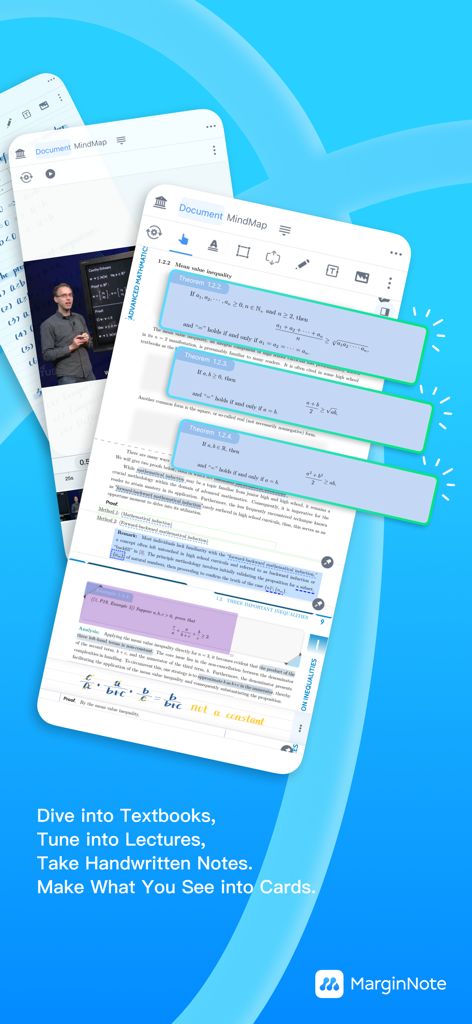
MarginNote 4 앱 인터페이스는 수학 교과서 및 비디오 강의에서 생성되는 학습 카드를 보여줍니다.
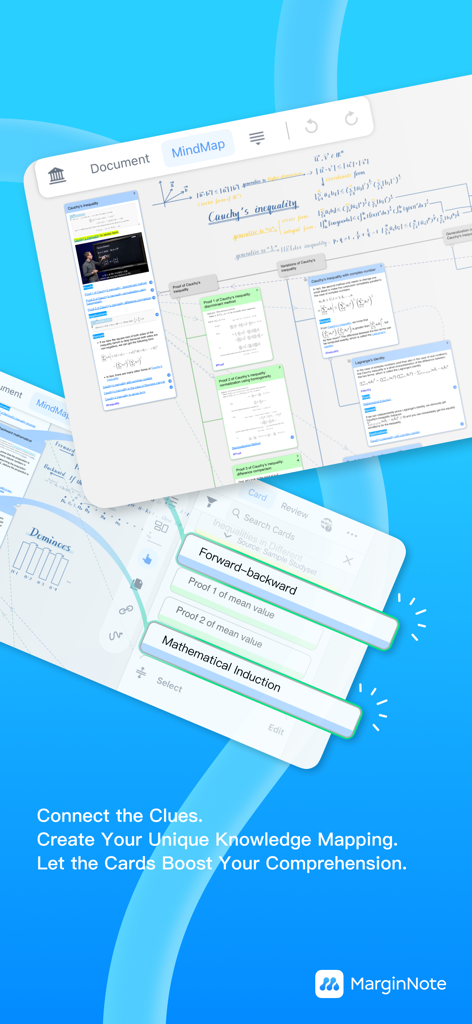
MarginNote 4 마인드맵 인터페이스는 연결된 학술 지식 카드를 보여줍니다.
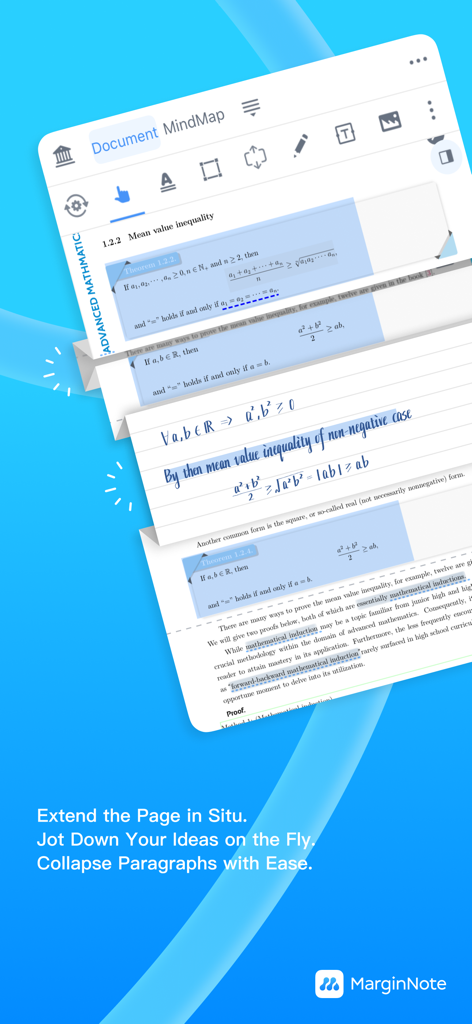
MarginNote 4 앱 인터페이스는 수학 문서에 필기된 주석이 있는 빠른 확장 노트 기능을 보여줍니다.
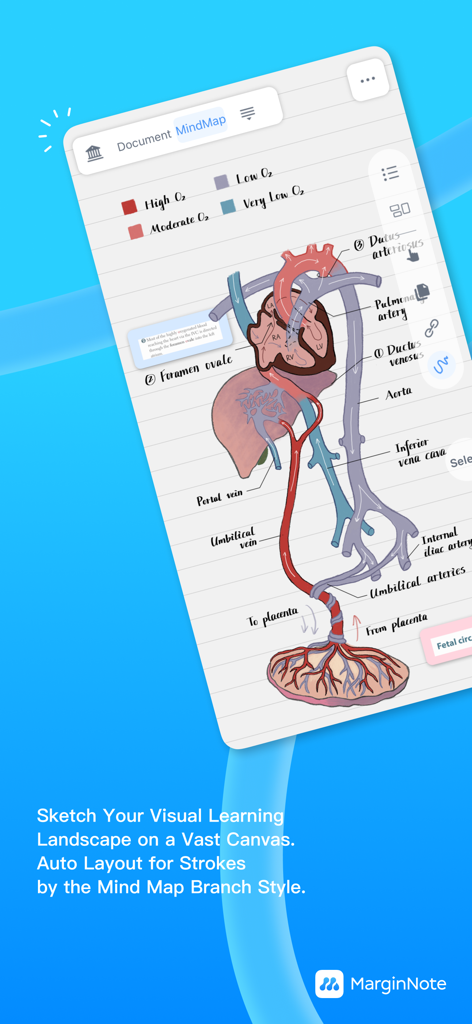
MarginNote 4 앱 인터페이스 내 시각적 마인드맵으로 구성된 순환계의 의료 일러스트레이션.
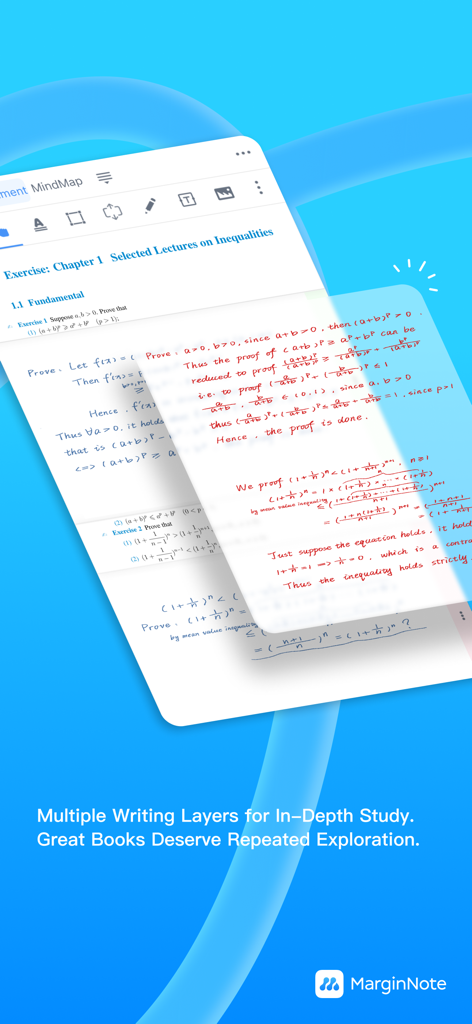
학습 및 주석을 위한 MarginNote 4 필기 레이어.
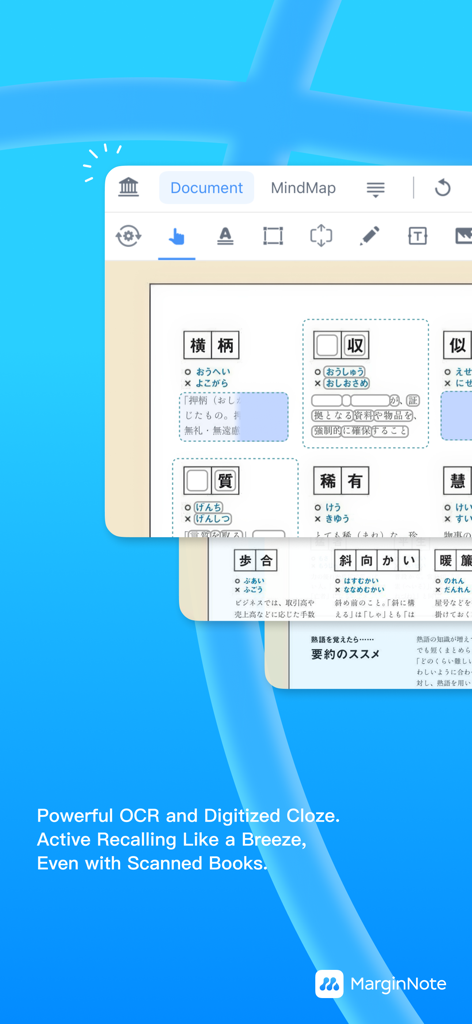
MarginNote 4 인터페이스는 스캔된 책에서 능동적 회상을 위한 OCR 및 디지털화된 클로즈 기능을 보여줍니다.
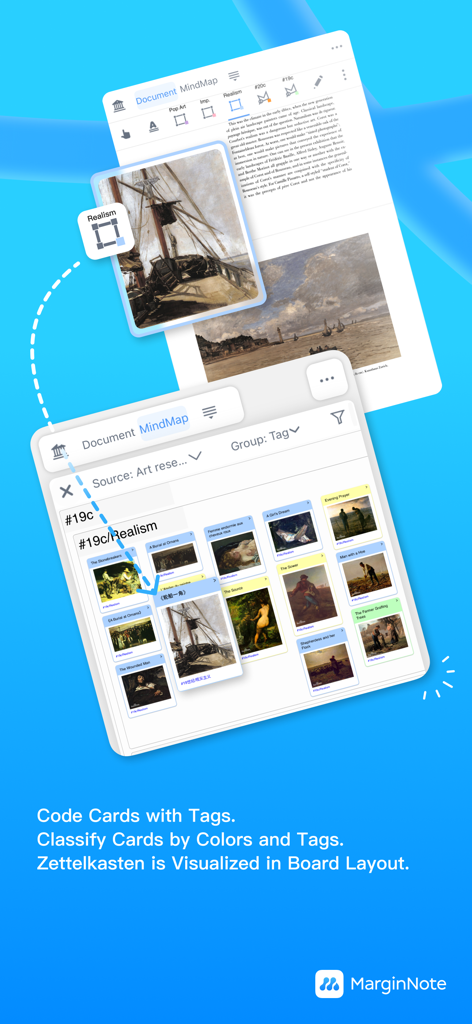
MarginNote 4 인터페이스는 시각적 연구를 위한 태그가 있는 Zettelkasten 카드 보드를 보여줍니다.
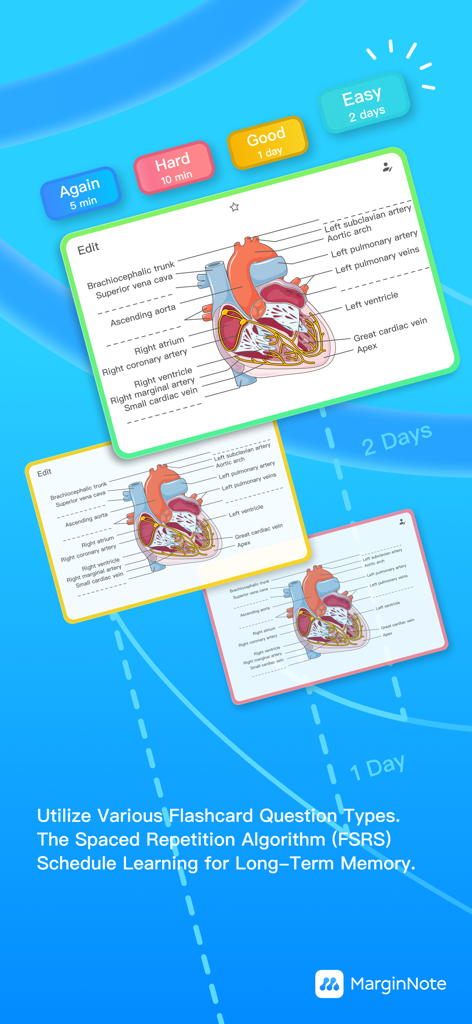
MarginNote 4 플래시카드는 심장 해부도와 간격 반복 검토 버튼을 보여줍니다.
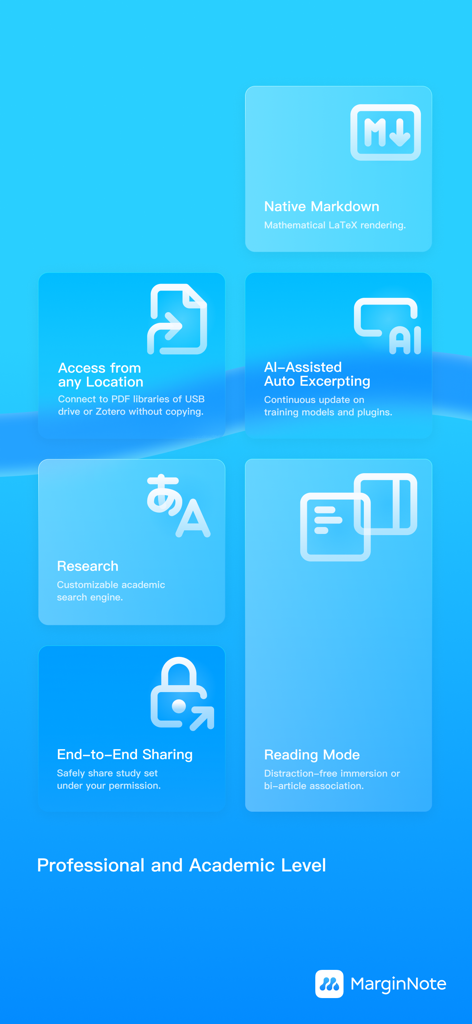
MarginNote 4 전문 기능에는 AI 지원 자동 발췌 및 학술 연구 도구가 포함됩니다.
설명
Download
비슷한 앱
유사한 기능과 사용자 경험을 가진 앱

Bible Note Taker & Recorder
TOPMUSE PTE. LTD.

Thea: Study Smart
Theaai Corporation

HyNote: AI Note Taker, Summary
Tuling Network Limited

Melonote:AI Voice to Text Note
Yan Cheng Cheok

StudyOS: Study with AI
DANIEL PONCELAS VARGAS

Genio AI: College Smart Tutor
Genio Tech, LLC

Nerdmask: Study Games
Supersmart LLC
Amazing Flash Cards
Erik Wegener

Studi - Learning Companion
Wesam Alzahir
이 페이지는 앱이나 개발자의 공식 페이지가 아니며, 정보 제공 및 논평을 목적으로 작성된 독립 편집 간행물입니다. 명시적으로 달리 언급되지 않는 한, 해당 앱이나 개발자는 MWM, Apple, Google Play, 앱 퍼블리셔 또는 앱 개발자와 제휴, 보증, 후원, 승인 또는 공식적으로 연결되어 있지 않으며, 이 페이지의 어떤 내용도 해당 앱이 MWM의 서비스를 사용하여 개발되었음을 의미하지 않습니다. 모든 상표, 로고, 스크린샷 및 기타 콘텐츠는 해당 소유자의 자산입니다.