MathBoard
MathBoard
다운로드: App Store

이 페이지는 앱이나 개발자의 공식 페이지가 아니며, 정보 제공 및 논평을 목적으로 작성된 독립 편집 간행물입니다. 명시적으로 달리 언급되지 않는 한, 해당 앱이나 개발자는 MWM, Apple, Google Play, 앱 퍼블리셔 또는 앱 개발자와 제휴, 보증, 후원, 승인 또는 공식적으로 연결되어 있지 않으며, 이 페이지의 어떤 내용도 해당 앱이 MWM의 서비스를 사용하여 개발되었음을 의미하지 않습니다. 모든 상표, 로고, 스크린샷 및 기타 콘텐츠는 해당 소유자의 자산입니다.

로고: MathBoard
다운로드: App Store

MathBoard

첫 번째 방정식부터 고급 대수학까지 자녀와 함께 성장하는 교사 추천 앱입니다. 대화형 스크래치패드와 맞춤형 연습을 통해 문제를 단계별로 해결하는 데 도움을 주세요.

주요 수치

다운로드

427K+

사용자 평점

4.2/5

총 평가 수

2K+

개발사

PalaSoftware Inc.

카테고리

Education

지원 언어

12

최신 버전

3.8

크기

10.8 MB

출시일

2010년 5월 28일
기능

추측이 아닌 논리로 수학 마스터하기

기본적인 덧셈부터 대수학까지 MathBoard는 깊은 수학적 이해와 학업 자신감을 키우도록 설계된 개인화된 단계별 학습 환경을 제공합니다.

대화형 스크래치패드

학생들이 터치 또는 Apple Pencil을 사용하여 손으로 문제를 해결하는 내장 작업 공간으로 '작업 표시' 사고방식을 장려합니다.

단계별 문제 해결사

모든 해결 방법의 논리와 단계를 안내하는 대화형 가이드로 기계적인 암기를 넘어서세요.

다음 스크린샷과 설명은 앱의 공식 스토어 목록에서 직접 가져온 것이며 앱 개발자의 자산입니다.

앱 스토어

스크린샷
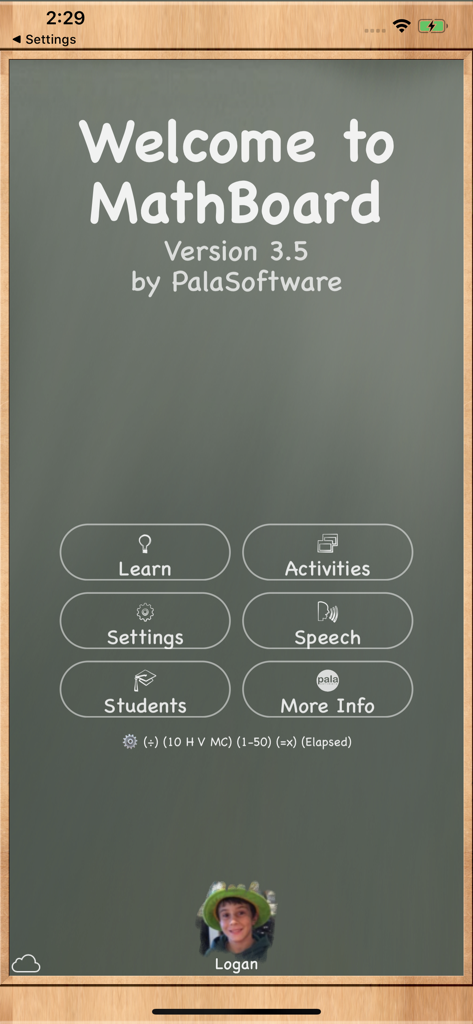
MathBoard - MathBoard 앱 환영 화면, 칠판 테마와 학습 활동 및 설정 메뉴 버튼이 특징입니다.
MathBoard 앱 환영 화면, 칠판 테마와 학습 활동 및 설정 메뉴 버튼이 특징입니다.

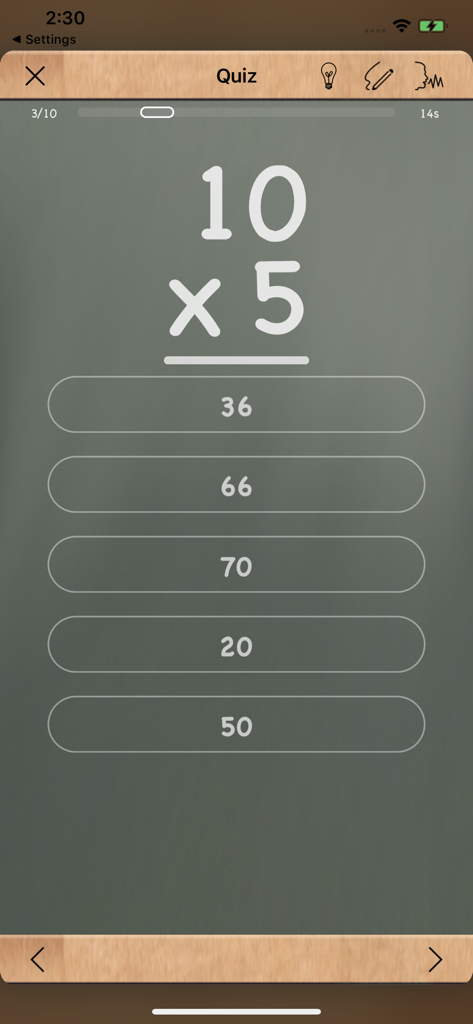
MathBoard - MathBoard 곱셈 퀴즈 화면, 10 곱하기 5 방정식을 여러 선택 답안과 함께 표시합니다.
MathBoard 곱셈 퀴즈 화면, 10 곱하기 5 방정식을 여러 선택 답안과 함께 표시합니다.

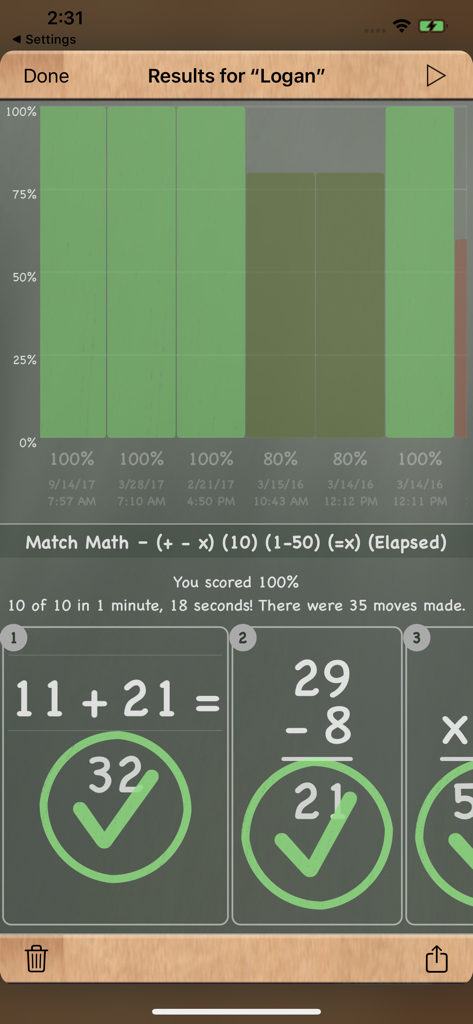
MathBoard - MathBoard 앱 결과 화면, 학생 진행 차트와 올바르게 해결된 수학 방정식을 보여줍니다.
MathBoard 앱 결과 화면, 학생 진행 차트와 올바르게 해결된 수학 방정식을 보여줍니다.

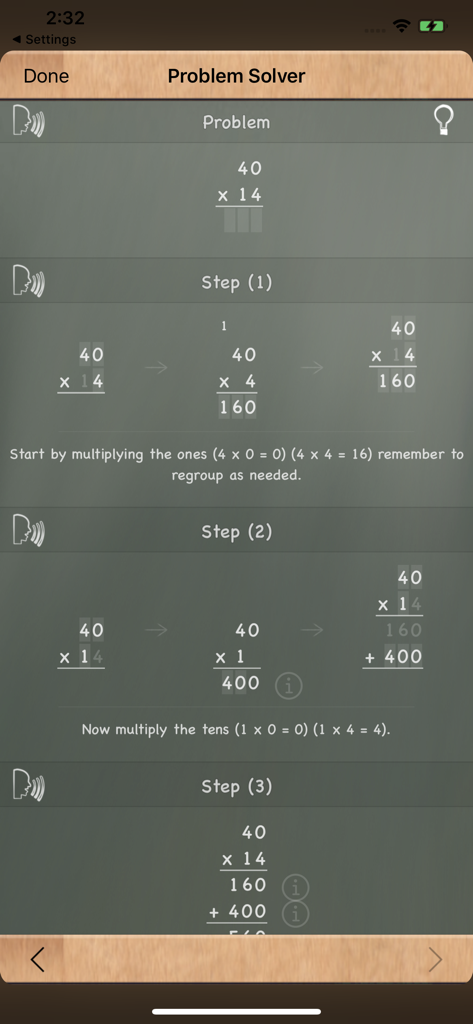
MathBoard - MathBoard 앱, 단계별 곱셈 분해를 보여줍니다.

MathBoard 앱, 단계별 곱셈 분해를 보여줍니다.
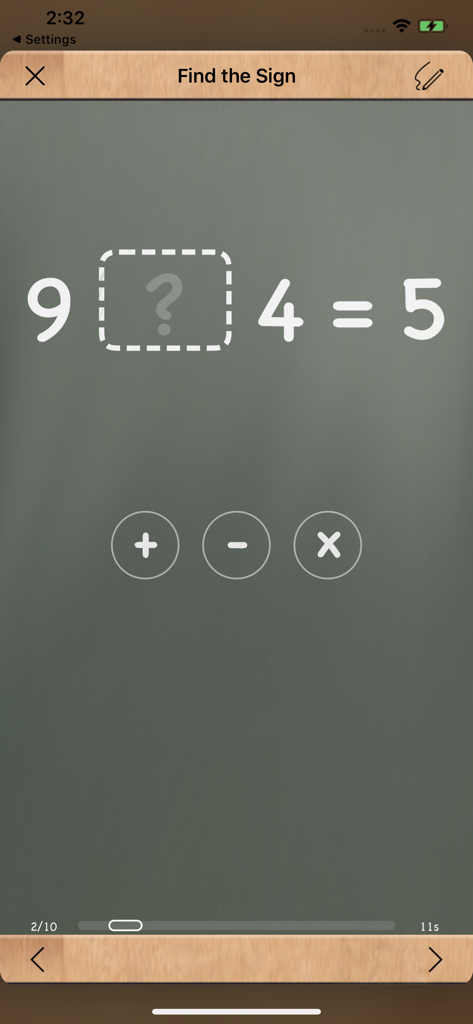
MathBoard - MathBoard 앱 스크린샷, 디지털 칠판에 기호 찾기 수학 문제를 보여줍니다.

MathBoard 앱 스크린샷, 디지털 칠판에 기호 찾기 수학 문제를 보여줍니다.

설명

MathBoard® is a powerful and highly configurable math learning app designed for children of all ages. From simple addition and subtraction in early grades to more advanced multiplication, division, and even algebraic equations, MathBoard adapts to meet each student’s level and pace. More than just drills, MathBoard encourages students to truly learn how to solve problems—not just guess the answers. With multiple question styles (including multiple choice and fill-in-the-blank), a built-in scratchboard for working out problems, and an interactive Problem Solver, MathBoard guides students step by step through the logic behind each answer. The app includes a variety of math activities such as Find the Sign, Equality/Inequality, and Match Math, making learning both engaging and effective. Difficulty levels automatically adjust based on your settings, ensuring that practice stays aligned with the student’s progress. What Teachers Are Saying “This is the best integer practice app or program I have found in 34 years of teaching math.” — Tim Seiber, Math Teacher “MathBoard has charm without losing track of its fundamental purpose.” — MacWorld (4 out of 5 mice) “A stunning app for teaching math. The number of customization options available makes this a brilliant app for making math fun.” — androapple Key Features • Step-by-step Problem Solver for addition, subtraction, multiplication, and division • Random equation generation for basic operations, squares, cubes, and square roots • Fully customizable number ranges and equation formats (e.g. 6 + x = 12) • Intelligent wrong-answer generation to discourage guessing • Built-in scratchboard for working through problems by hand • Activities and quizzes with countdown or elapsed time options • Multiple student profiles with progress tracking and sharing • Quick reference tables for counting, addition, subtraction, and multiplication • Full support for iCloud Sync • Designed for the latest Apple tech: • Apple Pencil • Apple Magic Keyboard • Text-to-Speech and Speech Input • Windowed multitasking in iPadOS 26

Download

다운로드: App Store

이 페이지는 앱이나 개발자의 공식 페이지가 아니며, 정보 제공 및 논평을 목적으로 작성된 독립 편집 간행물입니다. 명시적으로 달리 언급되지 않는 한, 해당 앱이나 개발자는 MWM, Apple, Google Play, 앱 퍼블리셔 또는 앱 개발자와 제휴, 보증, 후원, 승인 또는 공식적으로 연결되어 있지 않으며, 이 페이지의 어떤 내용도 해당 앱이 MWM의 서비스를 사용하여 개발되었음을 의미하지 않습니다. 모든 상표, 로고, 스크린샷 및 기타 콘텐츠는 해당 소유자의 자산입니다.