MAUI MIX
MAUI MIX
다운로드: App Store

이 페이지는 앱이나 개발자의 공식 페이지가 아니며, 정보 제공 및 논평을 목적으로 작성된 독립 편집 간행물입니다. 명시적으로 달리 언급되지 않는 한, 해당 앱이나 개발자는 MWM, Apple, Google Play, 앱 퍼블리셔 또는 앱 개발자와 제휴, 보증, 후원, 승인 또는 공식적으로 연결되어 있지 않으며, 이 페이지의 어떤 내용도 해당 앱이 MWM의 서비스를 사용하여 개발되었음을 의미하지 않습니다. 모든 상표, 로고, 스크린샷 및 기타 콘텐츠는 해당 소유자의 자산입니다.

로고: MAUI MIX
다운로드: App Store

MAUI MIX

실시간으로 사운드를 완벽하게 제어하세요. 간편 모드의 단순함부터 전문가용 5밴드 EQ의 정밀함까지, 기기에서 직접 믹스, 이펙트 및 12채널 SysLink 설정을 관리하세요.

주요 수치

다운로드

600

사용자 평점

4.8/5

총 평가 수

0

개발사

Adam Hall GmbH

카테고리

Music

지원 언어

1

최신 버전

1.1.0

크기

91.5 MB

출시일

2024년 12월 16일
기능

모든 무대를 위한 전문가급 컨트롤

MAUI MIX 앱은 휴대폰 하나로 풀스케일 디지털 콘솔을 제공하여, 솔로 연주자와 전문 DJ가 번거로운 하드웨어 없이도 어떤 장소에서든 스튜디오 품질의 사운드를 전달할 수 있도록 합니다.

무선 프론트 오브 하우스 믹싱

무대에서 벗어나 관객의 관점에서 실시간으로 레벨과 이펙트를 제어하며 사운드를 조절하세요.

간편 모드 및 전문가 모드 튜닝

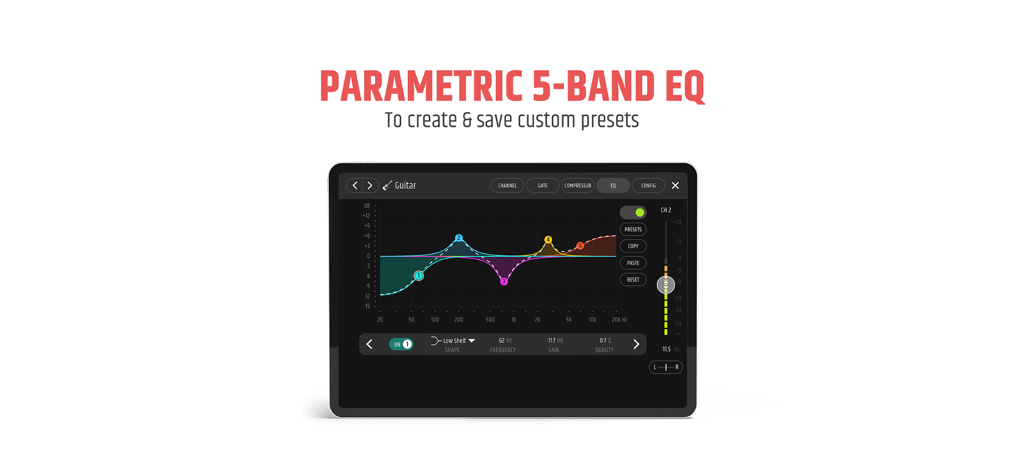
간단한 인터페이스로 빠르게 조정하거나, 5밴드 파라메트릭 EQ와 전문가용 컴프레서로 완벽한 사운드 정밀도를 경험하세요.

다음 스크린샷과 설명은 앱의 공식 스토어 목록에서 직접 가져온 것이며 앱 개발자의 자산입니다.

앱 스토어

스크린샷
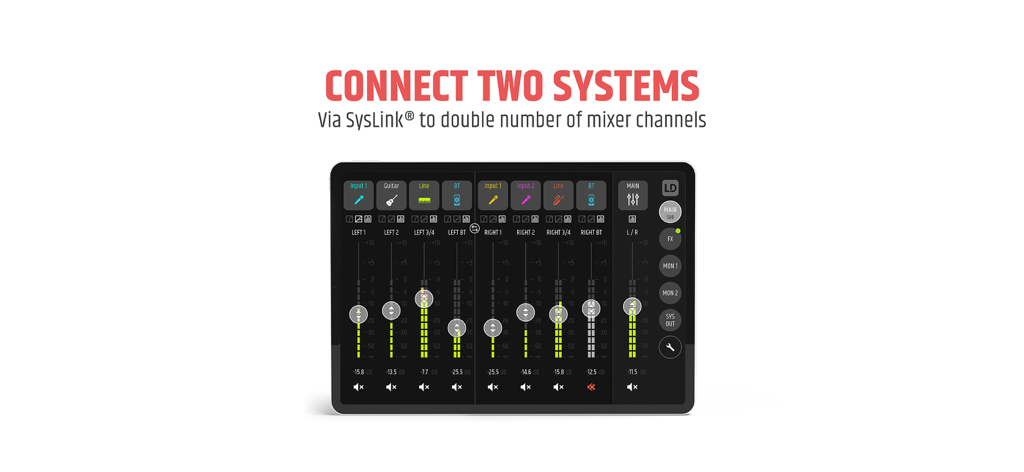
MAUI MIX - MAUI MIX 앱 인터페이스, 두 개의 스피커 시스템에 대한 SysLink 연결 표시
MAUI MIX 앱 인터페이스, 두 개의 스피커 시스템에 대한 SysLink 연결 표시

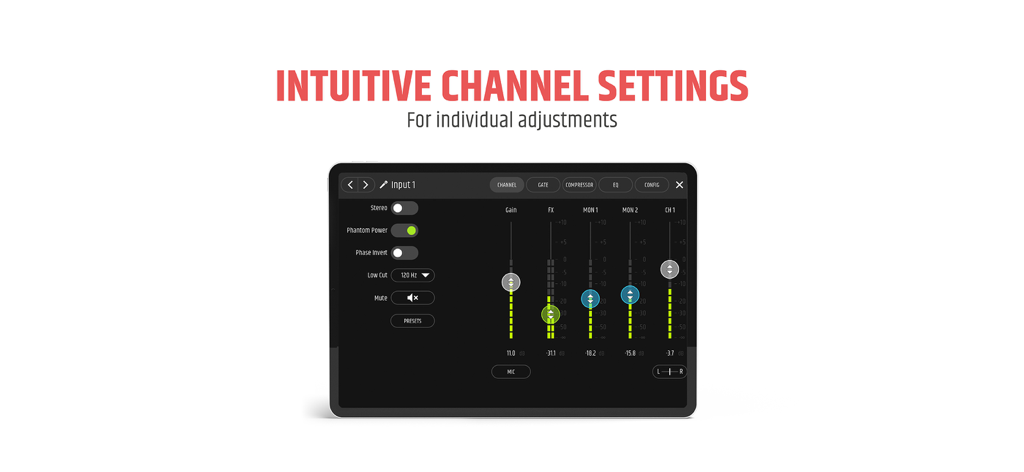
MAUI MIX - MAUI MIX 앱의 디지털 믹서 인터페이스, 태블릿에서 채널 설정 및 페이더 표시
MAUI MIX 앱의 디지털 믹서 인터페이스, 태블릿에서 채널 설정 및 페이더 표시

MAUI MIX - MAUI MIX 앱 인터페이스, 전문가 수준의 오디오 믹싱을 위한 파라메트릭 5밴드 EQ 설정 표시
MAUI MIX 앱 인터페이스, 전문가 수준의 오디오 믹싱을 위한 파라메트릭 5밴드 EQ 설정 표시

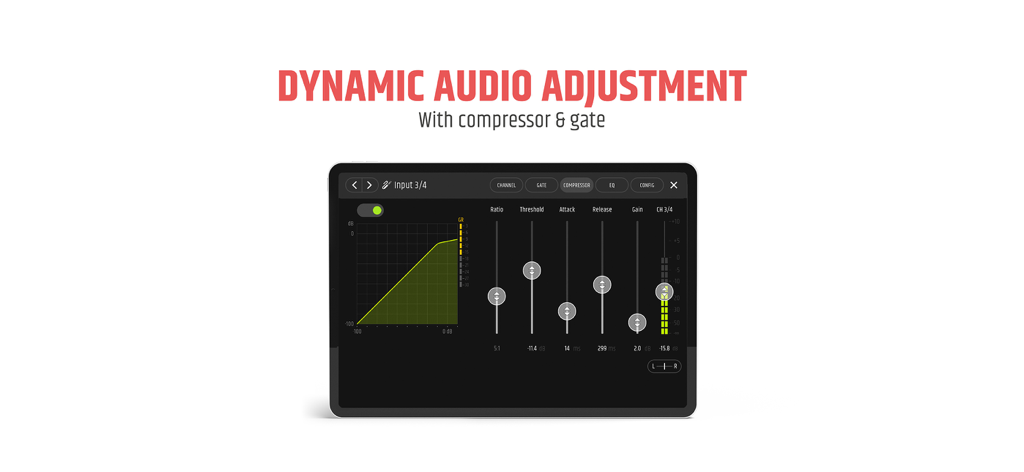
MAUI MIX - MAUI MIX 앱 인터페이스, 태블릿에서 동적 오디오 조정을 위한 컴프레서 및 게이트 설정 표시
MAUI MIX 앱 인터페이스, 태블릿에서 동적 오디오 조정을 위한 컴프레서 및 게이트 설정 표시

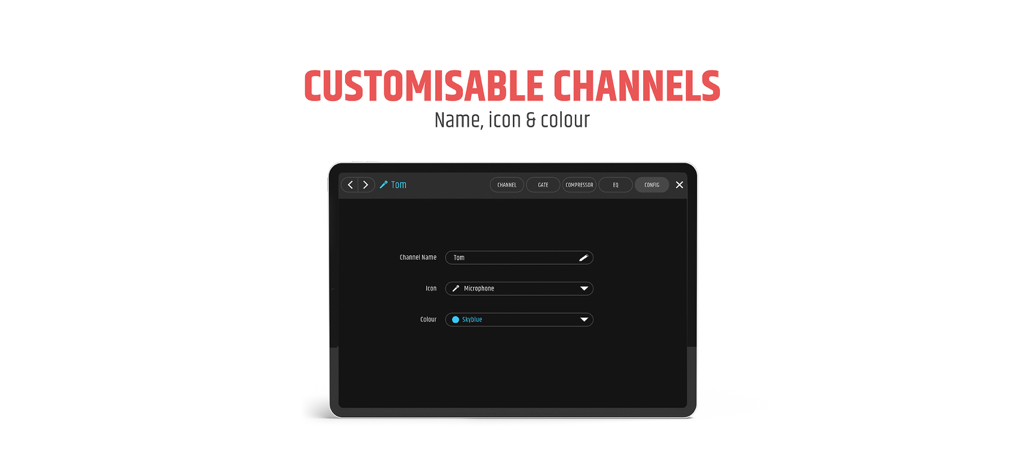
MAUI MIX - MAUI MIX 앱 인터페이스, 이름, 아이콘, 색상에 대한 채널 사용자 정의 옵션 표시
MAUI MIX 앱 인터페이스, 이름, 아이콘, 색상에 대한 채널 사용자 정의 옵션 표시

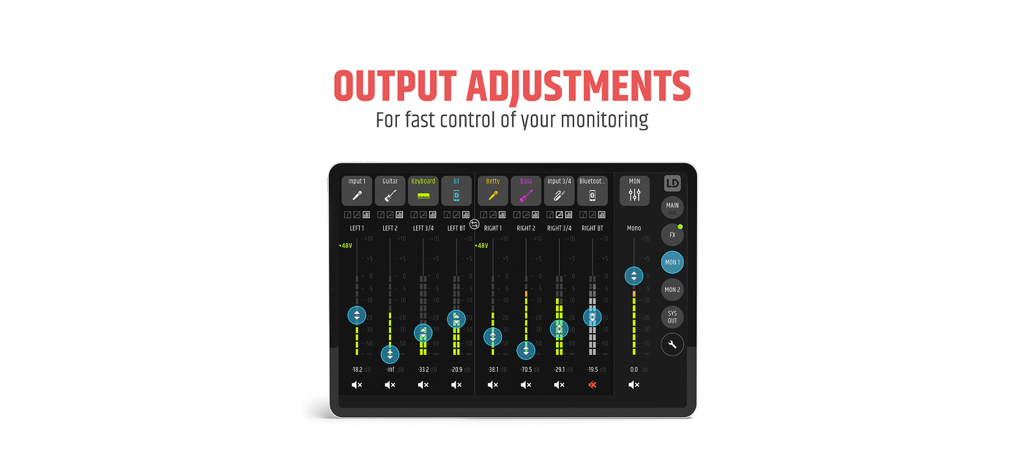
MAUI MIX - MAUI MIX 앱 인터페이스, 태블릿 화면에서 여러 오디오 채널에 대한 출력 조정 및 레벨 제어 표시
MAUI MIX 앱 인터페이스, 태블릿 화면에서 여러 오디오 채널에 대한 출력 조정 및 레벨 제어 표시

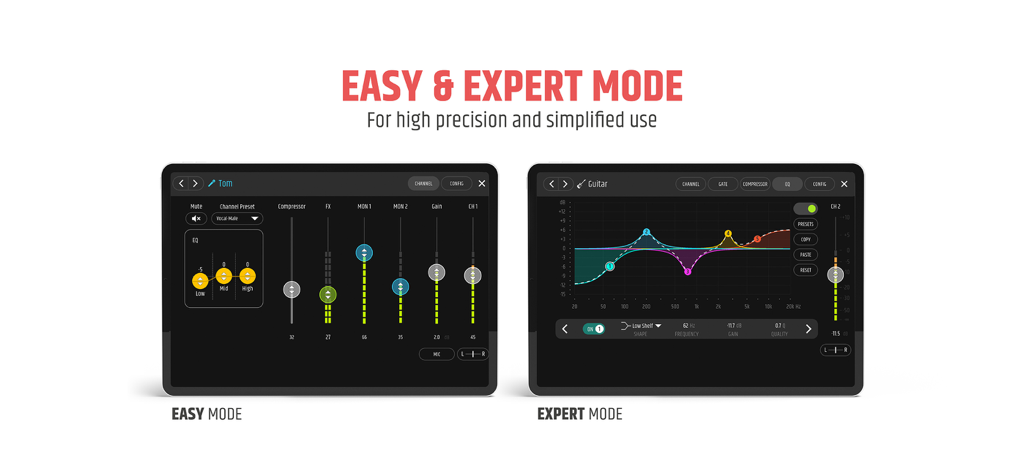
MAUI MIX - MAUI MIX 앱에서 간편 모드와 전문가 모드의 인터페이스 비교

MAUI MIX 앱에서 간편 모드와 전문가 모드의 인터페이스 비교

설명

Maintain control over all settings at all times and always keep on top of your mix with direct access to the MAUI® G3 MIX. Stereo with SysLink® For stereo applications, two MAUI® G3 MIX speakers can be conveniently connected to each other via SysLink®. The connection gives you twice the number of mixer channels. Instead of a 6-channel mixer, you get an extensive 12-channel set-up which you can control wirelessly via the app. Custom EQ and effects You decide whether you prefer 3-band EQs (Easy Mode) or 5-band full parametrics (Expert Mode). An extensive effects section offers setting options for reverb, delay, and chorus. Further settings are also available In the gate and compressor section to optimise the dynamic behaviour. User-friendly interface in Easy and Expert modes The MAUI MIX App offers an intuitive user interface in both Easy Mode and Expert Mode. A compact mode (Easy Mode) gives you quick access to all important functions. In Expert Mode, detailed settings and fine adjustments can be made – from detailed filtering to precise control of attack and compressor for each channel. Enjoy full control and flexibility – regardless of your experience level. Real-time access to all functions All speaker parameters are displayed in real time so that you can easily configure and mix your MAUI® G3 MIX. About MAUI LD Systems’ active MAUI column systems offer exceptionally compact solutions: they are very easy to carry, take just a couple of seconds to assemble, and, thanks to their unobtrusive appearance, can fit in any surroundings. The vertical array configuration, digital signal processing, and individual amplification of the frequency bands by separate power amplifiers ensure a particularly wide dispersion angle and very even sound distribution in the audience. Thanks to their impressive audio performance and uncomplicated handling, MAUI® G3 systems are suitable for a surprisingly wide range of applications.

Download

다운로드: App Store

이 페이지는 앱이나 개발자의 공식 페이지가 아니며, 정보 제공 및 논평을 목적으로 작성된 독립 편집 간행물입니다. 명시적으로 달리 언급되지 않는 한, 해당 앱이나 개발자는 MWM, Apple, Google Play, 앱 퍼블리셔 또는 앱 개발자와 제휴, 보증, 후원, 승인 또는 공식적으로 연결되어 있지 않으며, 이 페이지의 어떤 내용도 해당 앱이 MWM의 서비스를 사용하여 개발되었음을 의미하지 않습니다. 모든 상표, 로고, 스크린샷 및 기타 콘텐츠는 해당 소유자의 자산입니다.