
이 페이지는 앱이나 개발자의 공식 페이지가 아니며, 정보 제공 및 논평을 목적으로 작성된 독립 편집 간행물입니다. 명시적으로 달리 언급되지 않는 한, 해당 앱이나 개발자는 MWM, Apple, Google Play, 앱 퍼블리셔 또는 앱 개발자와 제휴, 보증, 후원, 승인 또는 공식적으로 연결되어 있지 않으며, 이 페이지의 어떤 내용도 해당 앱이 MWM의 서비스를 사용하여 개발되었음을 의미하지 않습니다. 모든 상표, 로고, 스크린샷 및 기타 콘텐츠는 해당 소유자의 자산입니다.


McDonald's Japan
현지인과 여행객 모두에게 필수적인 앱입니다. 영어로 주문하고, Apple Pay로 간편하게 결제하고, 일본 한정 메뉴에 대한 일일 쿠폰을 이용하세요.
다운로드
29M+사용자 평점
총 평가 수
247K+개발사
카테고리
Food & Drink지원 언어
2최신 버전
5.4.21크기
125.7 MB출시일
2011년 6월 17일일본 맥도날드의 최고를 경험하세요
언어 장벽 없이 간편한 주문, 특별 할인, 독특한 현지 풍미 탐험을 위한 최고의 동반자입니다.
줄 서기 건너뛰기, 영어로 주문하기
언어 장벽과 긴 줄을 피하세요. 전체 영어 메뉴를 살펴보고, 식사를 맞춤 설정하고, 휴대폰으로 안전하게 결제하세요.
앱 전용 특별 할인
정가를 다 내지 마세요. 일본 한정 메뉴 및 시즌 메뉴에 대한 일일 디지털 쿠폰과 특별 딜에 즉시 액세스하세요.
자주 묻는 질문
에 대해 알아야 할 모든 것 McDonald's Japan
Does the McDonald's Japan app provide coupons?
네, 맥도날드 재팬 앱은 전용 쿠폰을 제공합니다. 사용자는 매장 구매 또는 모바일 주문 시 이 쿠폰을 사용할 수 있습니다.
How do users place an order using the McDonald's Japan app?
맥도날드 재팬 앱을 사용하면 로그인한 후 식당을 선택하고 메뉴 항목을 고른 다음 픽업 방법을 선택하여 모바일 주문을 할 수 있습니다. 결제는 앱을 통해 이루어집니다.
What payment methods does the McDonald's Japan app accept for mobile orders?
맥도날드 재팬 앱은 모바일 주문 시 신용카드(VISA, Master, JCB, Diners, American Express), d-Barai, PayPay, Rakuten Pay, au PAY, LINE Pay, Apple Pay를 받습니다.
Can users order delivery through the McDonald's Japan app?
네, 사용자는 맥도날드 재팬 앱 내 McDelivery® 서비스를 통해 배달 주문을 할 수 있습니다. 이를 통해 다양한 결제 옵션을 사용하여 집에서 주문할 수 있습니다.
What is the delivery fee and minimum order value for McDelivery® via the McDonald's Japan app?
McDelivery® 주문에는 300엔의 배달료가 적용됩니다. 최소 주문 금액은 1,500엔이며, 아침 메뉴의 경우 1,000엔입니다.
Is login required to use features in the McDonald's Japan app?
네, 사용자는 맥도날드 재팬 앱 내에서 쿠폰 사용, 모바일 주문, McDelivery® 서비스 이용을 위해 등록하고 로그인해야 합니다.
Does the McDonald's Japan app provide menu information?
맥도날드 재팬 앱은 재료, 알레르기 정보, 영양 성분 등 제품에 대한 자세한 정보를 제공합니다.
Can users earn rewards with the McDonald's Japan app?
네, 맥도날드 재팬 앱을 통해 사용자는 포인트를 적립할 수 있으며, 이 포인트는 보상 쿠폰 또는 오리지널 상품으로 교환할 수 있습니다.
What pickup options are available for mobile orders in the McDonald's Japan app?
맥도날드 재팬 앱은 테이블 배달, 카운터 픽업, 테이크아웃, 파크 앤 고, 드라이브 스루 옵션을 제공합니다. 이용 가능 여부는 식당 및 시간에 따라 다릅니다.
What payment methods are accepted for McDelivery® orders in the McDonald's Japan app?
McDelivery®는 현금, 신용카드(VISA, Master, JCB, Diners, American Express), d-barai, PayPay, Rakuten Pay, au PAY, LINE Pay, Apple Pay를 받습니다.
What features does the McDonald's Japan app offer?
맥도날드 재팬 앱은 쿠폰, 메뉴 정보, 모바일 주문, McDelivery 서비스, 맞춤형 뉴스 업데이트, 포인트 기반 보상 시스템을 제공합니다.
다음 스크린샷과 설명은 앱의 공식 스토어 목록에서 직접 가져온 것이며 앱 개발자의 자산입니다.
앱 스토어
스크린샷
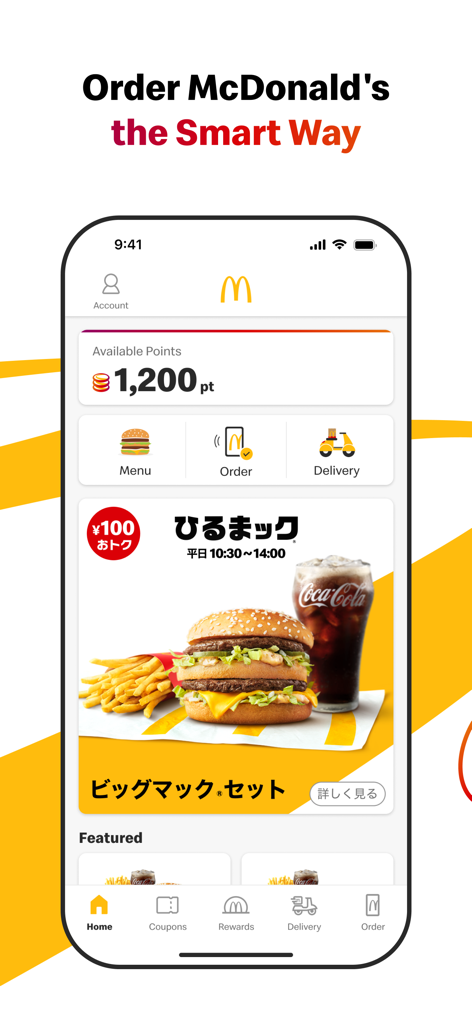
McDonald's Japan 앱 홈 화면으로, 사용 가능한 보상 포인트와 모바일 주문 바로가기가 표시됩니다.
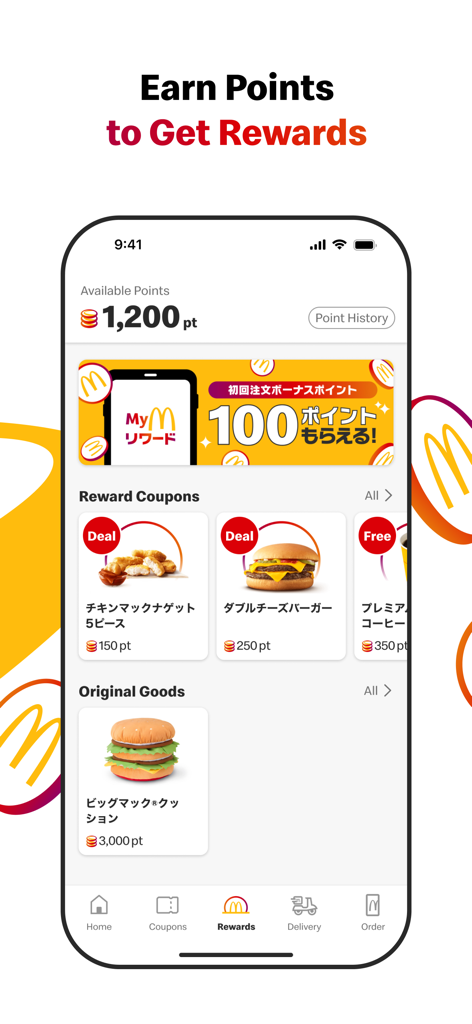
McDonald's Japan 앱 보상 섹션 스크린샷으로, 사용 가능한 포인트, 너겟 및 버거에 대한 보상 쿠폰, 빅맥 쿠션과 같은 오리지널 상품이 표시됩니다.
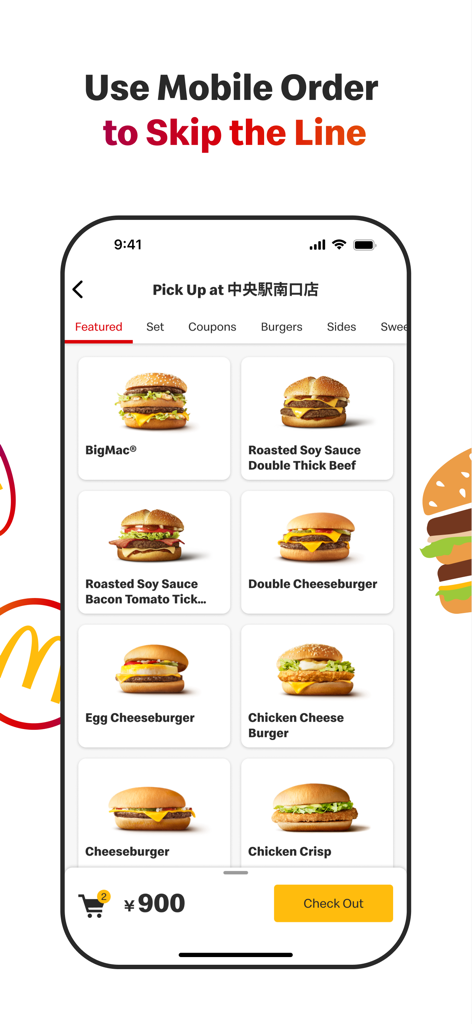
McDonalds Japan 앱 모바일 주문 인터페이스로, 버거 메뉴와 줄 서기 건너뛰기 기능이 표시됩니다.
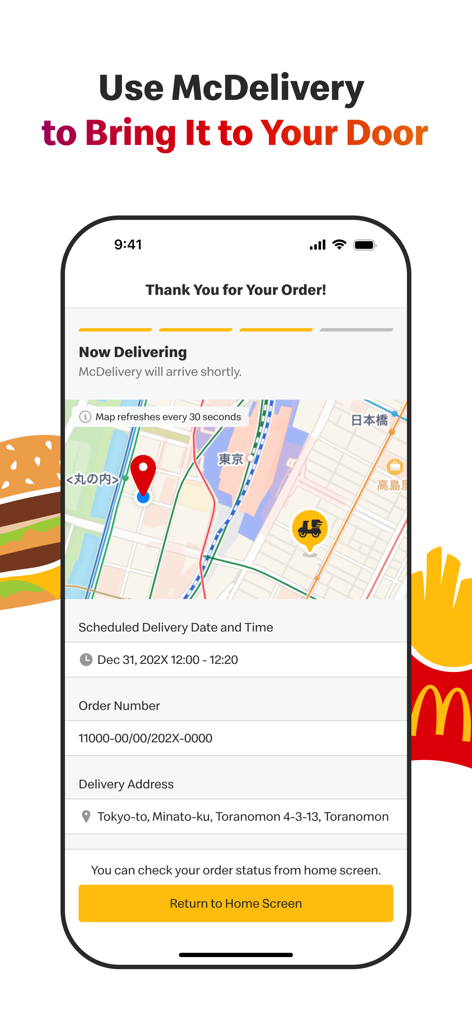
McDonald's Japan 앱 McDelivery 추적 화면으로, 지도와 주문 상태 세부 정보가 표시됩니다.
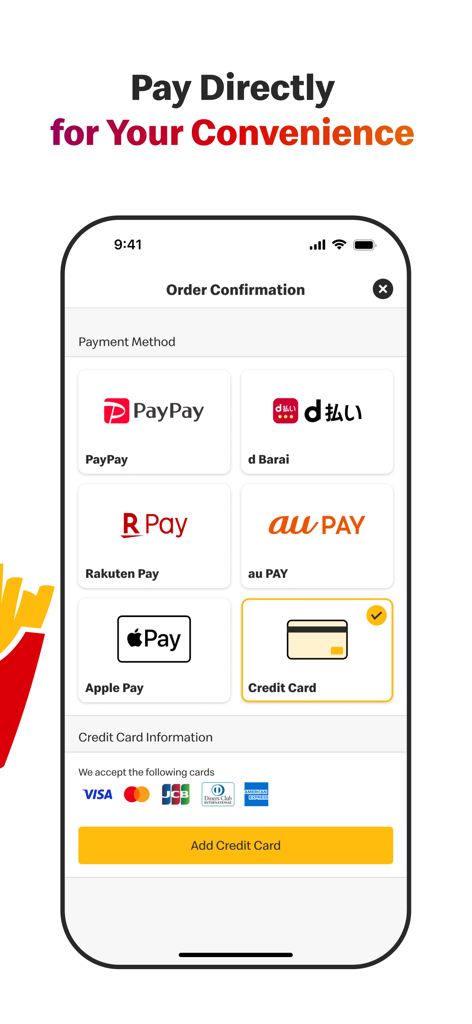
McDonald's Japan 앱의 스크린샷으로, Apple Pay, PayPay 및 신용 카드를 포함한 다양한 모바일 결제 옵션이 표시됩니다.
설명
Download
비슷한 앱
유사한 기능과 사용자 경험을 가진 앱

BAHROMA – рестораны и бонусы
FAST SOFT, OOO

麦当劳McDonald's - 到店取餐 麦咖啡 麦乐送
McDonald's (China) Co., Ltd.

McDonald's
McDonalds USA LLC

Chick-fil-A
Chick-fil-A, Inc.

Little Caesars Pizza
Little Caesar Enterprises, Inc.

Starbucks
Starbucks Coffee Company
Domino's Pizza USA
Domino's Pizza LLC

Subway®
Doctors Associates Inc

McDonald's Offers and Delivery
ARCOS DORADOS ARGENTINA S.A.
이 페이지는 앱이나 개발자의 공식 페이지가 아니며, 정보 제공 및 논평을 목적으로 작성된 독립 편집 간행물입니다. 명시적으로 달리 언급되지 않는 한, 해당 앱이나 개발자는 MWM, Apple, Google Play, 앱 퍼블리셔 또는 앱 개발자와 제휴, 보증, 후원, 승인 또는 공식적으로 연결되어 있지 않으며, 이 페이지의 어떤 내용도 해당 앱이 MWM의 서비스를 사용하여 개발되었음을 의미하지 않습니다. 모든 상표, 로고, 스크린샷 및 기타 콘텐츠는 해당 소유자의 자산입니다.