
이 페이지는 앱이나 개발자의 공식 페이지가 아니며, 정보 제공 및 논평을 목적으로 작성된 독립 편집 간행물입니다. 명시적으로 달리 언급되지 않는 한, 해당 앱이나 개발자는 MWM, Apple, Google Play, 앱 퍼블리셔 또는 앱 개발자와 제휴, 보증, 후원, 승인 또는 공식적으로 연결되어 있지 않으며, 이 페이지의 어떤 내용도 해당 앱이 MWM의 서비스를 사용하여 개발되었음을 의미하지 않습니다. 모든 상표, 로고, 스크린샷 및 기타 콘텐츠는 해당 소유자의 자산입니다.


mem
기억력을 최적화하기 위해 라이트너 시스템의 힘을 활용하세요. 실제 카드를 스캔하고, Dropbox로 동기화하고, 최고의 도구로 학습 세션을 완벽하게 제어하여 성과가 뛰어난 학생 및 전문가를 위한 최고의 도구입니다.
다운로드
22K+사용자 평점
총 평가 수
0개발사
카테고리
Reference지원 언어
3최신 버전
2.1.11크기
13.8 MB출시일
2014년 2월 15일과학적 정확성으로 복잡한 과목 마스터하기
우수 학습자를 위해 설계된 mem은 입증된 라이트너 시스템을 사용하여 부담스러운 학습량을 관리 가능하고 장기적인 지식으로 전환합니다.
증거 기반 간격 반복
라이트너 시스템을 사용하여 수학적으로 최적화된 간격으로 카드를 검토하여 정보를 단기 기억에서 장기 기억으로 옮깁니다.
원활한 데이터 소유권
비독점 CSV 파일과 Mac, PC 및 모바일 장치 간의 즉각적인 Dropbox 동기화를 통해 완벽하게 제어하세요.
자주 묻는 질문
에 대해 알아야 할 모든 것 mem
Hand Computer 앱이란 무엇인가요?
Hand Computer 앱은 라이트너 시스템을 시뮬레이션하여 간단하고 효과적인 기억 도구를 제공합니다. 외국어 학습자와 학습 중인 모든 과목의 개인이 간격을 두고 반복하는 플래시카드를 사용하여 단어나 구문을 기억하도록 돕습니다.
Hand Computer 앱은 어떻게 작동하나요?
Hand Computer 앱은 라이트너 시스템을 시뮬레이션합니다. 사용자는 첫 번째 칸에 새 카드를 추가합니다. 검토 중에 기억하면 카드가 다음 칸으로 이동하고, 잊어버리면 첫 번째 칸으로 돌아갑니다. 이는 간격을 두고 반복하는 것을 사용합니다.
Hand Computer 앱에서 라이트너 시스템이란 무엇인가요?
Hand Computer 앱은 플래시카드 기반 기억 도구인 라이트너 시스템을 사용합니다. 세바스찬 라이트너가 설계한 이 시스템은 기억 유지를 향상시키기 위해 여러 칸에 걸쳐 증가하는 간격으로 카드를 검토함으로써 간격을 두고 반복하는 것을 적용합니다.
Hand Computer 앱으로 나만의 카드를 만들 수 있나요?
네, Hand Computer 앱을 사용하면 사용자가 자신만의 카드를 만들 수 있습니다. 앱 내에서 '+' 버튼을 누르고 카메라 버튼을 누른 다음 '여러 카드 스캔'을 선택하면 됩니다.
Hand Computer 앱은 Dropbox와 동기화를 지원하나요?
네, Hand Computer 앱은 Dropbox를 통한 동기화를 지원합니다. 이 기능을 통해 사용자는 Mac 또는 PC에서 문서를 편집하여 여러 장치에서 데이터 일관성을 유지할 수 있습니다.
Hand Computer 앱에 야간 모드가 있나요?
네, Hand Computer 앱에는 야간 모드가 포함되어 있습니다. 이 기능은 더 부드러운 시각적 경험을 제공하여 밤에 공부하는 사용자에게 유용합니다.
Hand Computer 앱은 어떤 파일 형식을 카드로 사용하나요?
Hand Computer 앱은 비독점적인 일반 텍스트 CSV 파일 형식으로 문서를 저장합니다. 이렇게 하면 호환성이 보장되고 사용자가 카드 데이터를 쉽게 관리하고 편집할 수 있습니다.
Dropbox를 사용하여 Hand Computer 앱에 여러 단어를 추가하려면 어떻게 해야 하나요?
사용자는 Dropbox를 통해 Hand Computer에 여러 단어를 추가합니다. Mac/PC에서 '단어, 정의' 형식으로 CSV 파일을 준비한 다음 Dropbox 내 Hand Computer 폴더에 저장합니다.
Hand Computer 앱에 단어 소리가 포함되어 있나요?
네, Hand Computer 앱을 사용하면 단어를 들을 수 있습니다. 이 오디오 기능은 외국어 학습자나 새로운 어휘를 공부하는 사람들의 기억 유지 및 발음을 개선하는 것을 목표로 합니다.
Hand Computer 앱은 간격을 두고 반복하는 것을 사용하나요?
네, Hand Computer 앱은 간격을 두고 반복하는 것을 통합합니다. 이는 라이트너 시스템 시뮬레이션의 핵심 원칙으로, 효과적인 기억 유지를 위해 최적의 증가 간격으로 카드를 검토하도록 보장합니다.
다음 스크린샷과 설명은 앱의 공식 스토어 목록에서 직접 가져온 것이며 앱 개발자의 자산입니다.
앱 스토어
스크린샷
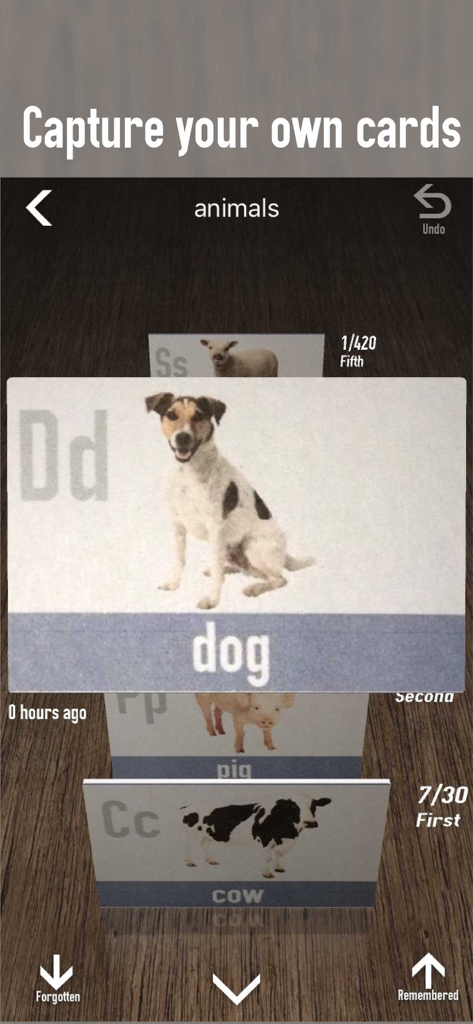
동물 플래시카드 3D 스택과 카드를 기억했거나 잊었음을 표시하는 옵션을 보여주는 mem 앱의 모바일 인터페이스
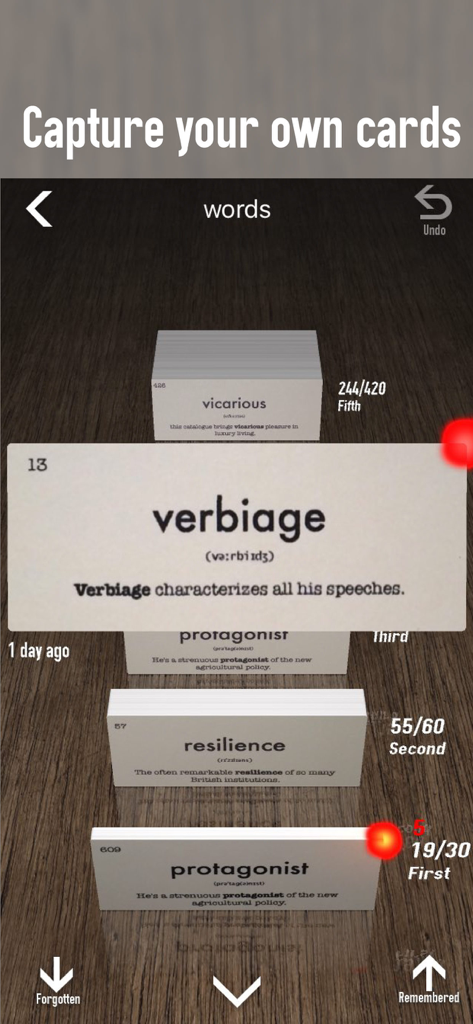
mem 앱에서 라이트너 시스템에 따라 정리된 verbiage 및 resilience와 같은 어휘 단어를 보여주는 디지털 플래시카드 인터페이스.
설명
Download
비슷한 앱
같은 카테고리의 상위 앱

Google Translate
Google LLC

火箭沙盒
P2E CO., LTD.

Bible
Life.Church

Bible Chat: Daily Devotional
BookVitals APP SRL

Youdao Dictionary
Beijing NetEase Youdao Computer System Co.,Ltd

Translate Now - AI Translator
AIR APPS SYSTEMS, UNIPESSOAL, LDA

Naver Papago - AI Translator
NAVER Corp.

ΗiΤV - Endless Movies & Shows
学 张

Live Translator - AI Translate
DigitalSail (HK) Limited
이 페이지는 앱이나 개발자의 공식 페이지가 아니며, 정보 제공 및 논평을 목적으로 작성된 독립 편집 간행물입니다. 명시적으로 달리 언급되지 않는 한, 해당 앱이나 개발자는 MWM, Apple, Google Play, 앱 퍼블리셔 또는 앱 개발자와 제휴, 보증, 후원, 승인 또는 공식적으로 연결되어 있지 않으며, 이 페이지의 어떤 내용도 해당 앱이 MWM의 서비스를 사용하여 개발되었음을 의미하지 않습니다. 모든 상표, 로고, 스크린샷 및 기타 콘텐츠는 해당 소유자의 자산입니다.