Meow Money manager

Meow Money manager

다운로드: App Store다운로드: Google Play
로고: Meow Money manager

Meow Money Manager: 재정을 관리하는 가장 귀여운 방법

스트레스 받는 스프레드시트 대신 아늑하고 개인 정보 보호에 중점을 둔 예산 추적기를 사용하세요. 200개 이상의 사랑스러운 아이콘으로 지출을 개인화하고 재정 관리를 마음챙김의 미학적인 습관으로 바꾸세요.

개발사

境 高

카테고리

Finance

다운로드

87K+

사용자 평점

4.9/5

총 평가 수

800

지원 언어

11

내부를 긍정적으로 바라보세요

이 인터페이스를 사용하는 87K+ 명의 사용자.

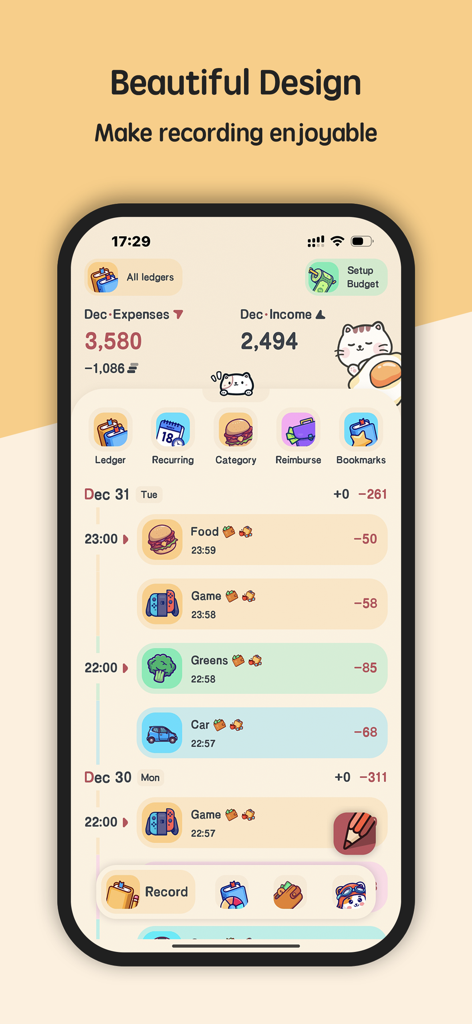
Meow Money Manager 앱 인터페이스는 다채로운 아이콘으로 귀여운 고양이 테마의 일일 지출 및 수입 추적기를 보여줍니다.
Meow Money Manager 앱 인터페이스는 다채로운 아이콘으로 귀여운 고양이 테마의 일일 지출 및 수입 추적기를 보여줍니다.

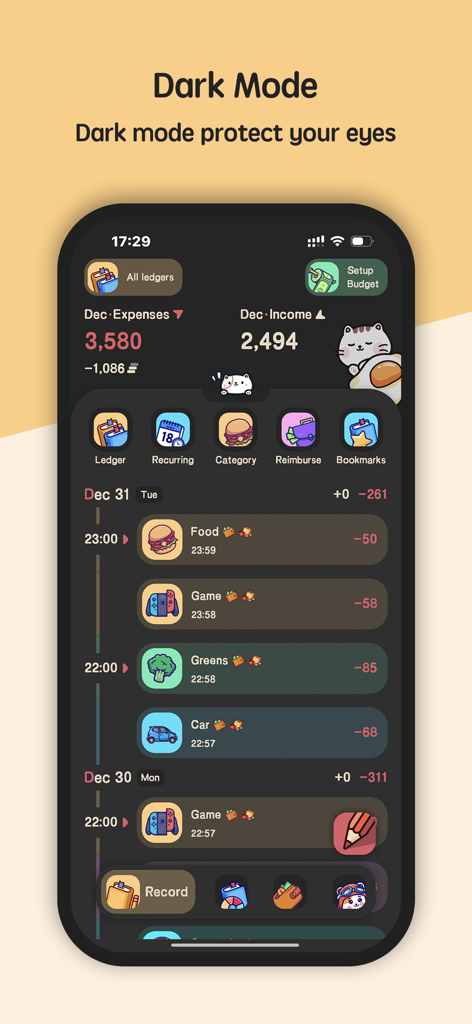
Meow Money Manager 앱 인터페이스는 귀여운 아이콘과 지출 추적으로 다크 모드 테마를 보여줍니다.
Meow Money Manager 앱 인터페이스는 귀여운 아이콘과 지출 추적으로 다크 모드 테마를 보여줍니다.

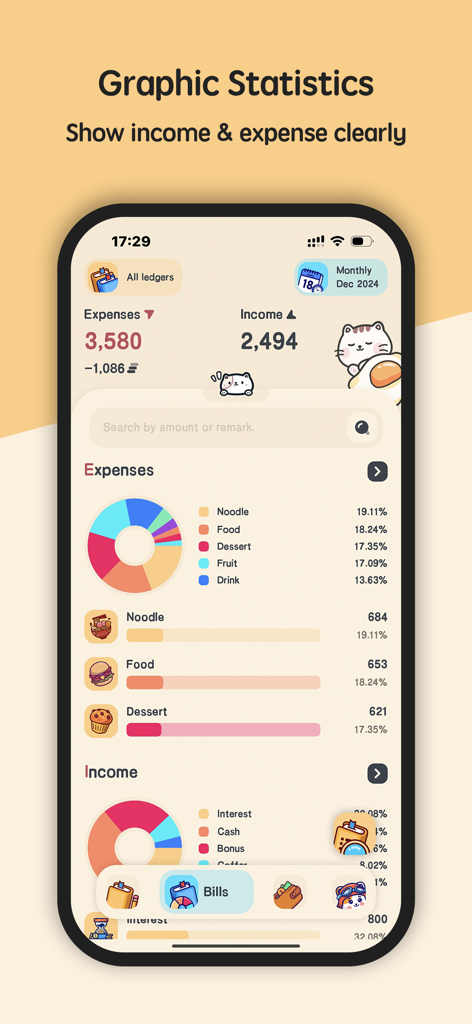
Meow Money Manager 앱 화면은 귀여운 고양이 그림으로 지출 및 수입에 대한 그래픽 통계를 표시합니다.
Meow Money Manager 앱 화면은 귀여운 고양이 그림으로 지출 및 수입에 대한 그래픽 통계를 표시합니다.

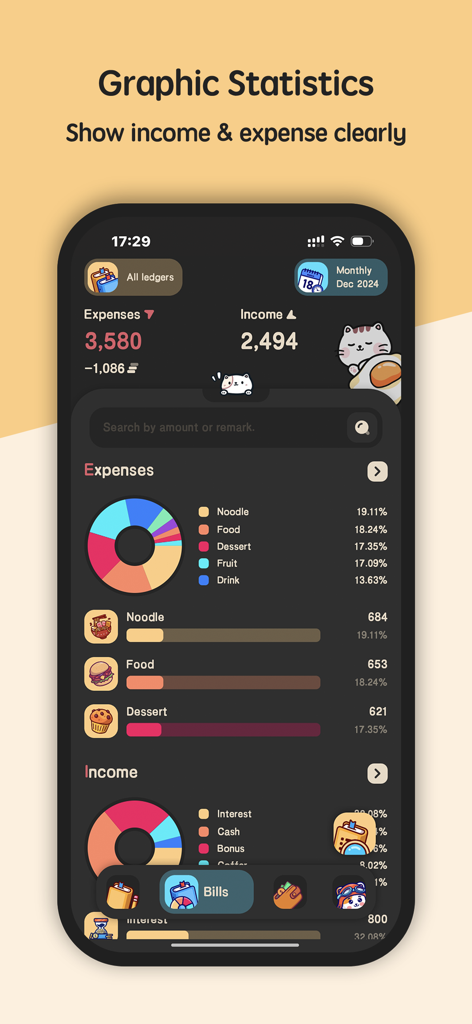
Meow Money Manager 모바일 앱 인터페이스는 귀여운 고양이 캐릭터와 다크 모드로 파이 차트를 보여주는 수입 및 지출 통계를 표시합니다.
Meow Money Manager 모바일 앱 인터페이스는 귀여운 고양이 캐릭터와 다크 모드로 파이 차트를 보여주는 수입 및 지출 통계를 표시합니다.

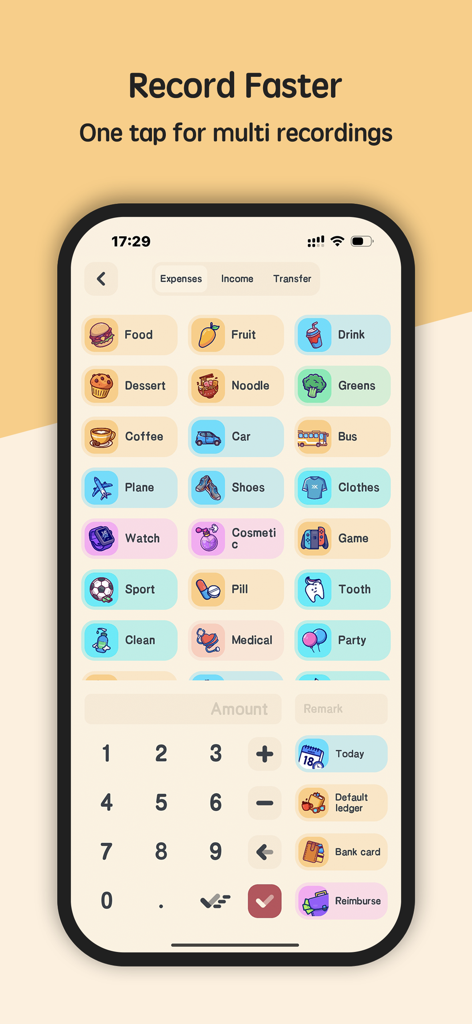
Meow Money Manager 앱에서 귀여운 아이콘과 숫자 패드가 있는 지출 기록 화면
Meow Money Manager 앱에서 귀여운 아이콘과 숫자 패드가 있는 지출 기록 화면

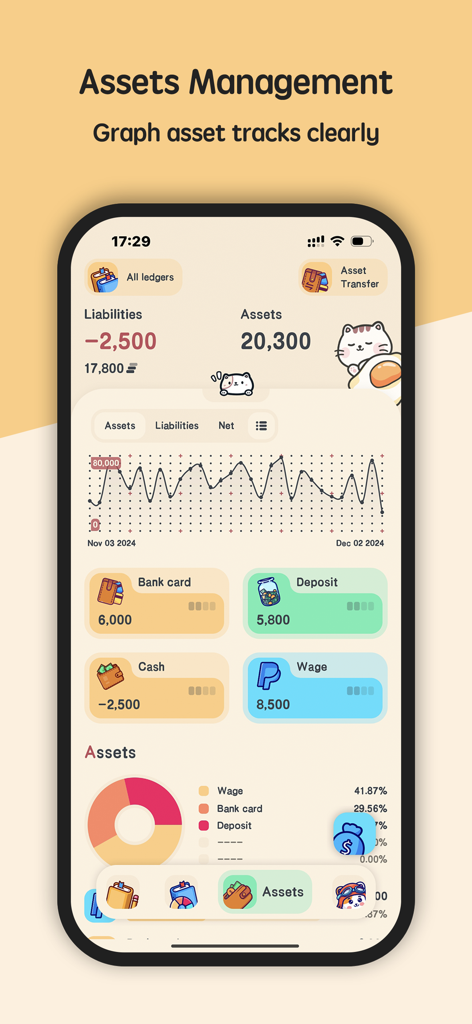
Meow Money Manager의 자산 관리 화면은 귀여운 고양이 미학으로 순자산 그래프와 자산 분포를 보여줍니다.
Meow Money Manager의 자산 관리 화면은 귀여운 고양이 미학으로 순자산 그래프와 자산 분포를 보여줍니다.

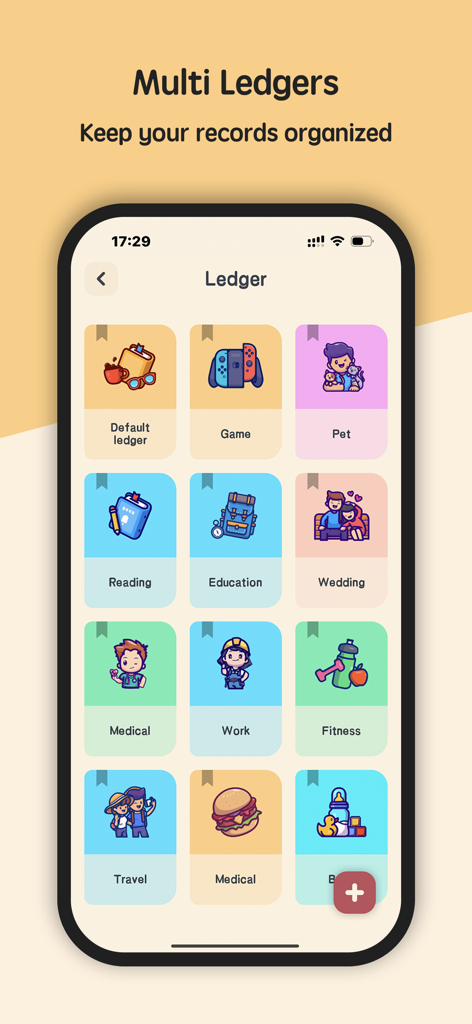
개인 재정을 정리하기 위한 귀여운 아이콘이 있는 다채로운 원장 카테고리 그리드를 보여주는 모바일 앱 화면입니다.
개인 재정을 정리하기 위한 귀여운 아이콘이 있는 다채로운 원장 카테고리 그리드를 보여주는 모바일 앱 화면입니다.

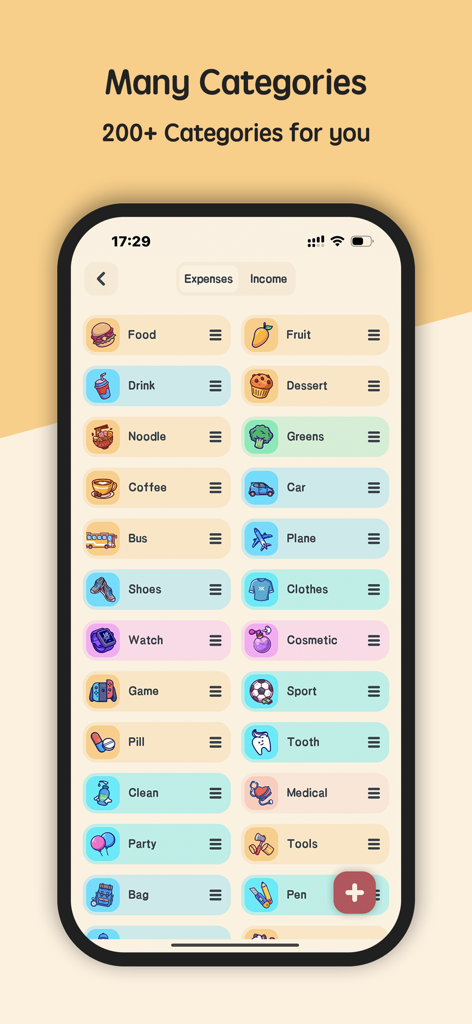
Meow Money Manager 앱 화면은 고유한 아이콘으로 매우 다양하고 다채롭고 귀여운 지출 카테고리를 표시합니다.
Meow Money Manager 앱 화면은 고유한 아이콘으로 매우 다양하고 다채롭고 귀여운 지출 카테고리를 표시합니다.

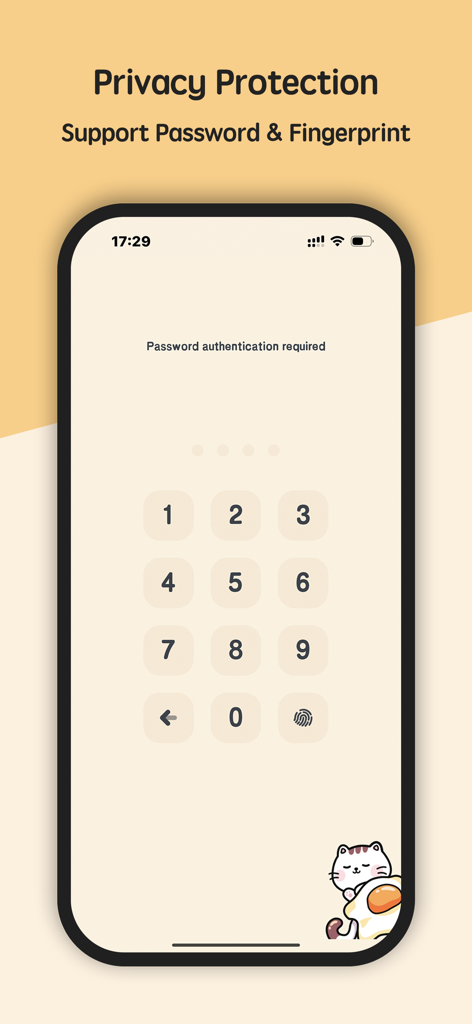
Meow Money Manager의 개인 정보 보호 화면은 귀여운 고양이 그림으로 비밀번호 키패드와 지문 인증을 보여줍니다.
Meow Money Manager의 개인 정보 보호 화면은 귀여운 고양이 그림으로 비밀번호 키패드와 지문 인증을 보여줍니다.

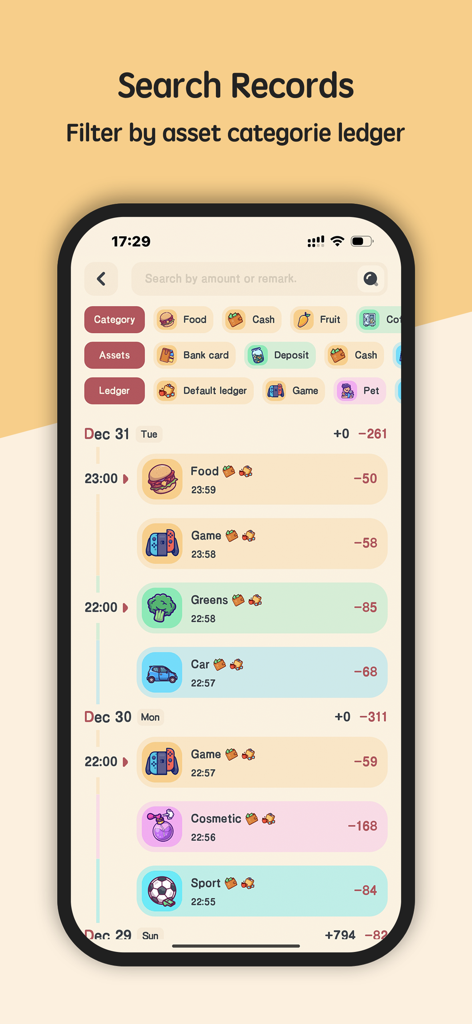
Meow Money Manager 앱 화면은 음식, 게임 및 라이프스타일 지출을 위한 다채로운 카테고리 아이콘으로 검색 기록을 보여줍니다.

Meow Money Manager 앱 화면은 음식, 게임 및 라이프스타일 지출을 위한 다채로운 카테고리 아이콘으로 검색 기록을 보여줍니다.

재정, 하지만 귀엽게

이 앱을 돋보이게 하는 도구, 87K+ 명의 사용자가 선택.

🐱

아늑한 맞춤 설정

200개 이상의 손그림 아이콘으로 당신의 스타일을 표현하세요. 음료, 반려동물 간식, 부업 등 모든 것을 위한 카테고리를 개인화하세요.

🔒

개인 정보 보호 우선

데이터 채굴 및 은행 연결 없음. 로컬 백업 및 안전한 지문 앱 잠금 기능으로 당신의 재정 비밀은 기기에 그대로 유지됩니다.

📊

시각적 분위기 체크

고통 없이 절약할 수 있도록 설계된 아름다운 파이 차트와 간단한 보고서로 지출을 즉시 이해하세요.

앱 소개

에 대해 알아야 할 모든 것 Meow Money manager.

설명

Meow Money Manager with cute cats for your personal asset management. Meow Money Manager is an expense tracker to record your financial expenditure and income activities. Meow Money Manager do not save any the information of users, protecting your privacy. It‘s beautiful and cute design makes it lightweight, straightforward and very easy to use. Features of Meow Money Manager - complete guide: Cute icons 200+ cute icons for you to custom your own money manager.Meow Money manager has various record type, including food, bills, transportation, car, entertainment, shopping, clothing, insurance, tax, telephone, smoke, health, pet, beauty, vegetables, education, salary, awards, sale, refunds, investments, dividends etc. Expense Tracker & Budget Record daily expenses and income activities. Calculating the difference / balance. Instant and powerful statistics Reports of financial recording activities per day, monthly, weekly and yearly to make it easier for users to monitor their finances. Based on the record entered, you can instantly see your expense by category and changes between each month. And you can see the change of your assets and income/expense indicated by a graph as well. Export reports Export reports in the form of CSV. Pie chart Pie chart features make it easy for users to view reports. Backup & Restore Meow Money manager support Google Drive backup and WebDav backup, the backup files will be auto saved when you add the records, and you can also backup files manually. Asset Management You can create your asset accounts, such as cash, bank card, funding, stock etc. and tracker the asset account's modify record, transfer record and order record. Dark Mode You can choose the dark theme or light theme as you like. Both modes are very beautiful. Currency Symbol Meow Money manager support different currency symbols, including: Dollar, RMB, Pound, Euro, Franc, Rouble, Rupee, Lira. Fingerprint app lock You can setup fingerprint app lock to protect your privacy, it need to enter fingerprint when open app. Auto-Renewal of Meow Money Manager VIP instructions - Membership benefits: Meow money manager members have unlimited access to all functions and all the subsequent new functions - Subscription cycle: 1 month (monthly subscription), 1 year (annual subscription) - Subscription price: A monthly subscription is 0.99 $, and an annual subscription is 9.99$ - Payment: After the user confirms the purchase and makes the payment, the account is credited to iTunes - Unsubscribe: If you cancel, manually turn off the automatic renewal feature in the iTunes/Apple ID Settings management 24 hours prior to the expiration of the current subscription cycle - Auto-Renewal: Apple's iTunes account will deduct a fee within 24 hours before the expiration date, and the subscription cycle will be extended by one after the deduction is successful - Terms of Use: https://docs.google.com/document/d/e/2PACX-1vTK18NLeoLciVAa8wQNN0Xg4PILMfi1Bu-Irfk_bKG8sJCro7d3I714cgcNPENnGv9L6_gTfXPBj63T/pub - Privacy Policy: https://docs.google.com/document/d/e/2PACX-1vRDrnUnQLYkCZkfOMAev5yghip2RLnrTGMk9-31dBdV6je82CI-uPGKy55V5CLMSSuAXBXfFcsh4zhR/pub So, what are you waiting for? Download the Meow Money Money(Expense Tracker & Budget) right now and start managing, tracking, your expenses and income!

최신 버전

5.5.5

크기

49.7 MB

출시일

2020년 9월 6일

지금 당신의 완벽한 예산 관리 여정을 시작하세요

재정 스트레스를 아늑한 고양이 분위기로 바꾼 87,000명 이상의 사용자들과 함께하세요. 지금 다운로드하여 돈을 관리하는 개인적이고 미학적이며 스트레스 없는 방법을 경험하세요.

다운로드: App Store다운로드: Google Play

App information, icons, screenshots, and descriptions displayed on this page are sourced from the Apple App Store and are the property of their respective developers. Download estimates and rankings are based on MWM's proprietary models and may not reflect actual figures. This page is provided for informational and analytical purposes only.

Believe this page infringes your intellectual property? File a dispute