Metronomics Metronome
다운로드: App Store

이 페이지는 앱이나 개발자의 공식 페이지가 아니며, 정보 제공 및 논평을 목적으로 작성된 독립 편집 간행물입니다. 명시적으로 달리 언급되지 않는 한, 해당 앱이나 개발자는 MWM, Apple, Google Play, 앱 퍼블리셔 또는 앱 개발자와 제휴, 보증, 후원, 승인 또는 공식적으로 연결되어 있지 않으며, 이 페이지의 어떤 내용도 해당 앱이 MWM의 서비스를 사용하여 개발되었음을 의미하지 않습니다. 모든 상표, 로고, 스크린샷 및 기타 콘텐츠는 해당 소유자의 자산입니다.


로고: Metronomics Metronome
다운로드: App Store

Metronomics Metronome

리듬 설계자를 위한 전문가용 메트로놈. 시퀀스된 그루브를 생성하고, 혼합 박자를 마스터하고, 고급 세분화 제어로 완벽한 내부 시계를 구축하세요.

주요 수치

다운로드

156K+

사용자 평점

4.8/5

총 평가 수

100

개발사

John Nastos

카테고리

Music

지원 언어

1

최신 버전

2024.2

크기

14.7 MB

출시일

2011년 5월 16일
기능

내부 시계 마스터하기

메트로노믹스는 단순한 클릭 트랙 이상입니다. 기술적 정밀성과 창의적 유연성을 요구하는 상위 수준 실무자를 위해 설계된 포괄적인 리듬 훈련 환경입니다.

독립 훈련 모드

메트로놈이 특정 마디 동안 음소거되도록 설정하여 완벽한 박자를 유지하도록 도전함으로써 흔들리지 않는 리듬 보안을 구축하세요.

복잡한 박자 마스터하기

5/7 또는 23/4와 같은 혼합 박자 및 사용자 지정 세분화를 원활하게 프로그래밍하여 현대적이고 기술적인 작곡에 필요한 수학적 정밀도를 제공합니다.

다음 스크린샷과 설명은 앱의 공식 스토어 목록에서 직접 가져온 것이며 앱 개발자의 자산입니다.

앱 스토어

스크린샷
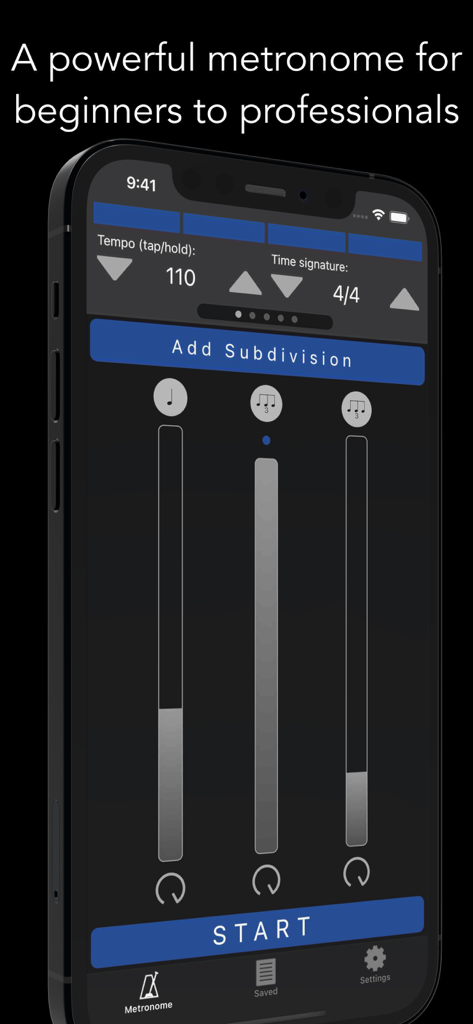
Metronomics Metronome - 아이폰에서 템포 및 리듬 세분화 컨트롤을 보여주는 메트로노믹스 메트로놈 앱 인터페이스
아이폰에서 템포 및 리듬 세분화 컨트롤을 보여주는 메트로노믹스 메트로놈 앱 인터페이스

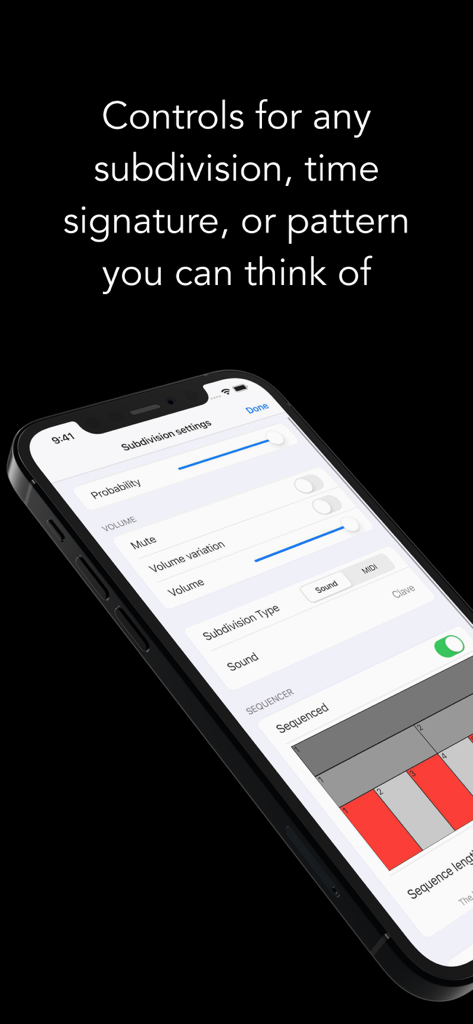
Metronomics Metronome - 메트로노믹스 앱 세분화 설정 화면으로 볼륨 및 확률과 같은 리듬 제어 옵션을 표시함
메트로노믹스 앱 세분화 설정 화면으로 볼륨 및 확률과 같은 리듬 제어 옵션을 표시함

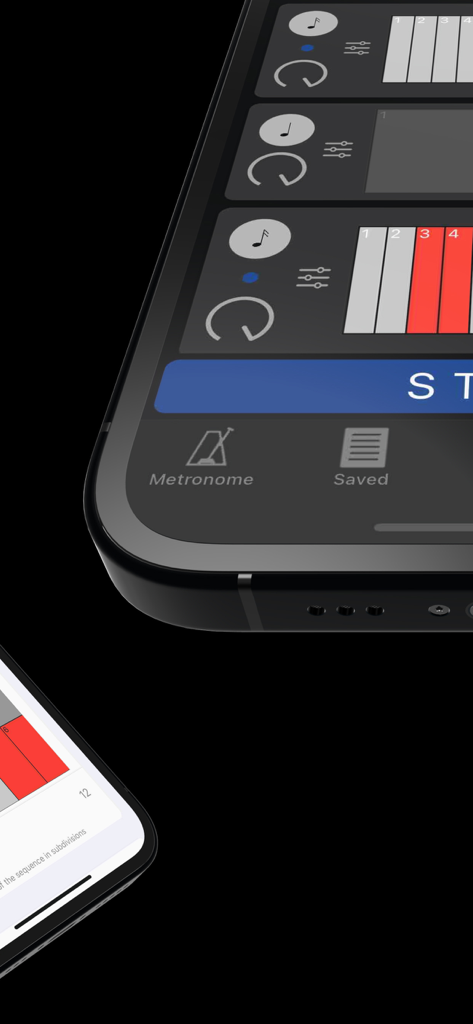
Metronomics Metronome - 리듬 패턴을 보여주는 메트로노믹스 메트로놈 앱 그리드 시퀀서 인터페이스의 클로즈업
리듬 패턴을 보여주는 메트로노믹스 메트로놈 앱 그리드 시퀀서 인터페이스의 클로즈업

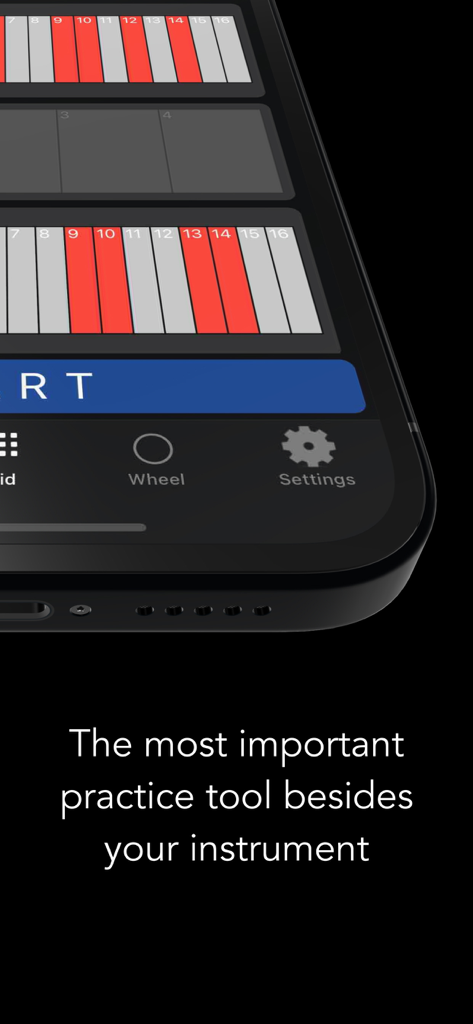
Metronomics Metronome - 메트로노믹스 앱이 스마트폰 화면에 리듬 그리드를 표시하고 '악기 외 가장 중요한 연습 도구'라는 텍스트가 표시됨
메트로노믹스 앱이 스마트폰 화면에 리듬 그리드를 표시하고 '악기 외 가장 중요한 연습 도구'라는 텍스트가 표시됨

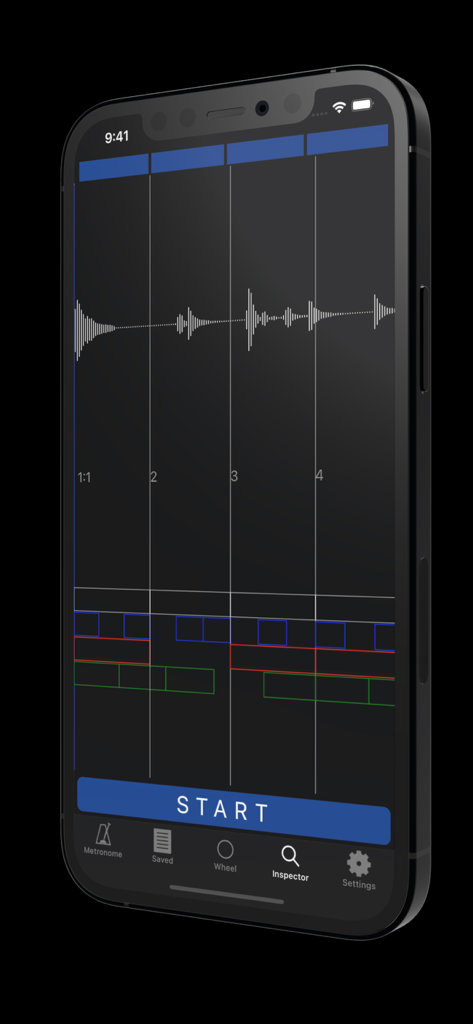
Metronomics Metronome - 오디오 파형 및 리듬 그리드 분석과 함께 메트로노믹스 메트로놈 앱 인스펙터 모드를 표시하는 아이폰
오디오 파형 및 리듬 그리드 분석과 함께 메트로노믹스 메트로놈 앱 인스펙터 모드를 표시하는 아이폰

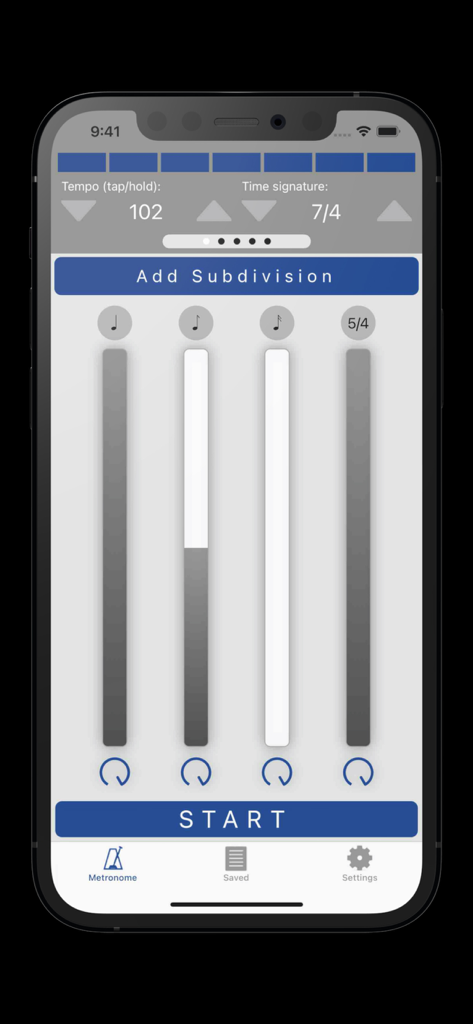
Metronomics Metronome - 템포 설정 및 리듬 세분화를 보여주는 메트로노믹스 메트로놈 앱 인터페이스
템포 설정 및 리듬 세분화를 보여주는 메트로노믹스 메트로놈 앱 인터페이스

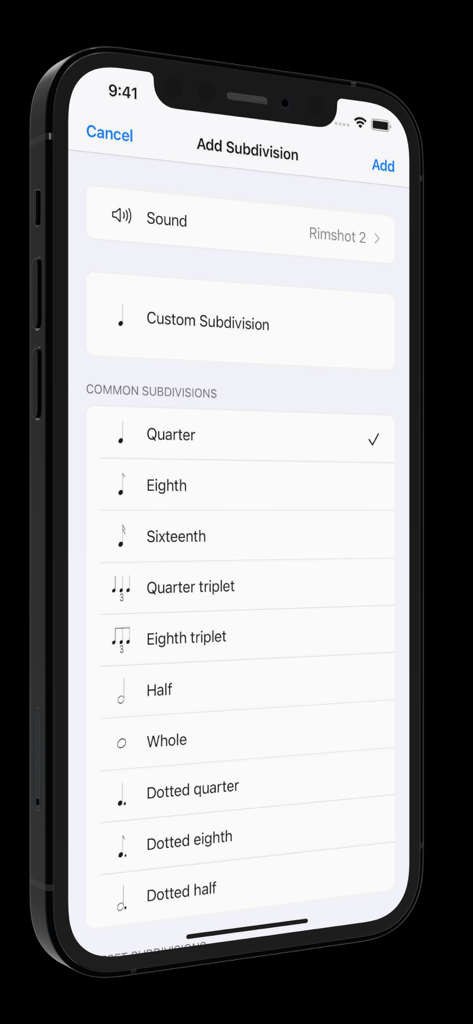
Metronomics Metronome - 메트로노믹스 앱 인터페이스로 4분음표 및 8분음표와 같은 일반적인 리듬 세분화 옵션을 표시함

메트로노믹스 앱 인터페이스로 4분음표 및 8분음표와 같은 일반적인 리듬 세분화 옵션을 표시함

설명

Metronomics is not only a metronome, but a tool designed to help build a solid sense of time and rhythmic security. It's a new kind of metronome -- use Metronomics to generate random patterns, sequenced grooves, or a combination of both to help you practice with more than just your typical click track. Enough features to keep a professional busy for years or start a beginner on the right track. The only metronome that gives you complete control over how subdivisions are played -- add subdivisions of any type (including custom subdivisions like 5/7) and have them played all the time, at random intervals, or in a sequenced pattern. Now available across platforms for both iOS and macOS -- the most powerful metronome, available for all of your devices. Features: - Choose from 40 different samples for each subdivision - Generate patterns using random or sequenced variations of different subdivisions - Include built-in preset patterns such as claves or ride cymbal patterns - Choose any number of beats per measure (with any denominator) you like or practice mixed meters such as 4/4 + 3/8 + 5/4 where the segments of the bar get accented automatically - Use any type of subdivision. Common types like quarter notes, sixteenth notes, eighth triplets, etc, or create your own. 5/7, 23/4, no problem! - Take a rhythm and use the "offset" feature to move it to different parts of the measure to practice with. - Set the metronome to speed up or slow down by a given amount after a set number of measures - Have Metronomics start with a count off - Set the metronome to run for a certain amount of time - Share saved metronomes back and forth with other Metronomics users - Track your metronome usage. App shows how much you've practiced with it each day and total (optionally turn off time tracking) - Train yourself with "independence" mode where you can set some bars to be inaudible -- keep the time going yourself until the click starts again - Variable swing feel -- choose how much each subdivision swings - Speech sounds for counting up to 10 that can be assigned to any subdivision (English language only) - Play in the background - Normalized sounds for good volume - Manual (plus videos) describing how to use all the features and hints about how they might be useful Pro subscription features: - Wheel view that allows you to visualize the passage of subdivisions with geometric shapes - Grid view that lets you easily sequence patterns on a grid much like a drum machine, but with the more-powerful features of Metronomics - Inspector mode -- graph your own playing with microphone or MIDI input and see how you line up with the metronome - iCloud sync -- sync your saved metronomes via iCloud drive - MIDI output -- set subdivisions to send MIDI data to outside MIDI synths or use an on-board synthesizer Within Metronomics, there is an option to upgrade to Metronomics Pro, which is an auto-renewing yearly subscription service. It enables the following features: Subscription details: - Service: Metronomics Pro - Time period: one year, auto-renewing subscription - Payment will be charged to iTunes Account at confirmation of purchase - Subscription automatically renews unless auto-renew is turned off at least 24-hours before the end of the current period - Account will be charged for renewal within 24-hours prior to the end of the current period, and identify the cost of the renewal - Subscriptions may be managed by the user and auto-renewal may be turned off by going to the user’s Account Settings after purchase - Privacy policy: https://metronomicsapp.com/privacy.html / Terms of use: https://metronomicsapp.com/terms.html - Any unused portion of a free trial period, if offered, will be forfeited when the user purchases a subscription to that publication, where applicable.

Download

다운로드: App Store

이 페이지는 앱이나 개발자의 공식 페이지가 아니며, 정보 제공 및 논평을 목적으로 작성된 독립 편집 간행물입니다. 명시적으로 달리 언급되지 않는 한, 해당 앱이나 개발자는 MWM, Apple, Google Play, 앱 퍼블리셔 또는 앱 개발자와 제휴, 보증, 후원, 승인 또는 공식적으로 연결되어 있지 않으며, 이 페이지의 어떤 내용도 해당 앱이 MWM의 서비스를 사용하여 개발되었음을 의미하지 않습니다. 모든 상표, 로고, 스크린샷 및 기타 콘텐츠는 해당 소유자의 자산입니다.







