
이 페이지는 앱이나 개발자의 공식 페이지가 아니며, 정보 제공 및 논평을 목적으로 작성된 독립 편집 간행물입니다. 명시적으로 달리 언급되지 않는 한, 해당 앱이나 개발자는 MWM, Apple, Google Play, 앱 퍼블리셔 또는 앱 개발자와 제휴, 보증, 후원, 승인 또는 공식적으로 연결되어 있지 않으며, 이 페이지의 어떤 내용도 해당 앱이 MWM의 서비스를 사용하여 개발되었음을 의미하지 않습니다. 모든 상표, 로고, 스크린샷 및 기타 콘텐츠는 해당 소유자의 자산입니다.

Mic to Speaker - Virtual Mic
당신의 목소리는 이제 무시할 수 없는 힘이 됩니다. 이 앱은 어떤 환경에서든 당신의 메시지가 선명하게 울려 퍼지도록 보장합니다.
다운로드
1M+사용자 평점
총 평가 수
6.1K개발사
카테고리
Music지원 언어
99최신 버전
2026.02.13크기
107.7 MB출시일
2020년 5월 23일모바일 기기를 활용한 다목적 고품질 오디오 솔루션 평가
'Mic to Speaker - Virtual Mic' 앱 분석
실시간 마이크 증폭
모바일 기기를 실시간 마이크로 활용하여 어떤 스피커로든 목소리를 크고 선명하게 출력합니다.
범용적인 연결성
블루투스, AirPlay, 유선 케이블 등 다양한 방식으로 모든 유형의 스피커 및 헤드폰에 쉽게 연결할 수 있습니다.
실시간 오디오 효과 및 조정
에코, 리버브와 같은 음성 효과를 실시간으로 추가하고, 저음 및 고음 조절을 통해 목소리를 전문가처럼 향상시킵니다.
간편한 백그라운드 작동
복잡한 설정 없이 한 번의 터치로 작동하며, 화면이 잠긴 상태에서도 백그라운드에서 안정적으로 실행됩니다.
자동 녹음 및 관리
모든 세션이 자동으로 녹음되며, 녹음된 파일을 앱 내에서 편집, 자르기, 공유하고 다양한 클라우드 서비스로 내보낼 수 있습니다.
광범위한 활용성
라이브 스트리밍, 비디오 통화, 팟캐스트, 노래방, 게임, 발표 등 다양한 환경에서 고품질 오디오 솔루션으로 활용됩니다.
고급 오디오 출력 제어
볼륨, 음질, 마이크 선택 및 MP3, WAV, M4A 등 오디오 형식 선택을 통해 출력 사운드를 정밀하게 제어합니다.
강력한 개인 정보 보호
사용자 녹음 파일은 기기 또는 개인 클라우드에만 저장되며, 앱 개발사가 데이터를 수집하거나 공유하지 않아 개인 정보 보호를 보장합니다.
자주 묻는 질문
에 대해 알아야 할 모든 것 Mic to Speaker - Virtual Mic
How does the Mic to Speaker - Virtual Mic app function as a live microphone?
The Mic to Speaker app functions by connecting your device to a speaker via Bluetooth, AirPlay, or cable. Tapping the screen activates the microphone, and your voice plays through the speaker, even when the screen is locked.
Can the Mic to Speaker app connect to Bluetooth speakers?
Yes, the Mic to Speaker app connects to Bluetooth speakers and headphones. It also supports AirPlay devices, wired speakers, home stereo, and car audio systems for output.
Does Mic to Speaker - Virtual Mic automatically record audio sessions?
Yes, the Mic to Speaker app automatically saves every recording session. Users can listen back, edit, trim, share, and export these recordings after they are captured.
What sound effects are available in the Mic to Speaker app?
The Mic to Speaker app provides echo and reverb effects. Users can also adjust bass, treble, and voice volume (louder or softer) in real-time to enhance their sound.
Is my privacy protected when using Mic to Speaker - Virtual Mic?
Yes, the Mic to Speaker app protects user privacy. Your recordings stay on your phone or personal cloud storage, and the app does not collect or share your data.
Can I edit recordings within the Mic to Speaker app?
Yes, the Mic to Speaker app allows users to edit and trim recordings. You can also share them with friends, export to your computer, and convert or transcribe them.
What cloud storage options are supported for Mic to Speaker recordings?
The Mic to Speaker app supports saving recordings to iCloud Drive, Dropbox, and Google Drive. Users also have the option to keep all recordings directly on their phone.
Can Mic to Speaker - Virtual Mic operate when the screen is locked?
Yes, the Mic to Speaker app works even when your device screen is locked. It operates in the background, allowing continuous microphone use without an active display.
What specific devices does Mic to Speaker - Virtual Mic require to function?
Mic to Speaker - Virtual Mic requires an iPhone or iPad with a microphone, along with a speaker or headphones for audio output. These are the only components needed.
Can I adjust the recording quality in the Mic to Speaker app?
Yes, the Mic to Speaker app allows users to choose sound quality and select their audio format (MP3, WAV, M4A). It also offers control over volume levels and microphone selection.
다음 스크린샷과 설명은 앱의 공식 스토어 목록에서 직접 가져온 것이며 앱 개발자의 자산입니다.
앱 스토어
스크린샷
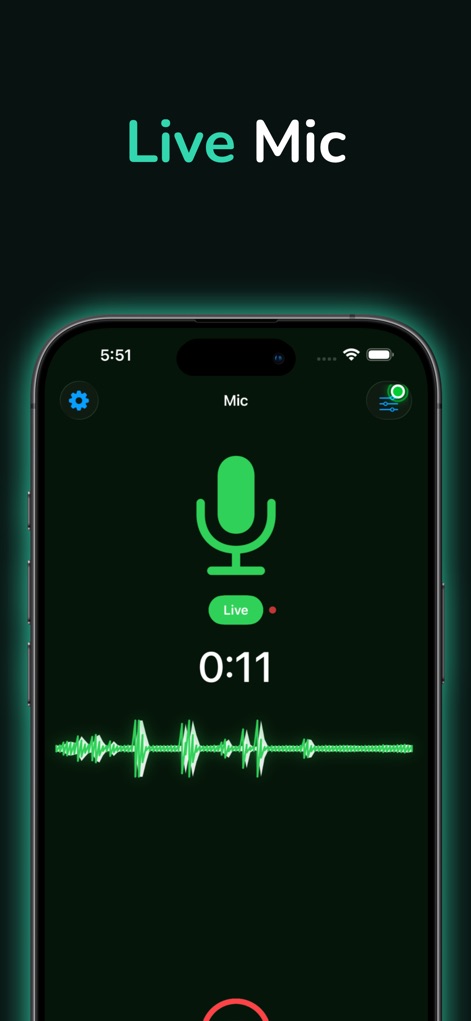
이 앱은 실시간 마이크 기능을 제공하여 음성 출력과 음성 파형 시각화를 동시에 보여줍니다.
실시간 마이크 활성화
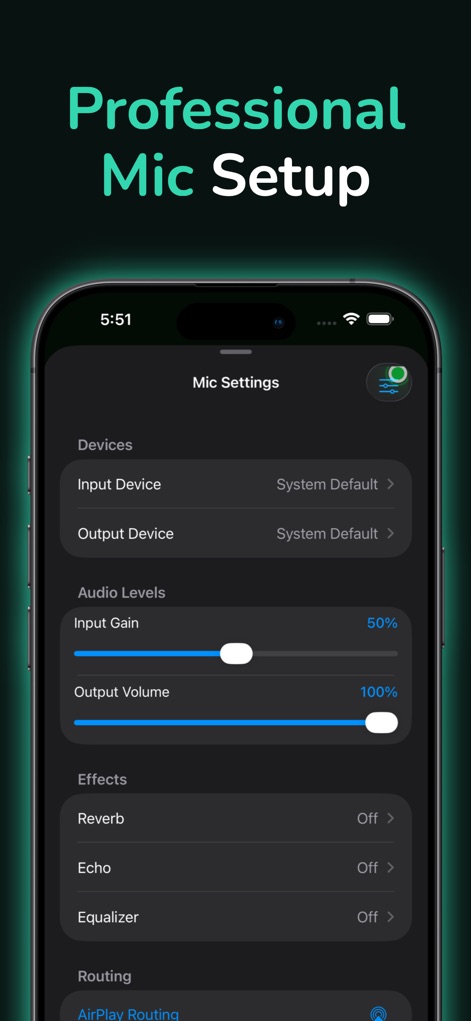
사용자는 마이크 설정 화면에서 입력 게인 및 출력 볼륨 조절을 통해 오디오를 정밀하게 제어할 수 있습니다.
전문적인 오디오 설정
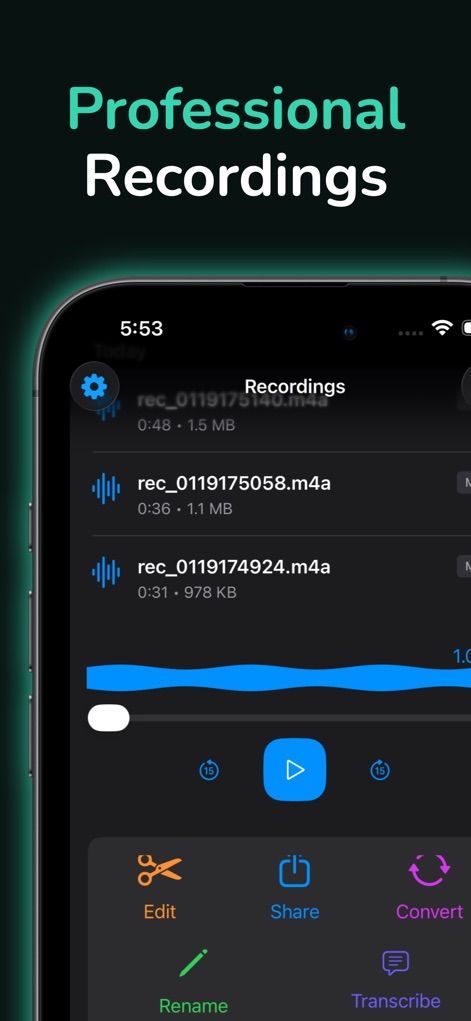
이 앱은 녹음 목록을 효율적으로 관리할 수 있도록 하며, 편집, 공유, 변환 등 다양한 후처리 기능을 지원합니다.
녹음 관리 및 편집
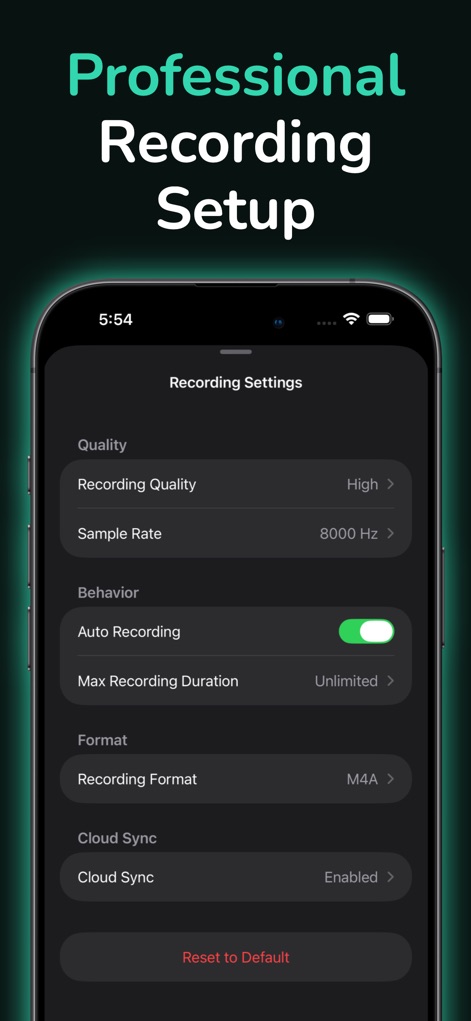
녹음 설정에서 사용자는 고품질 녹음을 위해 녹음 품질과 샘플 레이트를 직접 설정할 수 있습니다.
녹음 품질 최적화
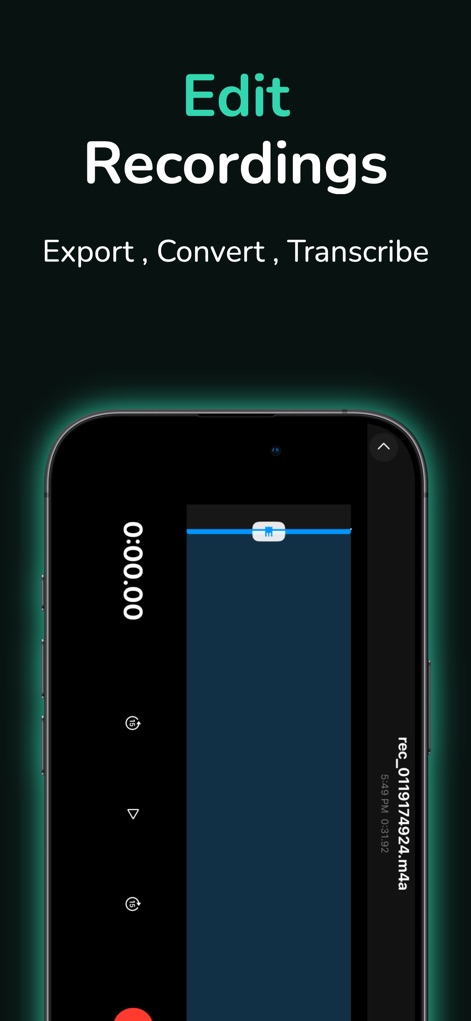
이 편집 화면은 정교한 오디오 트리밍 기능을 제공하며, 시각적인 파형을 통해 구간을 정확하게 조정할 수 있습니다.
정교한 녹음 편집
설명
Download
비슷한 앱
유사한 기능과 사용자 경험을 가진 앱
이 페이지는 앱이나 개발자의 공식 페이지가 아니며, 정보 제공 및 논평을 목적으로 작성된 독립 편집 간행물입니다. 명시적으로 달리 언급되지 않는 한, 해당 앱이나 개발자는 MWM, Apple, Google Play, 앱 퍼블리셔 또는 앱 개발자와 제휴, 보증, 후원, 승인 또는 공식적으로 연결되어 있지 않으며, 이 페이지의 어떤 내용도 해당 앱이 MWM의 서비스를 사용하여 개발되었음을 의미하지 않습니다. 모든 상표, 로고, 스크린샷 및 기타 콘텐츠는 해당 소유자의 자산입니다.