
이 페이지는 앱이나 개발자의 공식 페이지가 아니며, 정보 제공 및 논평을 목적으로 작성된 독립 편집 간행물입니다. 명시적으로 달리 언급되지 않는 한, 해당 앱이나 개발자는 MWM, Apple, Google Play, 앱 퍼블리셔 또는 앱 개발자와 제휴, 보증, 후원, 승인 또는 공식적으로 연결되어 있지 않으며, 이 페이지의 어떤 내용도 해당 앱이 MWM의 서비스를 사용하여 개발되었음을 의미하지 않습니다. 모든 상표, 로고, 스크린샷 및 기타 콘텐츠는 해당 소유자의 자산입니다.


Microsoft OneDrive
흩어진 디지털 조각들 속에서 헤매는가? 이 앱은 당신의 모든 데이터를 하나의 왕국으로 재편하고, 어디서든 그 왕국을 지배하는 절대적인 권력을 선사한다.
다운로드
100M+사용자 평점
총 평가 수
2.3M개발사
카테고리
Productivity지원 언어
33최신 버전
16.36.4크기
308.1 MB출시일
2011년 12월 13일Microsoft OneDrive 핵심 기능 분석
클라우드 스토리지 솔루션의 주요 이점 및 활용성 평가
Microsoft Office 앱 연동 및 공동 작업
Microsoft Word, Excel, PowerPoint, OneNote와 같은 Office 앱과의 긴밀한 연동을 통해 사용자가 OneDrive에 저장된 파일을 실시간으로 편집하고 공동 작업할 수 있습니다. 오프라인 편집 후 온라인 상태가 되면 자동으로 저장됩니다.
개인 금고 (Personal Vault)
이 도구는 신원 확인을 통해 중요한 파일을 보호하는 Personal Vault 기능을 제공하여 사용자 데이터의 보안을 강화합니다.
버전 기록 및 랜섬웨어 보호
사용자가 모든 파일의 버전 기록을 통해 문서를 복원하고, 랜섬웨어 탐지 및 복구 기능을 통해 데이터 손실로부터 보호받을 수 있습니다.
자동 사진 및 비디오 백업
사용자가 휴대폰의 사진과 비디오를 자동으로 백업하여 소중한 추억을 안전하게 보관할 수 있습니다.
유연한 저장 공간 옵션
사용자는 5GB의 무료 클라우드 저장 공간으로 시작하거나, Microsoft 365 구독을 통해 최대 1TB까지 저장 공간을 확장하여 방대한 데이터를 관리할 수 있습니다.
고급 파일 공유 및 관리
사용자가 파일, 사진, 비디오 및 앨범을 친구 및 가족과 쉽게 공유하고, 공유 문서 편집 시 알림을 받으며, 암호 보호 또는 만료 기한 설정으로 공유 보안을 강화할 수 있습니다.
오프라인 접근성
인터넷 연결 없이도 앱에서 전체 폴더에 접근할 수 있어, 사용자가 언제 어디서든 작업에 몰두할 수 있도록 돕습니다.
문서 스캔 및 편집
사용자가 문서, 명함, 영수증, 화이트보드 등을 스캔하여 디지털화하고, 모바일 앱에서 바로 주석을 달고 서명하며 전송할 수 있습니다.
자주 묻는 질문
에 대해 알아야 할 모든 것 Microsoft OneDrive
Does Microsoft OneDrive automatically back up photos and videos?
Yes, Microsoft OneDrive offers automatic photo and video backup when users activate the Camera Upload feature. This ensures media is protected and accessible across devices.
Is there free storage available with Microsoft OneDrive?
Microsoft OneDrive provides 5 GB of free cloud storage to all users upon starting. Additional storage is available through various Microsoft 365 subscriptions.
What is the Personal Vault feature in Microsoft OneDrive?
The Personal Vault feature in Microsoft OneDrive protects important files with identity verification. It offers an extra layer of security for sensitive documents within the app.
Can I share files and photos using Microsoft OneDrive?
Yes, Microsoft OneDrive enables users to share files, photos, videos, and albums with friends and family. It also offers advanced sharing options with a Microsoft 365 subscription.
What types of documents can be scanned with the Microsoft OneDrive app?
The Microsoft OneDrive app allows users to scan and save documents, business cards, receipts, and whiteboards directly. Users can also mark up, sign, and send scanned documents.
How much storage comes with a Microsoft 365 subscription for OneDrive?
A Microsoft 365 Personal or Family subscription provides 1 TB of storage. The Family subscription offers 1 TB per person for up to six people.
Can I edit Microsoft Office documents within Microsoft OneDrive?
Yes, Microsoft OneDrive integrates with Word, Excel, PowerPoint, OneNote, and Outlook. Users can back up, view, save, edit, and collaborate on these files in real time.
Does Microsoft OneDrive support offline access to files?
Yes, Microsoft OneDrive allows access to entire folders within the app even without an internet connection. This feature requires a Microsoft 365 Personal or Family subscription.
How do I upgrade my storage plan in the Microsoft OneDrive app?
To upgrade storage in the Microsoft OneDrive app, users tap the 'Me' tab, then select 'Get More Storage' or the 'Go Premium' diamond icon. Subscriptions start at $1.99 monthly.
Does Microsoft OneDrive protect against ransomware?
Yes, Microsoft OneDrive provides ransomware detection and recovery as a premium feature. This functionality is included with a Microsoft 365 Personal or Family subscription.
다음 스크린샷과 설명은 앱의 공식 스토어 목록에서 직접 가져온 것이며 앱 개발자의 자산입니다.
앱 스토어
스크린샷

사진 갤러리 관리
이 앱은 'Moments'와 'On This Day' 기능을 통해 사용자의 사진을 자동으로 분류하고 추억을 쉽게 재발견할 수 있도록 합니다.

안전한 파일 보관
사용자는 'My Files'에서 폴더를 생성하여 파일을 체계적으로 정리하고, 'Personal Vault'로 중요한 문서를 안전하게 보호할 수 있습니다.

손쉬운 공유 기능
이 앱은 사용자가 선택한 이미지를 'Outlook'이나 'Message' 앱과 같은 다양한 플랫폼을 통해 친구 및 가족과 간편하게 공유하도록 지원합니다.
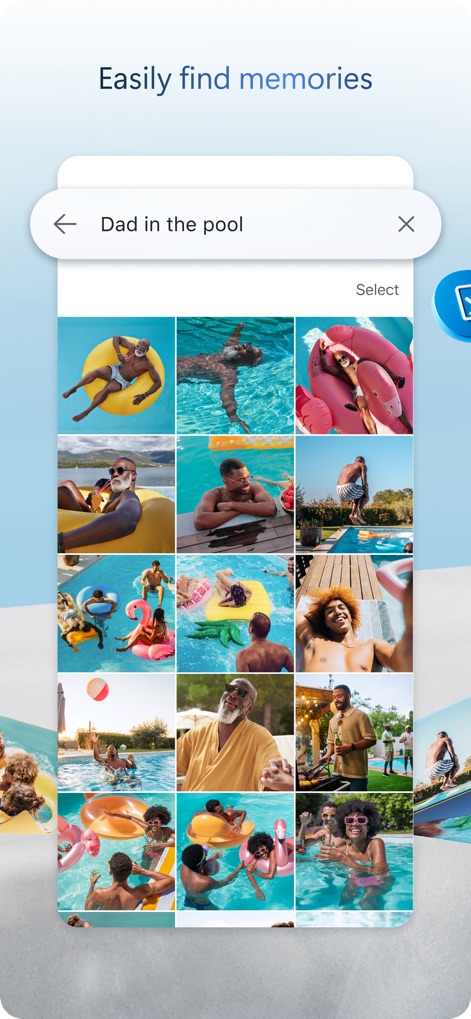
빠르고 정확한 검색
사용자는 'Dad in the pool'과 같은 구체적인 검색어를 입력하여 특정 사진을 빠르게 찾아내고, 시각적으로 명확한 격자형 결과로 확인할 수 있습니다.
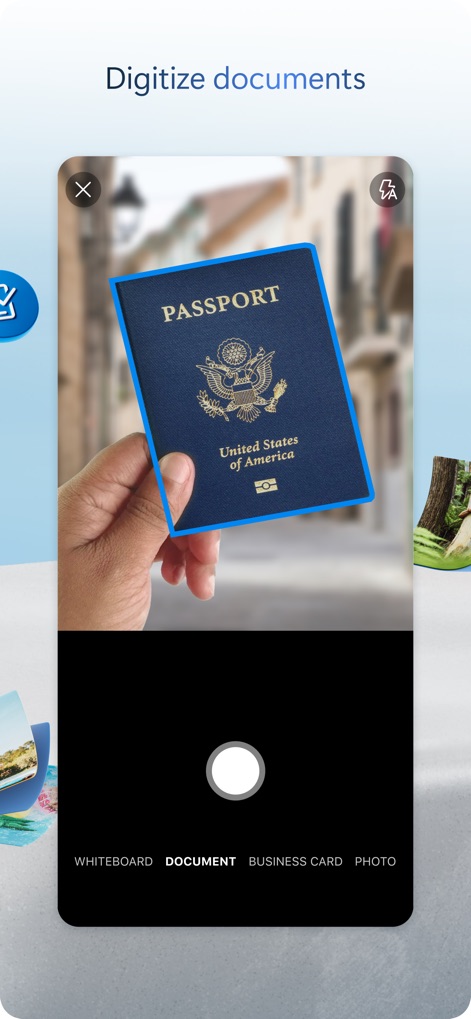
문서 스캔 기능
이 도구는 사용자가 'Passport'와 같은 문서를 스캔하여 디지털화하고, 'DOCUMENT' 또는 'WHITEBOARD'와 같은 유형으로 분류하여 저장할 수 있게 합니다.
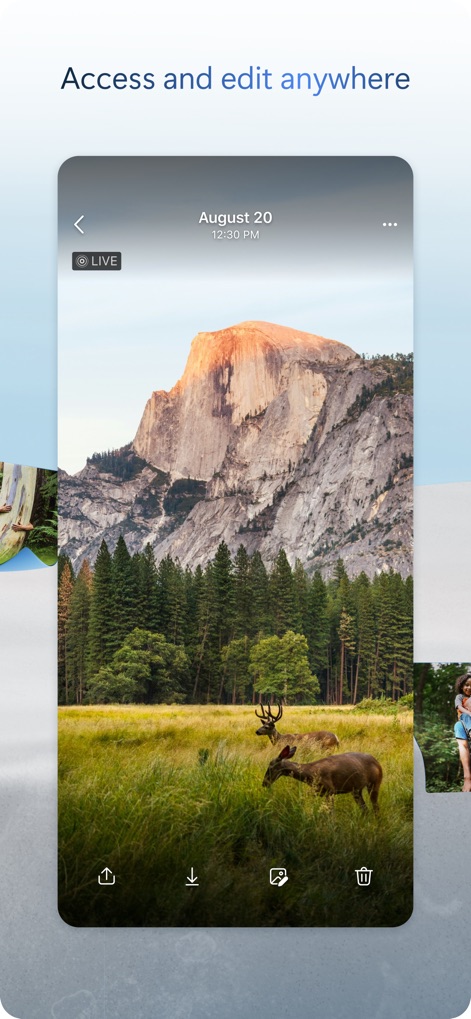
언제 어디서든 접근
이 앱은 'LIVE' 사진을 포함한 모든 파일에 어디서든 접근하여 확인하고, 다운로드 및 편집 아이콘을 통해 필요한 작업을 바로 수행할 수 있도록 합니다.
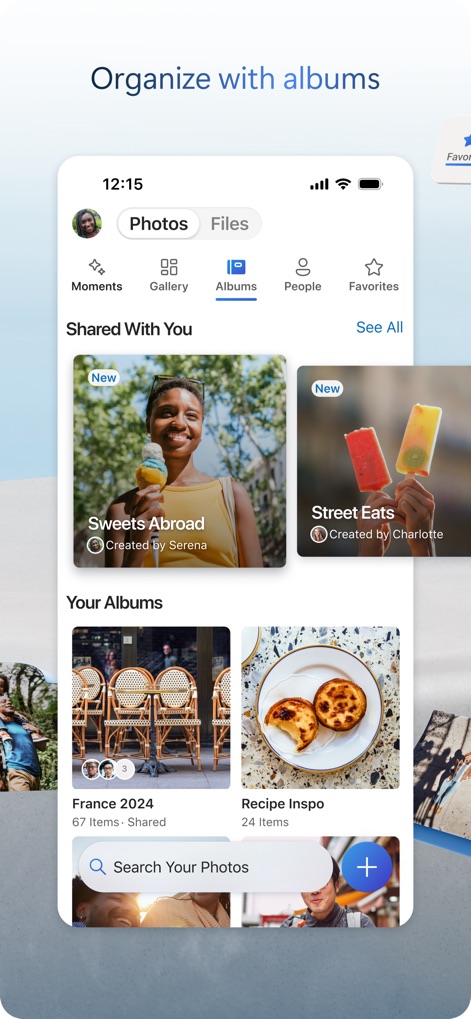
스마트한 앨범 정리
사용자는 'Shared With You' 섹션에서 공유된 앨범을 확인하고, 'Your Albums'에서 'France 2024'와 같이 직접 만든 앨범으로 사진을 체계적으로 관리할 수 있습니다.
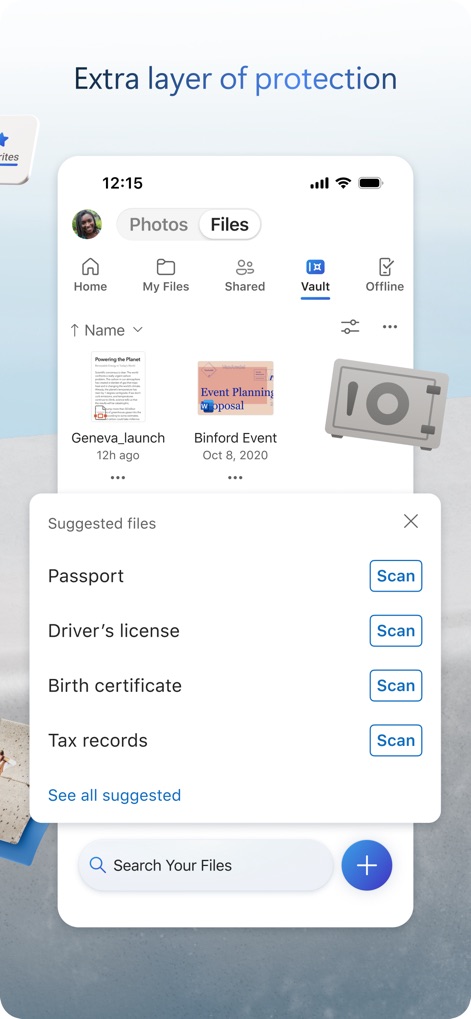
강화된 보안 보호
이 앱은 'Vault' 기능을 통해 중요한 파일을 안전하게 보관하며, 'Passport'나 'Driver's license'와 같은 민감한 문서를 스캔하여 보호하도록 제안합니다.
설명
Download
비슷한 앱
유사한 기능과 사용자 경험을 가진 앱

Google Drive
Google LLC

Яндекс Диск - Облако для фото
DIRECT CURSUS COMPUTER SYSTEMS TRADING LLC

Cloud: 1 drive - more storage
V Kontakte OOO

Nutstore-Cloud Storage&Backup
Yicun Network Technology Co. Ltd.

Dropbox: Cloud Storage Backup
Dropbox, Inc.

Google One
Google LLC

Cloud Storage: Cloud Drive App
Fazcon PTY LTD

Lifebox: Storage & Backup
LIFECELL BULUT COZUMLERI ANONIM SIRKETI

JioAICloud - Storage & Photos
JIO PLATFORMS LIMITED
이 페이지는 앱이나 개발자의 공식 페이지가 아니며, 정보 제공 및 논평을 목적으로 작성된 독립 편집 간행물입니다. 명시적으로 달리 언급되지 않는 한, 해당 앱이나 개발자는 MWM, Apple, Google Play, 앱 퍼블리셔 또는 앱 개발자와 제휴, 보증, 후원, 승인 또는 공식적으로 연결되어 있지 않으며, 이 페이지의 어떤 내용도 해당 앱이 MWM의 서비스를 사용하여 개발되었음을 의미하지 않습니다. 모든 상표, 로고, 스크린샷 및 기타 콘텐츠는 해당 소유자의 자산입니다.