
이 페이지는 앱이나 개발자의 공식 페이지가 아니며, 정보 제공 및 논평을 목적으로 작성된 독립 편집 간행물입니다. 명시적으로 달리 언급되지 않는 한, 해당 앱이나 개발자는 MWM, Apple, Google Play, 앱 퍼블리셔 또는 앱 개발자와 제휴, 보증, 후원, 승인 또는 공식적으로 연결되어 있지 않으며, 이 페이지의 어떤 내용도 해당 앱이 MWM의 서비스를 사용하여 개발되었음을 의미하지 않습니다. 모든 상표, 로고, 스크린샷 및 기타 콘텐츠는 해당 소유자의 자산입니다.

Microsoft To Do
할 일 목록? 착각하지 마라. 이 앱은 당신의 뇌가 처리해야 할 모든 정보를 붙잡고, 무엇이 정말 중요한지 냉정하게 지시한다.
다운로드
12.5M+사용자 평점
총 평가 수
957.5K개발사
카테고리
Productivity지원 언어
34최신 버전
2.169크기
157.8 MB출시일
2017년 4월 19일Microsoft To Do: 핵심 기능 분석
생산성 향상을 위한 개인 및 협업 작업 관리 도구
개인화된 일일 플래너 (나의 하루 및 제안)
이 앱은 사용자의 할 일 목록에서 관련성이 높은 작업을 지능적으로 추천하여 매일의 중요한 일에 집중하고 생산성을 높일 수 있도록 돕습니다.
유연한 기한 및 미리 알림 설정
이 앱은 사용자가 일회성 또는 반복되는 기한을 설정하고 미리 알림을 받아 중요한 일정과 마감일을 효과적으로 관리하도록 돕습니다.
모든 기기에서 동기화 및 접근
이 도구는 사용자의 할 일 목록과 작업을 여러 기기에서 원활하게 동기화하여 언제 어디서든 편리하게 접근하고 관리할 수 있도록 지원합니다.
효율적인 목록 공유 및 협업
이 도구는 사용자가 할 일 목록을 친구, 가족, 동료와 공유하고, 공동 작업을 진행하며, 변경 사항 발생 시 알림을 받을 수 있게 해줍니다.
Microsoft 365 생태계 통합
이 앱은 Outlook에서 이메일을 작업으로 변환하거나 Cortana의 목록을 동기화하는 등 다양한 Microsoft 앱 및 서비스와 작업을 원활하게 통합하여 사용자 경험을 확장합니다.
세부 작업 관리 및 파일 첨부
이 도구는 사용자가 복잡한 작업을 관리 가능한 단계로 세분화하고, 각 작업에 최대 25MB의 파일을 첨부하여 필요한 정보를 한곳에 모을 수 있도록 지원합니다.
자주 묻는 질문
에 대해 알아야 할 모든 것 Microsoft To Do
What is Microsoft To Do?
Microsoft To Do is a task management application designed to help users organize their day-to-day, manage lists, take notes, set reminders, and improve productivity. It includes personalized day planner tools like My Day and Suggestions.
Is Microsoft To Do a free application?
Yes, Microsoft To Do is free to use. It is available across all your devices to help you organize and simplify your plans without any cost.
Can I use Microsoft To Do on multiple devices?
Yes, Microsoft To Do supports cross-device usage. Users can quickly capture and retrieve lists and tasks on any device by syncing them via Microsoft 365, ensuring access anywhere.
How does Microsoft To Do help organize daily tasks?
Microsoft To Do organizes daily tasks through "My Day" and "Suggestions." These personalized day planner tools provide intelligent recommendations for relevant tasks from across your lists, helping users focus effectively.
Can I share task lists with other people in Microsoft To Do?
Yes, Microsoft To Do allows users to share lists and tasks with friends, family, colleagues, and classmates. The app provides notifications when others create, complete, or remove tasks in shared lists.
What customization options are available in Microsoft To Do?
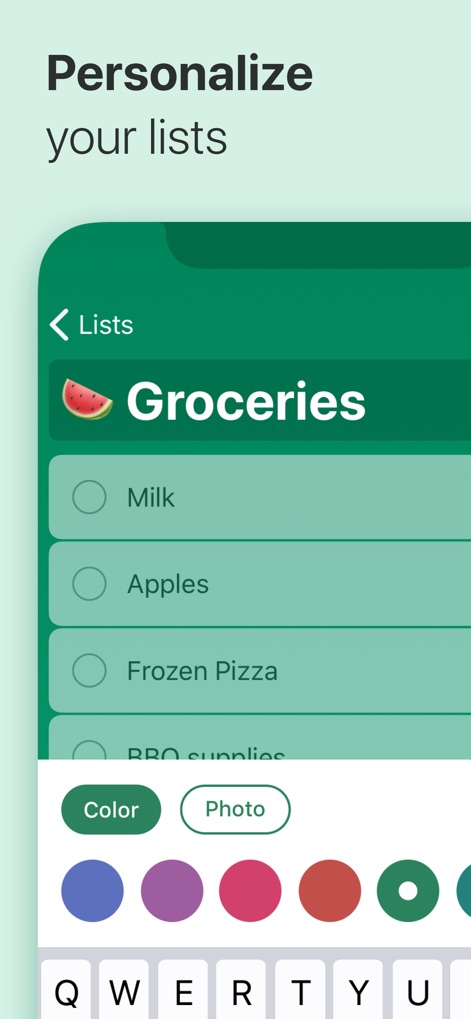
Microsoft To Do offers various customization options. Users can personalize their lists by choosing colorful themes, dark mode, backgrounds, and adding emoji to make them unique and visually appealing.
Does Microsoft To Do integrate with other Microsoft services?
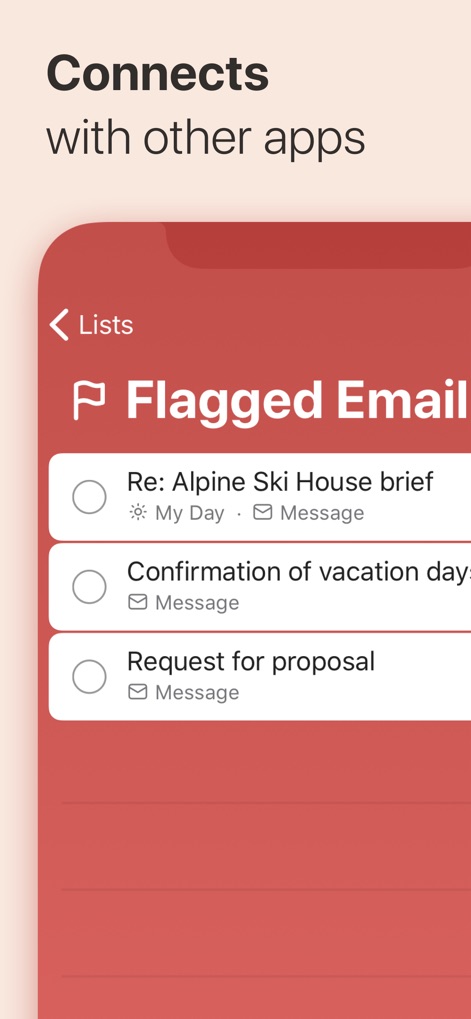
Yes, Microsoft To Do integrates with Microsoft 365 services. It syncs tasks between Outlook and To Do, enabling users to flag emails as tasks and compile tasks from various Microsoft 365 apps and services.
Are tasks and lists in Microsoft To Do secure?
Yes, tasks and lists in Microsoft To Do are hosted securely on the Microsoft 365 service. This ensures the reliability and privacy of your data, providing a protected environment for your information.
Does Microsoft To Do have Apple Watch support?
Yes, Microsoft To Do supports Apple Watch. The application is available on Apple Watch, allowing users to manage their tasks and view their lists directly from their wrist.
Can I add notes and files to tasks in Microsoft To Do?
Yes, Microsoft To Do allows users to add notes to any task. You can also attach files up to 25MB, providing comprehensive context and details for your tasks within the application.
다음 스크린샷과 설명은 앱의 공식 스토어 목록에서 직접 가져온 것이며 앱 개발자의 자산입니다.
앱 스토어
스크린샷
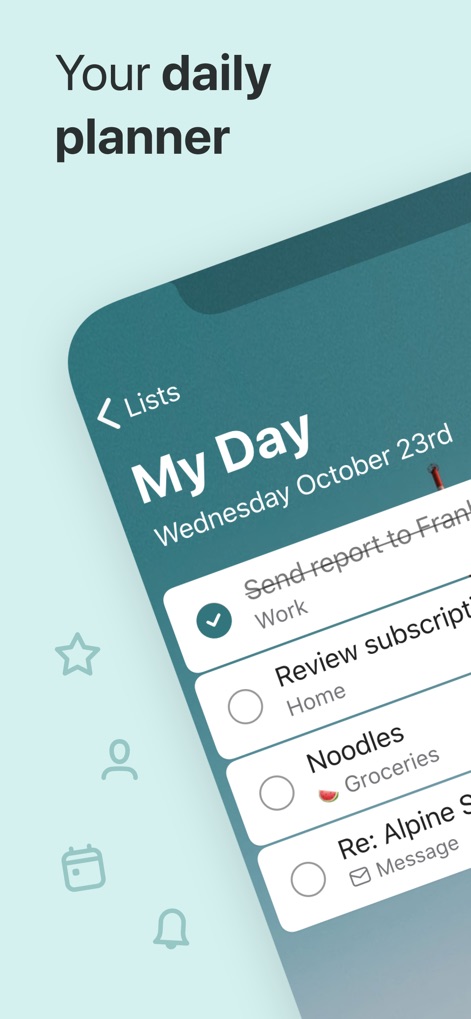
하루 계획, 효율적인 관리
이 앱의 '나의 하루' 기능은 개인화된 일일 계획을 제공합니다. 사용자는 완료된 작업의 체크 표시와 깔끔하게 정렬된 작업 목록을 통해 하루를 효율적으로 관리할 수 있습니다.
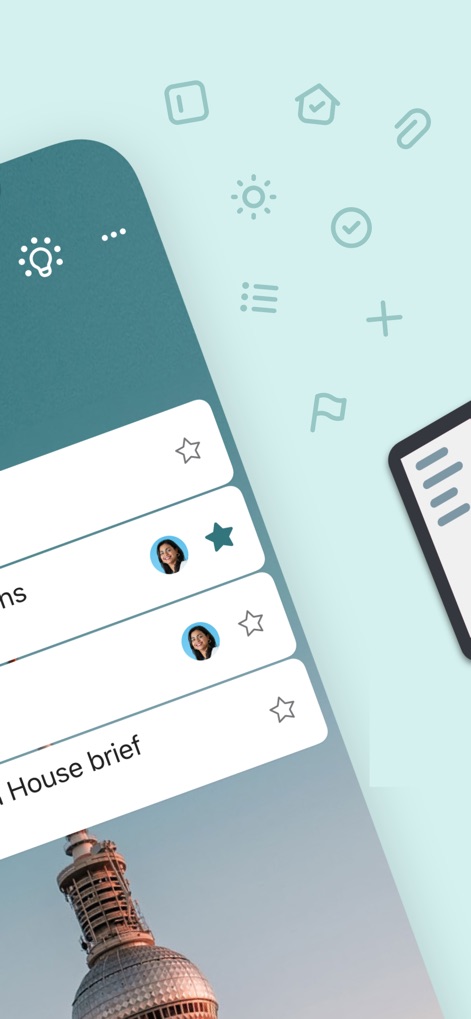
협업과 공유의 용이성
이 앱은 다른 사용자의 프로필 이미지와 별표 표시된 중요한 작업 항목을 명확하게 보여주어 팀과의 효율적인 공동 작업을 지원합니다.
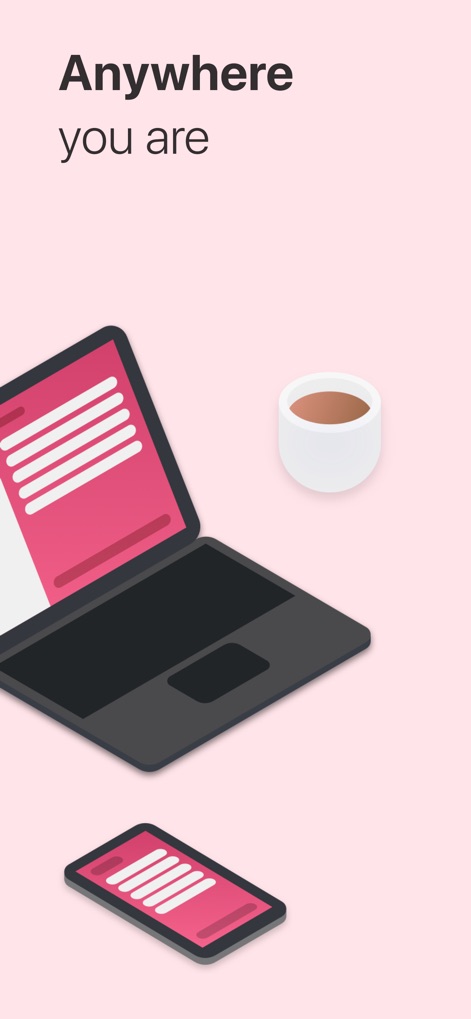
어디서든 끊김 없이
사용자는 이 앱을 스마트폰과 노트북을 포함한 다양한 기기에서 동일한 인터페이스로 접근하여 일관된 작업 환경을 경험할 수 있습니다.
나만의 목록, 다채롭게
이 앱은 사용자에게 다양한 색상 선택 옵션과 목록 제목에 이모티콘을 추가하여 개인화된 경험을 제공합니다.
다른 앱과의 연동
이 도구는 플래그가 지정된 이메일을 작업으로 가져오며, 각 항목 옆에 이메일 아이콘과 '나의 하루' 아이콘을 표시하여 다른 Microsoft 앱과의 연동성을 보여줍니다.

스마트워치에서 바로
이 앱은 Apple Watch에서도 완벽하게 작동하며, 사용자는 '작업 추가' 버튼과 '나의 하루' 목록 항목을 손목에서 바로 관리할 수 있습니다.
설명
Download
비슷한 앱
유사한 기능과 사용자 경험을 가진 앱

Notion: Notes, Tasks, AI
Notion Labs, Incorporated

Freenotes®: AI Notes Taking
Hangzhou Free Notes Technology Co., Ltd

Structured - Daily Planner
unorderly GmbH

Google Tasks: Get Things Done
Google LLC

TickTick:To-Do List & Calendar
Appest Limited

Noteful: Notes & PDF Markup
Noteful Technologies Ltd

Todoist: To Do List & Calendar
Doist Inc.

To do list MinimaList & Widget
Inner Grow Limited

monday.com - Work Platform
monday.com Ltd.
이 페이지는 앱이나 개발자의 공식 페이지가 아니며, 정보 제공 및 논평을 목적으로 작성된 독립 편집 간행물입니다. 명시적으로 달리 언급되지 않는 한, 해당 앱이나 개발자는 MWM, Apple, Google Play, 앱 퍼블리셔 또는 앱 개발자와 제휴, 보증, 후원, 승인 또는 공식적으로 연결되어 있지 않으며, 이 페이지의 어떤 내용도 해당 앱이 MWM의 서비스를 사용하여 개발되었음을 의미하지 않습니다. 모든 상표, 로고, 스크린샷 및 기타 콘텐츠는 해당 소유자의 자산입니다.