MicSwap: Microphone Recording

MicSwap: Microphone Recording

다운로드: App Store
로고: MicSwap: Microphone Recording

MicSwap: 주머니 속 전문가 스튜디오 녹음

전설적인 마이크 모델과 상징적인 스튜디오 환경으로 음악, 팟캐스트, 보이스오버를 향상시키세요. 10,000달러의 가격표 없이 전문가처럼 녹음하고 최고급 사운드를 얻으세요.

개발사

Future Moments LLC

카테고리

Music

다운로드

1M+

사용자 평점

4.4/5

총 평가 수

1K+

지원 언어

23

마이크 락커 둘러보기

이 인터페이스를 사용하는 1M+ 명의 사용자.

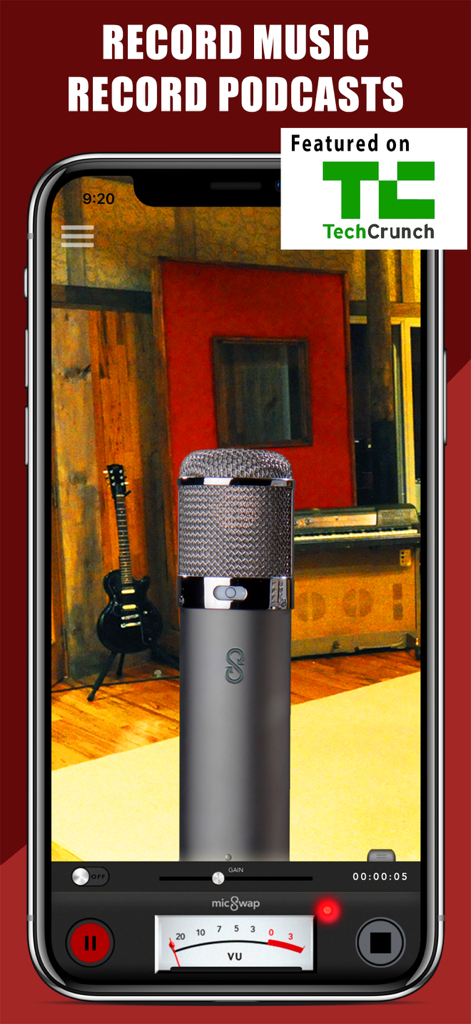
음악 및 팟캐스팅을 위한 녹음 스튜디오 환경의 전문가용 마이크를 보여주는 MicSwap 앱 인터페이스
음악 및 팟캐스팅을 위한 녹음 스튜디오 환경의 전문가용 마이크를 보여주는 MicSwap 앱 인터페이스

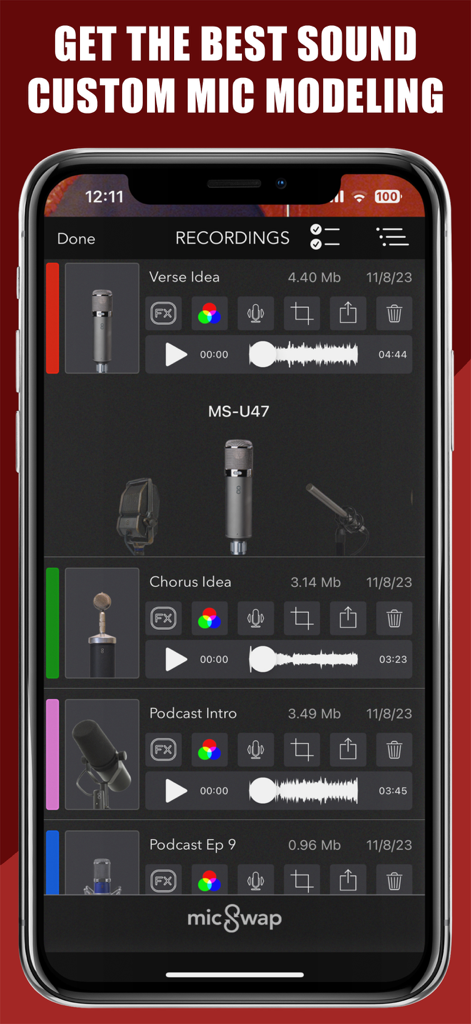
사용자 정의 마이크 모델링 옵션이 있는 녹음된 오디오 파일이 표시된 MicSwap 앱 인터페이스
사용자 정의 마이크 모델링 옵션이 있는 녹음된 오디오 파일이 표시된 MicSwap 앱 인터페이스

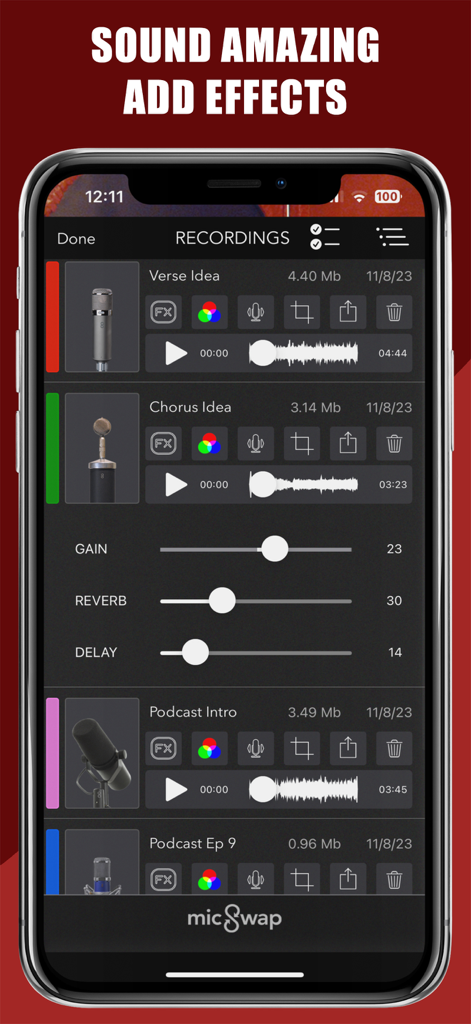
조정 가능한 게인, 리버브 및 딜레이 효과가 있는 음악 및 팟캐스트용 녹음 파일 목록을 보여주는 MicSwap 모바일 앱
조정 가능한 게인, 리버브 및 딜레이 효과가 있는 음악 및 팟캐스트용 녹음 파일 목록을 보여주는 MicSwap 모바일 앱

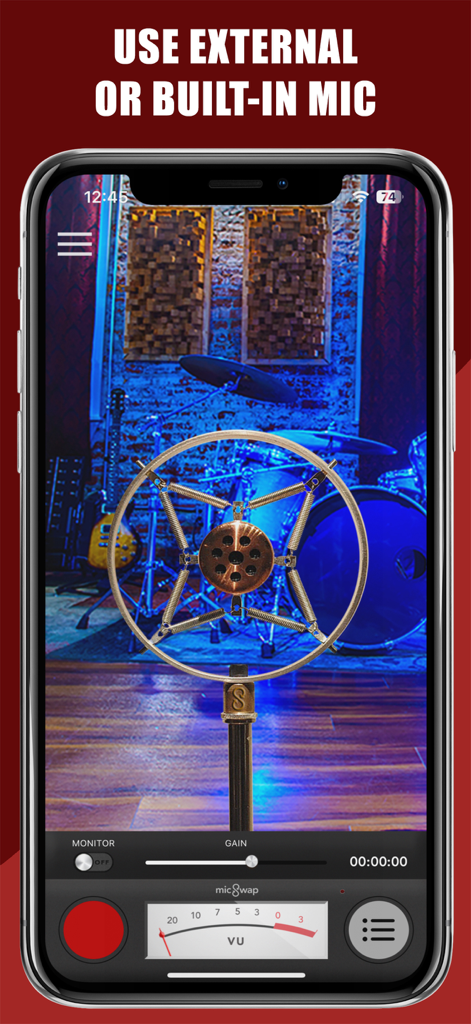
녹음 스튜디오 배경과 함께 빈티지 마이크 모델을 보여주는 MicSwap 앱 인터페이스
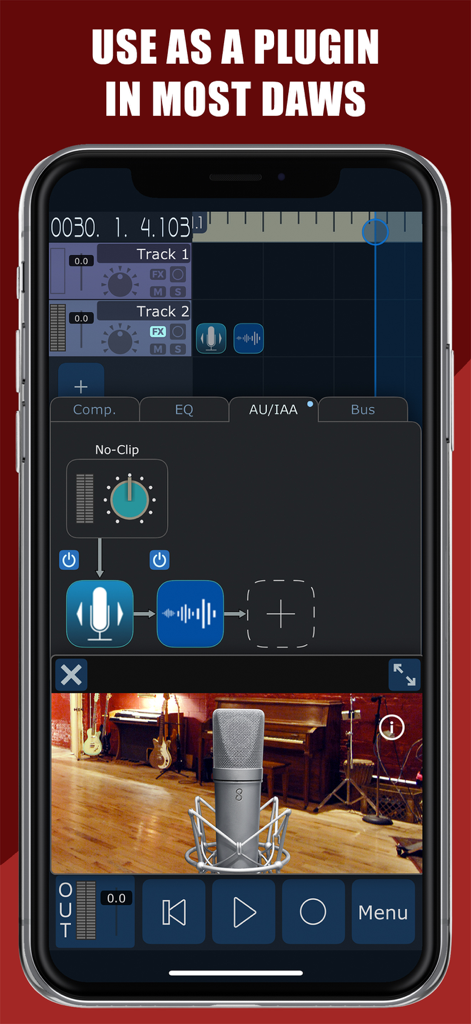
녹음 스튜디오 배경과 함께 빈티지 마이크 모델을 보여주는 MicSwap 앱 인터페이스

DAW 플러그인 통합 및 마이크 모델링을 시연하는 MicSwap 앱 인터페이스
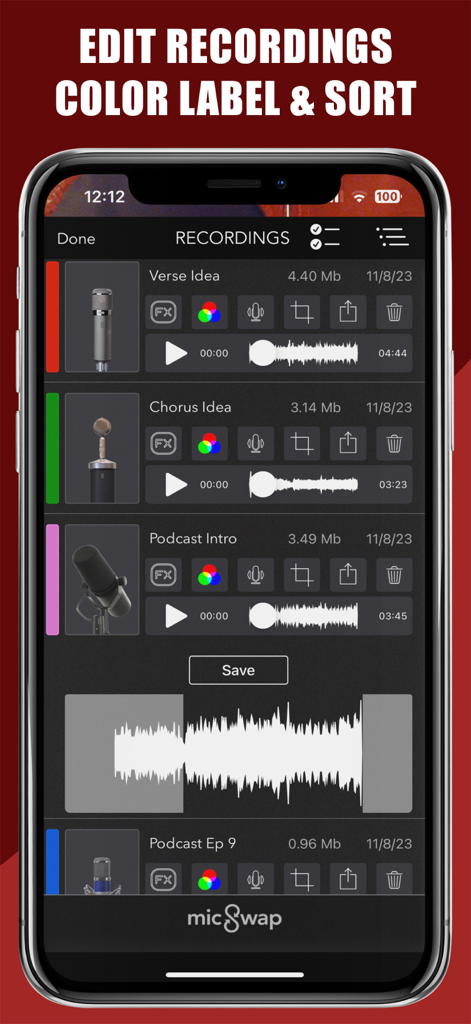
DAW 플러그인 통합 및 마이크 모델링을 시연하는 MicSwap 앱 인터페이스

색상 레이블 및 파형이 있는 MicSwap의 오디오 녹음 목록
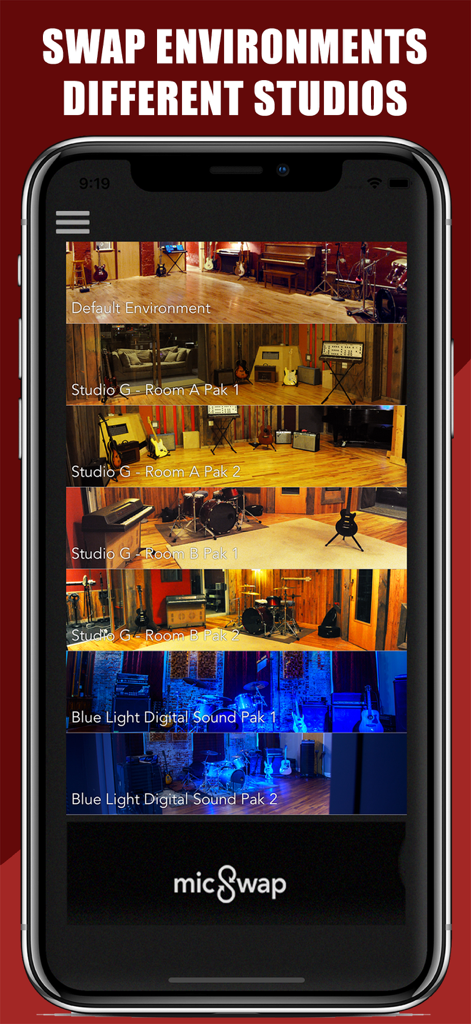
색상 레이블 및 파형이 있는 MicSwap의 오디오 녹음 목록

가상 녹음 스튜디오 환경 및 룸 사전 설정 선택을 보여주는 MicSwap 앱 인터페이스
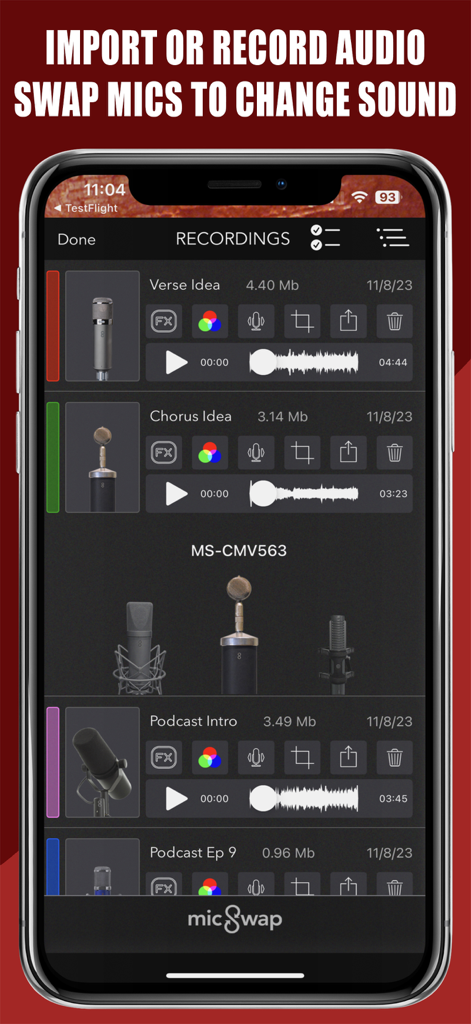
가상 녹음 스튜디오 환경 및 룸 사전 설정 선택을 보여주는 MicSwap 앱 인터페이스

MicSwap 앱 인터페이스에 오디오 녹음 및 마이크 선택 목록 표시
MicSwap 앱 인터페이스에 오디오 녹음 및 마이크 선택 목록 표시

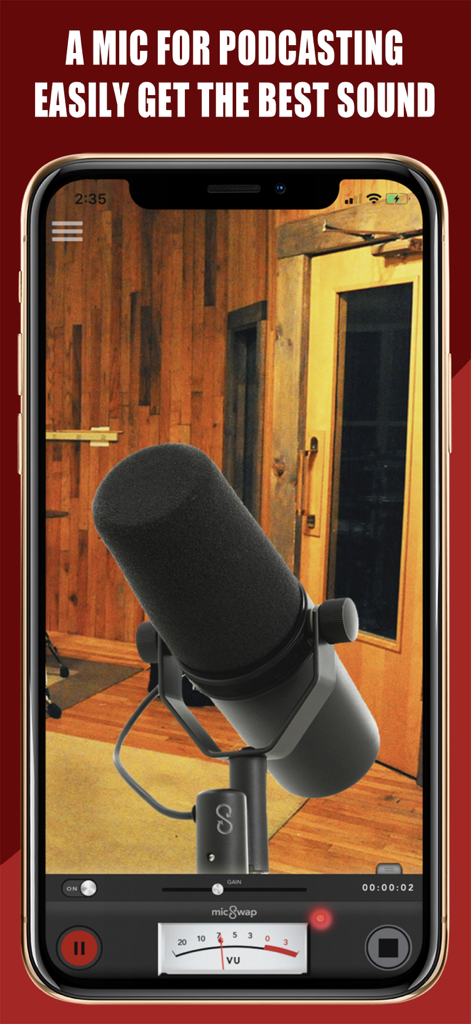
스튜디오에서 전문가용 팟캐스팅 마이크 및 녹음 컨트롤을 보여주는 MicSwap 앱 인터페이스
스튜디오에서 전문가용 팟캐스팅 마이크 및 녹음 컨트롤을 보여주는 MicSwap 앱 인터페이스

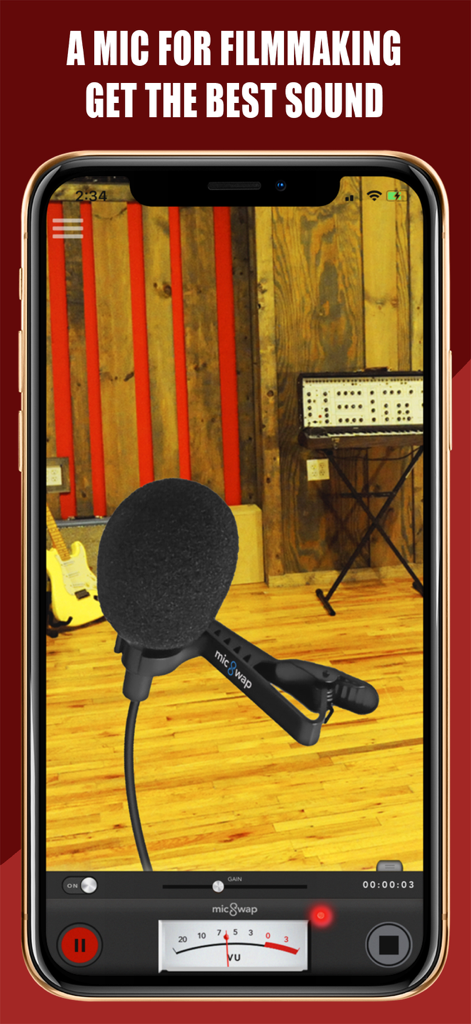
전문 오디오 컨트롤이 있는 영화 제작용 가상 라발리에 마이크를 보여주는 MicSwap 앱 인터페이스

전문 오디오 컨트롤이 있는 영화 제작용 가상 라발리에 마이크를 보여주는 MicSwap 앱 인터페이스

전문가 스튜디오 사운드를 간편하게

이 앱을 돋보이게 하는 도구, 1M+ 명의 사용자가 선택.

🎙️

17개의 상징적인 마이크

슈어 SM7b 또는 뉴만 U87과 같은 전설적인 마이크를 즉시 바꿔가며 비싼 가격표 없이 백만 달러짜리 톤을 얻으세요.

🏢

프로 스튜디오 환경

탭 한 번으로 녹음 공간을 변경하세요. 세션 공간을 건조한 침실에서 빈티지 라디오 부스 또는 완벽한 음향을 위한 전문 스튜디오로 옮기세요.

🔌

매끄러운 프로 통합

GarageBand 및 FL Studio 내에서 AUv3 플러그인으로 작동하여 전문 음악 또는 팟캐스트 워크플로우에 완벽한 휴대용 추가 기능을 제공합니다.

앱 소개

에 대해 알아야 할 모든 것 MicSwap: Microphone Recording.

설명

A mobile recording studio for music, podcasting, voiceover, filmmaking and more. Record or import audio, swap microphones for different sounds, change studios, edit, color label, sort, share and store your recordings anywhere. This free version comes with 3 free mics of 17, and the ability to try then buy others. Subscribe to use with an external microphone or interface, all mics and studios, unlimited recording and the ability to use it as a plugin with other music apps.like GarageBand, FL Studio, Auria, Cubasis, Multitrack and more etc (Audiobus, IAA, AUv3 compatible). MicSwap can also transform your iPhone or iPad into a microphone when you connect it to external speakers. If you're using a computer without a microphone, MicSwap is am easy way to add a mic to your setup so you can add voiceover to videos, record podcasts, add commentary to games and more "If you’re yearning to broaden your sonic palette but don’t happen to have a spare $2K to spend, you’ll like MicSwap Pro a whole lot." - MacLife "One of the best recording apps for iOS" - iPadMusic.com "MicSwap Turns Your iPhone Into Rock And Roll" - TechCrunch "Like Instagram For Your Voice" - Forbes "A useful, well-produced app" - Music Radar • Studio, Mic Modeler & Recorder • Record, import, change the sound of any audio • Record in Wav or M4a • Swap Microphones for different sounds • Swap Recording Studios • Adjust the input gain • Live monitoring • Color code your recordings • Much more! FEATURES • Record with different mics for different sounds • 3 Microphones included • Change the sound of pre-existing audio • Adjust the gain (input) of any microphone • Edit / trim recordings • Enable / disable live monitoring • AU compatible • AudioCopy enabled • Change backgrounds by swapping studio environments • Color label recordings • Sort recordings by date, title, duration, mic used, & color • Descriptions of each mic & studio (Tap 'S' or (i) on mic) • Re-order the microphones. Put your favorites first. • Share your recordings anywhere 17 MICROPHONES MODELED • Shure SM7b (Podcasting) • Rode NTG3 (Boom Mic) • Shure SM58 • RCA 77 • Sony Lavalier • Megaphone • Amperite SR80 • Neumann U47 • Neumann U87 • Neumann KM140 • Neumann CMV563 • AKG 414 • AKG C12VR • Royer Ribbon R121 • Old Timey Radio Mic • Ribbon Fathead 1 • Ribbon Fathead 2 ALSO BY FUTURE MOMENTS: Video Audio Splitter Remix the Audio of Your Video MicSwap Remix AI Audio Stem Separator Crystal Audio AI Audio Cleanup Magic MAIVE Ai Video Generator VideoVerb Add Reverb to Your Videos Hear Boost Get Super Hearing & Recording MicSwap Mic Modeler & Recorder MicSwap MultiTrack Multitrack Mic Modeler & Recorder MicSwap Video Edit Video Audio with Mic Models & FX MicSwap Camera The Best Sounding Video Camera AudioFix Denoise & Clean the Sound of Your Video VideoMaster Instant Audio Post-Production for Videos AudioVerb Add Reverb & Delay to Your Audio AudioMaster Audio Mastering for Podcasts & Music Volume Booster Easily Boost the Sound of Your Audio or Video Use for Podcasting, Music Creation, Voiceover, Memos, Ideas, Songwriting, Singing, Karaoke, etc MicSwap is a highly intuitive tool that simulates a real studio environment. It's a mic locker and recording studio in your pocket. Record and filter new or pre-existing audio. Serious audio engineers, musicians, recording hobbyists, podcasters etc.. For an optimal audio experience, please use headphones. WE OFFER 3 SUBSCRIPTION PLANS *Prices are equal to the value that "Apple's App Store Matrix" determines is the equivalent of the subscription price in $USD. If you choose to subscribe, your subscriptions will automatically renew at the end of the selected time and will charge your credit card through your iTunes account. You can turn off auto-renew at any time from your iTunes account settings. Future Moments LLC privacy policy: http://future-moments.com/faq Future Moments LLC terms of use: http://future-moments.com/faq

최신 버전

3.16

크기

333.9 MB

출시일

2014년 12월 7일

오늘 당신의 프로 스튜디오 사운드를 잠금 해제하세요

전설적인 오디오 품질을 위해 MicSwap을 신뢰하는 100만 명 이상의 크리에이터와 함께하세요. 지금 다운로드하고 주머니 속에 세계적인 마이크 락커를 휴대하세요.

다운로드: App Store
FAQ

자주 묻는 질문

에 대해 알아야 할 모든 것 MicSwap: Microphone Recording

MicSwap: Microphone Recording은 무엇인가요?

MicSwap은 음악, 팟캐스트, 성우 연기, 영화 제작을 위한 모바일 녹음 스튜디오 애플리케이션입니다. 사용자는 오디오를 녹음하거나 가져오고, 마이크와 스튜디오를 변경하며, 녹음을 편집하고 공유할 수 있습니다.

MicSwap: Microphone Recording으로 오디오를 녹음할 수 있나요?

네, MicSwap은 앱 내에서 직접 오디오를 녹음합니다. 사용자는 또한 기존 오디오 파일을 가져와 효과와 마이크 모델을 적용할 수 있으며 Wav 또는 M4a와 같은 형식을 지원합니다.

MicSwap: Microphone Recording은 다양한 마이크 모델을 제공하나요?

네, MicSwap은 다양한 사운드를 위한 17개의 모델링된 마이크를 제공하며, 무료 버전에는 3개가 포함되어 있습니다. 사용자는 마이크를 변경하여 새 오디오 또는 기존 오디오의 사운드를 바꿀 수 있습니다.

MicSwap: Microphone Recording을 외부 마이크와 함께 사용할 수 있나요?

네, 구독을 통해 MicSwap과 외부 마이크 또는 인터페이스를 연결하여 사용할 수 있습니다. 이 앱은 또한 iPhone/iPad를 외부 스피커용 마이크로 변환합니다.

MicSwap: Microphone Recording은 다른 디지털 오디오 워크스테이션(DAW)과 호환되나요?

네, MicSwap은 GarageBand, FL Studio, Auria, Cubasis, Multitrack와 같은 다른 음악 앱과 호환됩니다. 플러그인으로 Audiobus, IAA 및 AUv3 표준을 지원합니다.

MicSwap: Microphone Recording에서 녹음을 편집할 수 있나요?

네, MicSwap은 사용자가 녹음을 편집하고 자를 수 있도록 합니다. 또한 컬러 코딩, 다양한 기준별 정렬, 입력 게인 조절 및 효과 적용 기능이 포함됩니다.

MicSwap: Microphone Recording은 다양한 스튜디오 환경을 제공하나요?

네, MicSwap을 사용하면 스튜디오 환경을 변경하여 녹음의 사운드와 시각적 배경을 바꿀 수 있습니다. 이 기능은 여러 스튜디오 옵션을 통해 사용할 수 있습니다.

MicSwap: Microphone Recording의 가격은 얼마인가요?

MicSwap은 3개의 마이크가 포함된 무료 버전을 제공합니다. 모든 마이크, 스튜디오, 무제한 녹음 및 외부 마이크 지원에 대한 전체 액세스를 위해서는 구독이 필요합니다. 가격은 Apple의 App Store Matrix에서 정합니다.

MicSwap: Microphone Recording은 실시간 오디오 모니터링을 지원하나요?

네, MicSwap에는 실시간 모니터링 기능이 포함되어 있습니다. 사용자는 녹음 중에 이 기능을 활성화하거나 비활성화하여 저장하기 전에 실시간으로 오디오를 들을 수 있습니다.

MicSwap: Microphone Recording 구독은 어떻게 관리하나요?

MicSwap 구독은 선택한 기간이 끝나면 자동으로 갱신됩니다. 사용자는 iTunes 계정 설정에서 언제든지 자동 갱신을 해제하여 구독을 관리할 수 있습니다.

App information, icons, screenshots, and descriptions displayed on this page are sourced from the Apple App Store and are the property of their respective developers. Download estimates and rankings are based on MWM's proprietary models and may not reflect actual figures. This page is provided for informational and analytical purposes only.

Believe this page infringes your intellectual property? File a dispute