MidiMixer for AUM Auv3 Plugin
다운로드: App Store

이 페이지는 앱이나 개발자의 공식 페이지가 아니며, 정보 제공 및 논평을 목적으로 작성된 독립 편집 간행물입니다. 명시적으로 달리 언급되지 않는 한, 해당 앱이나 개발자는 MWM, Apple, Google Play, 앱 퍼블리셔 또는 앱 개발자와 제휴, 보증, 후원, 승인 또는 공식적으로 연결되어 있지 않으며, 이 페이지의 어떤 내용도 해당 앱이 MWM의 서비스를 사용하여 개발되었음을 의미하지 않습니다. 모든 상표, 로고, 스크린샷 및 기타 콘텐츠는 해당 소유자의 자산입니다.

로고: MidiMixer for AUM Auv3 Plugin
다운로드: App Store

MidiMixer for AUM Auv3 Plugin

AUM 생태계를 위해 특별히 설계된 12채널 제어, 그래픽 자동화 편집, 원활한 스냅샷 전환으로 iOS 프로덕션 워크플로우를 향상시키세요.

주요 수치

다운로드

12K+

사용자 평점

4.7/5

총 평가 수

0

개발사

Limelight Software

카테고리

Music

지원 언어

1

최신 버전

1.09

크기

7.7 MB

출시일

2020년 12월 9일
기능

AUM 워크플로우 마스터하기

진지한 iPad 프로듀서를 위해 설계된 전문 등급 스냅샷, 정밀한 그래픽 편집, 원활한 멀티채널 제어로 AUM을 강력한 자동화 파워하우스로 변환하세요.

유연한 스냅샷 페이드

최대 8개의 믹서 스냅샷을 만들고 이를 부드럽고 타이밍에 맞춰 페이드하세요. 한 번의 탭으로 벌스와 코러스 간 이동이나 복잡한 라이브 전환을 수행하는 데 완벽합니다.

정밀 자동화 편집기

실시간 페이더 움직임을 녹음하거나 그래픽 그리기 도구를 사용하여 트랙에 전문적인 움직임을 추가하세요. 더 이상 '유리 화면 피로'는 없습니다. 데스크톱급 자동화 제어만 있으면 됩니다.

다음 스크린샷과 설명은 앱의 공식 스토어 목록에서 직접 가져온 것이며 앱 개발자의 자산입니다.

앱 스토어

스크린샷
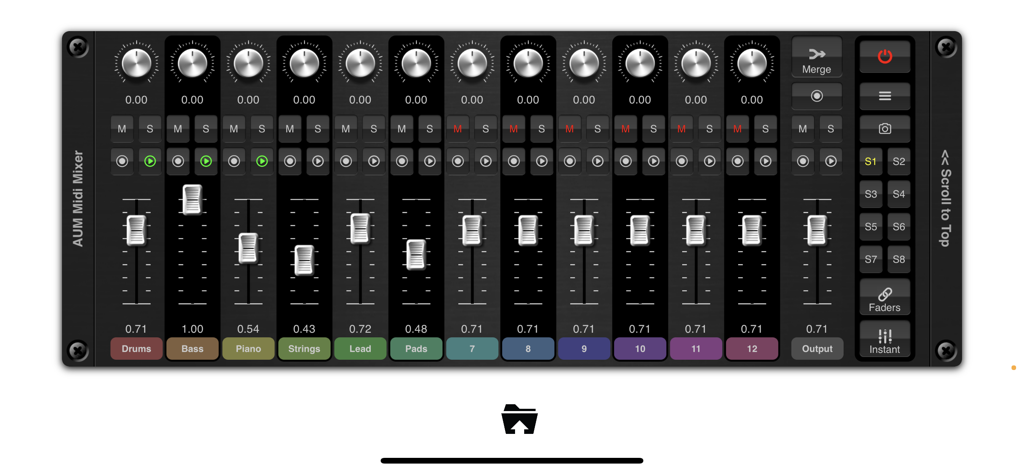
MidiMixer for AUM Auv3 Plugin - 12개 채널 페이더와 믹서 스냅샷을 보여주는 AUM용 MidiMixer 인터페이스
12개 채널 페이더와 믹서 스냅샷을 보여주는 AUM용 MidiMixer 인터페이스

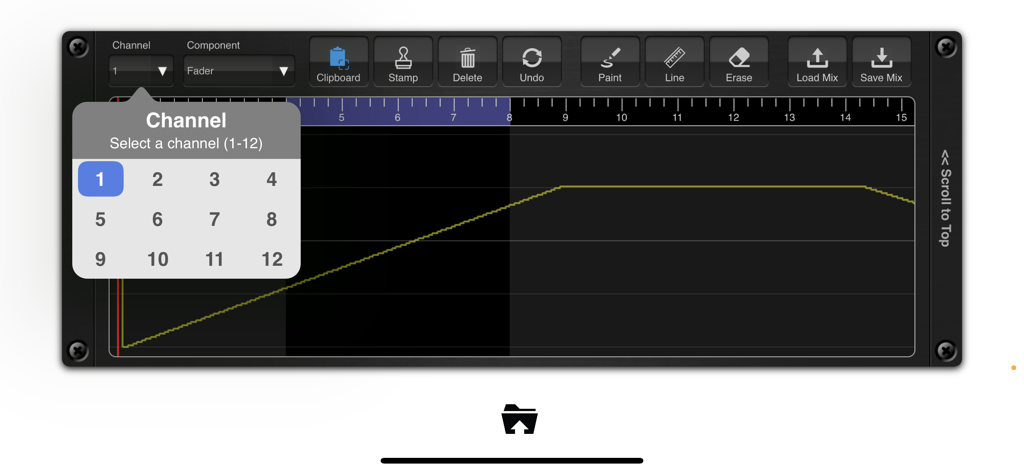
MidiMixer for AUM Auv3 Plugin - AUM용 MidiMixer의 그래픽 자동화 편집기 및 채널 선택

AUM용 MidiMixer의 그래픽 자동화 편집기 및 채널 선택

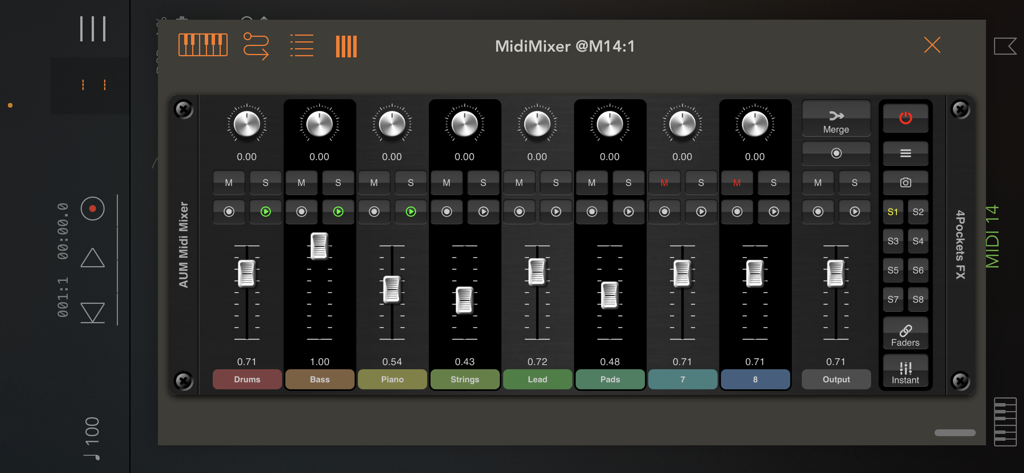
MidiMixer for AUM Auv3 Plugin - AUM에서 드럼, 베이스, 현악기용 페이더가 있는 MidiMixer AUv3 플러그인 콘솔
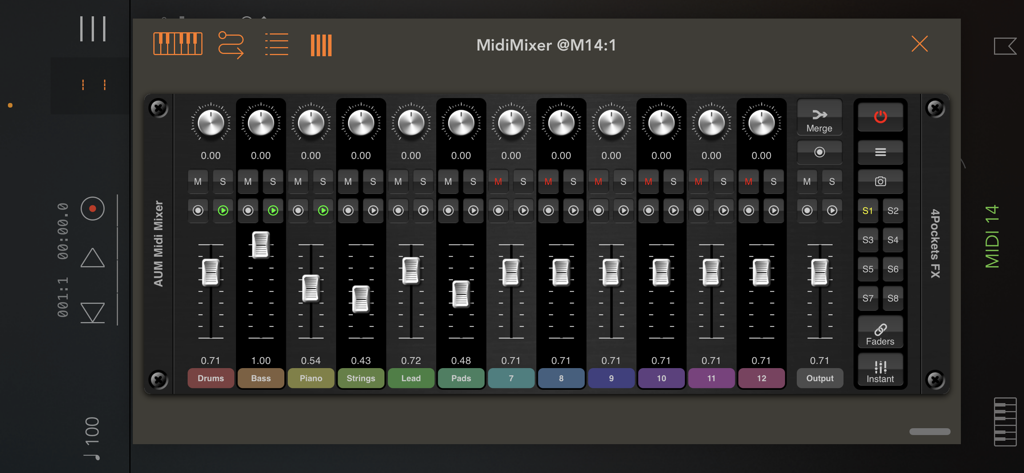
AUM에서 드럼, 베이스, 현악기용 페이더가 있는 MidiMixer AUv3 플러그인 콘솔

MidiMixer for AUM Auv3 Plugin - iOS 음악 프로덕션을 위한 페이더와 스냅샷이 있는 12채널 디지털 믹서를 보여주는 AUM용 MidiMixer 인터페이스
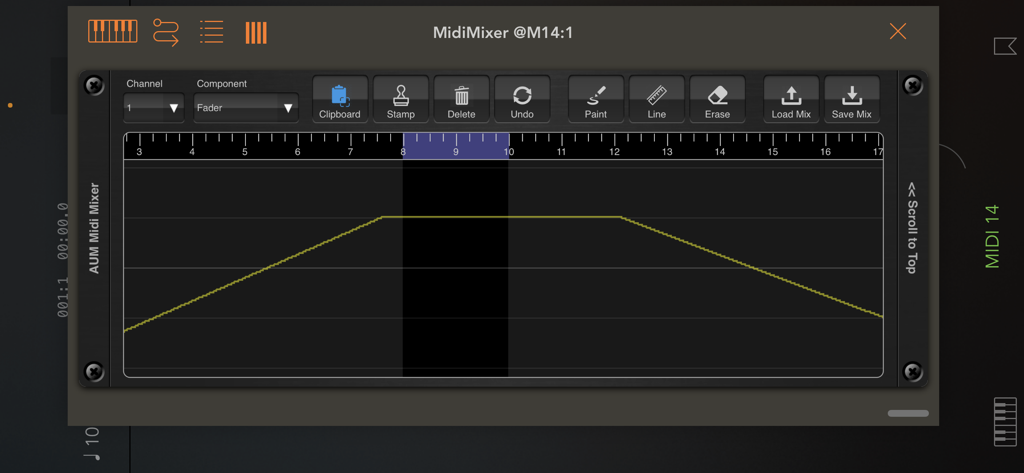
iOS 음악 프로덕션을 위한 페이더와 스냅샷이 있는 12채널 디지털 믹서를 보여주는 AUM용 MidiMixer 인터페이스

MidiMixer for AUM Auv3 Plugin - 타임라인에서 페이더 볼륨 곡선과 편집 도구를 보여주는 MidiMixer의 그래픽 자동화 편집기
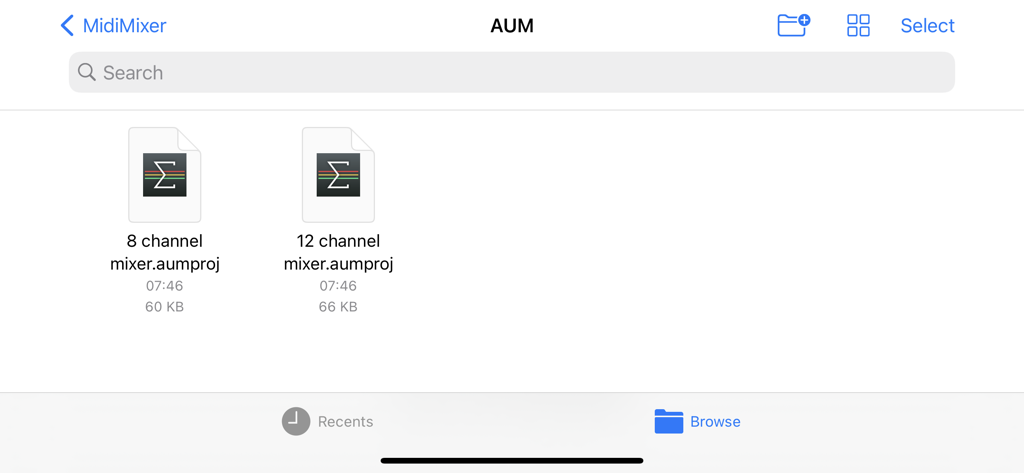
타임라인에서 페이더 볼륨 곡선과 편집 도구를 보여주는 MidiMixer의 그래픽 자동화 편집기

MidiMixer for AUM Auv3 Plugin - 8개 및 12개 채널 AUM 믹서를 위한 세션 템플릿을 보여주는 MidiMixer의 파일 브라우저.

8개 및 12개 채널 AUM 믹서를 위한 세션 템플릿을 보여주는 MidiMixer의 파일 브라우저.

설명

1st Sept: This version adds scene support for compatability with future versions of iOS. MidiMixer is an AUv3 plugin specifically designed for AUM which allows you to control your mix and record automation synced to AUM's timeline. You can control up to 12 AUM channels at once and create up to 8 snapshots of the mixing desk. You can smoothly fade from one snapshot into another at the touch of a button and even record these transitions as part of the automation for your song. Automation recording is a big part of MidiMixer, and as such can record real-time movement of controls or add them directly to the visual editor. Editor tools allow you to draw automation for each control in real time as your song plays. MidiMixer ships with a couple of default AUM session templates that will help you quickly configure AUM and MidiMixer ready to create your new song. MidiMixer works by sending control messages to AUM. It relies on the default settings for AUM which makes setup very quick and easy. By default, you have control over 12 AUM tracks and a single group track for overall volume. You can control AUM's fader, pan, mute and solo settings for each of the 12 channels. We also provide a user option which allows you to send custom data to control other AUM settings (or a piece of MIDI equipment of your choice). Features: • 8 mixer snapshots with smooth fade over 0-5s. • Record real-time control changes. • Graphical editor with editing tools. • Clipboard functionality for copying sections of automation. • 2 default AUM templates provided. • Fader lock allowing control of all faders at once. • Control up to 12 AUM channels. • Load and Save mixes. • Full song state saving. Checkout the 'Paul the Musicman' YouTube channel for a preview of this app in action. Please Note: Although this plugin can technically be loaded into any DAW, it was designed purely for use in AUM and as such its use outside of AUM is extremely limited. Also not recommended for use on iPhones with less than 6.5" display.

Download

다운로드: App Store

이 페이지는 앱이나 개발자의 공식 페이지가 아니며, 정보 제공 및 논평을 목적으로 작성된 독립 편집 간행물입니다. 명시적으로 달리 언급되지 않는 한, 해당 앱이나 개발자는 MWM, Apple, Google Play, 앱 퍼블리셔 또는 앱 개발자와 제휴, 보증, 후원, 승인 또는 공식적으로 연결되어 있지 않으며, 이 페이지의 어떤 내용도 해당 앱이 MWM의 서비스를 사용하여 개발되었음을 의미하지 않습니다. 모든 상표, 로고, 스크린샷 및 기타 콘텐츠는 해당 소유자의 자산입니다.