MileTracker Pro
MileTracker Pro
다운로드: App Store

이 페이지는 앱이나 개발자의 공식 페이지가 아니며, 정보 제공 및 논평을 목적으로 작성된 독립 편집 간행물입니다. 명시적으로 달리 언급되지 않는 한, 해당 앱이나 개발자는 MWM, Apple, Google Play, 앱 퍼블리셔 또는 앱 개발자와 제휴, 보증, 후원, 승인 또는 공식적으로 연결되어 있지 않으며, 이 페이지의 어떤 내용도 해당 앱이 MWM의 서비스를 사용하여 개발되었음을 의미하지 않습니다. 모든 상표, 로고, 스크린샷 및 기타 콘텐츠는 해당 소유자의 자산입니다.

로고: MileTracker Pro
다운로드: App Store

MileTracker Pro

부동산 중개인, 영업 담당자 및 자영업자를 위한 가장 유연한 추적기로 운전 기록을 자동화하고 IRS 규정을 준수하는 보고서를 생성하세요. 공제 가능한 마일을 절대 놓치지 마세요.

주요 수치

다운로드

100

사용자 평점

4.6/5

총 평가 수

200

개발사

Silverware Software, LLC

카테고리

Finance

지원 언어

5

최신 버전

1.8.5

크기

59.8 MB

출시일

2021년 3월 3일
기능

세금 공제를 손쉽게 극대화하세요

IRS 규정을 준수하는 추적, 자동 기록 및 전문 보고 도구로 시간과 비용을 절약하는 수천 명의 전문가들과 함께하세요.

설정 후 잊어버리는 자동화

AutoTrack을 활성화하여 백그라운드에서 모든 주행을 자동으로 기록하세요. 비즈니스 여행 기록을 잊어버려 돈을 놓치는 일이 다시는 없도록 하세요.

IRS 규정 준수 보고

단 한 번의 탭으로 전문적인 PDF 또는 CSV 보고서를 생성하세요. 엄격한 IRS 표준을 충족하고 세금 신고 기간을 귀하와 귀하의 회계사에게 간편하게 만들어 드리도록 설계되었습니다.

다음 스크린샷과 설명은 앱의 공식 스토어 목록에서 직접 가져온 것이며 앱 개발자의 자산입니다.

앱 스토어

스크린샷
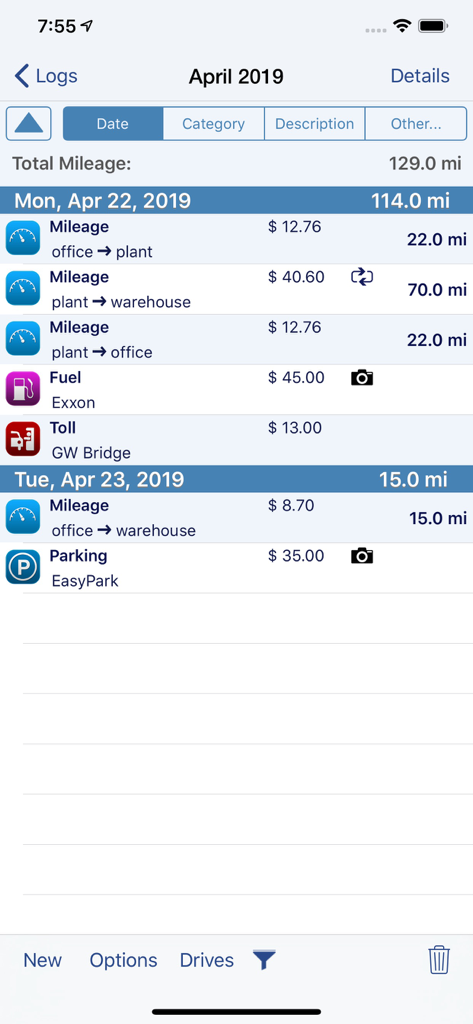
MileTracker Pro - MileTracker Pro 앱 인터페이스는 세금 보고를 위한 마일리지, 연료, 통행료 및 주차 경비의 일일 로그를 보여줍니다.
MileTracker Pro 앱 인터페이스는 세금 보고를 위한 마일리지, 연료, 통행료 및 주차 경비의 일일 로그를 보여줍니다.

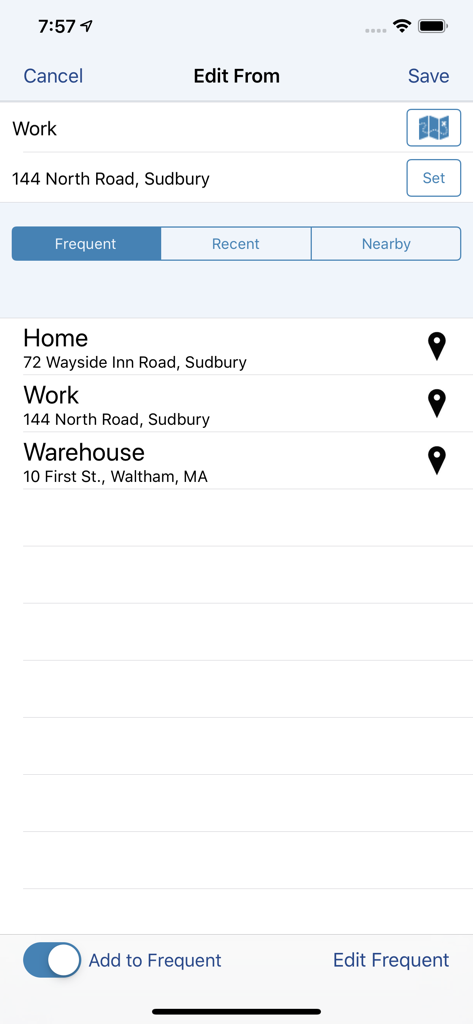
MileTracker Pro - IRS 규정을 준수하는 마일리지 추적을 위해 집 및 직장과 같은 자주 가는 장소를 선택하는 MileTracker Pro 앱 화면.
IRS 규정을 준수하는 마일리지 추적을 위해 집 및 직장과 같은 자주 가는 장소를 선택하는 MileTracker Pro 앱 화면.

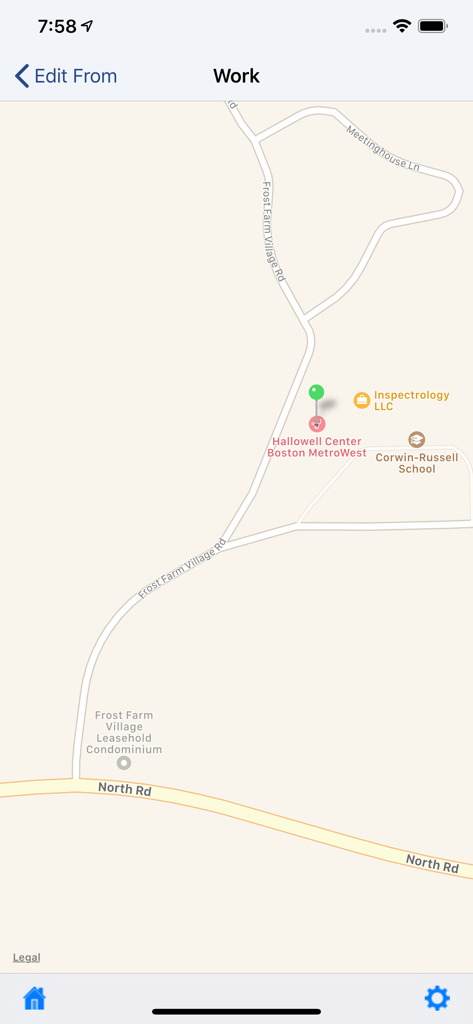
MileTracker Pro - 비즈니스 마일리지 및 위치 선택을 추적하기 위한 GPS 지도를 보여주는 MileTracker Pro 모바일 앱 인터페이스.
비즈니스 마일리지 및 위치 선택을 추적하기 위한 GPS 지도를 보여주는 MileTracker Pro 모바일 앱 인터페이스.

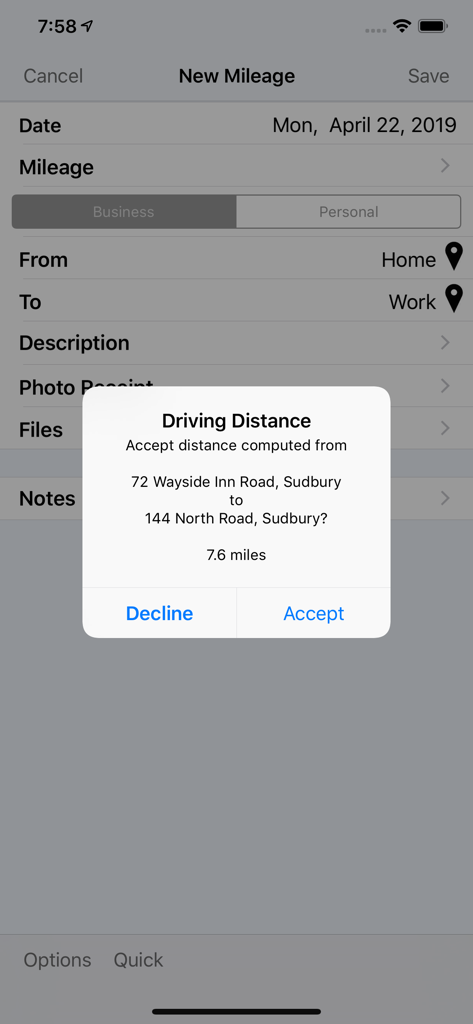
MileTracker Pro - 집과 직장 주소 간의 MileTracker Pro 자동 주행 거리 계산 팝업.
집과 직장 주소 간의 MileTracker Pro 자동 주행 거리 계산 팝업.

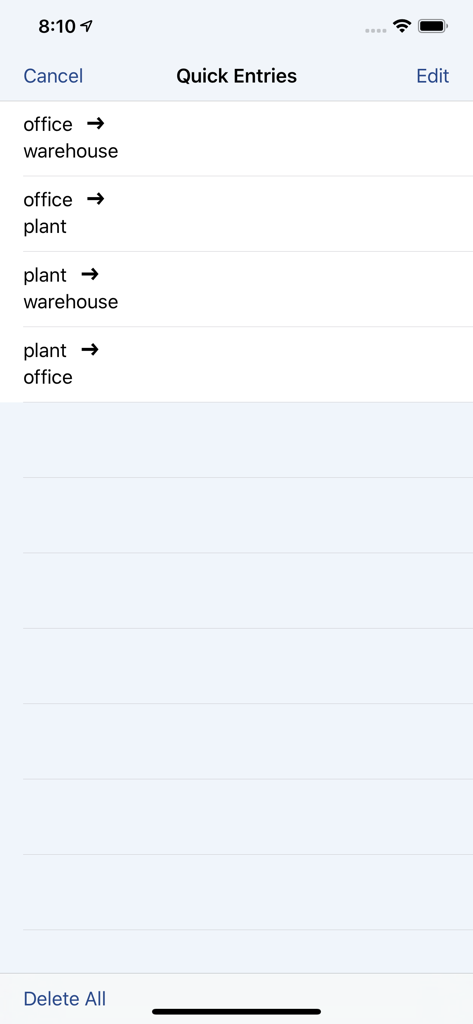
MileTracker Pro - 빠른 수동 마일리지 입력을 위한 MileTracker Pro의 자주 가는 비즈니스 여행 바로 가기 목록.
빠른 수동 마일리지 입력을 위한 MileTracker Pro의 자주 가는 비즈니스 여행 바로 가기 목록.

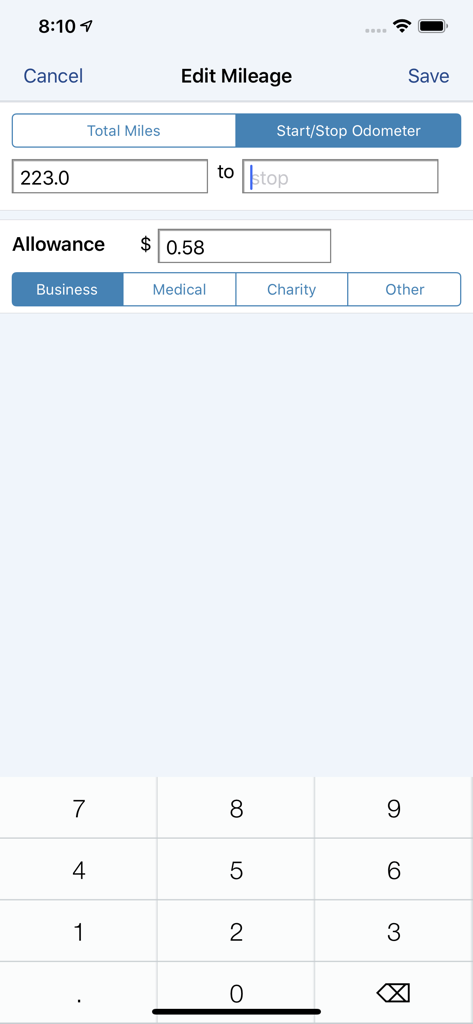
MileTracker Pro - MileTracker Pro 앱의 비즈니스 마일리지를 위한 수동 주행 거리계 입력 화면.
MileTracker Pro 앱의 비즈니스 마일리지를 위한 수동 주행 거리계 입력 화면.

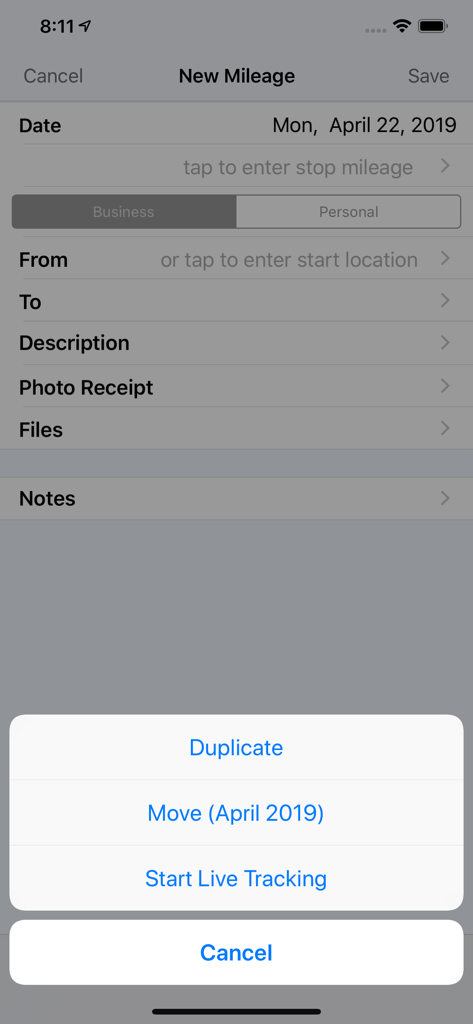
MileTracker Pro - 실시간 추적 및 수동 기록 옵션이 있는 새 마일리지 입력 화면을 보여주는 MileTracker Pro 앱 인터페이스.
실시간 추적 및 수동 기록 옵션이 있는 새 마일리지 입력 화면을 보여주는 MileTracker Pro 앱 인터페이스.

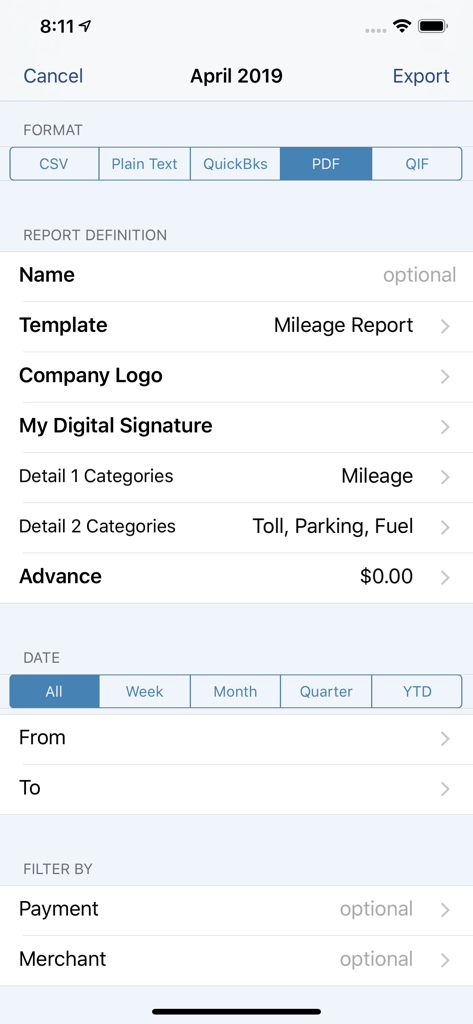
MileTracker Pro - 사용자 지정 가능한 필터가 있는 PDF 및 CSV와 같은 내보내기 형식을 보여주는 MileTracker Pro 보고서 구성 화면.
사용자 지정 가능한 필터가 있는 PDF 및 CSV와 같은 내보내기 형식을 보여주는 MileTracker Pro 보고서 구성 화면.

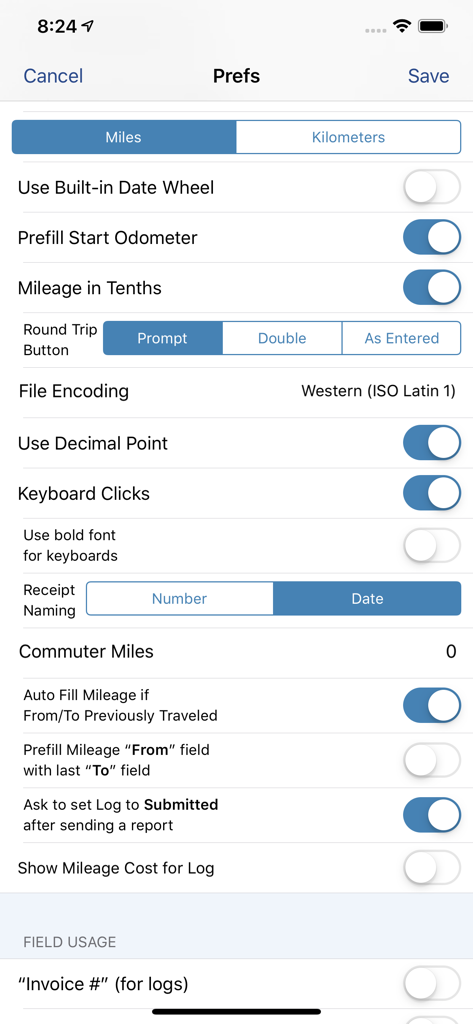
MileTracker Pro - 마일리지 및 경비 추적에 대한 자세한 사용자 지정 옵션을 보여주는 MileTracker Pro의 설정 인터페이스.
마일리지 및 경비 추적에 대한 자세한 사용자 지정 옵션을 보여주는 MileTracker Pro의 설정 인터페이스.

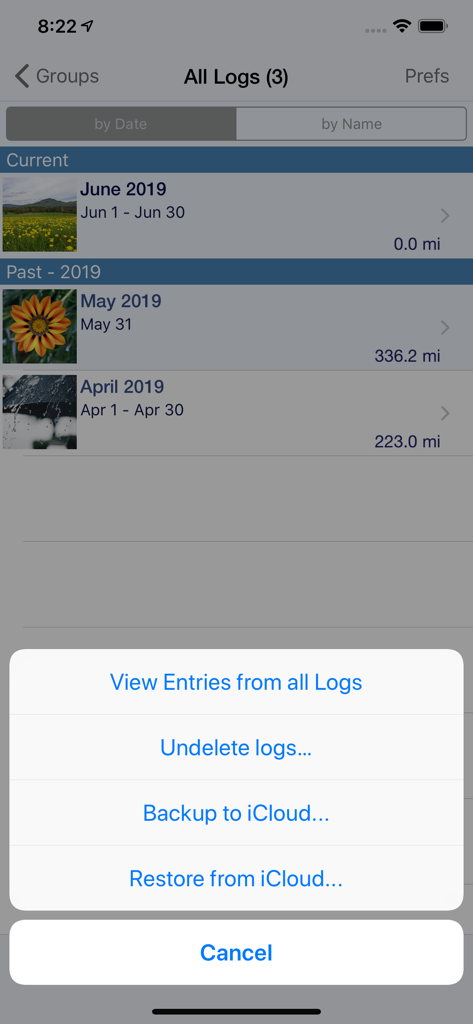
MileTracker Pro - 마일리지 로그와 iCloud 백업 옵션을 보여주는 MileTracker Pro 앱 화면.

마일리지 로그와 iCloud 백업 옵션을 보여주는 MileTracker Pro 앱 화면.

설명

MileTracker Pro is the easiest and most feature rich app to track your mileage & driving expenses. Get ready for 2021 and start saving money now! MileTracker allows you to track mileage the way YOU want offering several different methods. Then when tax time arrives or expense reports are needed, you can easily create beautiful reports (accountants love our reports). MileTracker Pro is finely tuned and exceptionally reliable. MileTracker Pro replaces our MileTracker app which has been helping users track their time worked since 2010. WHY MileTracker IS BETTER * Elegant user interface * The most powerful and flexible Reporting features available * Offers considerably more features than other mileage tracking apps * Quick and easy on-screen filtering to view your tracked data * Organize your entries into Logs for maximum ease * Distinguish between Personal and Business EASE OF USE * The MOST extensive set of preferences available allowing you to customize the app and truly make it your own * Hide fields you do not use for concise entry forms * Remembers frequently used choices * Quick menu with list of frequent trips for super fast entry TRACK MILEAGE - Requires subscription to Unlimited Usage * Track mileage the way you want: 1. LIVE mileage tracking - the app will track your every move via GPS. This feature requires you to tell the app when you start and stop. 2. Enter Start/Stop odometer reading 3. Enter the start address and end address-the app will determine the travel distance 4. Special “real-estate agent” feature which allows one entry to contain multiple legs. * If using odometer, remembers last stop mileage and pre-fills start for next entry * Mark an entry as round trip to double the distance * Supports Multiple Vehicles * Miles or Km * Customizable mileage allowance AUTOTRACK - Requires subscription to AutoTrack (includes everything that Unlimited Usage includes too). See more details below. DRIVING EXPENSES * Track Fuel, Tolls and Parking expenses PHOTO RECEIPTS * Take photos of receipts * Crop images easily REPORTING * IRS compliant reporting * The most flexible and powerful reporting available * On-screen preview * Choose the attractive PDF format or CSV for importing into Excel * Email your reports and photo receipts * Export your reports to iCloud, Dropbox or your computer * Accountants LOVE our reports because they provide all the key information needed ON-SCREEN FILTERING * Sort entries by Date, Category or Client * Extensive on-screen filtering to find out EXACTLY what you need to know BACKUP AND SAFE KEEPING * Backup your data to iCloud, Dropbox or directly to your computer * Set backup to “Automatic” so your data is always safe SYNC * Keep your data synced between multiple devices (ie your iPhone and iPad) SUBSCRIPTION DETAILS * When first installed allows up to 25 manual entries * After using the 25 entries you will need to subscribe * There are two subscription options, Unlimited Usage or AutoTrack (available monthly or yearly) * Unlimited Usage is for those who prefer to track their mileage manually. * AutoTrack is for those who want a FULLY automatic tracking solution. All you need to do is carry your device with you. Then at your leisure “approve” those drives you wish to keep. * A new subscription includes 2 free weeks of unlimited usage. You can cancel prior to the end of the trial without any cost to you. * Payment charged to iTunes account at confirmation of purchase * Automatic renews unless auto-renew is turned off at least 24-hours before the end of the current period * Account will be charged for renewal within 24-hours prior to the end of the current period Demo Video on AutoTrack at: tinyurl.com/MileTracker silverwaresoftware.com/privacy silverwaresoftware.com/terms ------ Continued use of GPS running in the background can dramatically decrease battery life Questions/comments? Just choose the Email the Author link in the Prefs screen in the app

Download

다운로드: App Store

이 페이지는 앱이나 개발자의 공식 페이지가 아니며, 정보 제공 및 논평을 목적으로 작성된 독립 편집 간행물입니다. 명시적으로 달리 언급되지 않는 한, 해당 앱이나 개발자는 MWM, Apple, Google Play, 앱 퍼블리셔 또는 앱 개발자와 제휴, 보증, 후원, 승인 또는 공식적으로 연결되어 있지 않으며, 이 페이지의 어떤 내용도 해당 앱이 MWM의 서비스를 사용하여 개발되었음을 의미하지 않습니다. 모든 상표, 로고, 스크린샷 및 기타 콘텐츠는 해당 소유자의 자산입니다.