
이 페이지는 앱이나 개발자의 공식 페이지가 아니며, 정보 제공 및 논평을 목적으로 작성된 독립 편집 간행물입니다. 명시적으로 달리 언급되지 않는 한, 해당 앱이나 개발자는 MWM, Apple, Google Play, 앱 퍼블리셔 또는 앱 개발자와 제휴, 보증, 후원, 승인 또는 공식적으로 연결되어 있지 않으며, 이 페이지의 어떤 내용도 해당 앱이 MWM의 서비스를 사용하여 개발되었음을 의미하지 않습니다. 모든 상표, 로고, 스크린샷 및 기타 콘텐츠는 해당 소유자의 자산입니다.

Minecraft Education
학생들이 이미 사랑하는 게임 기반 플랫폼으로 학생들에게 힘을 실어주세요. 코딩과 STEM부터 역사와 문해력까지, 협업, 비판적 사고 및 미래 준비 기술을 구축하도록 설계된 수백 가지의 즉시 사용 가능한 수업을 탐색하세요.
다운로드
21M+사용자 평점
총 평가 수
117K+개발사
카테고리
Education지원 언어
22최신 버전
1.21.93.1크기
1.1 GB출시일
2018년 9월 6일게임 기반 학습으로 교실에 힘을 실어주세요
모든 수업을 학생 주도의 몰입형 모험으로 바꾸는 플랫폼으로 참여와 성취 사이의 격차를 해소하세요.
미래 대비 코딩 기술
추상적인 논리를 실제 게임 속 결과물로 전환하는 시각적 코드 빌더를 통해 Python 및 JavaScript로 학생들에게 필요한 기술을 제공하세요.
안전한 사회적 협업
학생들이 실시간으로 복잡한 문제를 함께 해결하는 안전한 멀티플레이어 세계에서 팀워크와 디지털 시민 의식을 함양하세요.
자주 묻는 질문
에 대해 알아야 할 모든 것 Minecraft Education
Minecraft Education은 무엇인가요?
Minecraft Education은 학교 및 조직을 위한 게임 기반 플랫폼입니다. 사용자가 블록으로 된 세계를 탐험하며 독해, 수학, 역사, 코딩과 같은 과목을 해결하고 비판적 사고 및 문제 해결 능력을 함양할 수 있도록 하여 창의적이고 포용적인 학습을 장려합니다.
Minecraft Education은 모든 연령과 기술 수준에 적합한가요?
네, Minecraft Education은 모든 유형의 학습자를 위해 설계되었습니다. 수업 및 표준화된 커리큘럼을 제공합니다. 이 플랫폼은 사전 게임 경험이 필요하지 않아 다양한 기술 수준의 학생들에게 접근 가능합니다.
Minecraft Education은 코딩을 지원하나요?
Minecraft Education은 블록 기반 코딩, JavaScript 및 Python을 지원하는 기능인 Code Builder를 통합합니다. 게임 내 실행을 위한 직관적인 인터페이스를 제공하여 사용자가 세계를 프로그래밍하고 생명을 불어넣을 수 있도록 합니다.
학생들이 Minecraft Education에서 협업할 수 있나요?
네, Minecraft Education은 멀티플레이어 모드를 통해 협업을 가능하게 합니다. 이 기능을 통해 학생들은 다양한 플랫폼, 장치 및 하이브리드 환경에서 게임 내에서 함께 작업하여 팀워크와 공유 학습을 촉진할 수 있습니다.
학교나 조직은 Minecraft Education 라이선스를 어떻게 구매할 수 있나요?
Minecraft Education 라이선스는 Microsoft 365 관리 센터 계정에 대한 관리자 액세스 권한으로 구매됩니다. 기관은 교육용 라이선스에 대한 자세한 정보를 해당 기술 리드에게 문의해야 합니다.
Minecraft Education 구독은 얼마나 유효한가요?
iTunes를 통해 구매한 각 Minecraft Education 구독은 구매일로부터 1년 동안 유효합니다. 구독은 자동 갱신이 수동으로 해제되지 않는 한 자동으로 갱신됩니다.
Minecraft Education 구독에 대한 자동 갱신을 어떻게 취소하나요?
iTunes를 통해 구매한 Minecraft Education 구독의 자동 갱신을 끄려면 구매 후 계정 설정으로 이동해야 합니다. 현재 기간이 종료되기 최소 24시간 전에 자동 갱신을 비활성화해야 합니다.
Minecraft Education에는 접근성 기능이 있나요?
네, Minecraft Education에는 몰입형 리더와 같은 접근 가능한 학습을 위한 기능이 포함되어 있습니다. 이 도구는 플레이어가 게임 내 텍스트를 읽고 번역하는 데 도움을 주어 다양한 학습자를 위한 포용적인 환경을 조성합니다.
Minecraft Education에는 게임 내 수업 라이브러리가 있나요?
네, Minecraft Education에는 게임 내 수업 라이브러리가 있습니다. 수백 개의 즉시 수업, 창의적인 도전 과제 및 빈 캔버스 세계를 제공하여 다양한 과목과 학습 스타일을 지원합니다.
다음 스크린샷과 설명은 앱의 공식 스토어 목록에서 직접 가져온 것이며 앱 개발자의 자산입니다.
앱 스토어
스크린샷
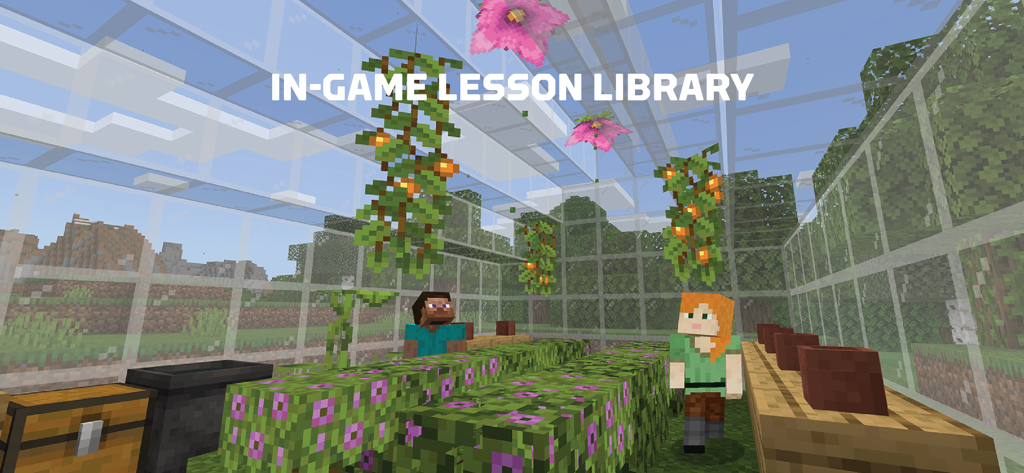
두 명의 마인크래프트 캐릭터가 수업을 위해 식물과 꽃이 있는 유리 온실 안에 있습니다.
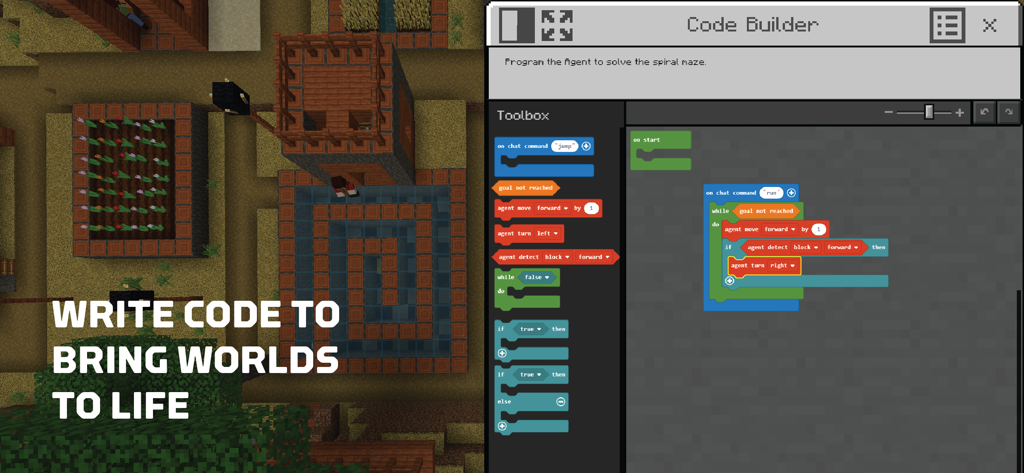
3D 게임 세계 옆에 블록 기반 시각적 프로그래밍을 보여주는 Minecraft Education Code Builder 인터페이스
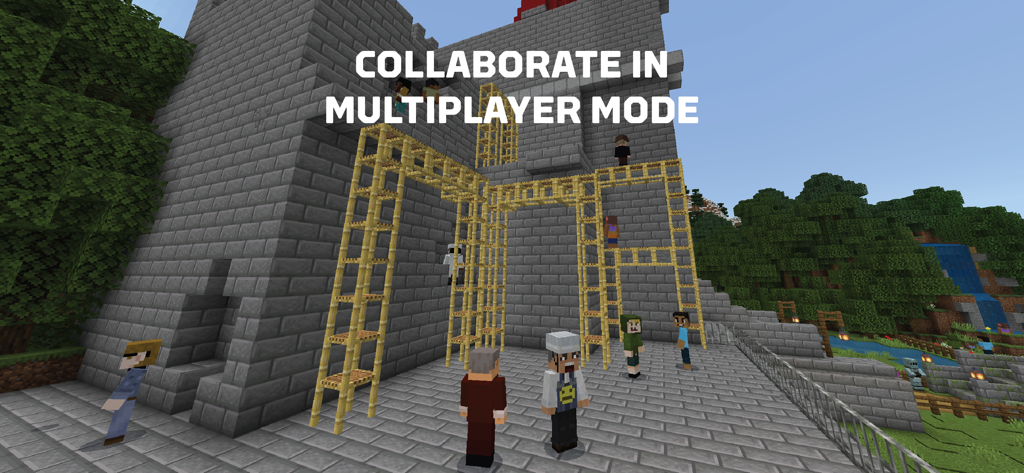
멀티플레이어 모드에서 함께 건설하는 마인크래프트 캐릭터와 '멀티플레이어 모드에서 협업'이라는 텍스트
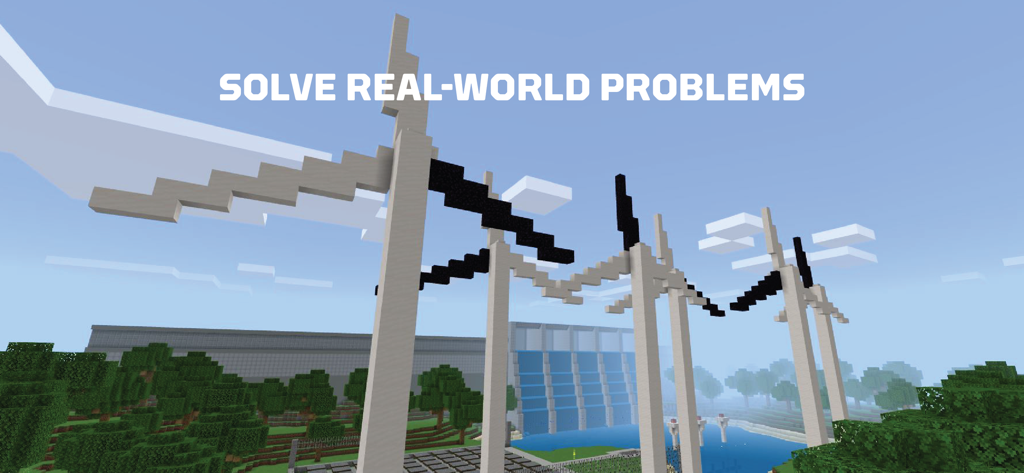
블록으로 만들어진 풍력 터빈과 댐을 특징으로 하는 Minecraft Education 스크린샷으로 '실제 세계 문제 해결'이라는 텍스트가 표시됨
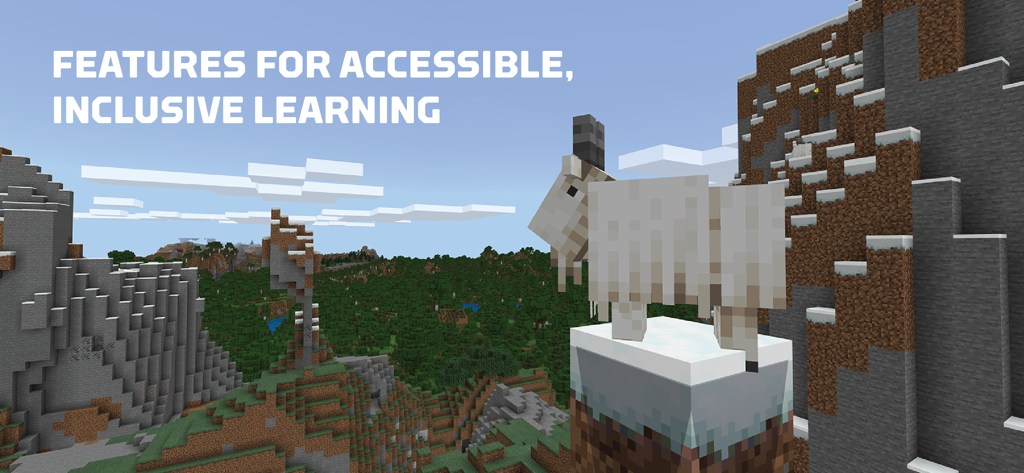
산양이 있는 마인크래프트 풍경과 접근 가능하고 포용적인 학습을 위한 기능 강조 텍스트
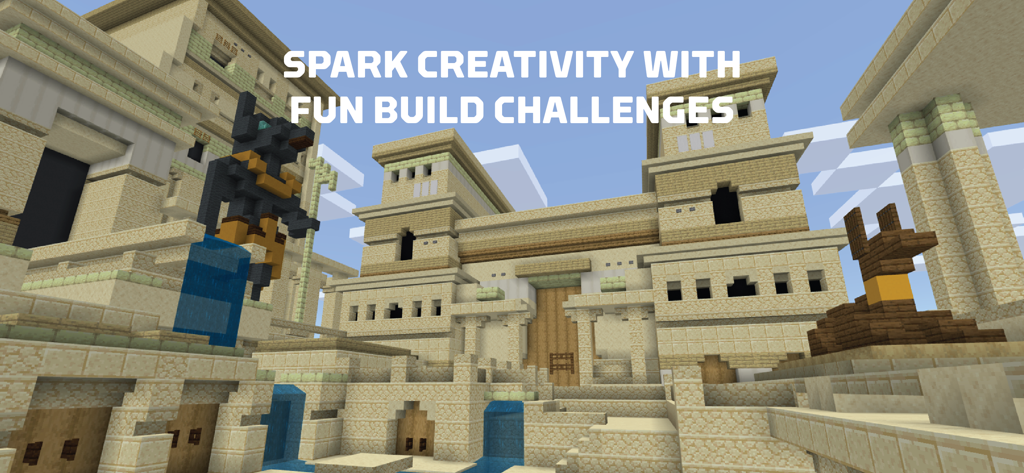
고대 이집트 사원을 블록 모양의 세계에 보여주는 Minecraft Education 빌드 챌린지
설명
Download
비슷한 앱
유사한 기능과 사용자 경험을 가진 앱
eduki: Teaching materials
Lehrerkolleg LK GmbH
幼师贝壳(备课)-专业幼教资源平台
XUE HAI SHI BEI EDUCATION TECHNOLOGY CO., LTD.

Wayground
Quizizz Inc

Loquiz
Loquiz OU

Explain Everything Whiteboard
Promethean Ltd.
Kahoot! Play & Create Quizzes
Kahoot ASA

클래스카드
CLASSCARD, Inc.

希沃白板
Guangzhou Shirui Electronics Co., Ltd.
Puppet Pals 2: School Edition
Polished Play LLC
이 페이지는 앱이나 개발자의 공식 페이지가 아니며, 정보 제공 및 논평을 목적으로 작성된 독립 편집 간행물입니다. 명시적으로 달리 언급되지 않는 한, 해당 앱이나 개발자는 MWM, Apple, Google Play, 앱 퍼블리셔 또는 앱 개발자와 제휴, 보증, 후원, 승인 또는 공식적으로 연결되어 있지 않으며, 이 페이지의 어떤 내용도 해당 앱이 MWM의 서비스를 사용하여 개발되었음을 의미하지 않습니다. 모든 상표, 로고, 스크린샷 및 기타 콘텐츠는 해당 소유자의 자산입니다.