MinuteTaker - Meeting Notes
다운로드: App Store

이 페이지는 앱이나 개발자의 공식 페이지가 아니며, 정보 제공 및 논평을 목적으로 작성된 독립 편집 간행물입니다. 명시적으로 달리 언급되지 않는 한, 해당 앱이나 개발자는 MWM, Apple, Google Play, 앱 퍼블리셔 또는 앱 개발자와 제휴, 보증, 후원, 승인 또는 공식적으로 연결되어 있지 않으며, 이 페이지의 어떤 내용도 해당 앱이 MWM의 서비스를 사용하여 개발되었음을 의미하지 않습니다. 모든 상표, 로고, 스크린샷 및 기타 콘텐츠는 해당 소유자의 자산입니다.

로고: MinuteTaker - Meeting Notes
다운로드: App Store

MinuteTaker - Meeting Notes

구조화된 메모와 전문적인 PDF 보고서로 회의 내용을 잊는 일을 없애세요. 의사 결정 사항을 기록하고, 작업을 할당하고, 회의가 끝나기 전에 팀의 책임을 관리하세요.

주요 수치

다운로드

49K+

사용자 평점

4.2/5

총 평가 수

1K+

개발사

Florian Mielke

카테고리

Business

지원 언어

2

최신 버전

3.12.6

크기

21.6 MB

출시일

2012년 4월 21일
기능

회의 문서화를 위한 전문가 표준

토론 내용을 구조화된 전문 회의록으로 변환하세요. 의사 결정 사항을 기록하고, 작업을 할당하고, 불필요한 중복 작업 없이 프로젝트를 계속 진행하세요.

즉석 전문 보고서

회의가 끝나자마자 깔끔한 PDF 요약 보고서를 생성하세요. 참석자 전체에게 즉시 공유하여 추진력을 유지하고 전문적인 브랜드 이미지를 구축하세요.

실행 중심 추적

회의 내용을 잊는 일을 없애세요. 구조화된 '실행 항목' 형식을 사용하여 책임자를 지정하고, 마감일을 설정하고, 작업 상태를 실시간으로 모니터링하세요.

다음 스크린샷과 설명은 앱의 공식 스토어 목록에서 직접 가져온 것이며 앱 개발자의 자산입니다.

앱 스토어

스크린샷
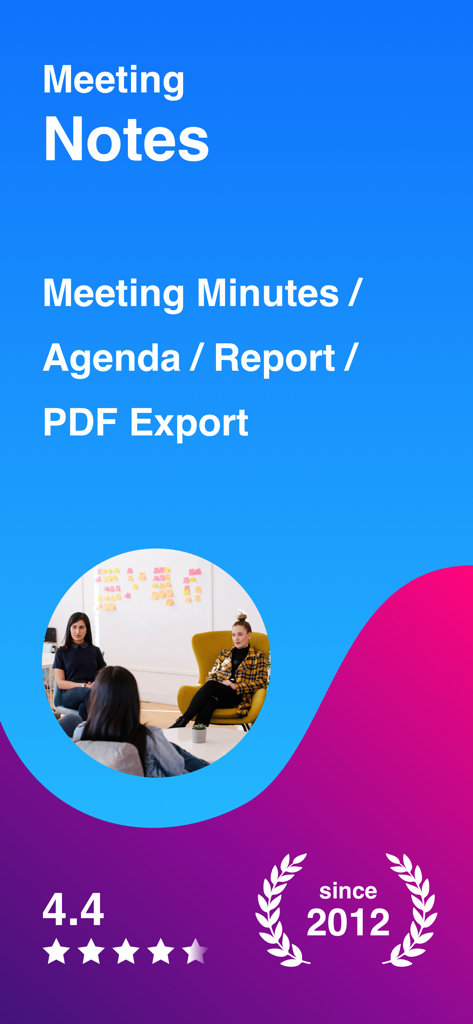
MinuteTaker - Meeting Notes - 2012년부터 전문 회의록 및 PDF 보고서를 위한 MinuteTaker 앱 개요
2012년부터 전문 회의록 및 PDF 보고서를 위한 MinuteTaker 앱 개요

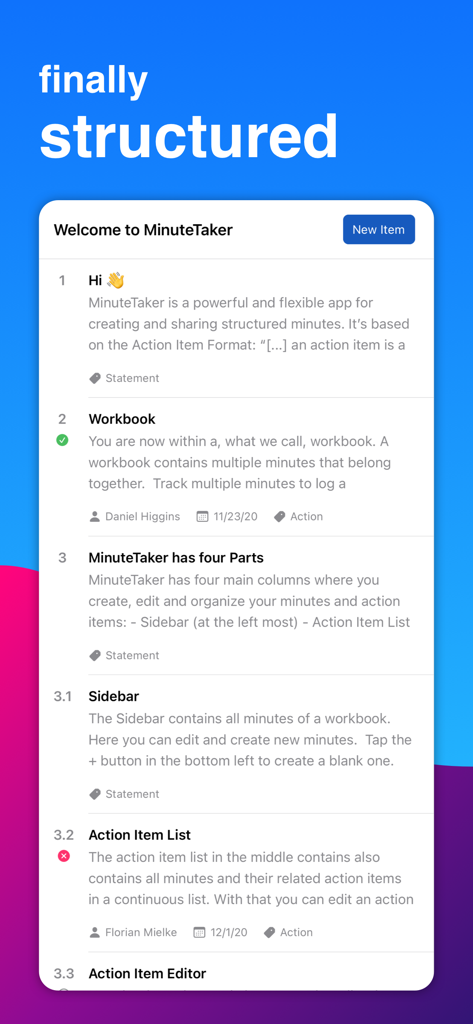
MinuteTaker - Meeting Notes - 구조화된 회의록 및 실행 항목을 표시하는 MinuteTaker 앱 인터페이스
구조화된 회의록 및 실행 항목을 표시하는 MinuteTaker 앱 인터페이스

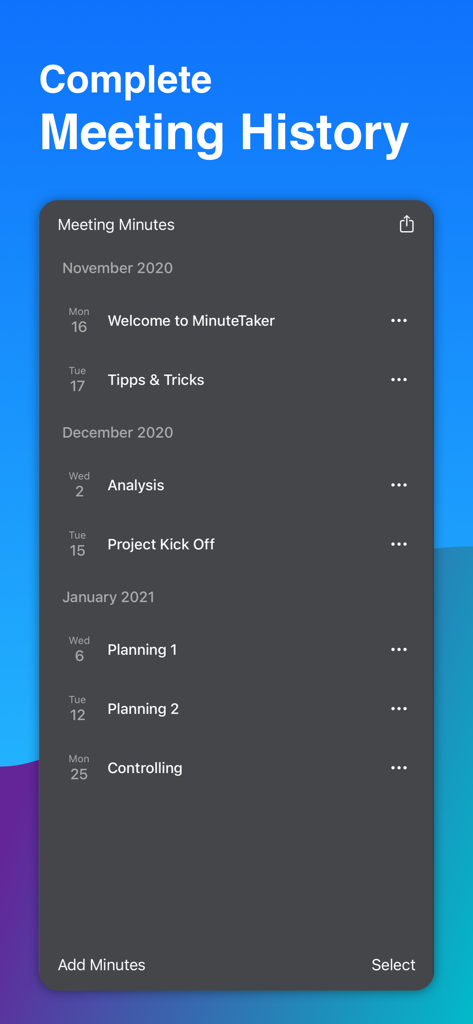
MinuteTaker - Meeting Notes - MinuteTaker 앱에서 월별로 정리된 회의록의 연대기 목록으로 다양한 프로젝트 단계를 보여줍니다.
MinuteTaker 앱에서 월별로 정리된 회의록의 연대기 목록으로 다양한 프로젝트 단계를 보여줍니다.

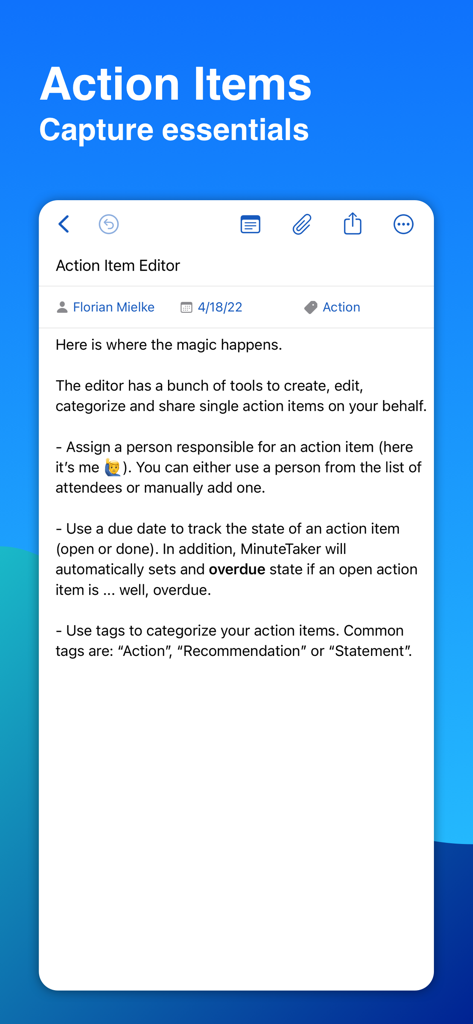
MinuteTaker - Meeting Notes - 책임자 할당, 마감일 및 카테고리 태그 옵션을 보여주는 MinuteTaker 실행 항목 편집기 스크린샷
책임자 할당, 마감일 및 카테고리 태그 옵션을 보여주는 MinuteTaker 실행 항목 편집기 스크린샷

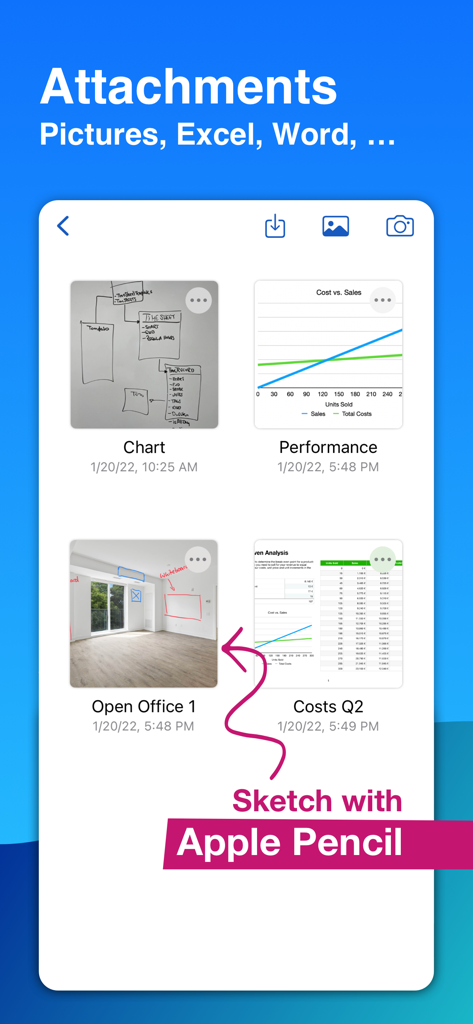
MinuteTaker - Meeting Notes - MinuteTaker 앱 인터페이스로 회의록 첨부 파일과 사진에 대한 Apple Pencil 스케치를 보여줍니다.
MinuteTaker 앱 인터페이스로 회의록 첨부 파일과 사진에 대한 Apple Pencil 스케치를 보여줍니다.

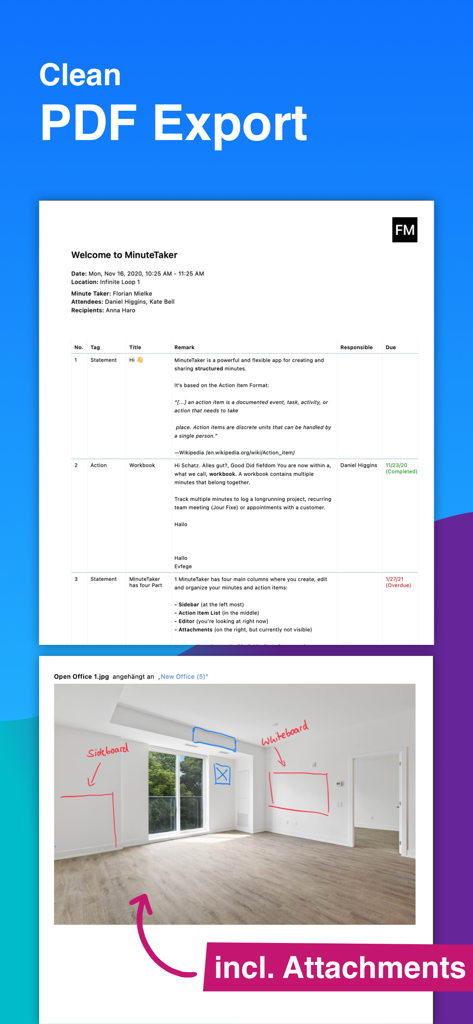
MinuteTaker - Meeting Notes - 구조화된 메모와 주석이 달린 사진 첨부 파일이 포함된 전문 PDF 회의록 보고서.
구조화된 메모와 주석이 달린 사진 첨부 파일이 포함된 전문 PDF 회의록 보고서.

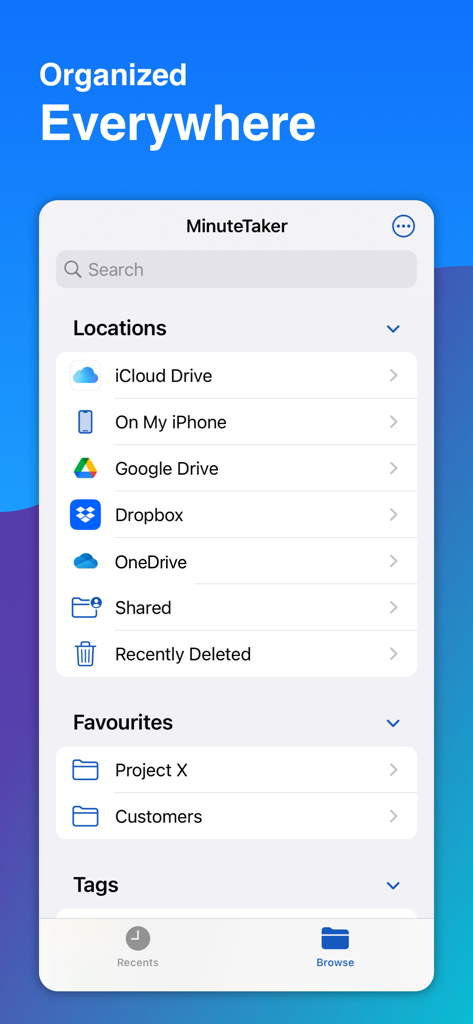
MinuteTaker - Meeting Notes - 프로젝트 폴더를 포함한 iCloud, Google Drive 및 Dropbox를 포함한 클라우드 저장 옵션을 보여주는 MinuteTaker 앱 인터페이스
프로젝트 폴더를 포함한 iCloud, Google Drive 및 Dropbox를 포함한 클라우드 저장 옵션을 보여주는 MinuteTaker 앱 인터페이스

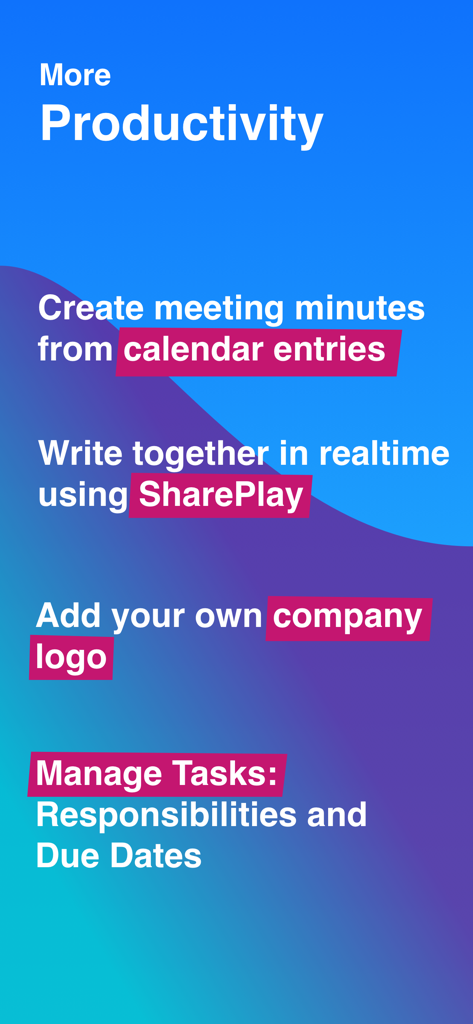
MinuteTaker - Meeting Notes - 캘린더 통합 및 실시간 협업을 포함한 MinuteTaker 생산성 기능 목록

캘린더 통합 및 실시간 협업을 포함한 MinuteTaker 생산성 기능 목록

MinuteTaker - Meeting Notes - 건설 사무실 및 의료 산업에 대한 전문적인 사용 사례를 보여주는 MinuteTaker 앱

건설 사무실 및 의료 산업에 대한 전문적인 사용 사례를 보여주는 MinuteTaker 앱

설명

Create structured meeting minutes, summaries, and notes. Share them as clean and professional looking PDF-file with all attendees. MinuteTaker is aimed at all professionals who need to capture and manage notes, minutes, reports, and transcripts in a structured way. Available since 2012 and in use by users and companies worldwide. ESSENTIALS MinuteTaker is based on the Action Item Format. Every decision, statement, or recommendation is described as a short and concise point that keeps your protocols short and precise. PROFESSIONALS • Architect • Site Manager, Construction Manager • Therapist (Physiotherapist, Psychotherapist, ...) • Lawyer • Project Manager • Team Manager • Student • Assistant KEEP TRACK MinuteTaker groups related minutes within the workbook, e.g., to track a project, recurring team meeting, or appointments for a specific customer. With that, you always get the big picture of what’s happening. In addition, MinuteTaker offers various search and filter capabilities: • Full-text search • Filter by state (open, done, or overdue) • Filter by a responsible person • Filter by tags ACTION ITEMS In addition to the text of the item, you can add additional information: • Responsible person • Due date (day or week) • Custom tags, e.g., action, statement, recommendation, ... • State: open, done, overdue (overdue is set automatically) • Structure your action items using subitems, e.g., 1.1, 1.2, 1.3, ... ATTACHMENTS Related attachments can supplement every action item: • Documents (Word, Excel, Pages, ...) • Images from your library • Pictures taken from a flip chart or whiteboard with the device’s camera • Add scribbles and notes to images SHARING • Share your minutes as professional looking PDF-files (incl. all attachments) via email to all attendees and recipients. • Share action items with assigned people • Create your calendar events based on an action item • Create a todo in your app, e.g., Reminder of Things SYNCHRONISATION AND COLLABORATION • Sync your minutes via iCloud on all your devices • Collaborate with others via “Share in iCloud” SUBSCRIPTION To get full access to all MinuteTaker features, you have to subscribe. We offer a monthly or annual subscription that unlocks all features on all your devices. Try out all features with a 14-day trial. QUESTIONS? If you have questions or suggestions, contact us at feedback@minutetaker.app or via Twitter (@MinuteTakerApp). Terms: https://minutetaker.app/terms Privacy: https://minutetaker.app/privacy

Download

다운로드: App Store

이 페이지는 앱이나 개발자의 공식 페이지가 아니며, 정보 제공 및 논평을 목적으로 작성된 독립 편집 간행물입니다. 명시적으로 달리 언급되지 않는 한, 해당 앱이나 개발자는 MWM, Apple, Google Play, 앱 퍼블리셔 또는 앱 개발자와 제휴, 보증, 후원, 승인 또는 공식적으로 연결되어 있지 않으며, 이 페이지의 어떤 내용도 해당 앱이 MWM의 서비스를 사용하여 개발되었음을 의미하지 않습니다. 모든 상표, 로고, 스크린샷 및 기타 콘텐츠는 해당 소유자의 자산입니다.