Mobel bell ringing simulator
다운로드: App Store

이 페이지는 앱이나 개발자의 공식 페이지가 아니며, 정보 제공 및 논평을 목적으로 작성된 독립 편집 간행물입니다. 명시적으로 달리 언급되지 않는 한, 해당 앱이나 개발자는 MWM, Apple, Google Play, 앱 퍼블리셔 또는 앱 개발자와 제휴, 보증, 후원, 승인 또는 공식적으로 연결되어 있지 않으며, 이 페이지의 어떤 내용도 해당 앱이 MWM의 서비스를 사용하여 개발되었음을 의미하지 않습니다. 모든 상표, 로고, 스크린샷 및 기타 콘텐츠는 해당 소유자의 자산입니다.


로고: Mobel bell ringing simulator
다운로드: App Store

Mobel bell ringing simulator

세계에서 가장 신뢰받는 시뮬레이터로 메소드를 마스터하고 블루 라인을 암기하세요. Abel의 제작자들이 만든 Mobel을 사용하면 어디서든 정확하고 완벽한 리듬으로 20,000개 이상의 메소드를 연습할 수 있습니다.

주요 수치

다운로드

17K+

사용자 평점

4.7/5

총 평가 수

300

개발사

AbelSim Ltd

카테고리

Music

지원 언어

1

최신 버전

2.4.4

크기

9.8 MB

출시일

2010년 10월 26일
기능

모든 메소드 마스터하기

체인지 링어들이 다이어그램을 시각화하고, 리듬을 다듬고, 언제 어디서든 완벽한 공연을 할 수 있도록 돕는 궁극의 연습 도구입니다.

20,000개 이상의 메소드 라이브러리

4~16개의 벨을 위한 즉각적인 블루 라인 다이어그램과 사용자 정의 가능한 변형으로 완전한 Central Council 라이브러리에 액세스하세요.

정밀한 리듬 훈련

조절 가능한 속도와 입력 대기 또는 완벽하고 일관된 리듬을 요구하는 시뮬레이터 모드로 스트라이킹을 연마하세요.

다음 스크린샷과 설명은 앱의 공식 스토어 목록에서 직접 가져온 것이며 앱 개발자의 자산입니다.

앱 스토어

스크린샷
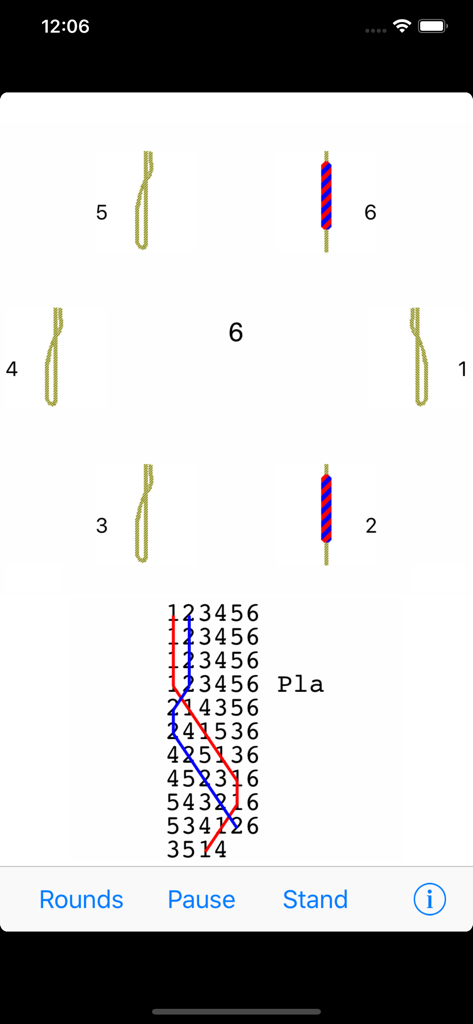
Mobel bell ringing simulator - Mobel 벨 링 시뮬레이터의 인터페이스로 벨 로프와 블루 라인 메소드 다이어그램 표시
Mobel 벨 링 시뮬레이터의 인터페이스로 벨 로프와 블루 라인 메소드 다이어그램 표시

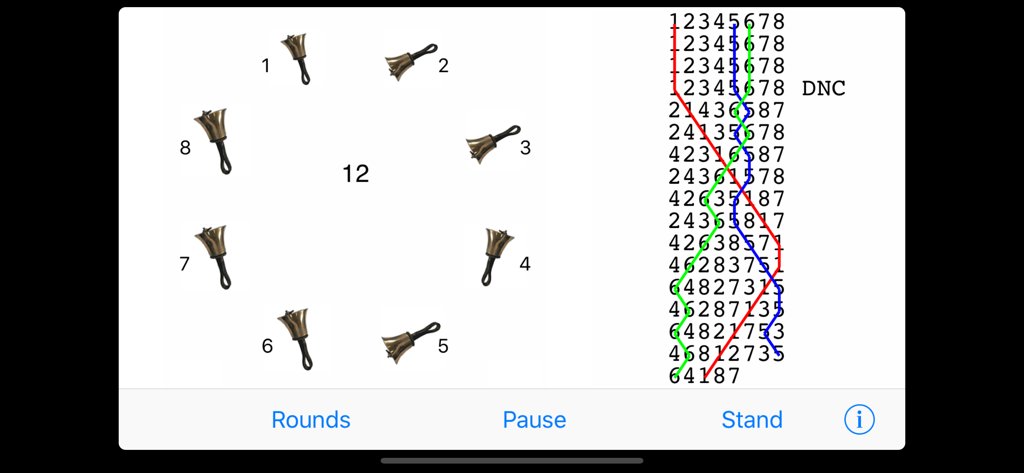
Mobel bell ringing simulator - Mobel 벨 링 시뮬레이터 인터페이스로 핸드벨과 연습용 블루 라인 메소드 다이어그램 표시
Mobel 벨 링 시뮬레이터 인터페이스로 핸드벨과 연습용 블루 라인 메소드 다이어그램 표시

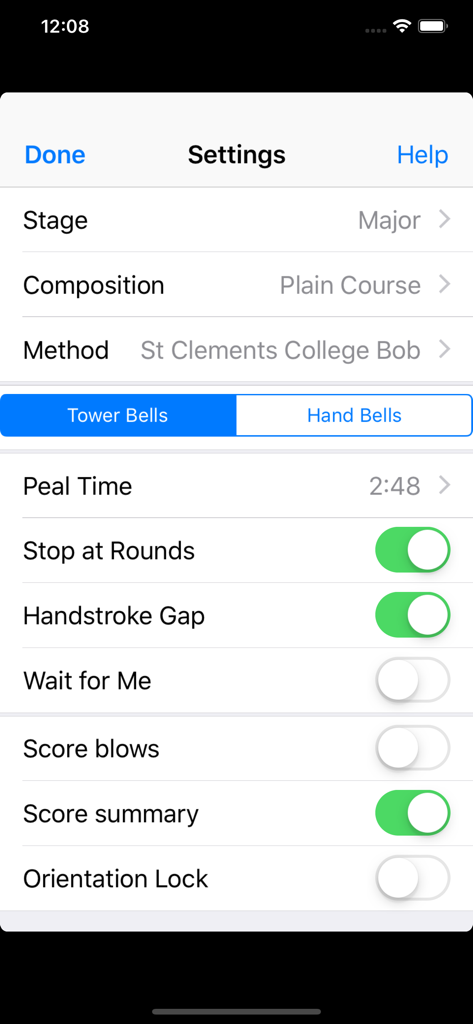
Mobel bell ringing simulator - Mobel 벨 링 시뮬레이터의 설정 화면으로 스테이지, 작곡, 메소드와 같은 연습 구성 표시
Mobel 벨 링 시뮬레이터의 설정 화면으로 스테이지, 작곡, 메소드와 같은 연습 구성 표시

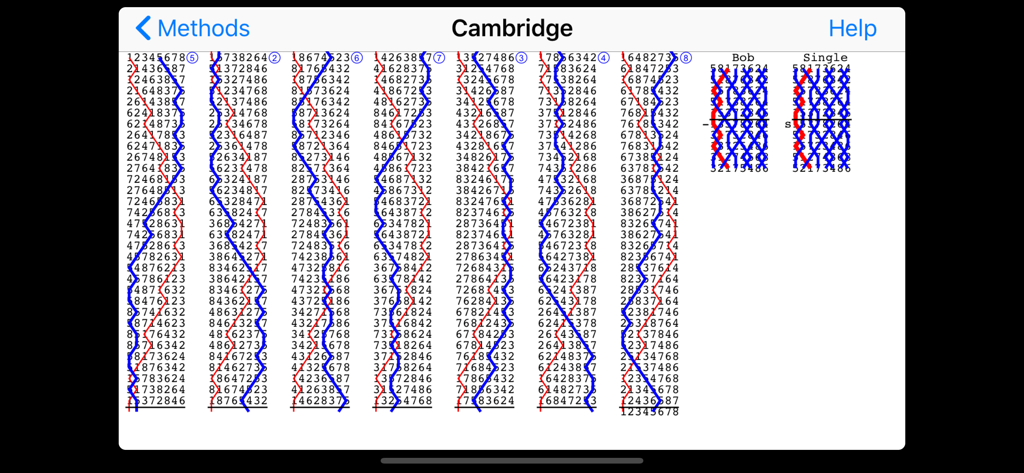
Mobel bell ringing simulator - Mobel 앱에서 Cambridge 체인지 링잉 메소드의 블루 라인 다이어그램
Mobel 앱에서 Cambridge 체인지 링잉 메소드의 블루 라인 다이어그램

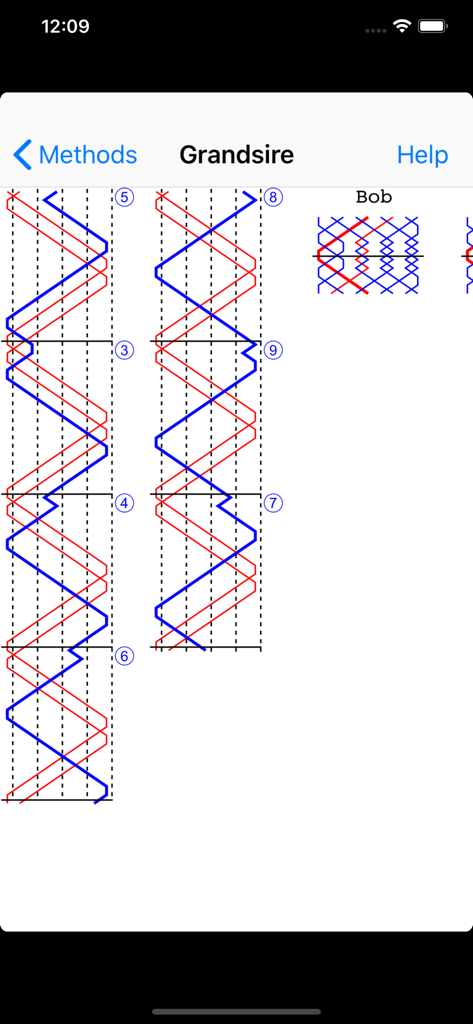
Mobel bell ringing simulator - Mobel 앱에서 Grandsire 체인지 링잉 메소드의 블루 라인 다이어그램

Mobel 앱에서 Grandsire 체인지 링잉 메소드의 블루 라인 다이어그램

설명

Mobel is a bell ringing simulator for church bell ringers and handbell change ringers. It runs on iPhone, iPad and Apple Mac. When ringers are at home, travelling or at towers, Mobel lets them practise any method they are going to ring. It also shows the blue line diagram for any method, including bobs and singles. Practise any method on 4 to 16 bells. Ring plain courses, or touches that Mobel creates (including spliced). Add your own touches (compositions). Ring any bell; handbell ringers can ring any pair. Mobel rings the other bells, and speaks any calls. Conduct: put in bobs and/or singles yourself. See the blue line diagram for any method or composition that you have added. Line styles with or without the underlying bell numbers, or as a grid. Lines for bobs and singles. Pinch to zoom the diagram. Select from 20,000 methods in the Central Council library. Change the speed of the ringing. Ring with or without a handstroke gap. Have Mobel wait if you hesitate - or continue in perfect rhythm. Edit methods and calls to create new methods or doubles variations. Basic instructions for using Mobel on iPhone and iPad: - Tap a bell to select it for ringing. - Tap Start to start the bells ringing rounds. - Then tap Go to ring the current composition and method. - Tap the bottom of the screen to ring the bell you selected. - For handbells, tap right and left to ring a pair. - Conducting: tap the top of the screen for a bob or single. - Tap Show to see the blue line for the current method. - Then double tap to change line style, or pinch to zoom. - Tap the info (i) button to view and change settings. - Tap the Help buttons for further information. From iOS 13.4 onward you can also ring using a keyboard on iPad/iPhone. Mobel comes from AbelSim, producer of the world's best-selling change ringing simulators: Abel for Windows PCs and Mabel for Apple Mac (see www.abelsim.co.uk). Mobel is not intended for handbell tune ringers: it rings changes, not tunes. The latest version runs on iOS 12 and later. Earlier versions of Mobel are still available for previous versions of iOS.

Download

다운로드: App Store

이 페이지는 앱이나 개발자의 공식 페이지가 아니며, 정보 제공 및 논평을 목적으로 작성된 독립 편집 간행물입니다. 명시적으로 달리 언급되지 않는 한, 해당 앱이나 개발자는 MWM, Apple, Google Play, 앱 퍼블리셔 또는 앱 개발자와 제휴, 보증, 후원, 승인 또는 공식적으로 연결되어 있지 않으며, 이 페이지의 어떤 내용도 해당 앱이 MWM의 서비스를 사용하여 개발되었음을 의미하지 않습니다. 모든 상표, 로고, 스크린샷 및 기타 콘텐츠는 해당 소유자의 자산입니다.







