Mobile PDF Document Scanner

Mobile PDF Document Scanner

다운로드: App Store
로고: Mobile PDF Document Scanner

모바일 PDF 문서 스캐너: 올인원 전문가용 모바일 오피스

고품질 PDF를 즉시 스캔, 서명 및 공유하세요. 스마트 OCR, 전자 서명 및 필수 비즈니스 문서의 안전한 오프라인 저장을 통해 생산성을 높이세요.

다운로드: App Store

개발사

AppLiks Sp. z O.O.

카테고리

Business

다운로드

12K+

사용자 평점

4.7/5

총 평가 수

0

지원 언어

1

작업 중인 모바일 오피스

이 인터페이스를 사용하는 12K+ 명의 사용자.

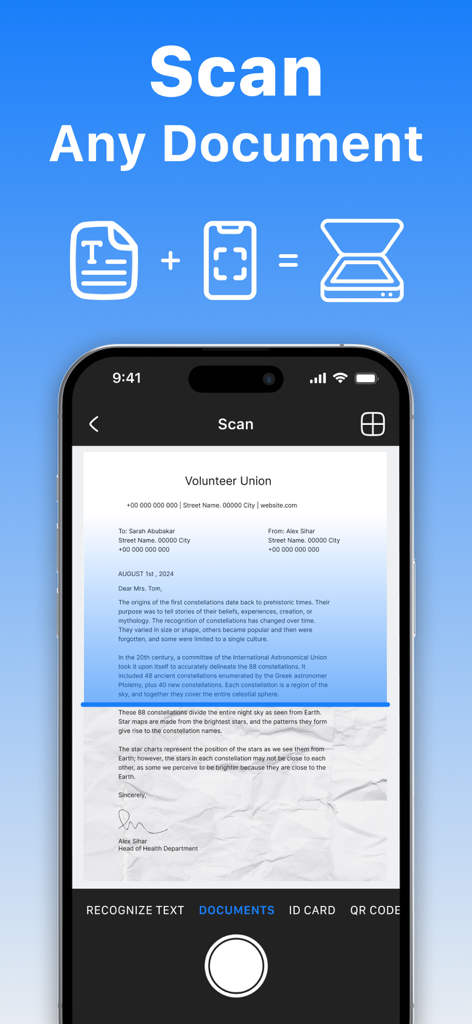
OCR 기능으로 종이 문서를 캡처하는 모바일 PDF 문서 스캐너 앱의 스마트폰 인터페이스

OCR 기능으로 종이 문서를 캡처하는 모바일 PDF 문서 스캐너 앱의 스마트폰 인터페이스

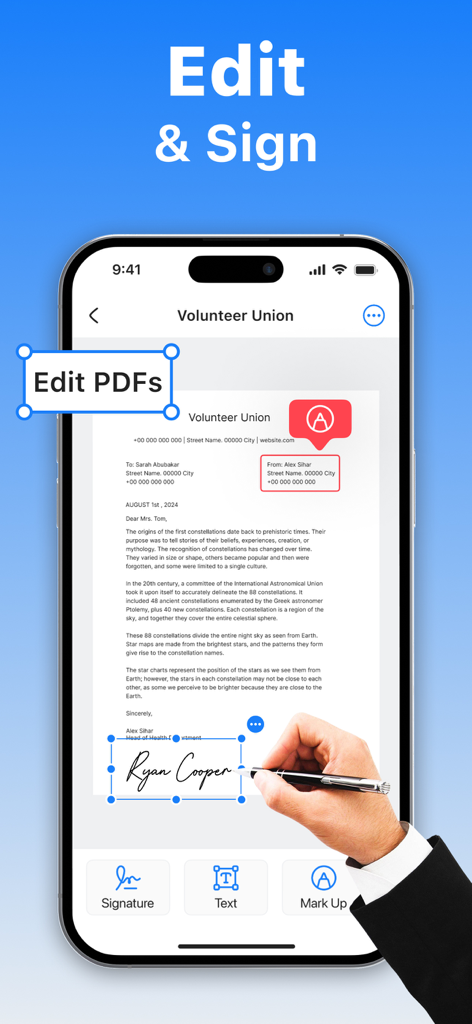
모바일 PDF 문서 스캐너 앱의 편집 및 디지털 서명 기능을 보여주는 스마트폰 화면

모바일 PDF 문서 스캐너 앱의 편집 및 디지털 서명 기능을 보여주는 스마트폰 화면

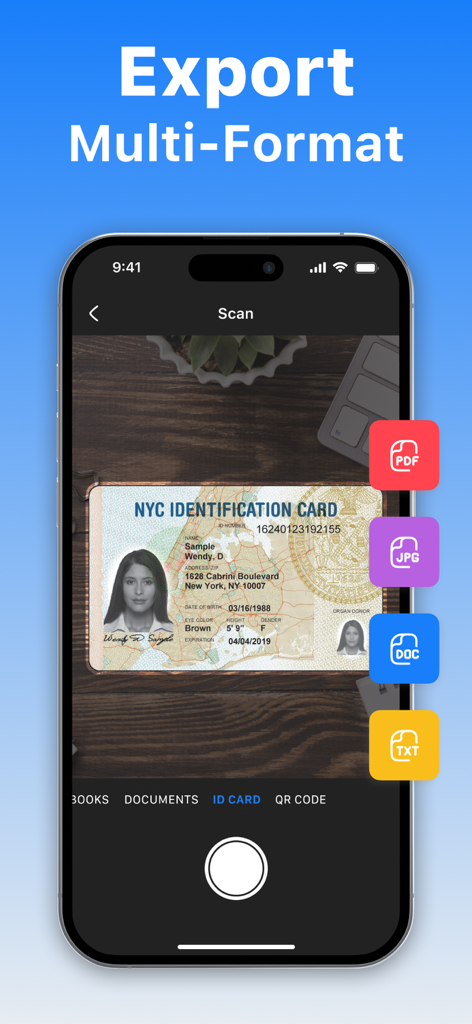
PDF, JPG, DOC 및 TXT를 포함한 여러 내보내기 옵션으로 ID 카드를 스캔하는 모바일 PDF 문서 스캐너 앱 인터페이스.

PDF, JPG, DOC 및 TXT를 포함한 여러 내보내기 옵션으로 ID 카드를 스캔하는 모바일 PDF 문서 스캐너 앱 인터페이스.

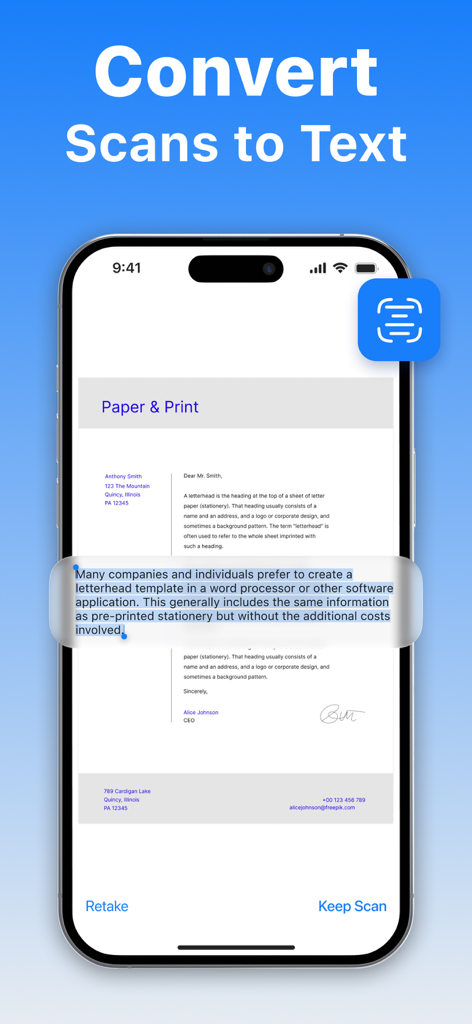
모바일 PDF 문서 스캐너 앱에서 스캔을 텍스트로 변환하는 OCR 기능을 보여주는 iPhone 화면

모바일 PDF 문서 스캐너 앱에서 스캔을 텍스트로 변환하는 OCR 기능을 보여주는 iPhone 화면

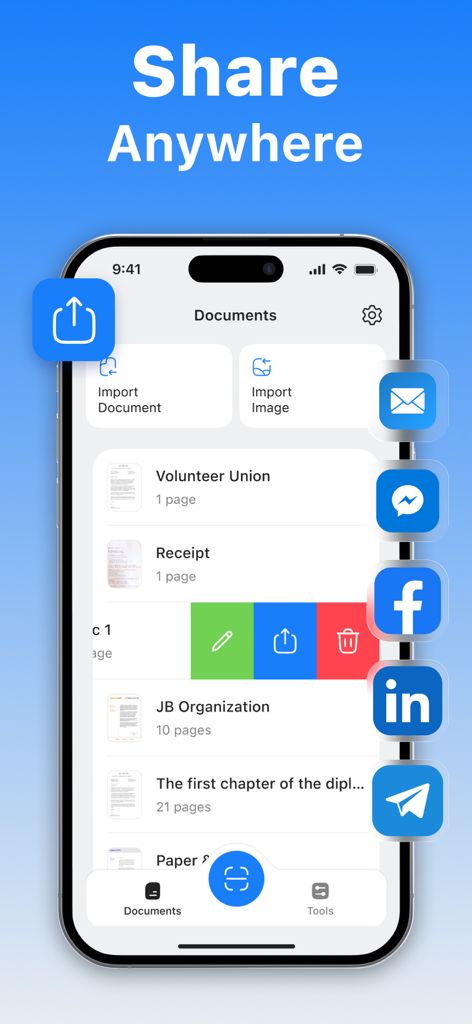
소셜 미디어 및 이메일로 여러 공유 옵션과 스캔한 파일 목록을 표시하는 모바일 PDF 문서 스캐너 앱 인터페이스.

소셜 미디어 및 이메일로 여러 공유 옵션과 스캔한 파일 목록을 표시하는 모바일 PDF 문서 스캐너 앱 인터페이스.

전체 사무실을 주머니에

이 앱을 돋보이게 하는 도구, 12K+ 명의 사용자가 선택.

✍️

순식간에 디지털 서명

인쇄나 수동 스캔 없이 화면에서 바로 계약서 및 NDA에 서명하여 거래를 더 빠르게 완료하세요.

🔍

스마트 OCR 텍스트 추출

이미지를 편집 및 검색 가능한 텍스트로 즉시 변환하세요. 연구 노트, 명함 또는 긴 보고서를 디지털화하는 데 적합합니다.

🔒

안전한 오프라인 저장

민감한 신분증 및 금융 문서를 안전하게 보관하세요. 모든 스캔은 장치에 로컬로 저장되며 클라우드가 필요하지 않고 인터넷 연결도 필요 없습니다.

앱 소개

에 대해 알아야 할 모든 것 Mobile PDF Document Scanner.

설명

Turn your phone into a powerful, portable scanner. Scan, edit, sign, and share any document as a high-quality PDF or JPEG – all in one easy-to-use app. No internet? No problem. All scans are stored securely on your device, so you can work offline anytime, anywhere. All-in-One Scanning Power: • Sign documents in just a few taps; • OCR (Optical Character Recognition) to extract text from scans; • Annotate and highlight text in PDFs; • One-tap export for quick sharing; • Save scans in color, grayscale, or black & white; • Smart auto-capture and border detection; • Multi-page scanning – scan as many pages as you need; • High-resolution scans in PDF or JPEG format. Perfect for Scanning: • IDs, contracts, invoices, receipts, letters, order forms; • Notes, sketches, handwritten documents; • Book pages, articles, educational material; • Business cards, bills, and more. Effortless Sharing and Storage: • Send scans via email or messaging apps as PDF or JPEG; • Save directly to your photo gallery or cloud storage. You can purchase an auto-renewable subscription to get full access. Your subscription will be charged to your iTunes account at confirmation of purchase. The subscription automatically renews for the same price and the duration period depends on the selected plan (weekly, monthly, yearly) unless canceled at least 24 hours before the end of the current period. You can turn off the auto-renewal feature at any time by changing your account settings. Please choose from our standard subscription options below: 1-week subscription from $4.99; 1-month subscription from $9.99; 12-month subscription from $19.99. Prices may change depending on your country. Privacy Policy: https://appliks.com/privacy-policy ​​Terms of Use: https://appliks.com/terms-of-use

최신 버전

1.0.4

크기

33.0 MB

출시일

2025년 5월 19일

전문적인 사무실을 주머니에

초당 고품질 문서를 스캔, 서명 및 공유하는 12,000명 이상의 전문가들과 함께하세요. 안전하고, 오프라인이며, 언제나 준비되어 있습니다.

다운로드: App Store

App information, icons, screenshots, and descriptions displayed on this page are sourced from the Apple App Store and are the property of their respective developers. Download estimates and rankings are based on MWM's proprietary models and may not reflect actual figures. This page is provided for informational and analytical purposes only.

Believe this page infringes your intellectual property? File a dispute