Mobile VR Station®
Mobile VR Station®
다운로드: App Store

이 페이지는 앱이나 개발자의 공식 페이지가 아니며, 정보 제공 및 논평을 목적으로 작성된 독립 편집 간행물입니다. 명시적으로 달리 언급되지 않는 한, 해당 앱이나 개발자는 MWM, Apple, Google Play, 앱 퍼블리셔 또는 앱 개발자와 제휴, 보증, 후원, 승인 또는 공식적으로 연결되어 있지 않으며, 이 페이지의 어떤 내용도 해당 앱이 MWM의 서비스를 사용하여 개발되었음을 의미하지 않습니다. 모든 상표, 로고, 스크린샷 및 기타 콘텐츠는 해당 소유자의 자산입니다.

로고: Mobile VR Station®
다운로드: App Store

Mobile VR Station®

가상 현실 경험을 완벽하게 제어하세요. iOS에서 가장 사용자 정의 가능한 플레이어로 2D, 3D, 180°, 360° 콘텐츠를 시청하세요. 4K 재생, UPNP 지원, 편집 가능한 프로젝션 프로필이 특징입니다.

주요 수치

다운로드

41K+

사용자 평점

4.2/5

총 평가 수

1K+

개발사

Michael Fuller

카테고리

Entertainment

지원 언어

2

최신 버전

2024.09

크기

76.5 MB

출시일

2015년 3월 4일
기능

원하는 대로 완벽한 몰입감

Apple 생태계를 위해 설계된 가장 사용자 정의 가능한 미디어 플레이어로 아이폰을 전문가 수준의 VR 영화관으로 바꿔보세요.

Universal Media Hub

저장 공간의 한계를 벗어나세요. 장치, UPNP 서버 또는 SanDisk iXpand 드라이브에서 직접 4K 360°, 180° 및 3D SBS 콘텐츠를 재생하세요.

Precision Calibration

꼼꼼한 사용자를 위한 꿈의 기능. 편집 가능한 프로젝션, 47가지 몰입형 스카이박스, 고유한 헤드 트래킹 프로필로 시청 경험을 완벽하게 사용자 정의하세요.

다음 스크린샷과 설명은 앱의 공식 스토어 목록에서 직접 가져온 것이며 앱 개발자의 자산입니다.

앱 스토어

스크린샷
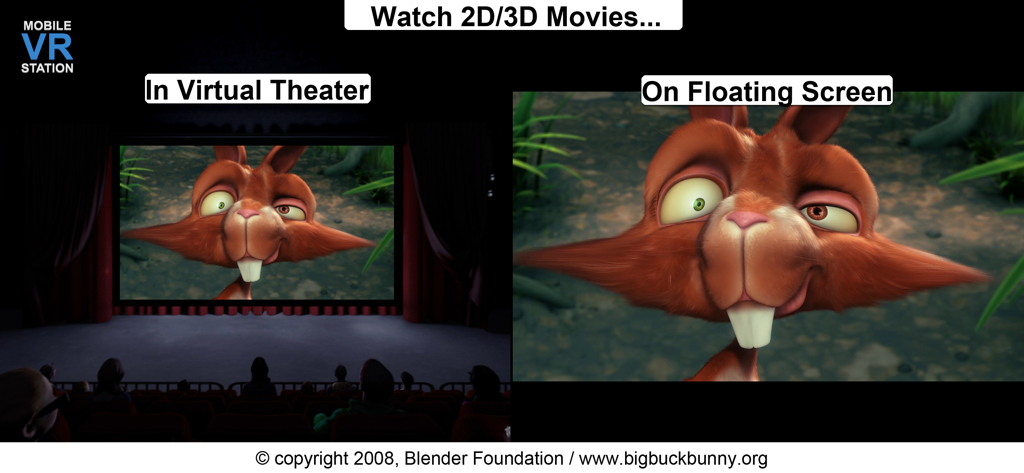
Mobile VR Station® - 2D 및 3D 영화 시청을 위한 가상 극장 및 플로팅 스크린 모드를 보여주는 Mobile VR Station 스크린샷
2D 및 3D 영화 시청을 위한 가상 극장 및 플로팅 스크린 모드를 보여주는 Mobile VR Station 스크린샷

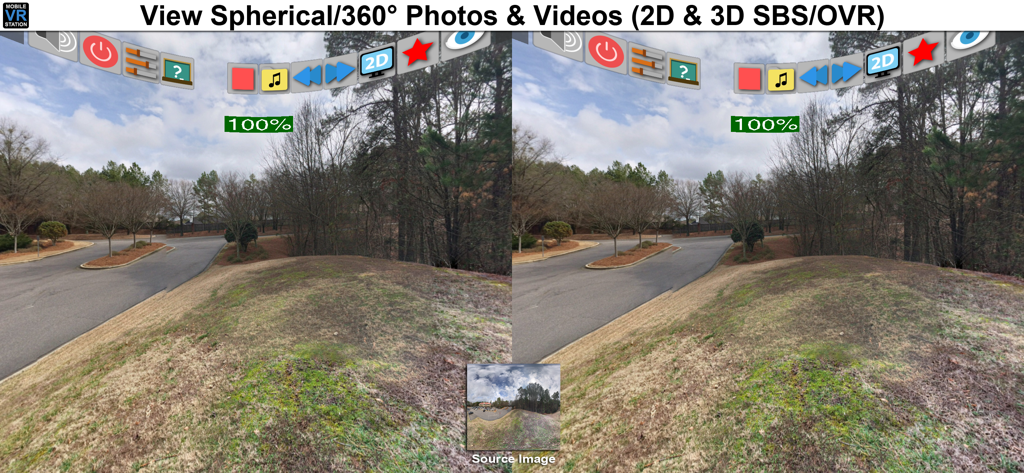
Mobile VR Station® - 360도 구면 사진의 분할 화면 입체 보기를 보여주는 Mobile VR Station 인터페이스
360도 구면 사진의 분할 화면 입체 보기를 보여주는 Mobile VR Station 인터페이스

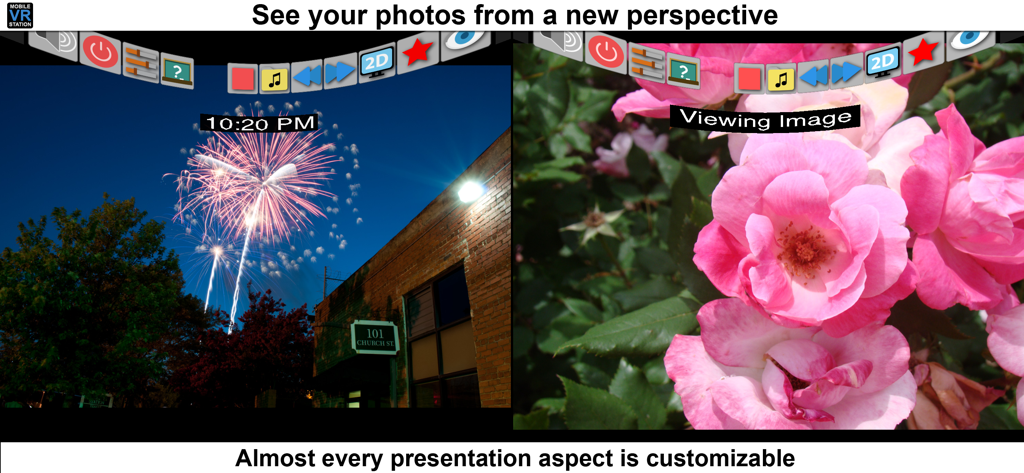
Mobile VR Station® - 사용자 정의 가능한 설정으로 분할 화면 사진 보기를 보여주는 Mobile VR Station 앱 인터페이스

사용자 정의 가능한 설정으로 분할 화면 사진 보기를 보여주는 Mobile VR Station 앱 인터페이스

설명

Mobile VR Station is a media player designed for Virtual Reality with head tracking. With this app you can view your Photos, Panoramas, Videos & Files projected onto a virtual screen floating in space. Our app supports displaying standard 2D and 3D Side By Side/Over Under content. The app can't display DRM protected content, such as content bought from iTunes. "The most feature-packed VR media player available, with editable profiles that let you adjust the viewing experience across multiple devices and VR adapters. Excellent all around!" -Quote from Manuel M, Beta Tester If you need help we provide links inside the app to view our Facebook, Twitter and YouTube channel. Usages: - Works with every headset, very flexible configuration - Watch movies in a virtual theater - Watch 3D 180 Degree content. - Explore 360/Spherical movies (Great for demos). - Experience 3D content (Left/Right, Right/Left and Top/Bottom). - See your device's photos & videos in a new way. - View panoramas with some depth. - Access external video content with UPNP. - Watch HTML5 Video from Mobile Safari with Micro VR Station extension. Details: - Native App, written in Obj-C with SceneKit - Watch App for Remote control capabalities - This app is currently only available in English - Free version limits video playback to the "first" five minutes. - Supported formats: MOV, MP4 & M4V. - Supported HMDs: None (Mono), None (SBS), Cardboard, Altergaze, Firefly, Custom, .... - Cardboard QR scanner available for quick setup - Supported Devices: Any device running iOS 8.1 can install the app, but iPhone 5S/iPad Mini (Retina) and above provide a great experience. - Projections: Dome, Full Dome, Curved (Large curve), Plane (Flat), Cylinder & Spherical - Skyboxes: 47 built in options. - Profiles: Each user/headset can have their own specific configuration. - Audio: Language switching available. - Subtitles: The app can load UTF-8 formatted *.srt files, after a movie has been started - Files: Each file has its own preview icon and meta data. You can either generate a icon or upload your own. Please see the FAQ on how to make your own icons. - Bluetooth Remote: If your headset has Play/Pause & Next/Previous buttons, you can use them to control video playback. - UPNP: Basic support for viewing & downloading video & image content. Music can play if you mess with a few settings. - Other File Formats: We are researching how other formats and higher quality content could be displayed, we understand the need and want to deliver in the future. -1080P @ 60 FPS is available on 5S+ and beyond. Devices under 5S should consume 720P. - 4K @ 30FPS is available for 6S, 6S+, 5SE & iPad Pro - Support for SanDisk™ iXpand Drives - Please see the guide book for more information Tips: - If video playback starts to lockup, or a setting doesn't stick please turn your device off and on again. - It's strongly recommended to go through Training at least once and check out the help videos if you have time. - Every projection is editable, just dig into "Manage Presets" for the details. - If you really need help, ask on our Facebook page, Twitter account, or reddit /r/iOSVR/ Controls: - MFI Controller/Bluetooth keyboard support (While in VR). - When not using a HMD device buttons can be tapped. - Tap anywhere in the right eye or empty space to recenter view. - Tap 3 fingers on screen to quickly exit VR. - Support for Occipital Bridge Controller

Download

다운로드: App Store

이 페이지는 앱이나 개발자의 공식 페이지가 아니며, 정보 제공 및 논평을 목적으로 작성된 독립 편집 간행물입니다. 명시적으로 달리 언급되지 않는 한, 해당 앱이나 개발자는 MWM, Apple, Google Play, 앱 퍼블리셔 또는 앱 개발자와 제휴, 보증, 후원, 승인 또는 공식적으로 연결되어 있지 않으며, 이 페이지의 어떤 내용도 해당 앱이 MWM의 서비스를 사용하여 개발되었음을 의미하지 않습니다. 모든 상표, 로고, 스크린샷 및 기타 콘텐츠는 해당 소유자의 자산입니다.