Money Flow - Expense Tracker
다운로드: App Store

이 페이지는 앱이나 개발자의 공식 페이지가 아니며, 정보 제공 및 논평을 목적으로 작성된 독립 편집 간행물입니다. 명시적으로 달리 언급되지 않는 한, 해당 앱이나 개발자는 MWM, Apple, Google Play, 앱 퍼블리셔 또는 앱 개발자와 제휴, 보증, 후원, 승인 또는 공식적으로 연결되어 있지 않으며, 이 페이지의 어떤 내용도 해당 앱이 MWM의 서비스를 사용하여 개발되었음을 의미하지 않습니다. 모든 상표, 로고, 스크린샷 및 기타 콘텐츠는 해당 소유자의 자산입니다.


로고: Money Flow - Expense Tracker
다운로드: App Store

Money Flow - Expense Tracker

은행 계좌를 연결할 필요 없이 저축 목표를 달성하는 간단하고 안전한 방법입니다. 데이터를 기기에만 보관하면서 궁극적인 재정적 인식을 위해 수동으로 지출을 추적하세요.

주요 수치

다운로드

31K+

사용자 평점

5.0/5

총 평가 수

0

개발사

Daniel Romero

카테고리

Finance

지원 언어

1

최신 버전

1.0.14

크기

24.0 MB

출시일

2020년 9월 18일
기능

재정 흐름을 장악하세요

개인 정보 보호, 의도성, 완전한 데이터 소유권을 소중히 여기는 사람들을 위해 설계된 미니멀리스트 예산 접근 방식입니다.

디자인상 완벽한 개인 정보 보호

은행 연동 또는 클라우드 동기화가 필요하지 않습니다. 민감한 금융 데이터는 있어야 할 곳에, 즉 기기에 비공개 및 안전하게 보관됩니다.

한눈에 보는 명확성

지출 습관과 저축 잠재력을 시각화하는 깔끔한 대시보드와 카테고리별 분석으로 월간 예산을 관리하세요.

다음 스크린샷과 설명은 앱의 공식 스토어 목록에서 직접 가져온 것이며 앱 개발자의 자산입니다.

앱 스토어

스크린샷
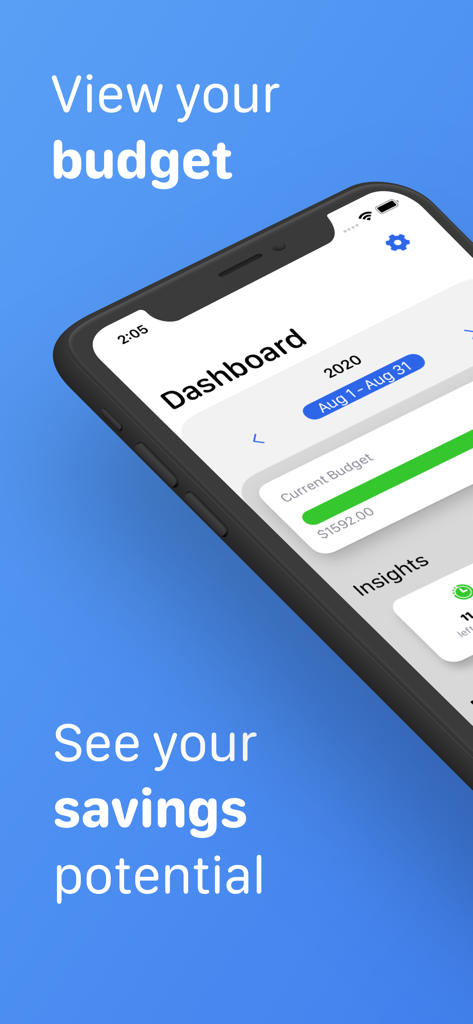
Money Flow - Expense Tracker - Money Flow 앱 대시보드, iPhone에 월간 예산 진행 상황과 저축 잠재력을 보여줌
Money Flow 앱 대시보드, iPhone에 월간 예산 진행 상황과 저축 잠재력을 보여줌

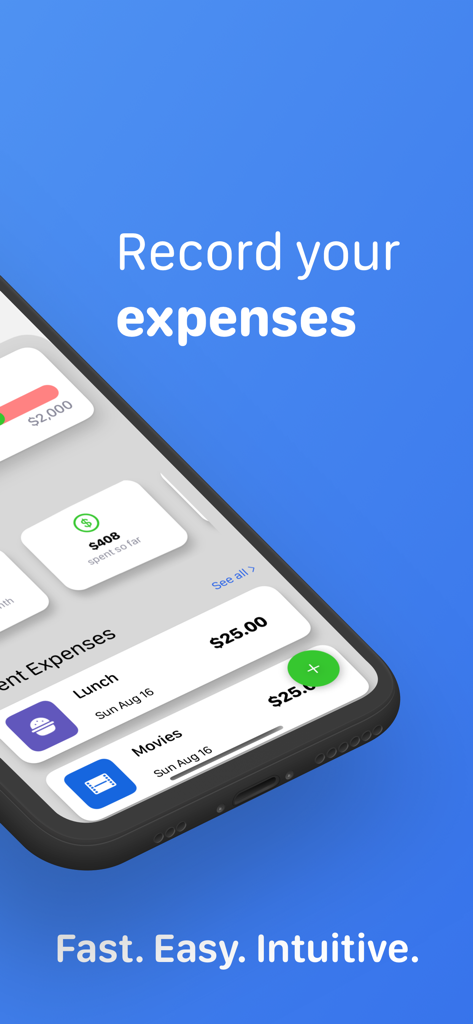
Money Flow - Expense Tracker - iPhone 화면, Money Flow 앱 대시보드에 점심 및 영화 지출 내역 표시
iPhone 화면, Money Flow 앱 대시보드에 점심 및 영화 지출 내역 표시

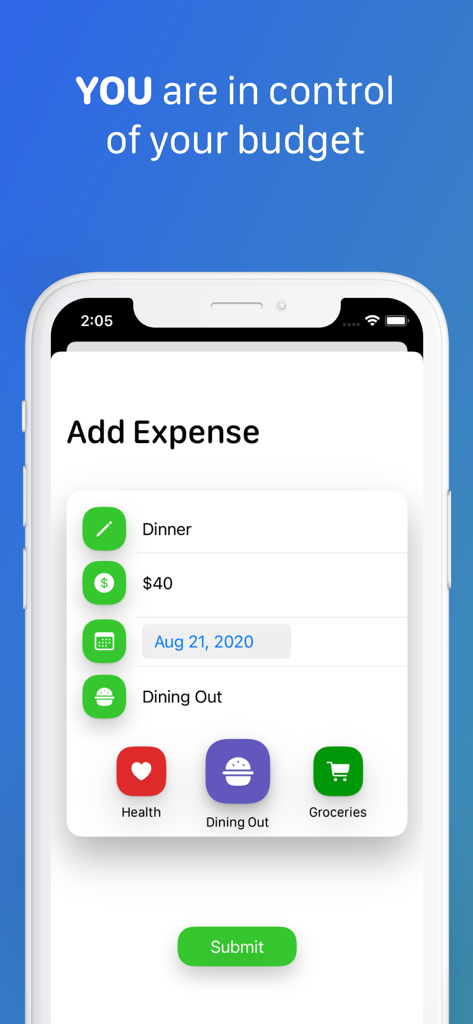
Money Flow - Expense Tracker - Money Flow 앱 화면, 카테고리 선택과 함께 저녁 식사 지출 수동 입력 표시
Money Flow 앱 화면, 카테고리 선택과 함께 저녁 식사 지출 수동 입력 표시

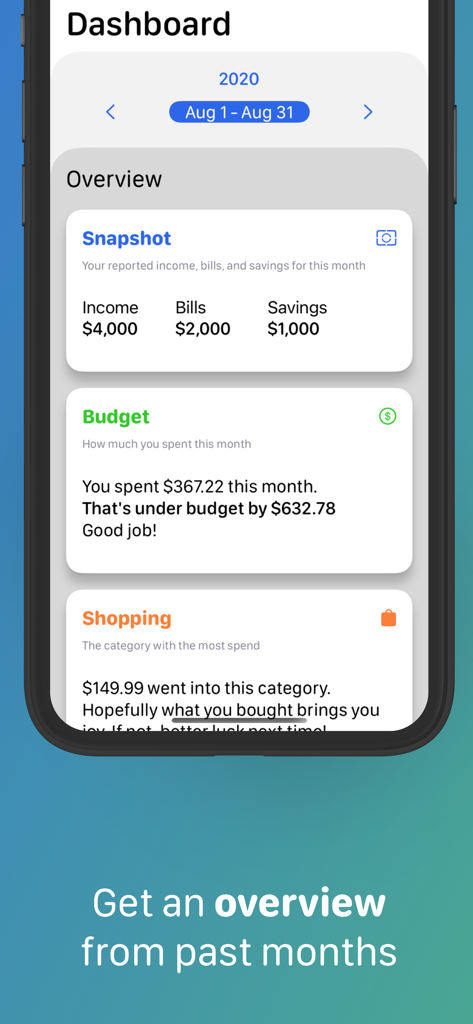
Money Flow - Expense Tracker - Money Flow 지출 추적기의 대시보드 보기, 월간 예산 및 지출 요약 표시
Money Flow 지출 추적기의 대시보드 보기, 월간 예산 및 지출 요약 표시

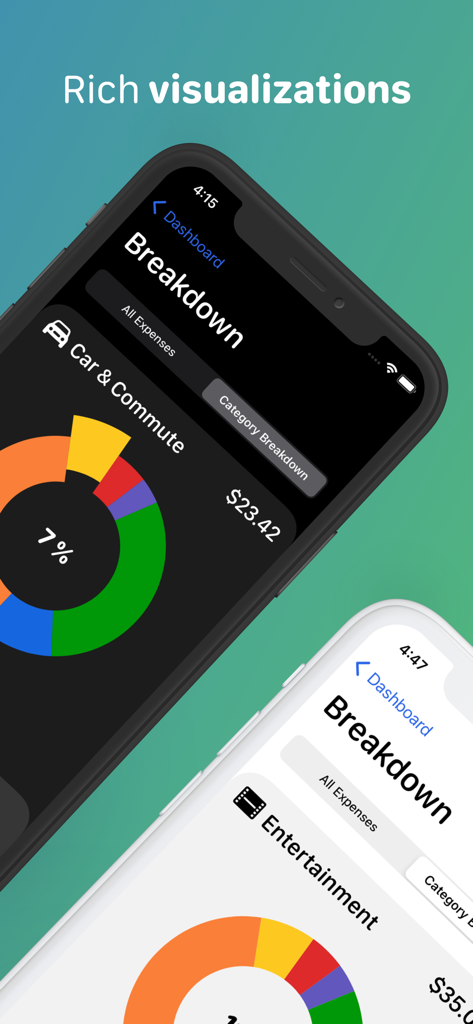
Money Flow - Expense Tracker - Money Flow 지출 추적기, iPhone 화면에 도넛 차트와 함께 지출 카테고리별 분석 표시
Money Flow 지출 추적기, iPhone 화면에 도넛 차트와 함께 지출 카테고리별 분석 표시

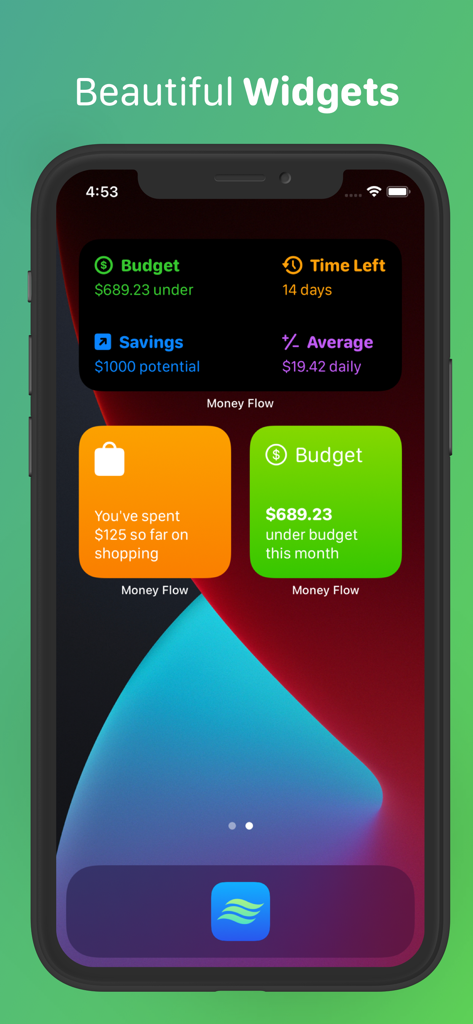
Money Flow - Expense Tracker - Money Flow 앱 위젯, iPhone 홈 화면에 예산 및 저축 인사이트 표시

Money Flow 앱 위젯, iPhone 홈 화면에 예산 및 저축 인사이트 표시

설명

Money Flow is finally here, and it’s ready to help you keep track of your expenses and achieve your personal savings goals. The app is super simple to use, and leaves out special algorithms and computational guess work in order to put you in control of expense tracking. Because of this, there is no external account linking required and you can rest assured your data is never being analyzed, sold, or stored anywhere other than on your device. Simply set your monthly income, fixed expenses, desired savings goal and start budgeting. SEE THE BIG PICTURE When you launch the app, you are presented with your Dashboard. Here you can see how you’re doing with your current budget. Helpful insights about how much money you’ve spent, or how many days are left in the month are readily available to you. Additionally, you can keep tabs on your three most recent expenses at all times. ADD EXPENSES Simply tap the add expense button located on the bottom right corner of your Dashboard and enter a short note, a dollar amount, the date and category of your expense. That’s it. Made a typo? Navigate to the All Expenses screen and tap on the expense you need to change. GET A BREAKDOWN OF YOUR SPENDING When you navigate to the All Expenses screen, you can also select the Category Breakdown segment to get a more detailed look into how you’ve spent on any given category. Tap one of the pie chart slices to switch categories, or use the convenient back/forward buttons to cycle through them all. Want to see on which days you had certain expenses? Pull up the expenses drawer from the bottom and scroll through all expenses for that category. CUSTOMIZABLE BUDGET Did you get a pay increase? Have a new fixed monthly expense? Do you want to save more? Save less? You can edit any one of your budgeting preferences by simply going to the Settings screen from your Dashboard at any time. TRAVEL THROUGH TIME Our relationship with our finances changes over time. Understanding the entirety of your financial picture can be very helpful for you to realize your personal goals. You can navigate to past months straight from the dashboard, by tapping the back/forward buttons. If you want to see a completely different year, just select a new one by tapping the year button right above your month display. COMPACT OVERVIEWS When viewing a previous budget month, you will be able to see your overview for that month. You’ll see your budget preferences for that month, whether you were over or under your budget, as well as your highest and lowest category spend. And just like in your current budget month, you can get access to all your individual expenses and your breakdown as well. WIDGETS Money Flow has three widgets for you to display on your home or lock screen. There’s the Insight Widget that shows you one of your key insights, such as your savings potential. There’s also the Category Widget for helping you keep track of your spending on an individual category. Finally, there’s the Insight Overview widget, which shows you all your insights without even having to open the app. PRIVACY We believe your data should be yours. That’s why Money Flow will never require you to link your financial accounts or mine any of the data you submit. What are you waiting for? Improve your savings game and track your expenses with Money Flow today.

Download

다운로드: App Store

이 페이지는 앱이나 개발자의 공식 페이지가 아니며, 정보 제공 및 논평을 목적으로 작성된 독립 편집 간행물입니다. 명시적으로 달리 언급되지 않는 한, 해당 앱이나 개발자는 MWM, Apple, Google Play, 앱 퍼블리셔 또는 앱 개발자와 제휴, 보증, 후원, 승인 또는 공식적으로 연결되어 있지 않으며, 이 페이지의 어떤 내용도 해당 앱이 MWM의 서비스를 사용하여 개발되었음을 의미하지 않습니다. 모든 상표, 로고, 스크린샷 및 기타 콘텐츠는 해당 소유자의 자산입니다.








