MP3 Recorder - Voice Recording
다운로드: App Store

이 페이지는 앱이나 개발자의 공식 페이지가 아니며, 정보 제공 및 논평을 목적으로 작성된 독립 편집 간행물입니다. 명시적으로 달리 언급되지 않는 한, 해당 앱이나 개발자는 MWM, Apple, Google Play, 앱 퍼블리셔 또는 앱 개발자와 제휴, 보증, 후원, 승인 또는 공식적으로 연결되어 있지 않으며, 이 페이지의 어떤 내용도 해당 앱이 MWM의 서비스를 사용하여 개발되었음을 의미하지 않습니다. 모든 상표, 로고, 스크린샷 및 기타 콘텐츠는 해당 소유자의 자산입니다.

로고: MP3 Recorder - Voice Recording
다운로드: App Store

MP3 Recorder - Voice Recording

iPhone에서 즉시 고품질 MP3를 녹음하세요. 파일 변환의 번거로움 없이 안정적인 백그라운드 녹음과 세밀한 제어가 필요한 학생, 전문가, 음악가를 위해 설계되었습니다.

주요 수치

다운로드

7K+

사용자 평점

4.4/5

총 평가 수

100

개발사

Andy Sutanto

카테고리

Music

지원 언어

1

최신 버전

1.0.3

크기

31.0 MB

출시일

2024년 3월 13일
기능

모든 디테일을 전문적인 선명도로 포착하세요

이동 중에도 보편적인 호환성과 고충실도 사운드를 필요로 하는 학생, 전문가 및 크리에이터를 위한 필수 MP3 녹음 도구입니다.

보편적인 MP3 형식

변환은 건너뛰세요. Windows, Android 및 전문 전사 소프트웨어와 원활하게 공유할 수 있도록 MP3로 직접 녹음하세요.

맞춤형 품질 제어

사운드를 맞춤 설정하세요. 비트 전송률과 샘플 전송률을 조정하여 고충실도 오디오와 저장 공간 간의 완벽한 균형을 맞추세요.

다음 스크린샷과 설명은 앱의 공식 스토어 목록에서 직접 가져온 것이며 앱 개발자의 자산입니다.

앱 스토어

스크린샷
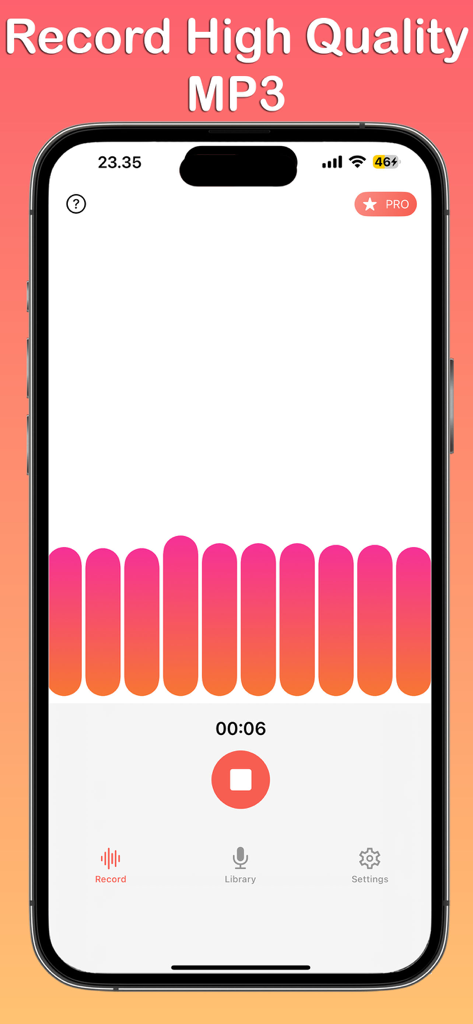
MP3 Recorder - Voice Recording - MP3 녹음기 앱 인터페이스로, iPhone에서 화려한 파형과 타이머가 표시되는 활성 음성 녹음 세션을 보여줍니다.
MP3 녹음기 앱 인터페이스로, iPhone에서 화려한 파형과 타이머가 표시되는 활성 음성 녹음 세션을 보여줍니다.

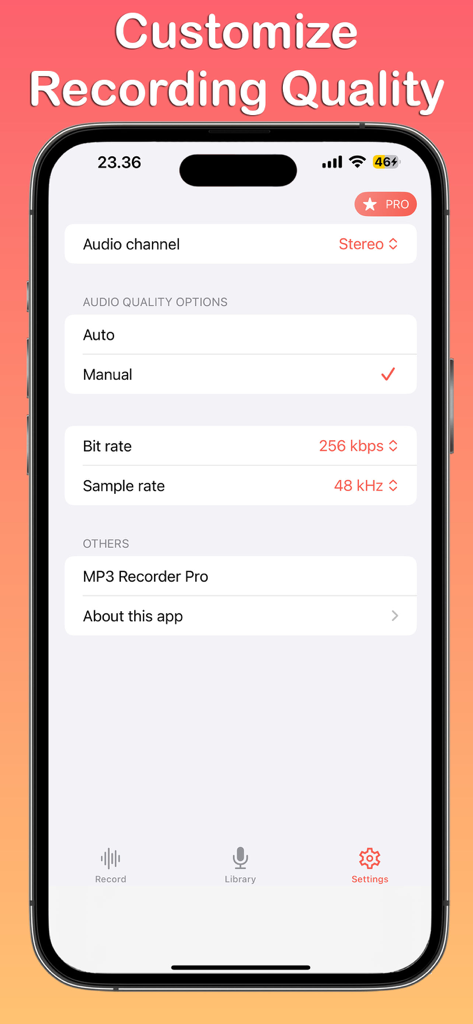
MP3 Recorder - Voice Recording - 비트 전송률 및 샘플 전송률을 포함한 MP3 음성 녹음을 위한 맞춤 설정 가능한 오디오 품질 설정을 보여주는 스마트폰 화면
비트 전송률 및 샘플 전송률을 포함한 MP3 음성 녹음을 위한 맞춤 설정 가능한 오디오 품질 설정을 보여주는 스마트폰 화면

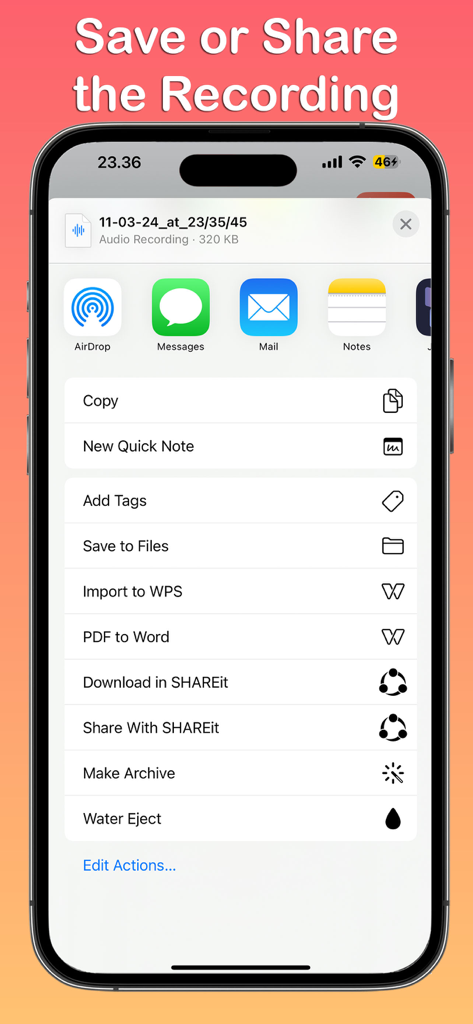
MP3 Recorder - Voice Recording - 파일에 저장하거나 메시지 및 메일을 통해 공유하는 옵션이 있는 음성 녹음 공유 시트를 보여주는 iPhone 화면.

파일에 저장하거나 메시지 및 메일을 통해 공유하는 옵션이 있는 음성 녹음 공유 시트를 보여주는 iPhone 화면.

설명

Introducing MP3 Recorder - Voice Recording, the straightforward and efficient app designed for all your audio recording needs on iOS. Whether you're capturing voice memos, recording meetings, or creating musical pieces, our app ensures high-quality MP3 format recordings with ease. Features: Simple Interface: Navigate through the app with three main tabs: Record, Library, and Settings, each designed for intuitive use and accessibility. Record with Ease: Tap into the Record tab to start capturing audio instantly. Our app supports background recording, allowing you to continue using your device while it captures audio seamlessly. Manage Your Recordings: The Library tab is your central hub for all recordings. Here, you can play back your audio files, share them with friends or colleagues, or delete them if needed. Organizing your recordings has never been easier. Customizable Settings: Tailor your recording experience in the Settings tab, where you can switch between mono and stereo audio channels, adjust the bit rate for quality control, and set the sample rate to suit your recording needs. Adaptive Themes: MP3 Recorder - Voice Recording adapts to your iPhone's theme, offering both light and dark modes for a comfortable visual experience in any environment. MP3 Recorder - Voice Recording is the ideal tool for professionals, students, musicians, and anyone in need of a reliable audio recording app. With its user-friendly interface and customizable settings, capturing and managing high-quality audio recordings is effortlessly within reach. Download now and elevate your recording capabilities on iOS. Disclaimer: Please do not use this application to record any copyrighted material. We are not responsible for misuse by users for any reason. MP3 Recorder - Voice Recording app is free. You can use it forever, at no cost. However, MP3 Recorder - Voice Recording does offer premium features for its subscribers. If you decide to purchase an upgrade, you can unlock additional features, i.e. remove ads and change bit rate and sample rate. If you have a suggestion to improve MP3 Recorder - Voice Recording, please send us an email. Terms of Use: https://kociapp.github.io/MP3-Recorder/term-of-use Privacy Policy: https://kociapp.github.io/MP3-Recorder/privacy-policy

Download

다운로드: App Store

이 페이지는 앱이나 개발자의 공식 페이지가 아니며, 정보 제공 및 논평을 목적으로 작성된 독립 편집 간행물입니다. 명시적으로 달리 언급되지 않는 한, 해당 앱이나 개발자는 MWM, Apple, Google Play, 앱 퍼블리셔 또는 앱 개발자와 제휴, 보증, 후원, 승인 또는 공식적으로 연결되어 있지 않으며, 이 페이지의 어떤 내용도 해당 앱이 MWM의 서비스를 사용하여 개발되었음을 의미하지 않습니다. 모든 상표, 로고, 스크린샷 및 기타 콘텐츠는 해당 소유자의 자산입니다.







