MT - Expense Tracker
다운로드: App Store

이 페이지는 앱이나 개발자의 공식 페이지가 아니며, 정보 제공 및 논평을 목적으로 작성된 독립 편집 간행물입니다. 명시적으로 달리 언급되지 않는 한, 해당 앱이나 개발자는 MWM, Apple, Google Play, 앱 퍼블리셔 또는 앱 개발자와 제휴, 보증, 후원, 승인 또는 공식적으로 연결되어 있지 않으며, 이 페이지의 어떤 내용도 해당 앱이 MWM의 서비스를 사용하여 개발되었음을 의미하지 않습니다. 모든 상표, 로고, 스크린샷 및 기타 콘텐츠는 해당 소유자의 자산입니다.


로고: MT - Expense Tracker
다운로드: App Store

MT - Expense Tracker

완전한 재정적 명확성을 얻는 가장 빠른 방법. 몇 초 안에 모든 달러를 추적하고, 스마트 예산을 설정하고, iPhone을 위한 가장 신뢰할 수 있고 개인 정보 보호에 중점을 둔 금융 관리자로 전문적인 현금 흐름 분석을 즐기세요.

주요 수치

다운로드

172K+

사용자 평점

4.8/5

총 평가 수

23K+

개발사

金 郭

카테고리

Finance

지원 언어

6

최신 버전

7.17.3

크기

61.6 MB

출시일

2011년 11월 29일
기능

완전한 명확성으로 돈을 관리하세요

월급이 어디로 가는지 더 이상 궁금해하지 마세요. MT - 가계부는 바쁜 전문가가 재정적 미래를 통제하도록 돕기 위해 설계된 빠르고, 비공개적이며, 강력한 도구입니다.

번개처럼 빠른 추적

영수증 스냅샷, 내장 계산기, Alipay 및 WeChat의 스마트 자동 가져오기를 통해 몇 초 안에 거래를 기록하세요.

시각적인 재정 인사이트

전문적인 차트와 실시간 예산 비교를 통해 즉각적인 명확성을 얻고 지출을 최적화하는 방법을 정확히 파악하세요.

다음 스크린샷과 설명은 앱의 공식 스토어 목록에서 직접 가져온 것이며 앱 개발자의 자산입니다.

앱 스토어

스크린샷
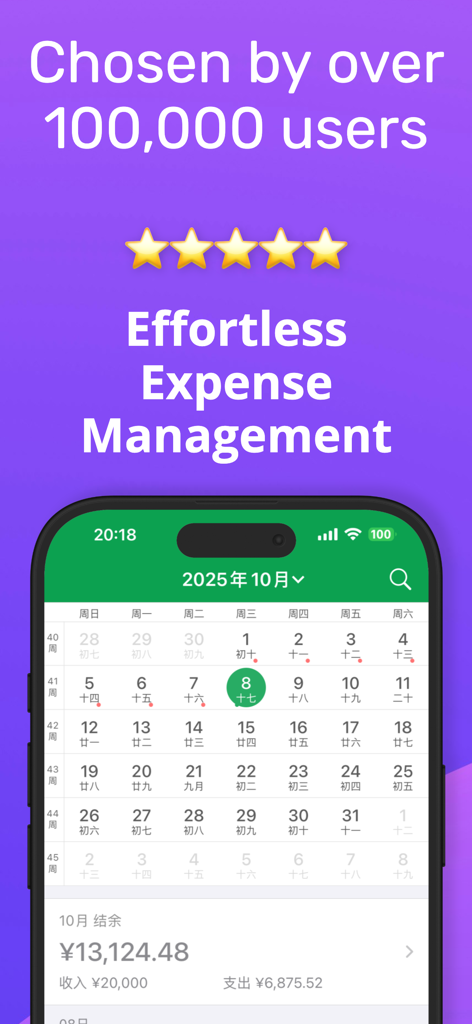
MT - Expense Tracker - MT 가계부 모바일 앱이 지출 요약이 포함된 월별 재정 캘린더를 보여줍니다.
MT 가계부 모바일 앱이 지출 요약이 포함된 월별 재정 캘린더를 보여줍니다.

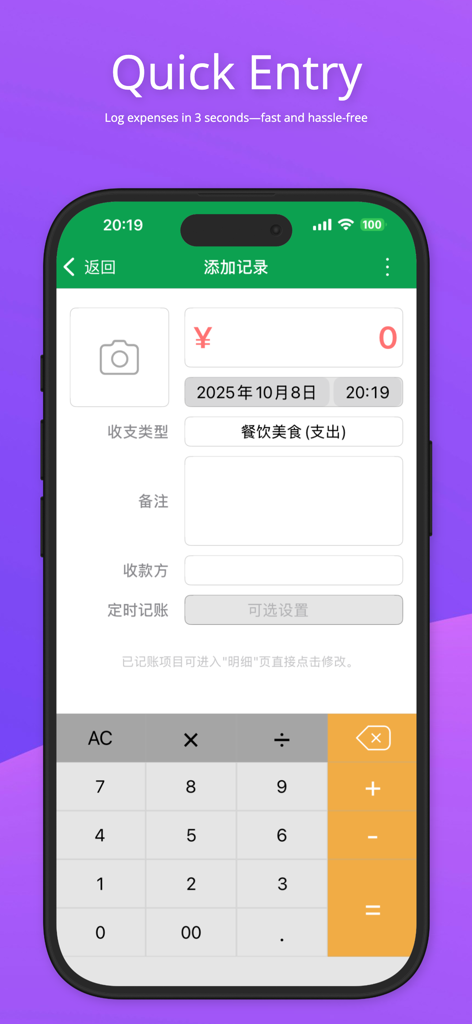
MT - Expense Tracker - MT 가계부 앱의 빠른 입력 화면으로, 수동 지출 기록 인터페이스와 내장 계산기가 특징입니다.
MT 가계부 앱의 빠른 입력 화면으로, 수동 지출 기록 인터페이스와 내장 계산기가 특징입니다.

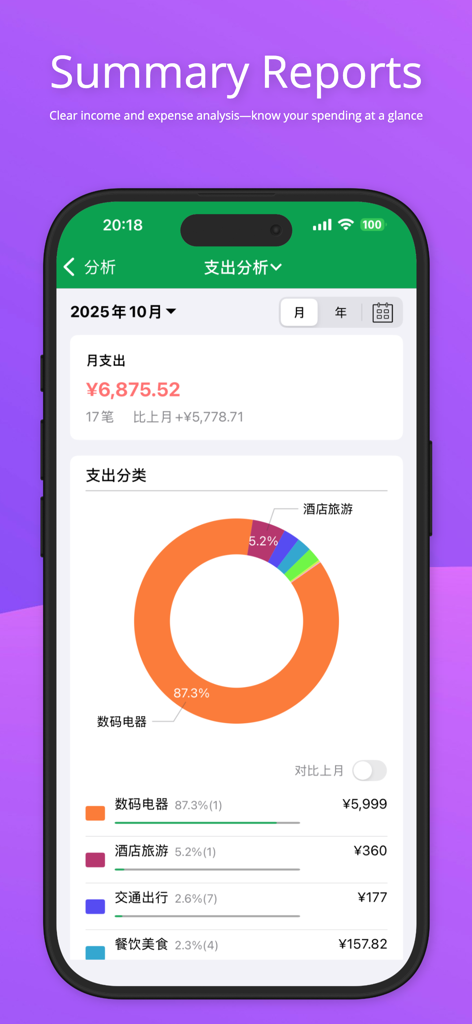
MT - Expense Tracker - MT 가계부 앱 인터페이스가 색상으로 구분된 도넛 차트와 카테고리별 분석을 포함한 상세한 월별 지출 분석을 보여줍니다.
MT 가계부 앱 인터페이스가 색상으로 구분된 도넛 차트와 카테고리별 분석을 포함한 상세한 월별 지출 분석을 보여줍니다.

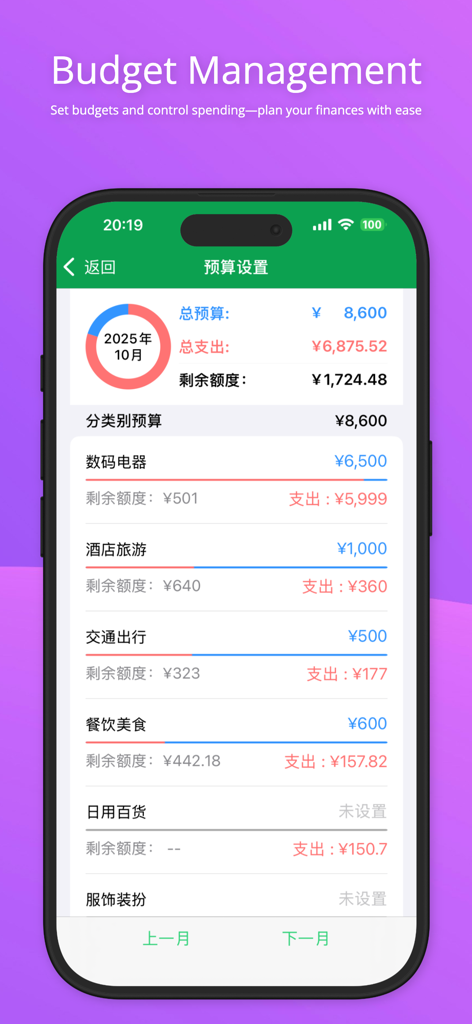
MT - Expense Tracker - MT - 가계부 앱 인터페이스가 카테고리별 지출 한도 및 남은 잔액이 포함된 예산 관리 설정을 보여줍니다.
MT - 가계부 앱 인터페이스가 카테고리별 지출 한도 및 남은 잔액이 포함된 예산 관리 설정을 보여줍니다.

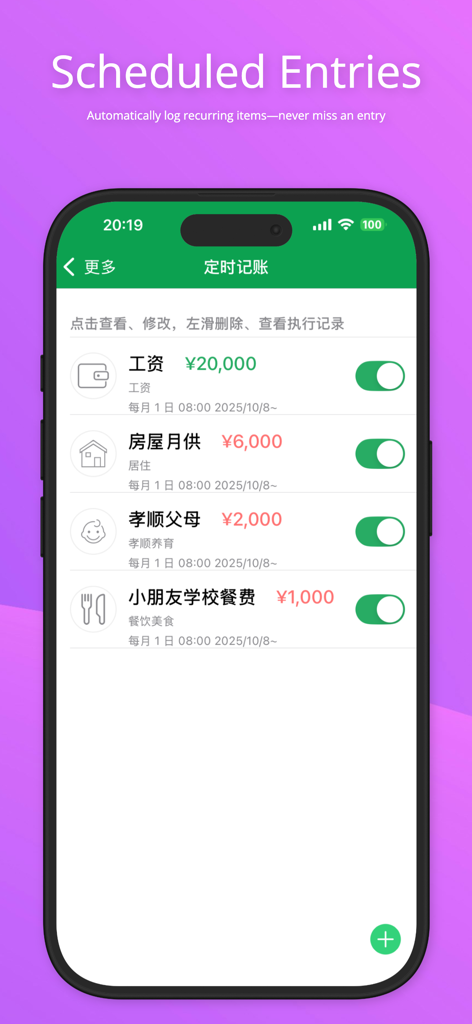
MT - Expense Tracker - MT 가계부 모바일 앱의 예약된 반복 거래.

MT 가계부 모바일 앱의 예약된 반복 거래.

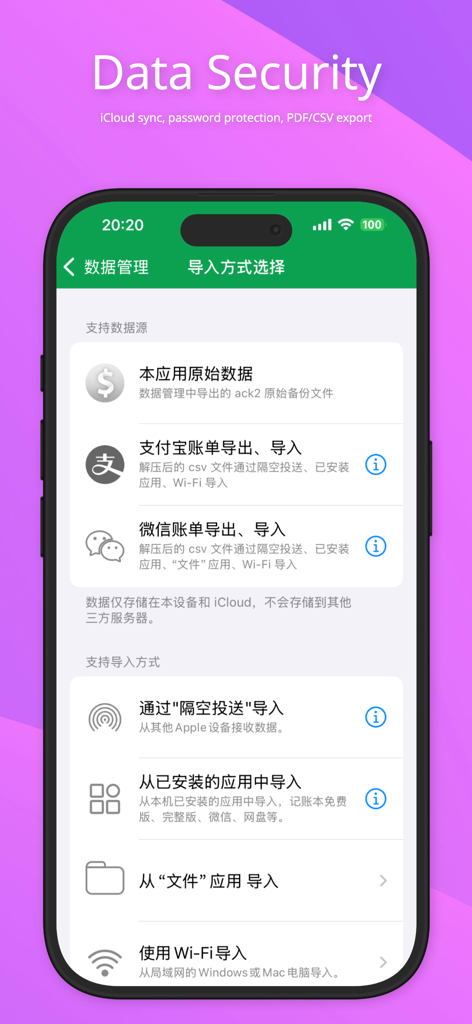
MT - Expense Tracker - MT 가계부 데이터 보안 화면이 iCloud 동기화 및 데이터 가져오기 옵션을 보여줍니다.
MT 가계부 데이터 보안 화면이 iCloud 동기화 및 데이터 가져오기 옵션을 보여줍니다.

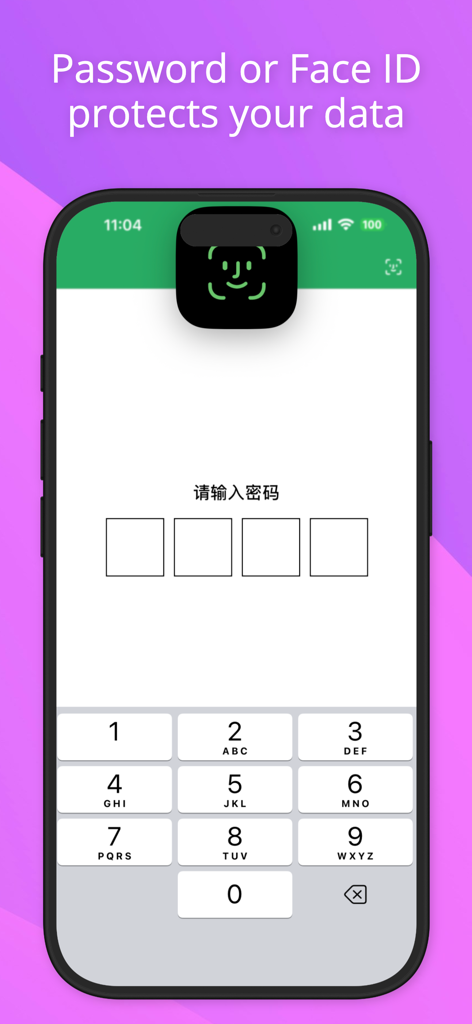
MT - Expense Tracker - MT - 가계부 보안 화면이 Face ID 및 비밀번호 보호를 보여줍니다.

MT - 가계부 보안 화면이 Face ID 및 비밀번호 보호를 보여줍니다.

설명

Core Value: Make Your Finances Clear, Say Goodbye to Living Paycheck to Paycheck Easily track every dollar and gain full visibility of your finances. Say goodbye to “living paycheck to paycheck” and keep your finances transparent and organized! Do you feel that your income is not small, but you never know where your money goes each month? Accounting Book is a simple and efficient professional bookkeeping app. It is not just a tool for recording income and expenses, but also a powerful assistant to optimize spending and achieve financial goals. Build a habit of timely bookkeeping and make personal finance easy and stress-free. CORE FEATURES: - Fast Entry: Supports bill snapshots (cropping available), built-in calculator, decimal input; record each transaction in seconds. - Auto Import: Supports intelligent import from Alipay and WeChat bills, freeing your hands from manual entry. - Professional Analysis: Powerful chart analysis shows monthly income and expense structure; compare weekly, monthly, or quarterly to understand cash flow at a glance. - Budget Manager: Set total or category budgets, compare actual spending in real time, and avoid overspending. - Financial Security: Protect your data with Face ID / password lock. - Cloud Sync: iCloud cloud sync updates data automatically across devices. ADDITIONAL FEATURES: Detailed Records: View, edit, and delete transactions anytime; export PDF reports for printing or sharing. Custom Categories: Add income and expense categories to suit your personal needs. Scheduled Entry: Automatically record recurring income and expenses. Theme Selection: 12 themes to personalize your app experience. Data Sharing: Supports AirDrop, email attachments, cloud drives, and WiFi for importing and exporting data. Localized Support: Daily reminders, local and custom currency symbols, support for lunar calendar. FREQUENTLY ASKED QUESTIONS:: Q: How to quickly import old data when switching phones? A: Two convenient methods: Email/Cloud Backup: On the old phone, go to "More" > "Data Backup & Import" > "Data Backup", choose email or cloud backup; on the new phone, open the attachment and select "Import from Accounting Book". Advanced Users: Use AirDrop to send data to the new phone, then select Accounting Book to receive and import. CONTACT US: We value every piece of feedback. To report bugs or request features, go to "More" > "Feedback" and send us an email. We will respond as soon as possible. Privacy Policy:https://f.n-years.com/en/docs/mtracker/privacy_statement Third-Party Information Sharing List:https://f.n-years.com/en/docs/mtracker/third_party_description Membership Service Agreement:https://f.n-years.com/en/docs/mtracker/membership_service_agreement Auto-Renewal Subscription Terms:https://f.n-years.com/en/docs/mtracker/auto-renewal_service_terms

Download

다운로드: App Store

이 페이지는 앱이나 개발자의 공식 페이지가 아니며, 정보 제공 및 논평을 목적으로 작성된 독립 편집 간행물입니다. 명시적으로 달리 언급되지 않는 한, 해당 앱이나 개발자는 MWM, Apple, Google Play, 앱 퍼블리셔 또는 앱 개발자와 제휴, 보증, 후원, 승인 또는 공식적으로 연결되어 있지 않으며, 이 페이지의 어떤 내용도 해당 앱이 MWM의 서비스를 사용하여 개발되었음을 의미하지 않습니다. 모든 상표, 로고, 스크린샷 및 기타 콘텐츠는 해당 소유자의 자산입니다.