
이 페이지는 앱이나 개발자의 공식 페이지가 아니며, 정보 제공 및 논평을 목적으로 작성된 독립 편집 간행물입니다. 명시적으로 달리 언급되지 않는 한, 해당 앱이나 개발자는 MWM, Apple, Google Play, 앱 퍼블리셔 또는 앱 개발자와 제휴, 보증, 후원, 승인 또는 공식적으로 연결되어 있지 않으며, 이 페이지의 어떤 내용도 해당 앱이 MWM의 서비스를 사용하여 개발되었음을 의미하지 않습니다. 모든 상표, 로고, 스크린샷 및 기타 콘텐츠는 해당 소유자의 자산입니다.


Munbyn Print
전문적인 배송 라벨, 맞춤 스티커, 정리된 가정용 태그를 몇 초 만에 만드세요. 잉크 없이, 번거로움 없이 — 휴대폰에서 바로 블루투스 인쇄만 하면 됩니다.
다운로드
311K+사용자 평점
총 평가 수
1K+개발사
카테고리
Graphics & Design지원 언어
8최신 버전
2.7.4크기
118.1 MB출시일
2022년 6월 30일인쇄 및 성장에 필요한 모든 것
배송 주문부터 가정 정리까지, 잉크나 토너 없이 몇 초 만에 전문적인 라벨을 디자인하고 인쇄하세요.
더 빠르게 배송하고 비용을 절약하세요
잉크 없는 열전사 기술로 업계 표준 4x6 라벨을 인쇄하세요. 원클릭 일괄 인쇄 기능을 사용하여 Etsy, Poshmark 또는 Shopify 주문을 기록적인 시간 안에 처리하세요.
전문적인 브랜딩을 쉽게
수백 개의 무료 템플릿과 자료에 액세스하세요. 로고, QR 코드, 맞춤 아이콘을 추가하여 브랜드를 돋보이게 하는 멋진 '감사합니다' 스티커를 만드세요.
자주 묻는 질문
에 대해 알아야 할 모든 것 Munbyn Print
Munbyn Print는 프린터와 어떻게 연결되나요?
Munbyn Print는 모바일폰을 통해 블루투스 또는 블루투스 네트워크 연결을 사용하여 라벨 프린터에 연결됩니다. 이를 통해 다양한 시나리오에서 인쇄 요구 사항을 신속하게 설정할 수 있습니다.
Munbyn Print에서 라벨을 인쇄하려면 잉크나 토너가 필요한가요?
아니요, Munbyn Print는 잉크나 토너가 필요하지 않습니다. 이 앱은 잉크 없는 인쇄를 위해 열지 사용하지 않는 종이 가열 기술을 활용하여 일반적인 4x6 배송 라벨을 포함한 다양한 유형의 라벨을 지원하여 비용 효율적입니다.
Munbyn Print는 어떤 종류의 라벨을 지원하나요?
Munbyn Print는 일반적인 4x6 배송 라벨을 포함하여 거의 모든 유형의 라벨을 지원합니다. 이 앱은 102x152mm, 76x127mm와 같은 다양한 인쇄 크기와 다른 라벨 용지에 맞는 다른 치수를 지원합니다.
Munbyn Print에서 미리 디자인된 라벨 템플릿을 제공하나요?
네, Munbyn Print는 수백 개의 무료 라벨 템플릿과 자료가 포함된 풍부한 템플릿 라이브러리를 제공합니다. 사용자는 이러한 템플릿을 호출하고 사용자 정의하여 개인화된 라벨을 만들 수 있습니다. 스크린샷 #3은 2000개 이상의 사용 가능한 템플릿을 나타냅니다.
Munbyn Print 앱에서 어떤 편집 기능을 사용할 수 있나요?
Munbyn Print는 텍스트, 테이블, 일러스트레이션, 아이콘, 이미지 및 날짜를 지원하는 스마트 에디터를 제공합니다. 또한 전문적인 라벨을 위해 음성 인식, QR 코드 생성, 배치 일련 번호 및 바코드 생성 기능도 포함되어 있습니다.
Munbyn Print를 사용하여 다른 파일 형식으로 인쇄할 수 있나요?
네, Munbyn Print는 다중 형식 파일 인쇄를 지원합니다. PDF, TXT, PNG 및 JPG 전자 파일 형식을 직접 가져올 수 있습니다. 또한 최적의 인쇄 결과를 위해 페이지 자르기 및 처리 기능을 제공합니다.
Munbyn Print에서 사용자에게 기술 지원을 제공하나요?
네, Munbyn Print는 전문적인 기술 지원을 제공합니다. 사용자는 온라인 피드백을 제공하고, 사용 경험을 교환하며, 언제든지 도움을 줄 준비가 된 전문가 팀으로부터 포괄적인 서비스를 받을 수 있습니다.
Munbyn Print 앱은 어떤 언어를 지원하나요?
Munbyn Print는 영어, 중국어, 스페인어, 프랑스어, 일본어, 독일어, 이탈리아어를 포함한 여러 언어를 지원합니다. 사용자는 앱의 설정 메뉴에서 선호하는 언어를 쉽게 선택할 수 있습니다.
Munbyn Print에서 템플릿에 대한 클라우드 스토리지를 제공하나요?
네, Munbyn Print에는 클라우드 저장 기능이 포함되어 있습니다. 라벨 템플릿은 클라우드에 저장되어 다른 장치에서 원활하게 사용할 수 있으며 데이터 보안을 보장합니다. 사용자는 언제 어디서나 디자인에 액세스할 수 있습니다.
Munbyn Print에서 배치 인쇄를 처리할 수 있나요?
네, Munbyn Print는 배치 인쇄를 지원합니다. 파일을 가져온 후 사용자는 한 번의 클릭으로 배치 인쇄를 수행할 수 있으며, 이는 작업 효율성을 크게 향상시키고 대량 인쇄 작업에 시간을 절약합니다.
Munbyn Print에 텍스트 인식 기능이 있나요?
네, Munbyn Print에는 효율적인 텍스트 인식 기능이 있습니다. 내장된 OCR 기술을 통해 콘텐츠를 신속하게 인식하고 가져올 수 있어 사용자가 인식된 텍스트를 앱 내에서 직접 쉽게 편집하고 인쇄할 수 있습니다.
다음 스크린샷과 설명은 앱의 공식 스토어 목록에서 직접 가져온 것이며 앱 개발자의 자산입니다.
앱 스토어
스크린샷
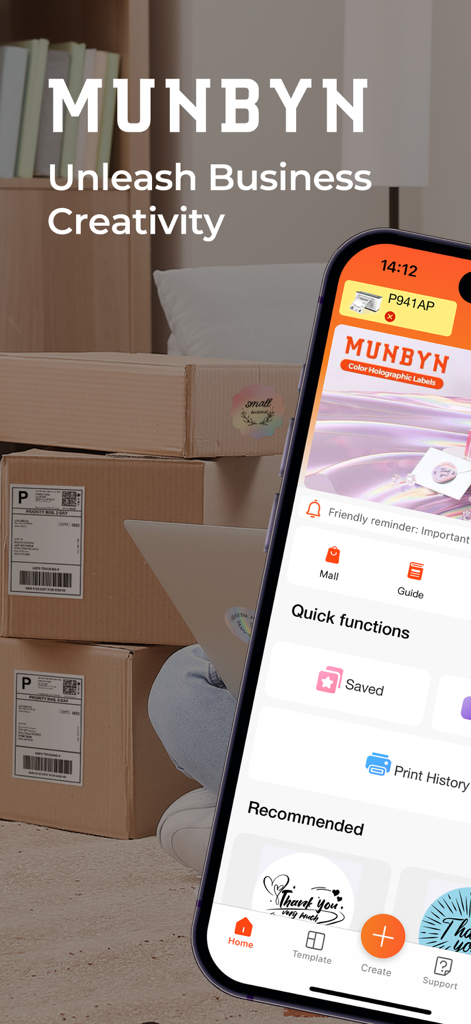
라벨이 붙은 배송 패키지 옆에 Munbyn Print 앱 홈 화면이 표시된 스마트폰
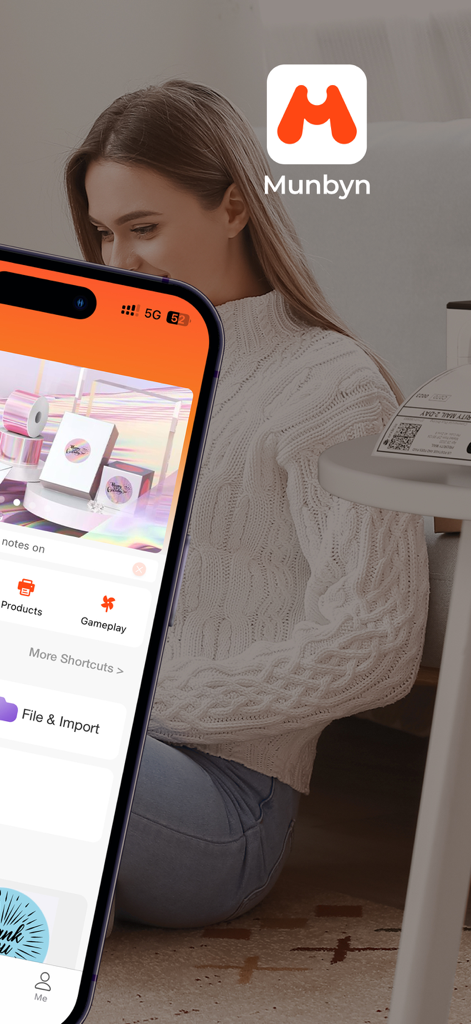
열전사 라벨 인쇄를 위한 Munbyn Print 모바일 앱 홈 화면이 스마트폰에 표시됨
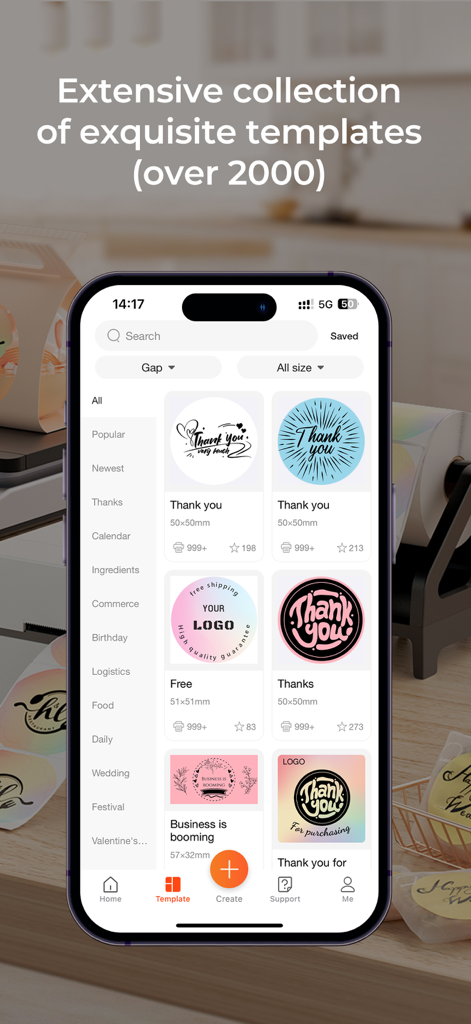
소규모 비즈니스 소유자를 위한 맞춤형 감사 및 브랜딩 라벨 템플릿 라이브러리를 보여주는 Munbyn Print 앱 스크린샷
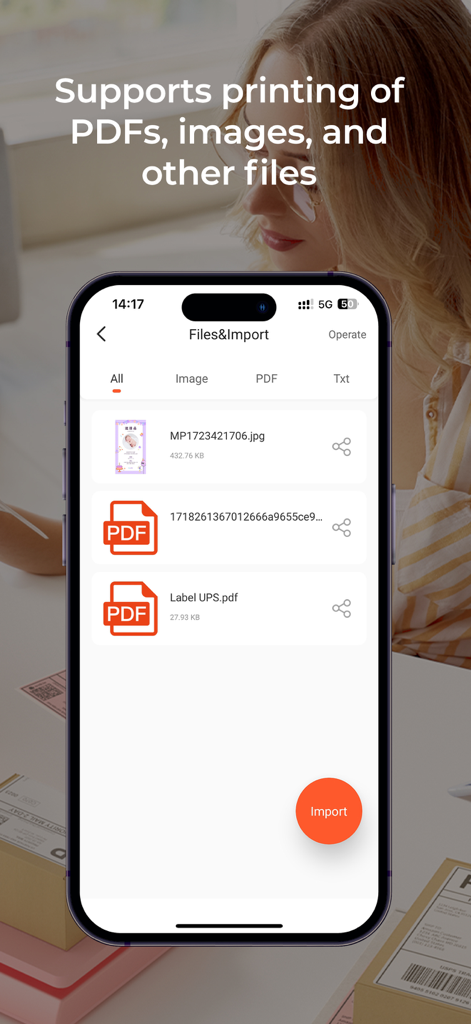
PDF 및 이미지 인쇄를 위한 Munbyn Print 앱의 파일 가져오기 인터페이스를 표시하는 스마트폰 화면
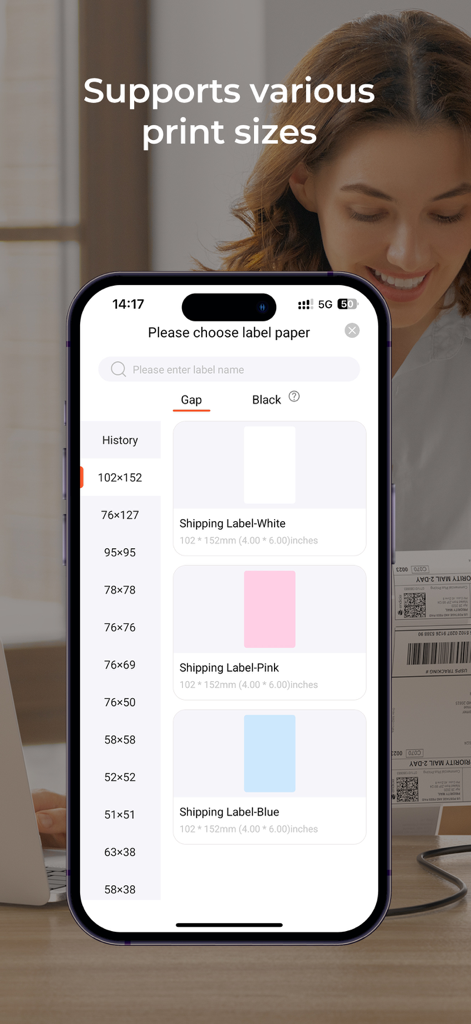
Munbyn Print 앱에서 사용할 수 있는 다양한 배송 라벨 용지 크기와 색상을 보여주는 모바일 인터페이스 화면
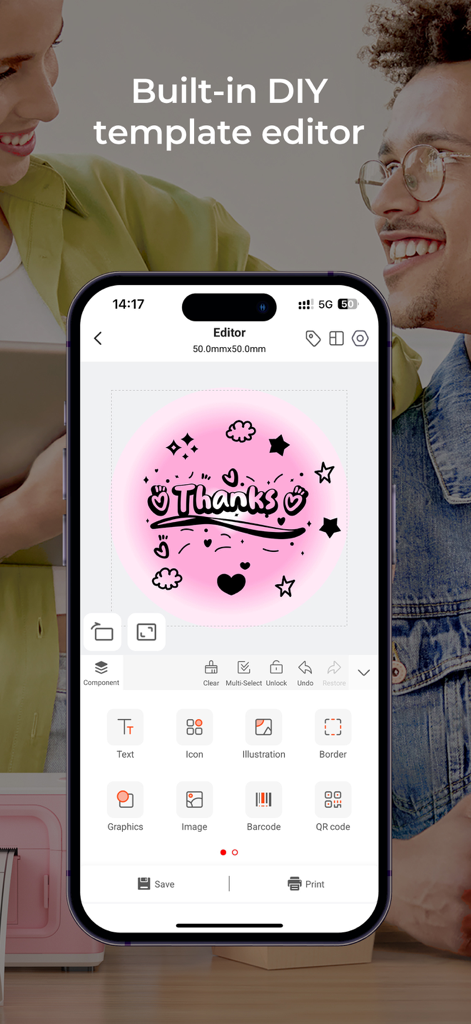
맞춤 라벨을 만들기 위한 내장 DIY 템플릿 편집기를 보여주는 Munbyn Print 모바일 앱
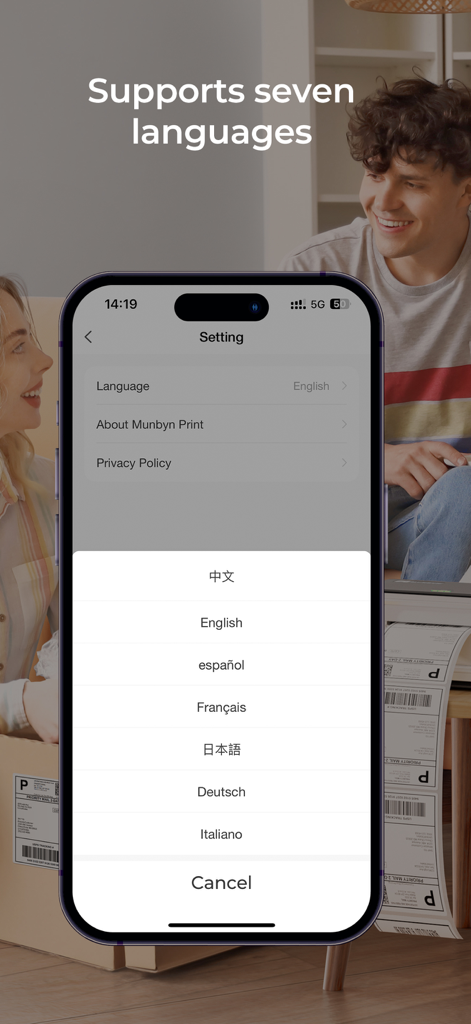
7가지 언어에 대한 언어 선택 설정을 보여주는 Munbyn Print 앱 인터페이스
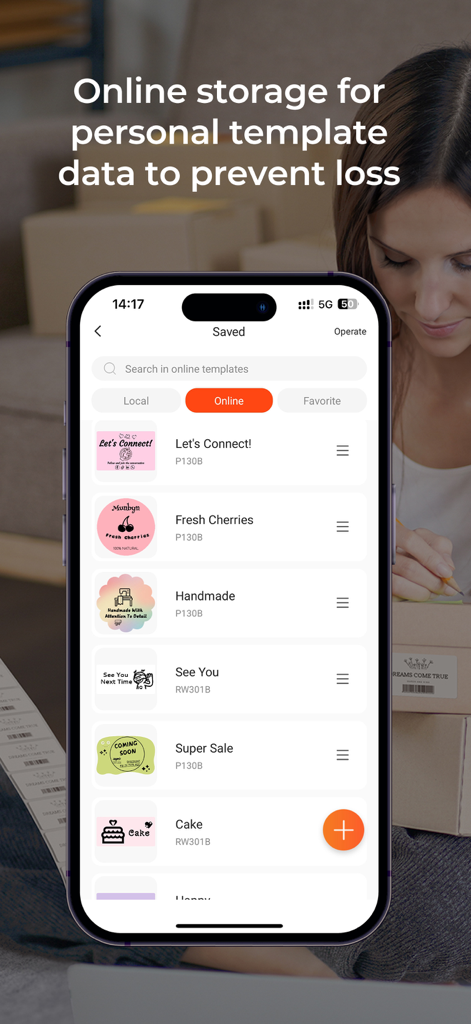
소규모 비즈니스를 위한 클라우드 저장 기능이 포함된 저장된 맞춤 라벨 템플릿 목록을 보여주는 Munbyn Print 모바일 앱 화면
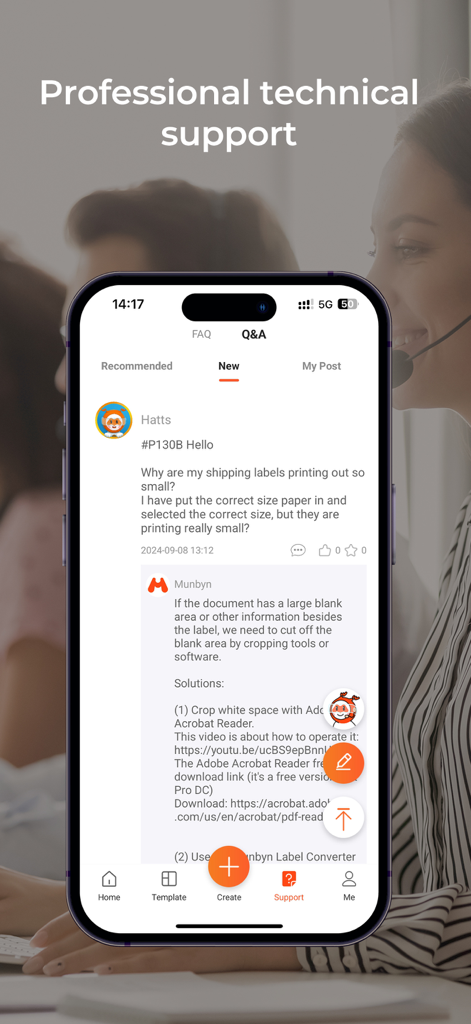
배송 라벨에 대한 상세한 문제 해결 응답이 포함된 전문 기술 지원 Q&A 섹션을 보여주는 Munbyn Print 앱 인터페이스
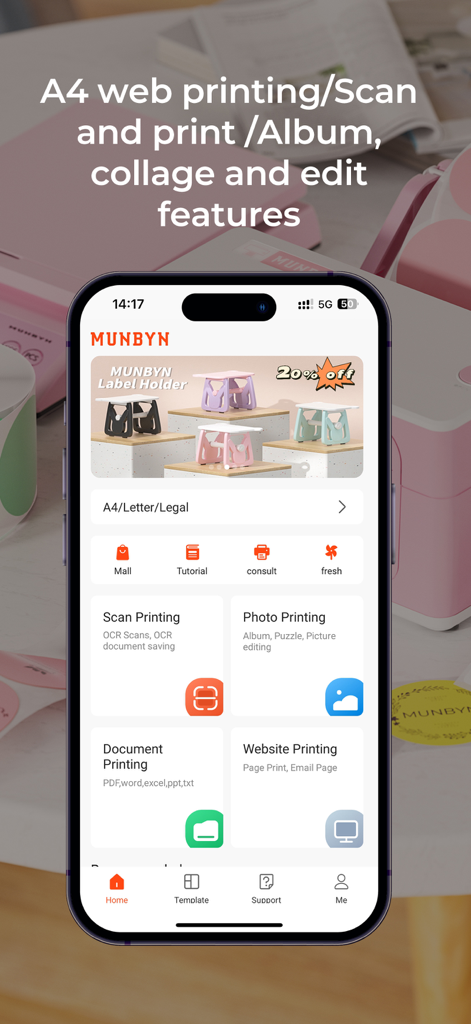
사진 및 문서 인쇄 기능을 스캔하는 Munbyn Print 모바일 앱 대시보드
설명
Download
비슷한 앱
유사한 기능과 사용자 경험을 가진 앱
NIIMBOT
WUHAN JINGCHEN INTELLIGENT IDENTIFICATION TECHNOLOGY CO., LTD
Nelko
E-z Ink Technology Co., Ltd
Print Master
PHOMEMO PTE. LTD.
Labelnize
E-z Ink Technology Co., Ltd
NIIM
WUHAN JINGCHEN INTELLIGENT IDENTIFICATION TECHNOLOGY CO., LTD
Polaroid Hi·Print
Polaroid International B.V.
Jadens Printer
JADENS COMPANY LIMITED
FlashLabel Pro
Xiamen Print Future Technology Co.Ltd.

WePrint App
Shanghai ThanMore Network Technology Co., Ltd.
이 페이지는 앱이나 개발자의 공식 페이지가 아니며, 정보 제공 및 논평을 목적으로 작성된 독립 편집 간행물입니다. 명시적으로 달리 언급되지 않는 한, 해당 앱이나 개발자는 MWM, Apple, Google Play, 앱 퍼블리셔 또는 앱 개발자와 제휴, 보증, 후원, 승인 또는 공식적으로 연결되어 있지 않으며, 이 페이지의 어떤 내용도 해당 앱이 MWM의 서비스를 사용하여 개발되었음을 의미하지 않습니다. 모든 상표, 로고, 스크린샷 및 기타 콘텐츠는 해당 소유자의 자산입니다.