MuseBud - AUv3 MIDI Generator
다운로드: App Store

이 페이지는 앱이나 개발자의 공식 페이지가 아니며, 정보 제공 및 논평을 목적으로 작성된 독립 편집 간행물입니다. 명시적으로 달리 언급되지 않는 한, 해당 앱이나 개발자는 MWM, Apple, Google Play, 앱 퍼블리셔 또는 앱 개발자와 제휴, 보증, 후원, 승인 또는 공식적으로 연결되어 있지 않으며, 이 페이지의 어떤 내용도 해당 앱이 MWM의 서비스를 사용하여 개발되었음을 의미하지 않습니다. 모든 상표, 로고, 스크린샷 및 기타 콘텐츠는 해당 소유자의 자산입니다.


로고: MuseBud - AUv3 MIDI Generator
다운로드: App Store

MuseBud - AUv3 MIDI Generator

확률 기반 MIDI 시퀀싱으로 창의적인 막힘을 돌파하세요. 전문가 수준의 AUv3 컨트롤로 발전하는 패턴과 무한한 멜로디를 제작하세요. Logic Pro, AUM, Loopy Pro에서 사용할 수 있습니다.

주요 수치

다운로드

1K+

사용자 평점

5.0/5

총 평가 수

0

개발사

Cem Olcay

카테고리

Music

지원 언어

1

최신 버전

1.8

크기

16.4 MB

출시일

2023년 12월 13일
기능

무한한 멜로디 영감을 발휘하세요

전문적인 iOS 워크플로우를 위해 설계된 생성형 MIDI 시퀀서로 창의적인 막힘을 돌파하세요. 가능성을 정의하면 MuseBud가 당신이 필요하다고 생각하지 못했던 시퀀스를 제작해 줍니다.

확률 기반 시퀀싱

모든 노트, 옥타브, 벨로시티의 정확한 가능성을 설정하세요. 간단한 페이더 컨트롤로 미묘한 변화부터 혼란스러운 실험적 질감까지, 발전하는 패턴을 만드세요.

스마트 캡처 및 단계 편집

64노트 루퍼로 '우연한 행운'을 즉시 고정하세요. 생성형 시퀀스를 버퍼에 녹음한 다음, 개별 단계를 깊이 편집하거나 삭제하여 궁극적인 창의적 제어를 하세요.

다음 스크린샷과 설명은 앱의 공식 스토어 목록에서 직접 가져온 것이며 앱 개발자의 자산입니다.

앱 스토어

스크린샷
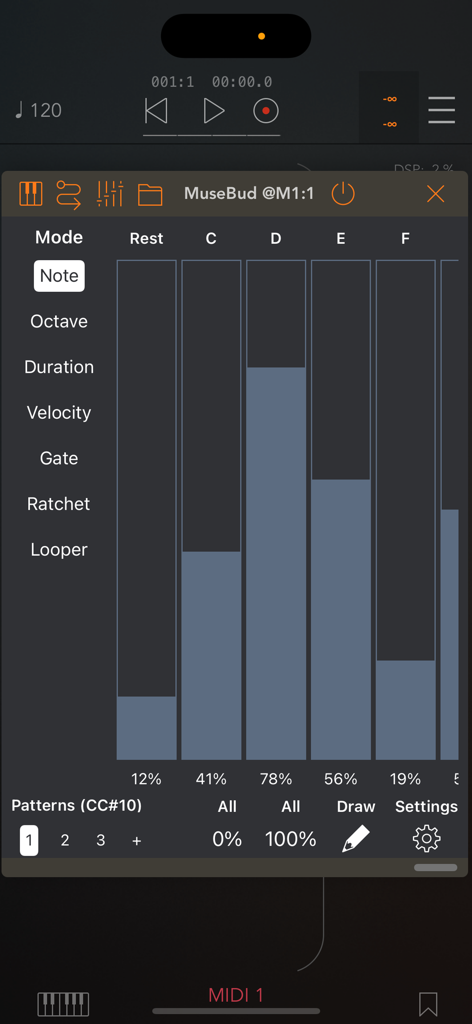
MuseBud - AUv3 MIDI Generator - MuseBud 앱 인터페이스, MIDI 노트 생성을 위한 확률 페이더 표시
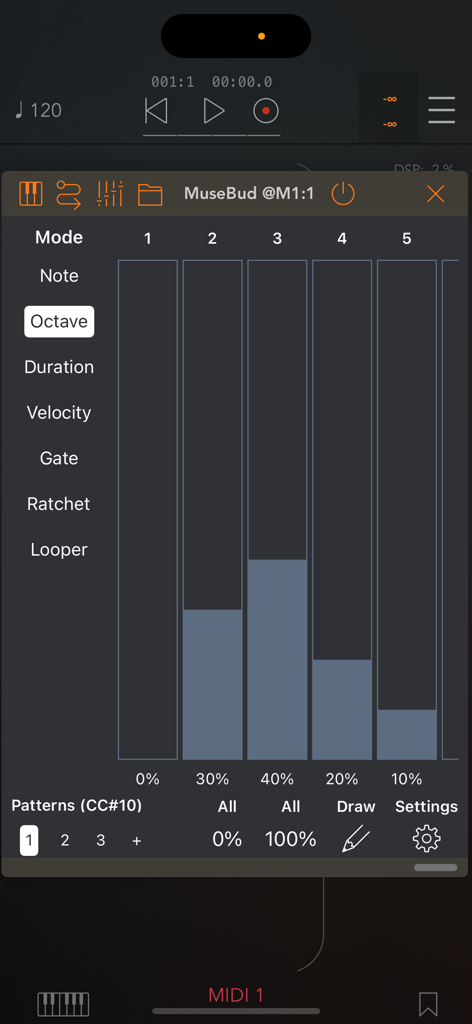
MuseBud 앱 인터페이스, MIDI 노트 생성을 위한 확률 페이더 표시

MuseBud - AUv3 MIDI Generator - 옥타브 확률 페이더가 있는 MuseBud AUv3 MIDI 생성기 인터페이스
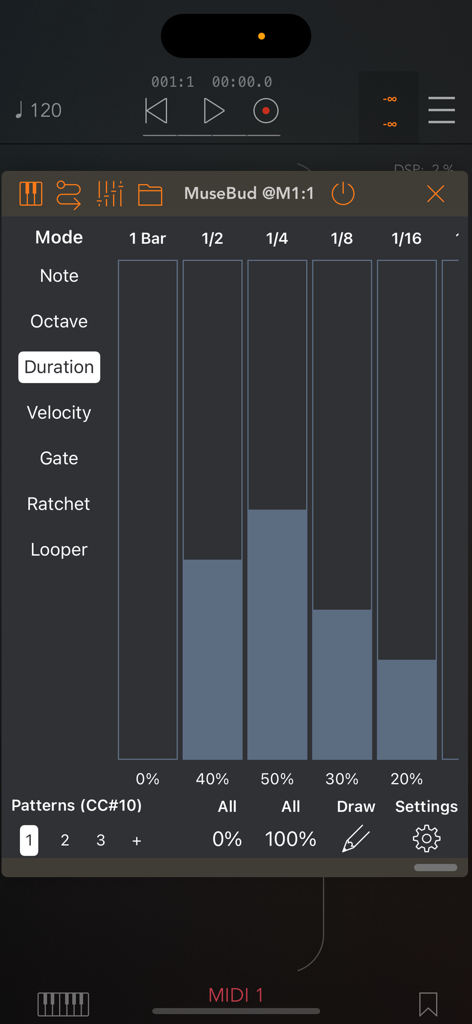
옥타브 확률 페이더가 있는 MuseBud AUv3 MIDI 생성기 인터페이스

MuseBud - AUv3 MIDI Generator - MuseBud AUv3 MIDI 생성기 지속 시간 모드, 노트 길이 확률 페이더 표시
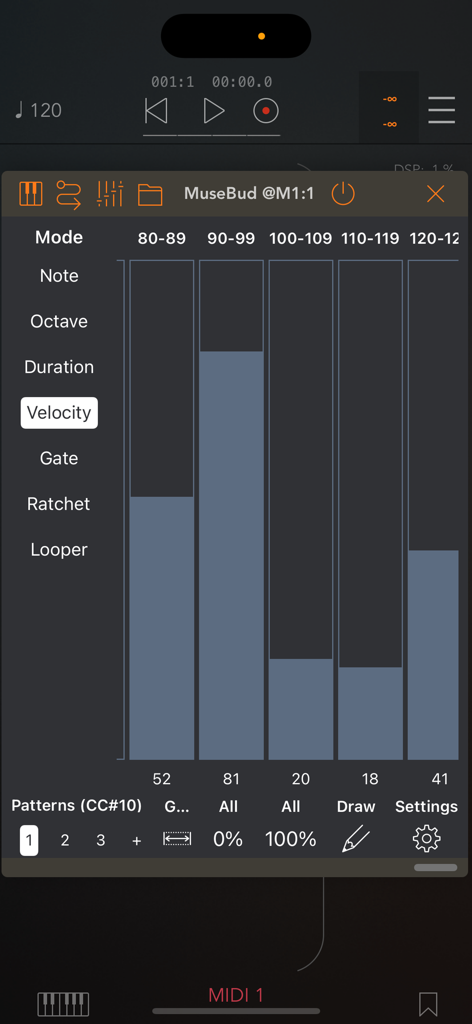
MuseBud AUv3 MIDI 생성기 지속 시간 모드, 노트 길이 확률 페이더 표시

MuseBud - AUv3 MIDI Generator - MuseBud 앱 인터페이스, MIDI 노트 벨로시티 확률 페이더 및 생성형 시퀀싱 컨트롤 표시
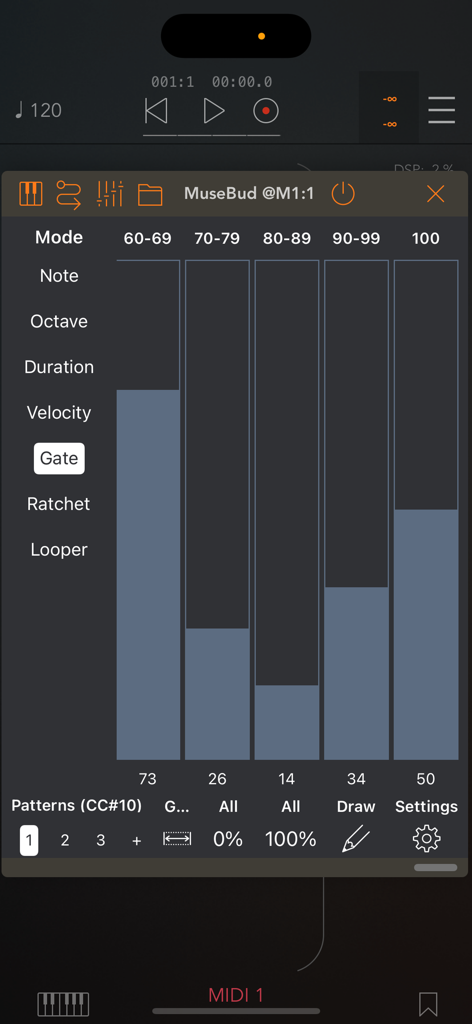
MuseBud 앱 인터페이스, MIDI 노트 벨로시티 확률 페이더 및 생성형 시퀀싱 컨트롤 표시

MuseBud - AUv3 MIDI Generator - MuseBud 앱 인터페이스, MIDI 생성 시 게이트 길이 확률 페이더 표시
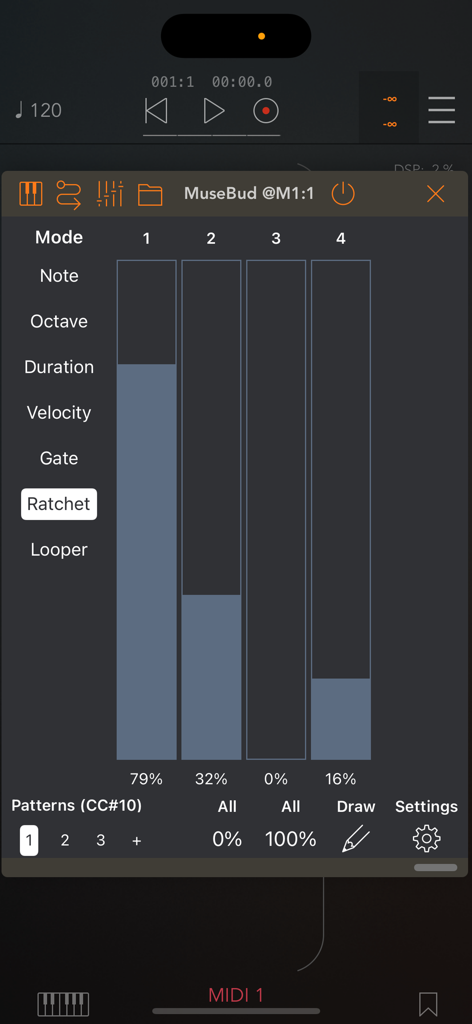
MuseBud 앱 인터페이스, MIDI 생성 시 게이트 길이 확률 페이더 표시

MuseBud - AUv3 MIDI Generator - 모바일 음악 제작 환경에서 MuseBud 앱 인터페이스, MIDI 래칫 반복 확률 페이더 표시
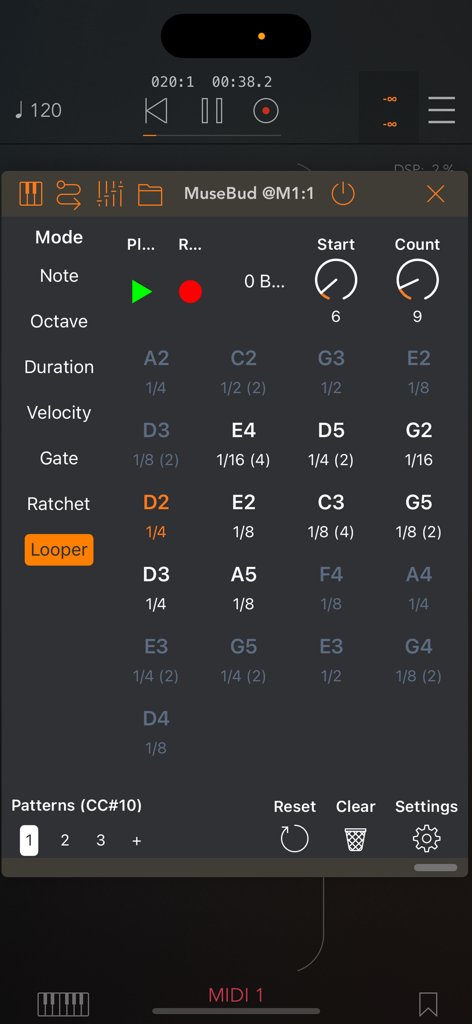
모바일 음악 제작 환경에서 MuseBud 앱 인터페이스, MIDI 래칫 반복 확률 페이더 표시

MuseBud - AUv3 MIDI Generator - 생성된 MIDI 노트 및 시퀀스 컨트롤이 있는 루퍼 섹션을 표시하는 MuseBud 앱 인터페이스
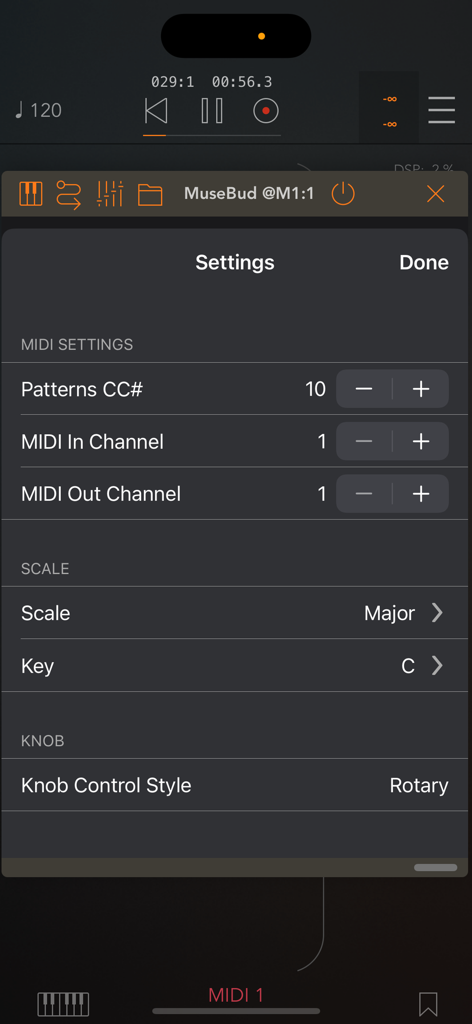
생성된 MIDI 노트 및 시퀀스 컨트롤이 있는 루퍼 섹션을 표시하는 MuseBud 앱 인터페이스

MuseBud - AUv3 MIDI Generator - MIDI 설정, 스케일 및 키 선택을 보여주는 MuseBud AUv3 MIDI 생성기 앱의 설정 화면

MIDI 설정, 스케일 및 키 선택을 보여주는 MuseBud AUv3 MIDI 생성기 앱의 설정 화면

설명

MuseBud, a generative MIDI sequencer, creates notes based on the possibilities you define. Customize the chances for every aspect, including notes, octaves, note lengths, velocities, gate lengths, and ratchets. Each mode (note, octave, duration, velocity, gate, ratchet) features its own parameters. Utilize the faders on the main UI to set the likelihood of each parameter being selected by the engine. Easily exclude parameters by assigning them a 0% chance, ensuring they never occur. For quick adjustments, employ the draw mode, 'All 0%' and 'All 100%' buttons on the bottom toolbar. When you press the play button in the standalone app or the AUv3 host app, MuseBud continuously generates notes. The looper records up to 64 notes in its buffer, enabling you to loop back a preferred section in the sequence. Set the start point and step count of the looper in the buffer. Pressing play on the looper stops generating new notes and begins looping the selected section. When you stop the looper, MuseBud resumes generating new notes. Toggle the record button on the looper off to prevent recording new notes into the buffer. Edit steps in the looper by simply tapping the desired step to delete or edit, and choose an action from the popup menu. In the step editor, modify properties assigned by the engine, such as note, duration, octave, velocity, gate length, and ratchet count. Generate various patterns for multiple generative sequences. Each pattern comes with its own looper buffer. When creating a new pattern, it automatically duplicates the current one, ensuring you can craft multiple loops without losing your randomization settings. - In the note mode, you'll have "Rest" (no note) and all the notes in the scale you are working. You can change the key/scale in the settings menu as well as with the BrainBud app. - Octaves could be between -1 and +9. - A note duration could be as long as 4-bars long or 1/64th note long. - Adjust velocity between 0-127. Use the fader grouping button at the bottom to filter faders for faster assignments. - Gate length can range from 0% to 100%. The fader grouping button is also available in gate mode for streamlined adjustments. - Ratchets can be between 1 (no ratchets), 2, 3 or 4 repeats. For optimal results, fine-tune the possibilities and consider excluding a few parameters for added precision. MuseBud is a MIDI app and does not generate sound on its own. To hear its output, route MuseBud's MIDI output to your audio app's MIDI input. The AUv3 plugin app requires an AUv3 host app, such as AUM, Loopy Pro, Logic Pro, Cubasis, Nanostudio, apeMatrix, and more.

Download

다운로드: App Store

이 페이지는 앱이나 개발자의 공식 페이지가 아니며, 정보 제공 및 논평을 목적으로 작성된 독립 편집 간행물입니다. 명시적으로 달리 언급되지 않는 한, 해당 앱이나 개발자는 MWM, Apple, Google Play, 앱 퍼블리셔 또는 앱 개발자와 제휴, 보증, 후원, 승인 또는 공식적으로 연결되어 있지 않으며, 이 페이지의 어떤 내용도 해당 앱이 MWM의 서비스를 사용하여 개발되었음을 의미하지 않습니다. 모든 상표, 로고, 스크린샷 및 기타 콘텐츠는 해당 소유자의 자산입니다.







