MusicReader
MusicReader
다운로드: App Store

이 페이지는 앱이나 개발자의 공식 페이지가 아니며, 정보 제공 및 논평을 목적으로 작성된 독립 편집 간행물입니다. 명시적으로 달리 언급되지 않는 한, 해당 앱이나 개발자는 MWM, Apple, Google Play, 앱 퍼블리셔 또는 앱 개발자와 제휴, 보증, 후원, 승인 또는 공식적으로 연결되어 있지 않으며, 이 페이지의 어떤 내용도 해당 앱이 MWM의 서비스를 사용하여 개발되었음을 의미하지 않습니다. 모든 상표, 로고, 스크린샷 및 기타 콘텐츠는 해당 소유자의 자산입니다.


로고: MusicReader
다운로드: App Store

MusicReader

태블릿을 강력한 음악 워크스테이션으로 바꿔보세요. 악보를 손쉽게 정리하고, 정밀하게 주석을 달고, 손을 사용하지 않는 페이지 넘김과 완벽한 오프라인 안정성을 활용하여 자신 있게 연주하세요.

주요 수치

다운로드

5K+

사용자 평점

4.5/5

총 평가 수

0

개발사

Leone MusicReader B.V.

카테고리

Music

지원 언어

1

최신 버전

5.720

크기

330.0 MB

출시일

2019년 11월 2일
기능

완벽한 공연에 필요한 모든 것

전문 음악가를 위해 설계된 궁극의 디지털 워크스테이션입니다. 어디를 가든 단일 기기에서 모든 레퍼토리를 관리, 주석, 연주하세요.

모든 악보를 어디서든

수천 개의 악보를 무게 부담 없이 휴대하세요. 컬렉션을 모든 기기에서 동기화하고, 음악 학교부터 콘서트 홀까지 어디서든 오프라인으로 음악에 액세스하세요.

정밀한 마크업 및 메모

종이처럼 정확하게 파트를 표시하세요. 디지털 펜을 사용하여 리허설 메모, 기호 및 강조 표시를 정리하고 다음 공연을 위해 준비하세요.

다음 스크린샷과 설명은 앱의 공식 스토어 목록에서 직접 가져온 것이며 앱 개발자의 자산입니다.

앱 스토어

스크린샷
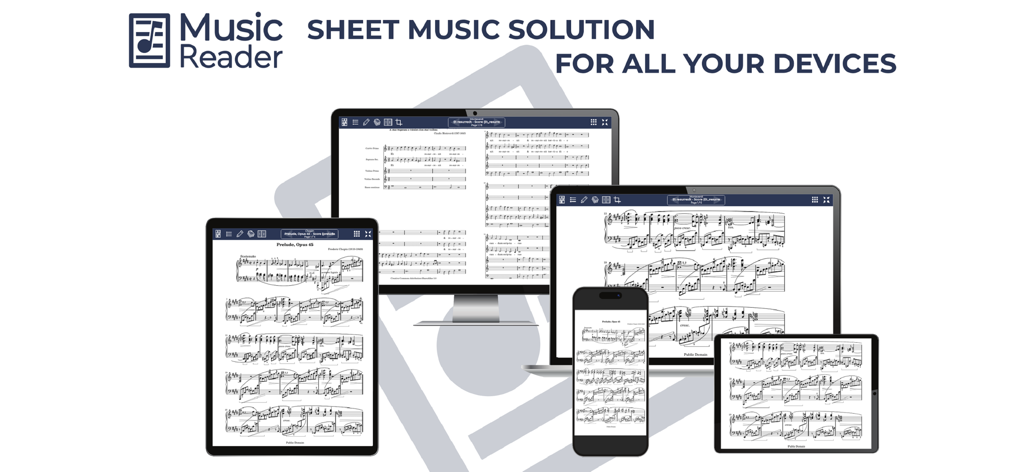
MusicReader - MusicReader 애플리케이션이 태블릿, 컴퓨터 모니터, 노트북, 스마트폰 전반에 걸쳐 악보를 표시합니다
MusicReader 애플리케이션이 태블릿, 컴퓨터 모니터, 노트북, 스마트폰 전반에 걸쳐 악보를 표시합니다

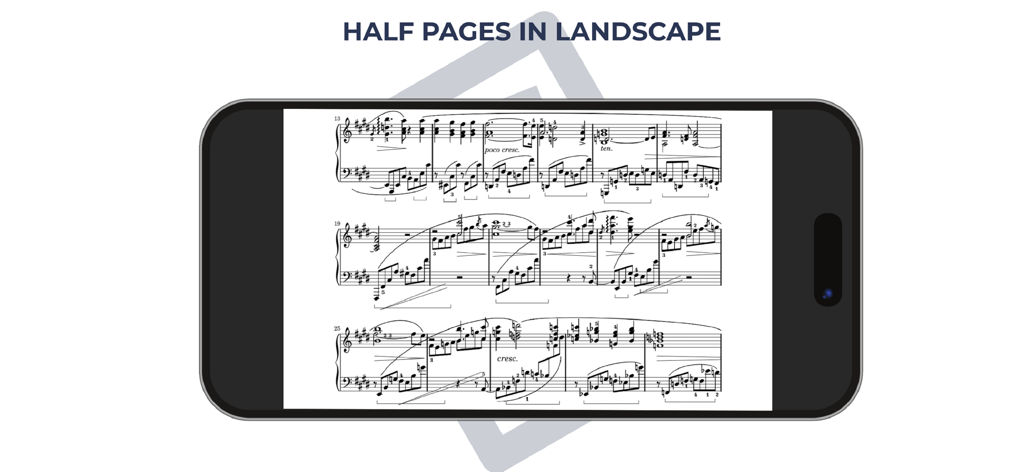
MusicReader - MusicReader 앱이 모바일 기기에서 반 페이지 가로 보기 모드로 악보를 표시합니다
MusicReader 앱이 모바일 기기에서 반 페이지 가로 보기 모드로 악보를 표시합니다

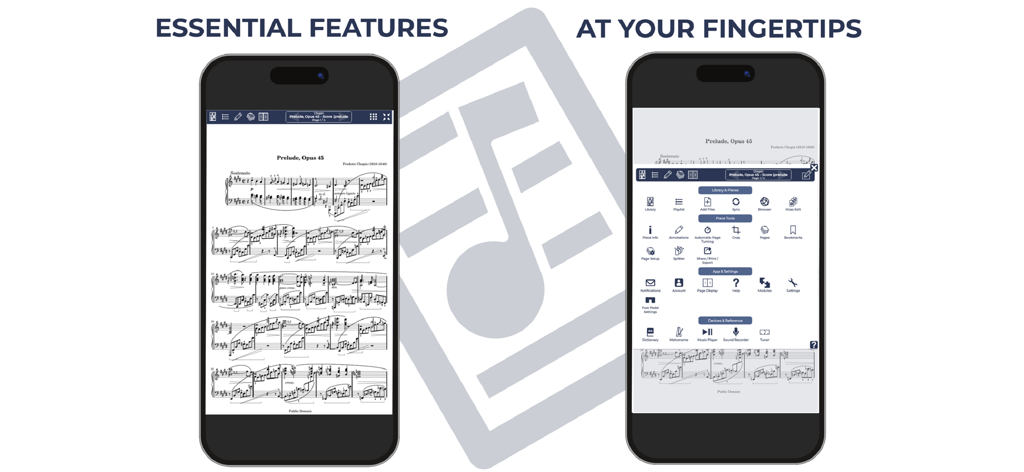
MusicReader - MusicReader 앱이 두 대의 휴대폰에서 디지털 악보와 필수 기능 메뉴를 표시합니다.

MusicReader 앱이 두 대의 휴대폰에서 디지털 악보와 필수 기능 메뉴를 표시합니다.

설명

Transform your device(s) into an electronic music stand, Start your free demo or 30-day trial today! MusicReader is the complete solution for your sheet music needs across all your compatible devices, such as tablets, laptops, phones, and desktop computers. The MusicReader platform offers a range of features, designed especially for musicians, tailored to assist with preparation, rehearsals, and live performances. It's the perfect companion for soloists, ensemble members, and orchestra players alike. Key Features of MusicReader App: * Offline Capabilities: The App operates fully offline without the need for an internet connection. (Few exceptions apply; see below) * Customizable Music Library: Easily sort, search, and customize your music collection. * Versatile Display Options: Choose between full, half, or dual page views. * Enhanced Page Turning: Experience the convenience of half-page turns. * In-app Annotations: Use pencil, marker, text, and symbols to mark your scores. Includes support for direct annotations with digital pens. * Hands-free page turning: Use foot pedals or the integrated automatic timer. * Integrated Music Tools: A built-in music player, metronome, sound recorder, and more are at your fingertips. But that's not all. MusicReader also offers a cloud account for seamless music management: * Cross-device Synchronization: Always have the same sheet music on hand. * Easy Music Transfers: Upload and move sheet music effortlessly. * Secure Backups: Store your music safely in the cloud. * Music Sharing: Share sheet music with fellow musicians. * Diverse File Support: Import image, eBook, and audio files. * Direct Mailbox: Email files straight to your MusicReader. * Web-based Management: Control your collection through the MusicReader website. Experience all this with our free demo and 30-day trial. After the trial, choose from affordable subscription plans for the best value. Check out our current offers and bundle deals on our website or within the App's Account Settings. For any assistance, our dedicated support team is always here for you. Reach out via the App for quick solutions. Plus, we love feedback and suggestions to enrich MusicReader!

Download

다운로드: App Store

이 페이지는 앱이나 개발자의 공식 페이지가 아니며, 정보 제공 및 논평을 목적으로 작성된 독립 편집 간행물입니다. 명시적으로 달리 언급되지 않는 한, 해당 앱이나 개발자는 MWM, Apple, Google Play, 앱 퍼블리셔 또는 앱 개발자와 제휴, 보증, 후원, 승인 또는 공식적으로 연결되어 있지 않으며, 이 페이지의 어떤 내용도 해당 앱이 MWM의 서비스를 사용하여 개발되었음을 의미하지 않습니다. 모든 상표, 로고, 스크린샷 및 기타 콘텐츠는 해당 소유자의 자산입니다.







