MX Deposit

MX Deposit

다운로드: App Store
로고: MX Deposit

MX Deposit: 지질학자 및 광부를 위한 정밀 현장 데이터 입력

수동 데이터 입력 및 종이 기록을 없애세요. 현장 탐사의 엄격한 요구 사항을 위해 구축된 모바일 네이티브 플랫폼을 사용하여 어디서든, 심지어 오프라인에서도 정확한 시추공 및 샘플 데이터를 캡처하세요.

다운로드: App Store

개발사

Minalytix Inc.

카테고리

Business

다운로드

600

사용자 평점

1.0/5

총 평가 수

0

지원 언어

1

현장을 위해 제작됨

이 인터페이스를 사용하는 600 명의 사용자.

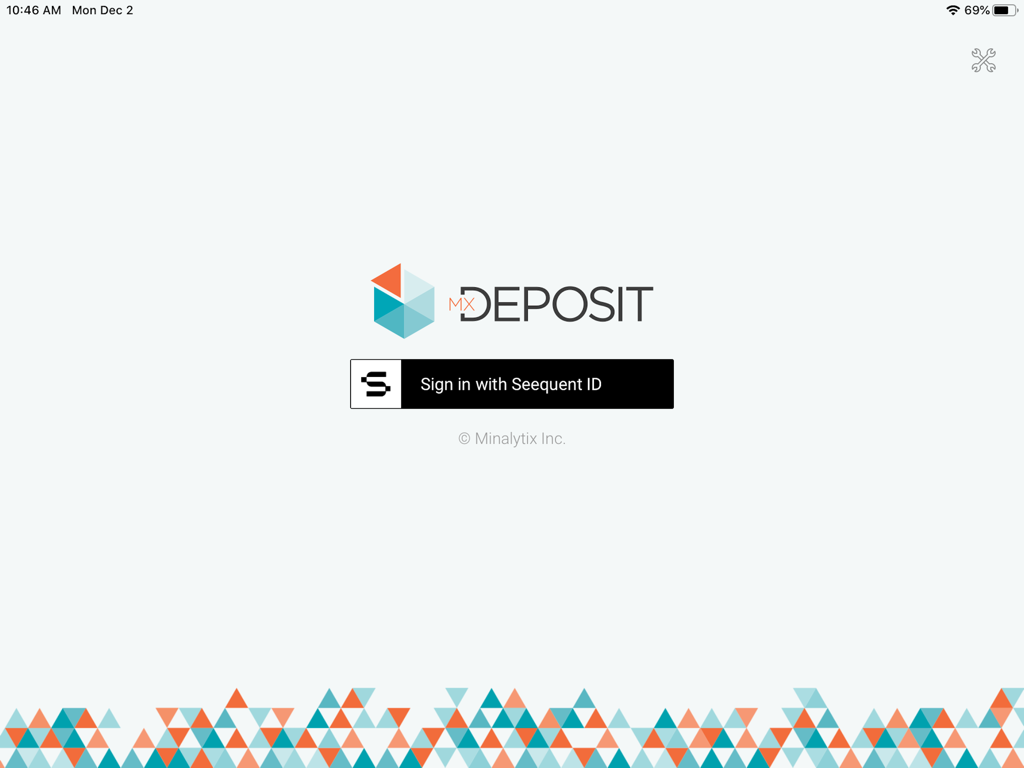
Seequent ID 로그인 버튼과 기하학적 로고가 있는 MX Deposit 앱 로그인 화면

Seequent ID 로그인 버튼과 기하학적 로고가 있는 MX Deposit 앱 로그인 화면

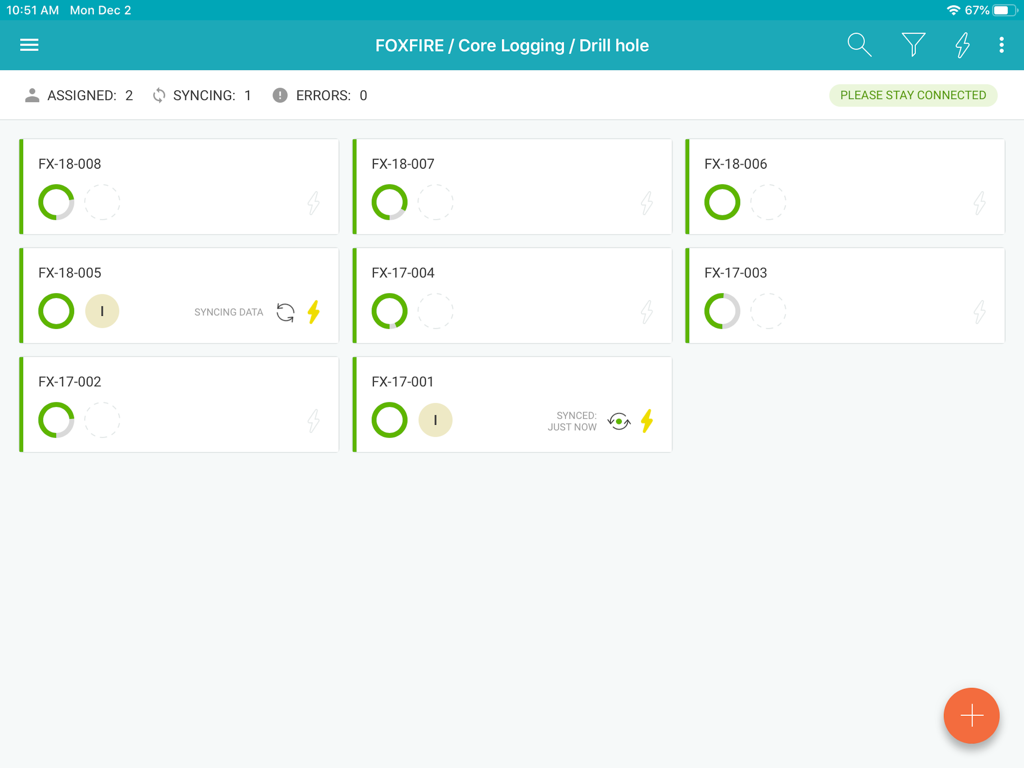
MX Deposit 앱 대시보드에 시추공 코어 로깅 기록 및 동기화 상태 표시

MX Deposit 앱 대시보드에 시추공 코어 로깅 기록 및 동기화 상태 표시

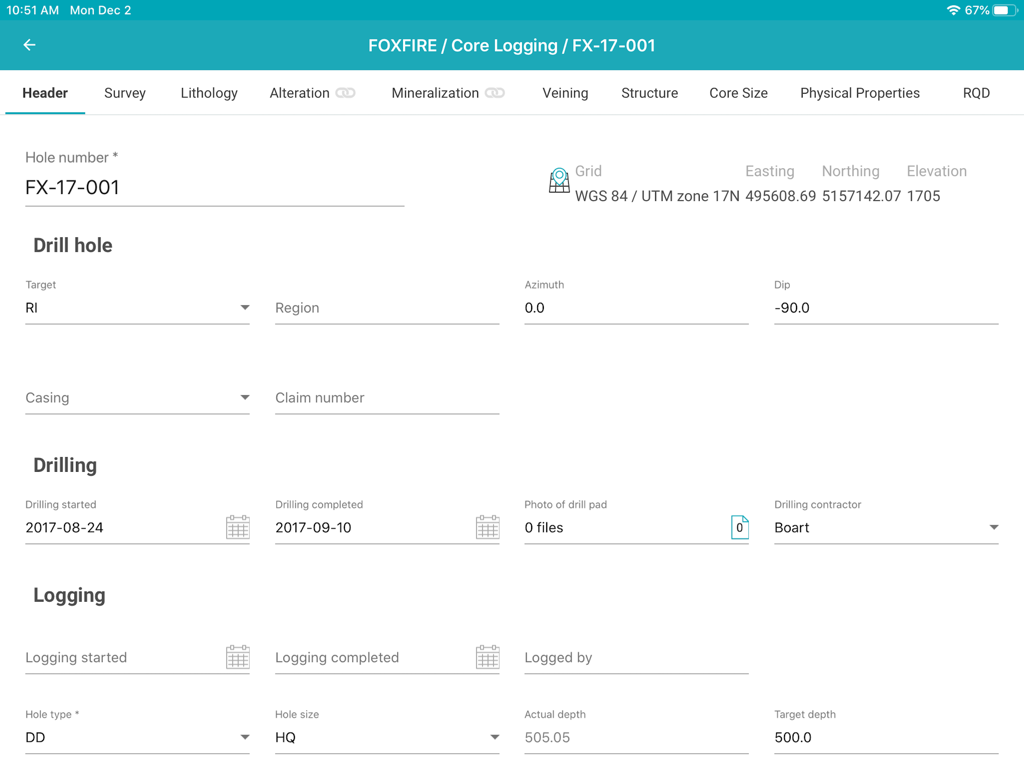
MX Deposit 앱 인터페이스에 지질학적 시추공 코어 로깅 데이터 입력을 위한 헤더 양식 표시

MX Deposit 앱 인터페이스에 지질학적 시추공 코어 로깅 데이터 입력을 위한 헤더 양식 표시

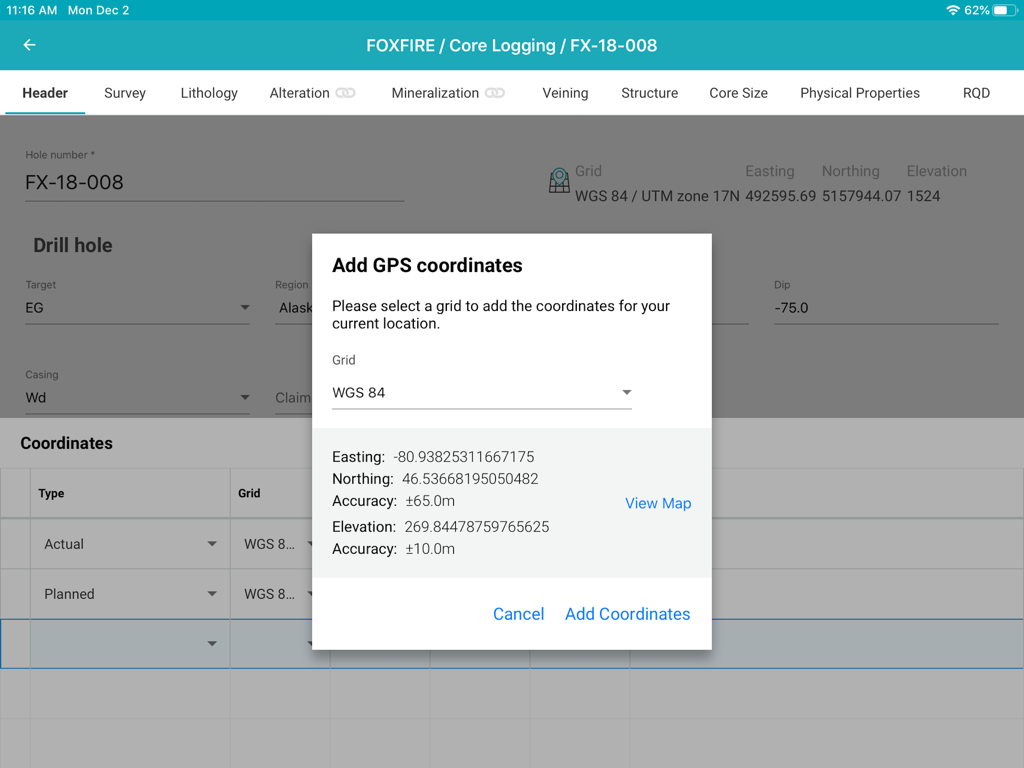
iPad에서 코어 로깅 중 시추공에 GPS 좌표를 추가하기 위한 팝업 창을 보여주는 MX Deposit 앱 인터페이스.

iPad에서 코어 로깅 중 시추공에 GPS 좌표를 추가하기 위한 팝업 창을 보여주는 MX Deposit 앱 인터페이스.

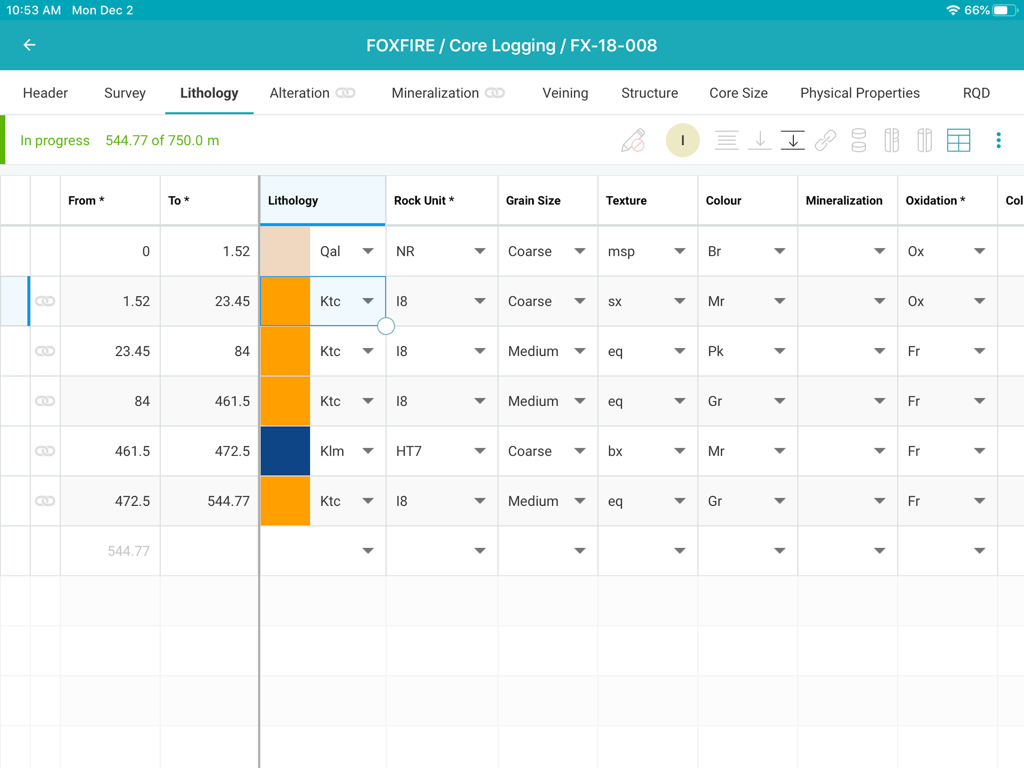
광업 프로젝트의 상세 암석층 데이터 입력 표를 보여주는 MX Deposit 코어 로깅 앱 인터페이스

광업 프로젝트의 상세 암석층 데이터 입력 표를 보여주는 MX Deposit 코어 로깅 앱 인터페이스

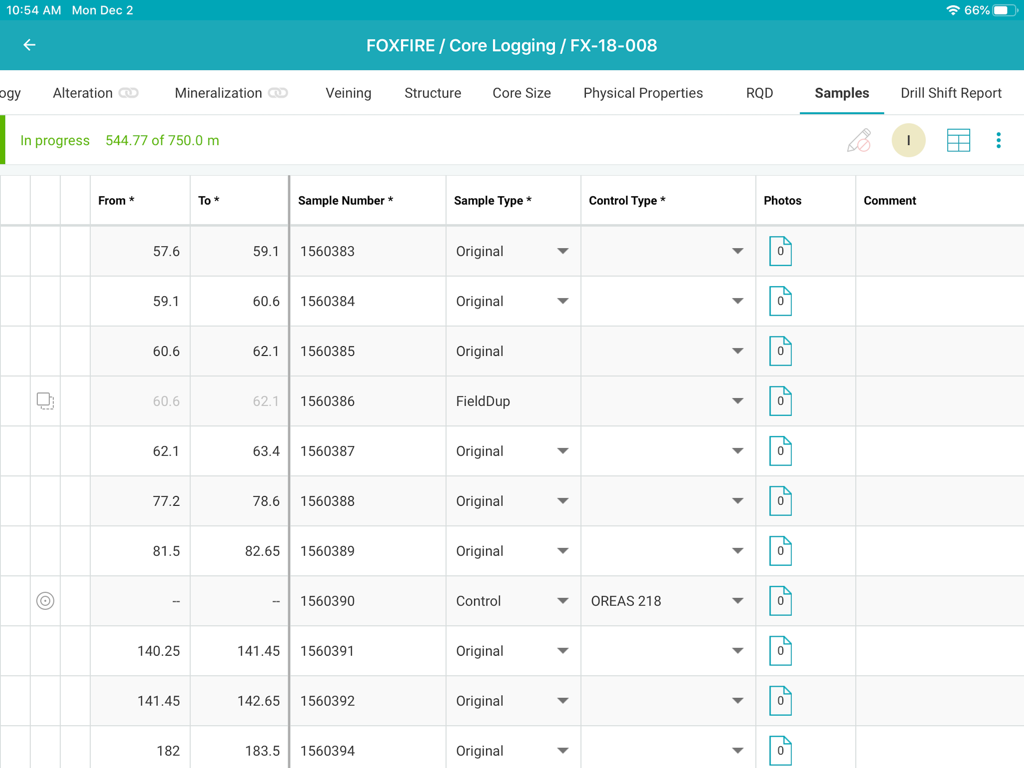
샘플 데이터 표를 보여주는 MX Deposit 코어 로깅 인터페이스

샘플 데이터 표를 보여주는 MX Deposit 코어 로깅 인터페이스

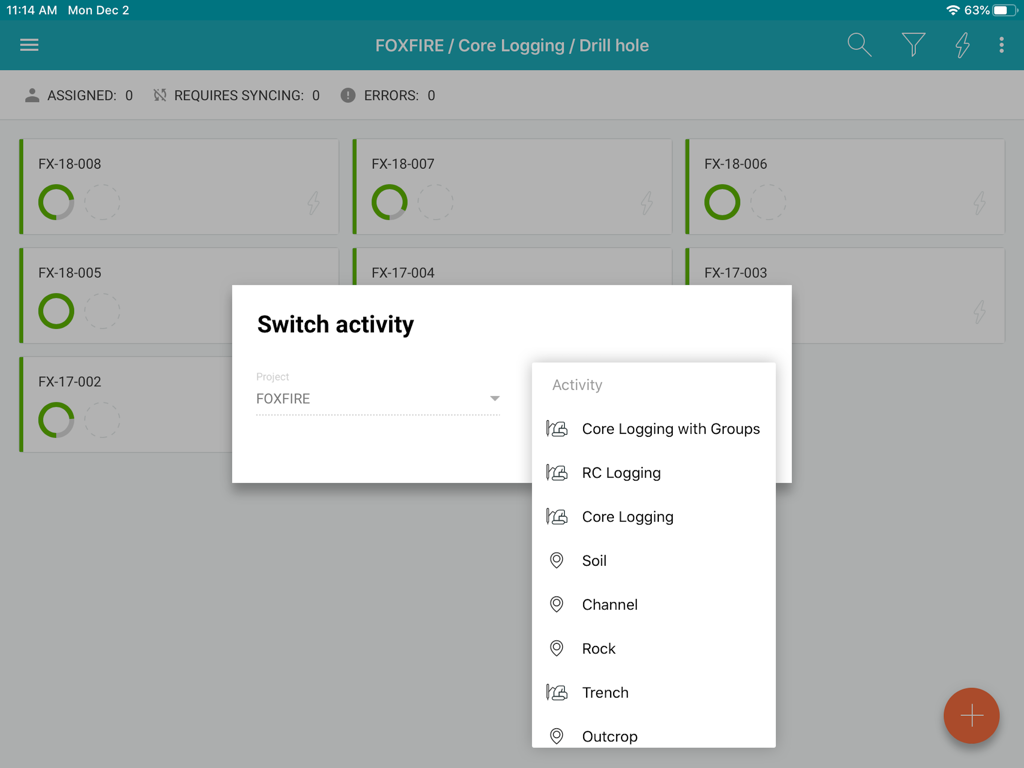
광업 프로젝트의 로깅 활동 옵션을 보여주는 MX Deposit 앱 인터페이스

광업 프로젝트의 로깅 활동 옵션을 보여주는 MX Deposit 앱 인터페이스

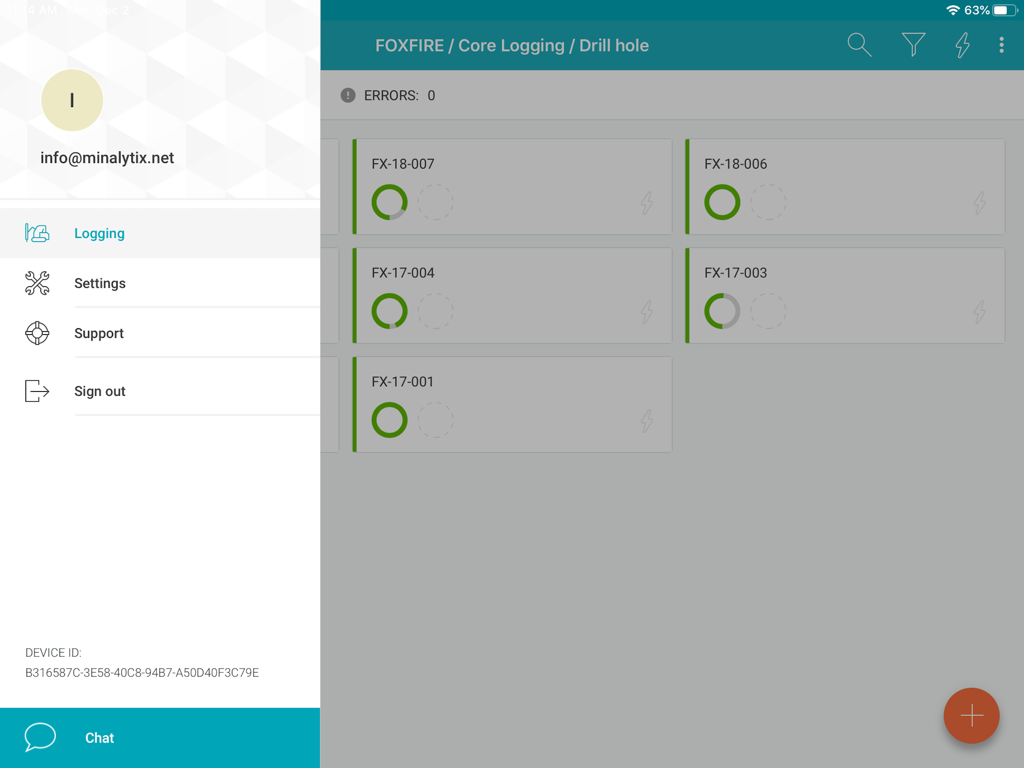
진행 상태와 사이드바 메뉴가 있는 시추공 목록을 보여주는 MX Deposit 앱 인터페이스

진행 상태와 사이드바 메뉴가 있는 시추공 목록을 보여주는 MX Deposit 앱 인터페이스

현장 데이터 수집 간소화

이 앱을 돋보이게 하는 도구, 600 명의 사용자가 선택.

🛰️

진정한 오프라인 우선 성능

연결성에 대한 걱정 없이 가장 외딴 곳에서도 작업하세요. 시추공에 데이터를 로컬로 다운로드하도록 할당하고 캠프로 돌아오면 자동으로 동기화하세요.

✍️

현장 전문가를 위한 설계

투박한 데스크톱 포트는 잊으세요. 코어 창고나 시추 현장에 서 있을 때도 iPad에서 직관적인 제스처와 스타일러스 지원을 사용하여 빠르게 데이터를 기록하세요.

🛡️

비용이 많이 드는 입력 오류 제거

실시간 유효성 검사 규칙으로 데이터 무결성을 보장하세요. 소스에서 실수를 잡아내어 팀이 항상 단 하나의 정확한 진실 버전을 갖도록 하세요.

앱 소개

에 대해 알아야 할 모든 것 MX Deposit.

설명

The MX Deposit app was built with you in mind so that field data entry is efficient and accurate. It’s not a desktop app disguised as a mobile app, it was designed to be used with mobile gestures using your finger or a stylus. With so many useful features, you’ll never want to use anything else. Your drill hole and sample data can go where you go, with or without an Internet connection. Working offline with the MX Deposit app is as easy as simply tapping a drill hole (or point) to download the data and start working on a local copy. Assigning the hole ensures that you are the only one making changes at any time. Changes are synchronized as you go, or you can switch to Offline Mode if you’re working in the field or otherwise without Internet. When you get back to the office, all the data you captured will be synchronized to the cloud and immediately available to the rest of the team. Some of the key features you’ll find in the app: **Works with your MX Deposit account Leverage all of the projects and drill hole or point activities that have been configured in the MX Deposit web app (headers, tables, pick-lists, validation rules, etc.). Any changes made to the activities or tables (through the web app) are propagated down to every device automatically. Users only see the projects & activities that they have access to when they log in to the app, and users can flip between projects & activities easily. **Continue logging a hole, or create new holes Users can “assign” out drill holes and points to download the data, work offline, and prevent other users from working on the same hole at the same time. Users can also “assign” out parts of a drill hole so that other users can work on the same hole at the same time (e.g. geology tables vs. geotech tables). Users can also create new drill holes and/or points, even when offline. All changes are synchronized to the web when the device is connected to the Internet. **Capture your data in the field Set the app to “offline mode” to continue working when in the field or the core shed. All logging templates are preloaded on the device, and all validation rules are applied as the data is being entered. Once the device gets back online, the app will automatically synchronize any changes up to the MX Deposit web app, where it is immediately available to the rest of the team. **Made for mobile Designed for mobile devices, users can easily navigate through tables and forms using intuitive gestures that are expected when working with mobile devices. Capture coordinates using the device GPS, or increase the accuracy with a bluetooth GPS. GPS coordinates can be converted into any grid system, even when offline (e.g. WGS84 lat/long to UTM northing/easting). Snap pictures of core, outcrops, drill site, etc. directly through the app, which will be immediately available to all users after sync. This app requires an active MX Deposit subscription.

최신 버전

1.66

크기

30.3 MB

출시일

2020년 2월 4일

현장 기록을 코어에서 클라우드로 이동하세요

iPad용 MX Deposit 앱을 다운로드하고 인터넷 연결 없이도 어디서든 정확하고 검증된 데이터를 캡처하세요.

다운로드: App Store

App information, icons, screenshots, and descriptions displayed on this page are sourced from the Apple App Store and are the property of their respective developers. Download estimates and rankings are based on MWM's proprietary models and may not reflect actual figures. This page is provided for informational and analytical purposes only.

Believe this page infringes your intellectual property? File a dispute