
이 페이지는 앱이나 개발자의 공식 페이지가 아니며, 정보 제공 및 논평을 목적으로 작성된 독립 편집 간행물입니다. 명시적으로 달리 언급되지 않는 한, 해당 앱이나 개발자는 MWM, Apple, Google Play, 앱 퍼블리셔 또는 앱 개발자와 제휴, 보증, 후원, 승인 또는 공식적으로 연결되어 있지 않으며, 이 페이지의 어떤 내용도 해당 앱이 MWM의 서비스를 사용하여 개발되었음을 의미하지 않습니다. 모든 상표, 로고, 스크린샷 및 기타 콘텐츠는 해당 소유자의 자산입니다.


My Feed・Grid Preview & Planner
The all-in-one planner to preview your grid, style aesthetic captions, and schedule posts with ease. Drag, drop, and curate a professional presence that turns visitors into followers.
다운로드
3M+사용자 평점
총 평가 수
29K+개발사
카테고리
Photo & Video지원 언어
10최신 버전
13.0크기
80.7 MB출시일
2020년 11월 27일Master Your Instagram Aesthetic
Everything you need to curate a professional grid, edit high-quality content, and schedule your growth in one seamless experience.
Visual Grid Planning
Perfect your 'vibe' before you post. Use drag-and-drop to preview how new photos, reels, and carousels fit into your existing feed.
Professional Caption Styling
Stop fighting with Instagram's formatting. Add clean line breaks, use aesthetic fonts, and save hashtag groups for maximum engagement.
자주 묻는 질문
에 대해 알아야 할 모든 것 My Feed・Grid Preview & Planner
My Feed・Grid Preview & Planner란 무엇인가요?
My Feed는 사용자가 Instagram 콘텐츠를 계획하고 배열하며, 미래 게시물을 계획하고 피드 레이아웃을 시각화하는 데 도움이 되는 앱입니다.
My Feed는 Instagram 피드를 계획하는 데 어떻게 도움이 되나요?
My Feed는 계정과 동기화되어 게시된 게시물과 함께 미래 게시물을 표시합니다. 피드 배열을 위한 드래그 앤 드롭, 숨기기 및 숨기기 취소, 고정 및 고정 취소와 같은 도구를 제공합니다.
My Feed는 어떤 종류의 Instagram 콘텐츠를 계획하고 관리할 수 있나요?
My Feed는 다양한 게시 유형과 호환됩니다. 게시물, 스토리, 릴, 캐러셀, 그리드 및 하이라이트를 계획하여 Instagram에 대한 포괄적인 콘텐츠 관리를 제공합니다.
My Feed를 사용하여 Instagram 게시물을 재정렬할 수 있나요?
네, My Feed를 사용하면 Instagram 게시물을 재정렬할 수 있습니다. 드래그 앤 드롭 기능을 제공하여 게시하기 전에 피드를 시각적으로 구성할 수 있습니다.
My Feed는 사용자가 Instagram 게시물과 릴을 예약할 수 있도록 허용하나요?
네, My Feed는 모든 게시 유형의 예약을 지원합니다. 사용자는 앱 내에서 미리 게시물, 스토리, 릴, 캐러셀, 그리드 및 하이라이트를 계획할 수 있습니다.
My Feed로 여러 Instagram 계정을 관리할 수 있나요?
네, My Feed는 무제한 계정을 지원합니다. 이 기능을 통해 사용자는 여러 Instagram 프로젝트를 관리하고 다양한 콘텐츠 계획 옵션을 효과적으로 비교할 수 있습니다.
My Feed에는 Instagram 콘텐츠를 위한 사진 및 동영상 편집 도구가 포함되어 있나요?
네, My Feed는 사진 및 동영상 편집 도구를 제공합니다. 기능에는 필터, 색상 보정(노출, 대비, 채도), 그래픽, 자리 표시자 및 스토리 하이라이트용 아이콘이 포함됩니다.
My Feed에서 사용할 수 있는 캡션 편집 기능은 무엇인가요?
My Feed는 캡션 편집 기능을 제공합니다. 여기에는 미적 글꼴, 읽기 쉬운 텍스트를 위한 Instagram 공간, 게시물을 위한 해시태그 관리를 단순화하는 해시태그 그룹이 포함됩니다.
My Feed・Grid Preview & Planner는 무료 앱인가요?
아니요, My Feed는 프리미엄 요금제 구독을 통해 독점적인 혜택을 제공합니다. 앱 설명에 따르면 사용자는 구독을 통해 이러한 혜택을 잠금 해제합니다.
My Feed는 Instagram 또는 Meta와 제휴되어 있나요?
아니요, My Feed는 Instagram 및 Meta와 어떤 식으로든 제휴, 관련, 후원, 보증 또는 공식적으로 연결되어 있지 않습니다. 이는 면책 조항에 명시되어 있습니다.
My Feed는 Instagram으로 직접 게시를 제공하나요?
네, My Feed는 직접 게시를 지원합니다. 사용자는 캡션을 포함한 새 이미지를 내보내 Instagram에 직접 원활하게 게시할 수 있습니다.
My Feed를 사용하여 Instagram 프로필 정보를 편집할 수 있나요?
네, My Feed를 사용하면 프로필 헤더를 편집할 수 있습니다. 여기에는 앱 내에서 프로필 사진, 자기소개 및 링크 변경이 포함됩니다.
My Feed는 데이터 백업 기능을 제공하나요?
네, My Feed는 백업 기능을 통해 사용자 데이터의 안전한 저장을 보장합니다. 이 도구는 앱 내에서 콘텐츠와 계획 진행 상황을 보호합니다.
My Feed의 개인 정보 보호 정책은 어디에서 찾을 수 있나요?
My Feed의 개인 정보 보호 정책은 온라인에서 확인할 수 있습니다. 앱 설명에 명시된 대로 https://bigrowth.io/privacy.pdf에서 전체 문서를 액세스할 수 있습니다.
다음 스크린샷과 설명은 앱의 공식 스토어 목록에서 직접 가져온 것이며 앱 개발자의 자산입니다.
앱 스토어
스크린샷
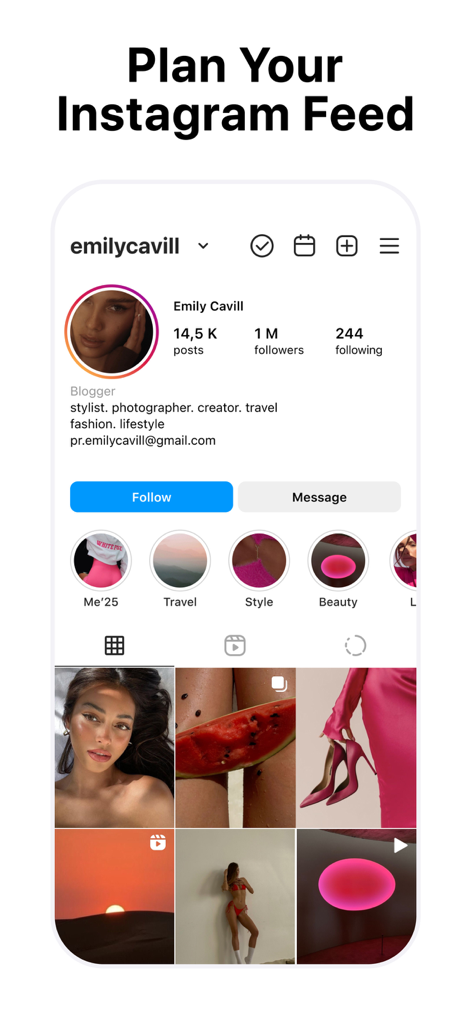
A preview of the My Feed app showing a curated Instagram grid layout with professional aesthetic planning tools
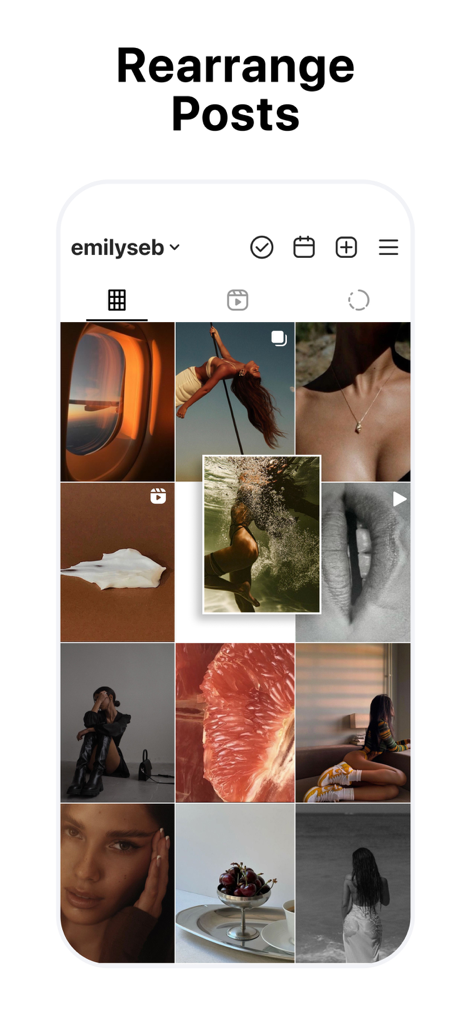
Rearranging Instagram posts in a grid preview using drag and drop
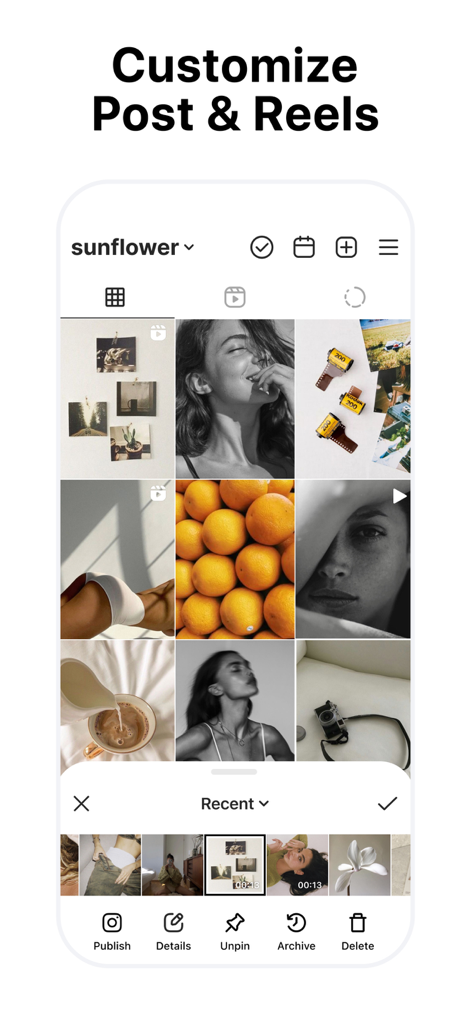
Interface showing an Instagram grid preview with options to customize posts and reels
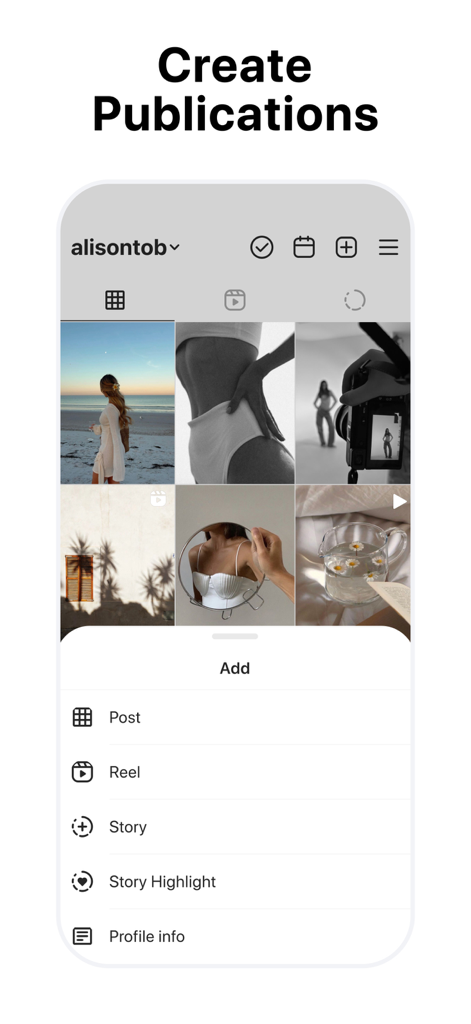
Mobile app screen showing the create publications menu for an Instagram grid planner
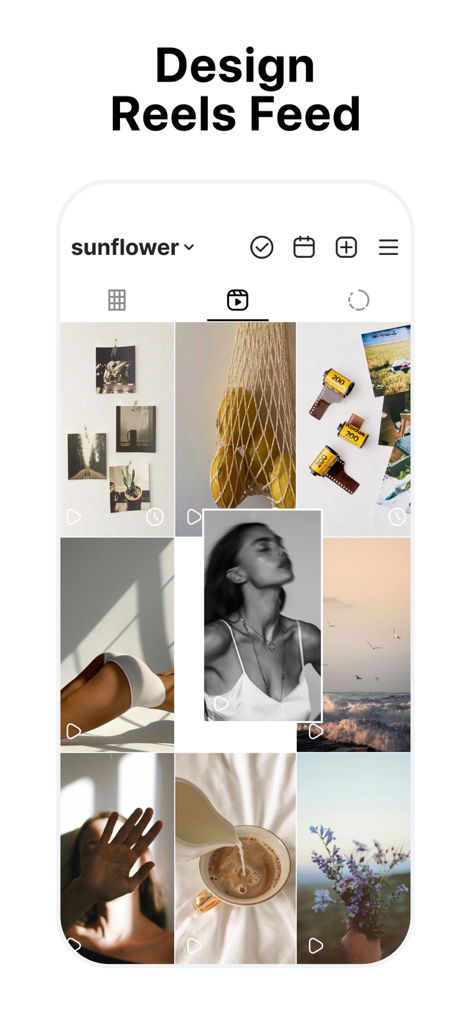
A mobile app interface showing a curated Instagram Reels feed planner with drag and drop functionality
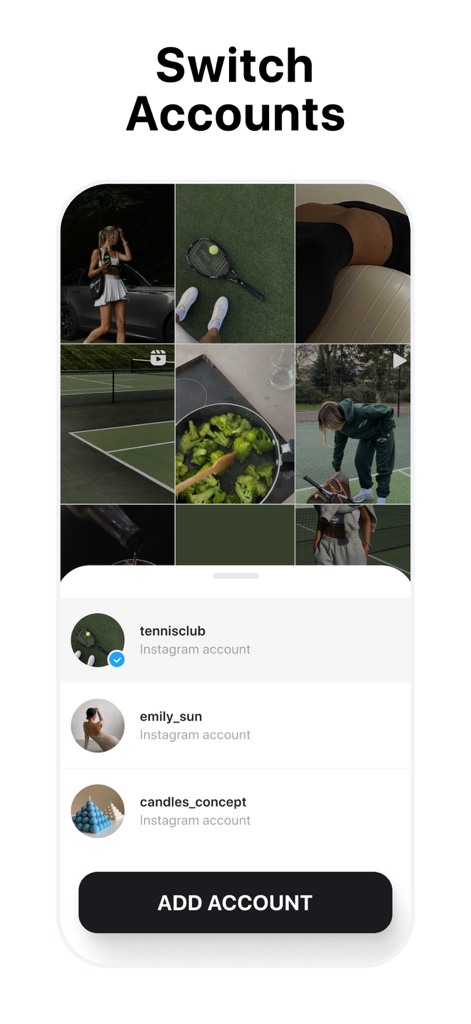
Interface of the app showing the multi-account management feature to switch between different Instagram profiles for grid planning
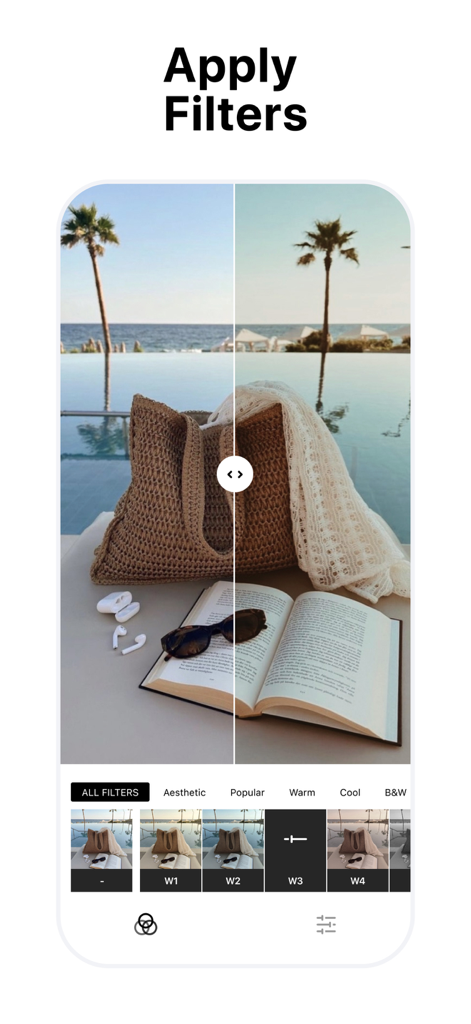
A split-screen view in the My Feed app showing a photo of a beach bag and book before and after applying an aesthetic filter.
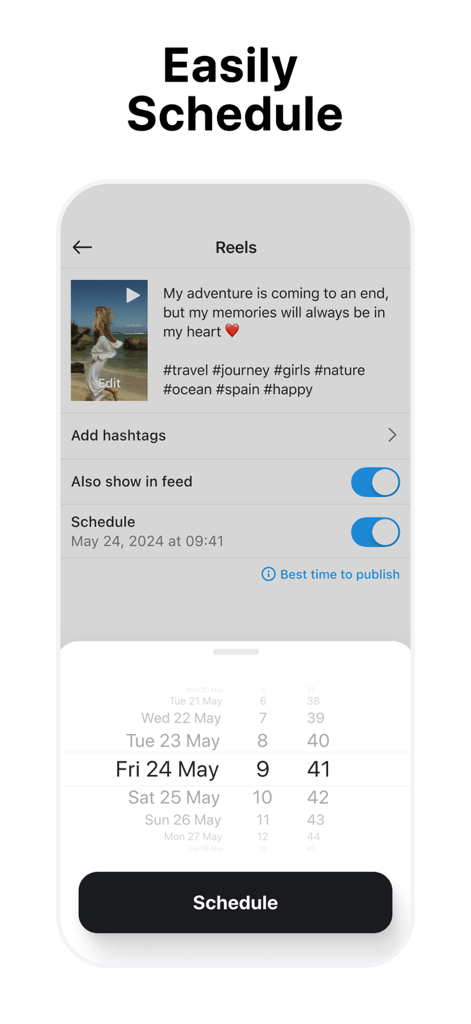
Interface for scheduling Instagram Reels and posts with a date picker
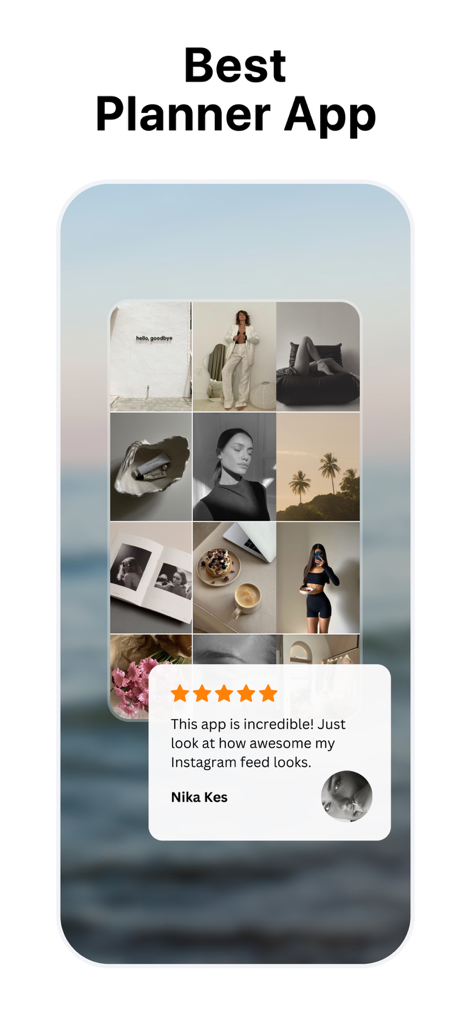
My Feed app interface showing an aesthetic Instagram grid preview with a five star user testimonial.
설명
Download
비슷한 앱
유사한 기능과 사용자 경험을 가진 앱

Crsel: Carousel & Story Maker
Georgy Romelashvili

Layout for Instagram・Inpreview
Onelight Apps CY Ltd

Carousel Layout Maker・SwipeMix
Onelight Apps CY Ltd

PanoCut: Panorama Scroll Maker
Hashone Tech LLP

PhotoSplit for Instagram
Tech Positive Inc.

Setty: Photo Filters & Presets
A Color Story LLC

Preview Feed for Insta・Layout
Appslead Ltd

Feed Preview Planner IG・InPlan
Cubetix Ltd.

Feeds: Post & Template Maker
WNDR11 LTD
이 페이지는 앱이나 개발자의 공식 페이지가 아니며, 정보 제공 및 논평을 목적으로 작성된 독립 편집 간행물입니다. 명시적으로 달리 언급되지 않는 한, 해당 앱이나 개발자는 MWM, Apple, Google Play, 앱 퍼블리셔 또는 앱 개발자와 제휴, 보증, 후원, 승인 또는 공식적으로 연결되어 있지 않으며, 이 페이지의 어떤 내용도 해당 앱이 MWM의 서비스를 사용하여 개발되었음을 의미하지 않습니다. 모든 상표, 로고, 스크린샷 및 기타 콘텐츠는 해당 소유자의 자산입니다.