My Sketchbook - Masterclass

My Sketchbook - Masterclass

다운로드: App Store
로고: My Sketchbook - Masterclass

My Sketchbook - Masterclass: AI 및 AR 기반의 올인원 디지털 아트 스튜디오

모든 기술 수준을 위한 단계별 수업을 통해 빈 캔버스에서 걸작을 만들어 보세요. 직관적인 도구, 즉각적인 AI 영감, 몰입형 AR 추적 기술로 스케치 기술을 마스터하세요.

개발사

DEILI DISKAVERZ, OOO

카테고리

Entertainment

다운로드

84K+

사용자 평점

4.3/5

총 평가 수

1K+

지원 언어

12

창의적인 여정

이 인터페이스를 사용하는 84K+ 명의 사용자.

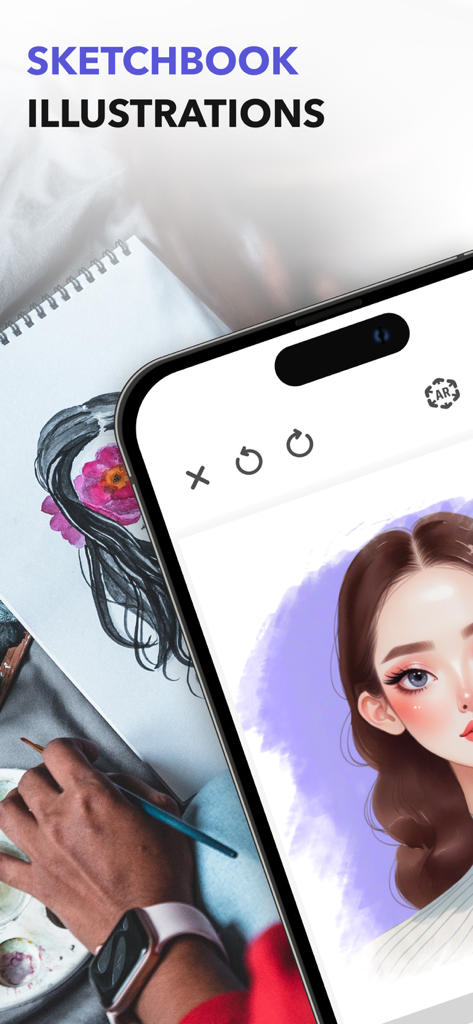
스마트폰 화면에 소녀의 디지털 초상화가 실제 스케치 및 팔레트 옆에 그려져 있습니다.
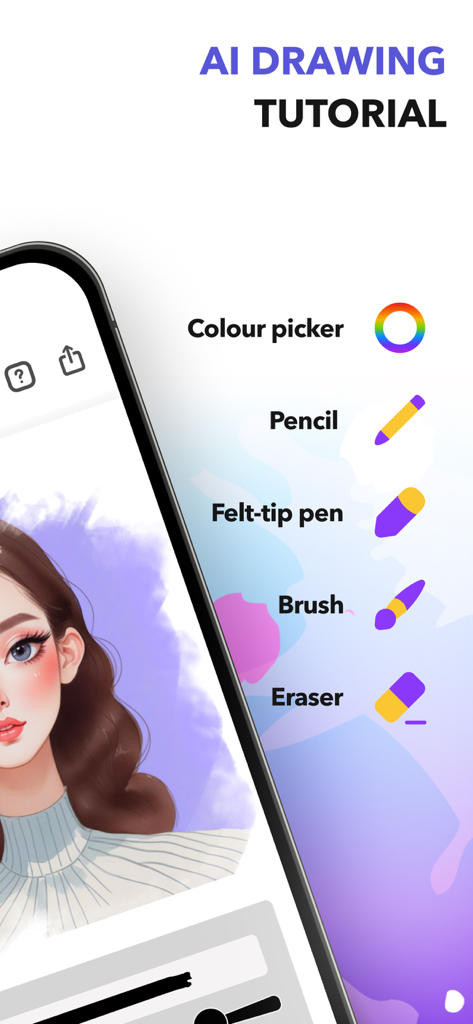
스마트폰 화면에 소녀의 디지털 초상화가 실제 스케치 및 팔레트 옆에 그려져 있습니다.

연필 브러시, 지우개 등의 도구와 초상화가 표시된 디지털 그림 인터페이스.
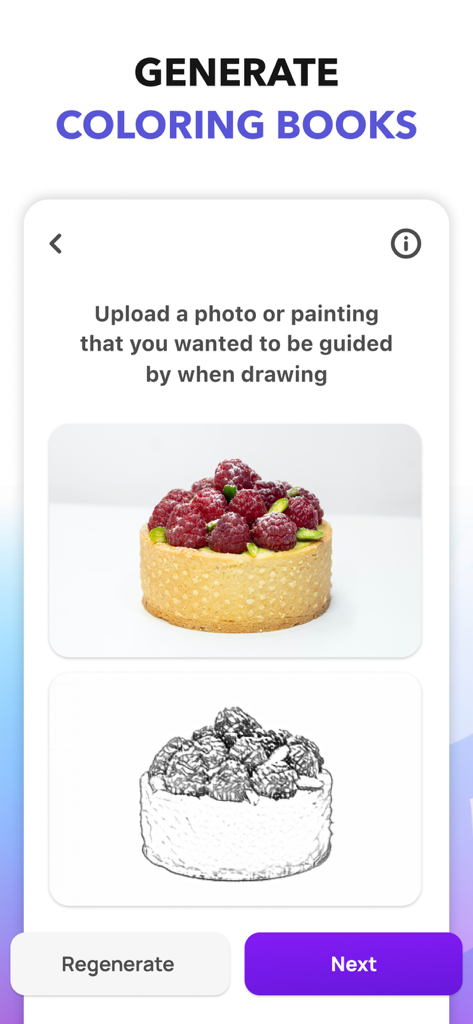
연필 브러시, 지우개 등의 도구와 초상화가 표시된 디지털 그림 인터페이스.

라즈베리 타르트 예제를 사용하여 업로드된 사진에서 사용자 정의 색칠 공부 페이지를 생성하는 기능을 보여주는 모바일 앱 화면.
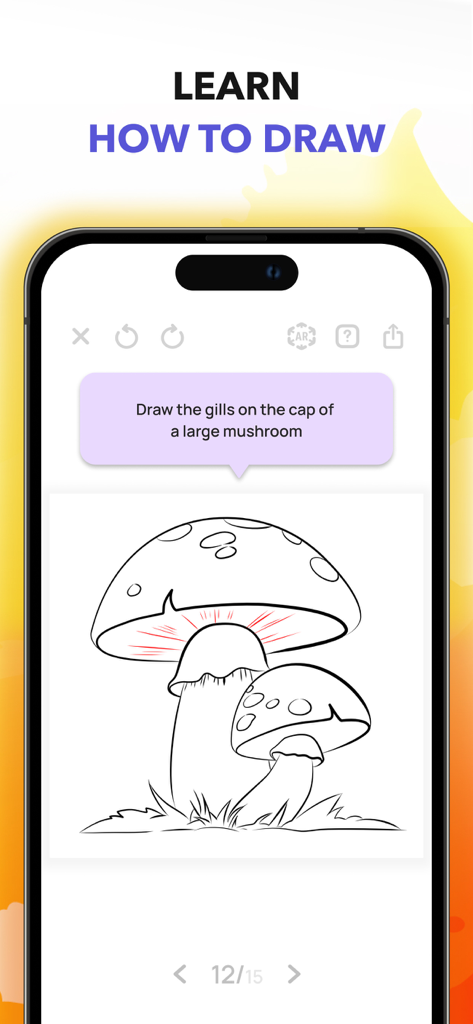
라즈베리 타르트 예제를 사용하여 업로드된 사진에서 사용자 정의 색칠 공부 페이지를 생성하는 기능을 보여주는 모바일 앱 화면.

My Sketchbook 앱의 단계별 그림 튜토리얼로 버섯 갓을 그리는 방법을 알려줍니다.
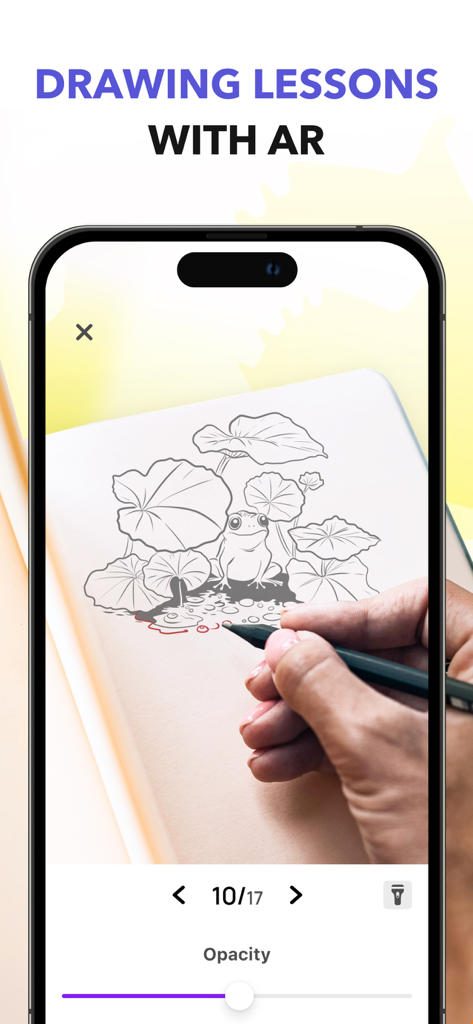
My Sketchbook 앱의 단계별 그림 튜토리얼로 버섯 갓을 그리는 방법을 알려줍니다.

실제 종이에 개구리를 스케치하는 증강 현실 그림 수업을 보여주는 스마트폰 화면
실제 종이에 개구리를 스케치하는 증강 현실 그림 수업을 보여주는 스마트폰 화면

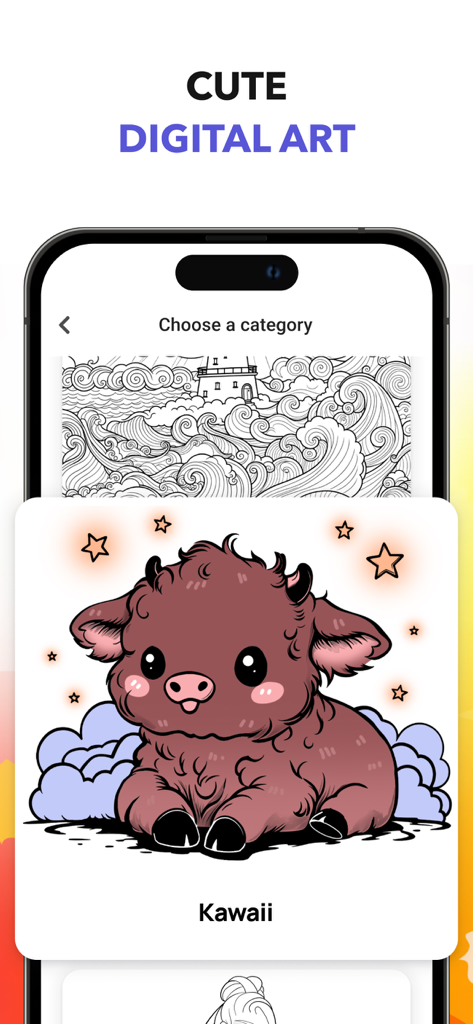
선택 화면에서 귀여운 카와이 들소 캐릭터 일러스트가 포함된 디지털 아트 앱 인터페이스.
선택 화면에서 귀여운 카와이 들소 캐릭터 일러스트가 포함된 디지털 아트 앱 인터페이스.

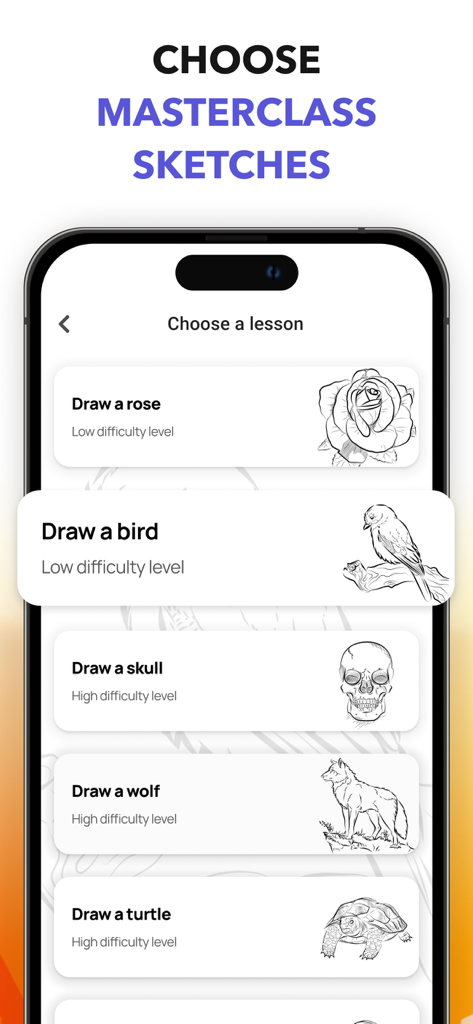
새, 꽃과 같은 스케치에 대한 다양한 난이도의 다양한 그림 튜토리얼을 표시하는 앱 화면

새, 꽃과 같은 스케치에 대한 다양한 난이도의 다양한 그림 튜토리얼을 표시하는 앱 화면

창의적인 여정을 향상시키세요

이 앱을 돋보이게 하는 도구, 84K+ 명의 사용자가 선택.

AI 기반 영감

AI 엔진으로 독특한 스케치를 즉시 생성하여 창의력을 발휘하고 빈 캔버스의 좌절감을 덜어주세요.

🎓

단계별 마스터클래스

모든 기술 수준에 맞는 템플릿을 사용하여 새로운 기술을 마스터하고 한 번에 한 획씩 전문적인 포트폴리오를 구축하도록 도와줍니다.

🚀

AR 드로잉 정밀도

증강 현실을 사용하여 디자인을 물리적 주변에 직접 투사하고 추적하여 완벽한 비율을 제공하는 새로운 차원으로 들어가 보세요.

전 세계 사용자들에게 사랑받는 앱

Trusted by 84K+ 명이 이 앱을 사랑합니다.

"

"항상 그림을 그리고 싶었지만 복잡한 소프트웨어에 압도당하는 느낌이었습니다. 이 앱의 단계별 수업 덕분에 마침내 이해하게 되었습니다. 퇴근 후 iPad에서 템플릿을 사용하여 긴장을 푸는 것을 좋아합니다. 믿을 수 없을 정도로 치료 효과가 있으며 실제로 제가 만드는 것에 자부심을 느낍니다!"

Chloe R.
"

"AI 스케치 생성기는 아티스트 블록을 극복하는 데 완전히 새로운 경험이며 AR 모드는 다른 앱에서는 볼 수 없었던 것입니다. 전통적인 스케치와 미래 기술의 완벽한 조화입니다. 실력을 향상시키고 싶은 모든 디지털 아티스트에게 강력 추천합니다."

Marcus T.

앱 소개

에 대해 알아야 할 모든 것 My Sketchbook - Masterclass.

설명

Unlock your artistic potential with My Sketchbook! This intuitive app makes sketching and drawing easy and fun, step-by-step. Explore a diverse library of templates and drawing ideas, categorized by skill level – from beginner to advanced. Whether you’re a seasoned illustrator or just starting out, My Sketchbook provides the tools you need to create stunning artwork. Essential Drawing Tools My Sketchbook offers a complete sketchpad experience, providing you with all the tools to bring your imagination to life. Enjoy the precision of the pencil and eraser, and experiment with expressive brushes and markers. It's the perfect drawing board for digital artists! Easily adjust brush size and opacity for complete control – truly a powerful digital drawing tool. Creative Freedom & Customization Express yourself with a vibrant color palette, offering a wide range of hues to bring your drawings to life with this sketchpad. Undo and redo functions allow you to experiment without fear, making the learning process seamless and enjoyable. Experience the fluidity of art flow within a simple, intuitive interface. Powered by AI & AR Take your creativity to the next level with our innovative features! The AI Sketch Generator helps you create unique artwork instantly, perfect for inspiration or quick drafts. Unleash your inner artist and explore new possibilities with digital drawing. Draw in a New Dimension Step into the world of Augmented Reality with our AR Drawing Mode. Bring your creations to life by drawing directly onto your surroundings. It's a fun and immersive experience for artists of all ages, and a great way to practice sketching and drawing techniques. This sketchpad offers a unique blend of traditional and modern art creation. Unleash your inner artist. Open My Sketchbook and start your artistic journey! Experience the ultimate art flow within a portable drawing board for all levels. PLEASE NOTE: Some features are only available with subscription. Free version provides you with a limited number of lessons and coloring pages, 1 AI sketch generation. Subscription offers you unlimited access to AI, all lessons and coloring pages. Privacy Policy: https://daily-discovers.com/privacy Terms of Use: https://daily-discovers.com/tos

최신 버전

1.9.5

크기

257.8 MB

출시일

2021년 10월 1일

지금 바로 창의적인 마스터클래스를 시작하세요

84,000명 이상의 야심찬 아티스트와 함께 여러분의 기기를 전문 스튜디오로 바꿔보세요. 단계별 안내, AI 기반 영감, 몰입형 AR 추적으로 그림 그리기를 마스터하려면 지금 다운로드하세요.

다운로드: App Store