
이 페이지는 앱이나 개발자의 공식 페이지가 아니며, 정보 제공 및 논평을 목적으로 작성된 독립 편집 간행물입니다. 명시적으로 달리 언급되지 않는 한, 해당 앱이나 개발자는 MWM, Apple, Google Play, 앱 퍼블리셔 또는 앱 개발자와 제휴, 보증, 후원, 승인 또는 공식적으로 연결되어 있지 않으며, 이 페이지의 어떤 내용도 해당 앱이 MWM의 서비스를 사용하여 개발되었음을 의미하지 않습니다. 모든 상표, 로고, 스크린샷 및 기타 콘텐츠는 해당 소유자의 자산입니다.


다운로드
44M+사용자 평점
총 평가 수
628K+개발사
카테고리
Medical지원 언어
13최신 버전
11.6.4크기
131.7 MB출시일
2010년 9월 14일전체 건강 여정을 한 곳에서
가장 신뢰받는 환자 포털로 온 가족의 의료 관리를 완전히 통제하세요. 예약부터 검사 결과까지, 모든 것을 스마트폰에서 안전하게 관리할 수 있습니다.
전화 통화 건너뛰기
긴급하지 않은 질문은 의료팀에 직접 메시지를 보내고, 기다리거나 통화 연결음 없이 의료 상담을 받으세요.
즉각적인 검사 결과 확인
검사 결과, 예방 접종 기록, 의사 소견을 준비되는 즉시 확인하세요. 전화 통화를 기다릴 필요가 없습니다.
자주 묻는 질문
에 대해 알아야 할 모든 것 MyChart
MyChart 앱의 주요 기능은 무엇인가요?
MyChart는 개인 및 가족 건강 정보를 관리하고, 진료팀과 소통하며, 검사 결과를 확인하고, 예약을 잡고, 의료비를 결제하는 데 사용됩니다. 건강 데이터를 중앙 집중화하여 편리하게 접근할 수 있도록 합니다.
MyChart를 사용하여 의료 제공자와 소통할 수 있나요?
네, MyChart를 통해 진료팀과 직접 소통할 수 있습니다. 이 앱은 건강 문제나 문의에 대한 환자와 의사 간의 상호 작용을 위한 보안 메시징 기능을 제공합니다.
MyChart에서 제 의학 검사 결과가 표시되나요?
네, MyChart를 통해 사용자는 검사 결과, 약물, 예방 접종 기록을 확인할 수 있습니다. 새로운 지질 패널 결과는 앱의 메인 대시보드에 표시되어 신속한 업데이트를 제공합니다.
MyChart는 Apple Health와 어떻게 통합되나요?
MyChart는 Apple Health에 연결되어 개인 장치의 건강 관련 데이터를 MyChart 앱으로 직접 가져올 수 있습니다. 이를 통해 개인 건강 지표를 중앙 집중화하여 쉽게 볼 수 있습니다.
MyChart를 사용하여 의료 예약을 할 수 있나요?
네, MyChart를 통해 대면 및 화상 방문을 포함한 예약을 하고 관리할 수 있습니다. 이 앱은 사용 가능한 예약 슬롯과 예상 본인 부담금과 같은 세부 정보를 표시합니다.
MyChart에서 의료비 견적을 제공하나요?
네, MyChart는 앱 내에서 직접 의료비 견적을 제공합니다. 이 기능을 통해 사용자는 서비스를 받기 전에 예상되는 의료 비용을 이해할 수 있습니다.
MyChart를 사용하여 의료비를 어떻게 결제할 수 있나요?
네, MyChart를 통해 사용자는 앱에서 직접 의료비를 확인하고 결제할 수 있습니다. "청구" 섹션에서 이러한 거래를 처리하여 편리하게 관리할 수 있습니다.
MyChart를 통해 다른 사람과 안전하게 의료 기록을 공유할 수 있나요?
네, MyChart를 사용하면 인터넷에 액세스할 수 있는 모든 사람과 어디서든 안전하게 의료 기록을 공유할 수 있습니다. "모두 공유" 기능은 임시 공유 코드를 생성합니다.
MyChart는 다른 의료 기관의 건강 정보를 통합할 수 있나요?
네, MyChart를 통해 다른 의료 기관의 계정을 연결할 수 있습니다. 이 기능을 통해 여러 의료 제공자에게 진료를 받았더라도 모든 건강 정보를 한 곳에서 중앙 집중화할 수 있습니다.
MyChart는 업데이트에 대한 푸시 알림을 지원하나요?
네, MyChart는 새 정보가 있을 때 푸시 알림을 보냅니다. 사용자는 앱 내의 계정 설정에서 푸시 알림이 활성화되어 있는지 확인하여 업데이트를 받을 수 있습니다.
MyChart는 Apple Watch에서 사용할 수 있나요?
네, MyChart는 Apple Watch에서도 사용할 수 있는 일부 기능을 제공합니다. 이를 통해 웨어러블 장치에서 특정 건강 정보 및 기능에 편리하게 액세스할 수 있습니다.
MyChart 계정을 어떻게 만드나요?
MyChart에 액세스하려면 의료 기관에서 계정을 만들어야 합니다. 앱을 다운로드하거나, 의료 기관을 검색하거나, 해당 기관의 MyChart 웹사이트를 방문하여 가입하세요.
Face ID 또는 Touch ID를 사용하여 MyChart에 로그인할 수 있나요?
네, MyChart는 Face ID, Touch ID 또는 4자리 암호와 같은 빠른 로그인 방법을 지원합니다. 이를 통해 앱에 액세스할 때마다 사용자 이름과 암호를 입력할 필요가 없습니다.
MyChart에서 화상 방문 또는 원격 진료 옵션을 제공하나요?
네, MyChart는 예약 및 관리를 위한 방법으로 화상 방문을 지원합니다. 이 기능을 통해 사용자는 원격으로 의료 제공자와 상담할 수 있어 접근성을 높일 수 있습니다.
다음 스크린샷과 설명은 앱의 공식 스토어 목록에서 직접 가져온 것이며 앱 개발자의 자산입니다.
앱 스토어
스크린샷
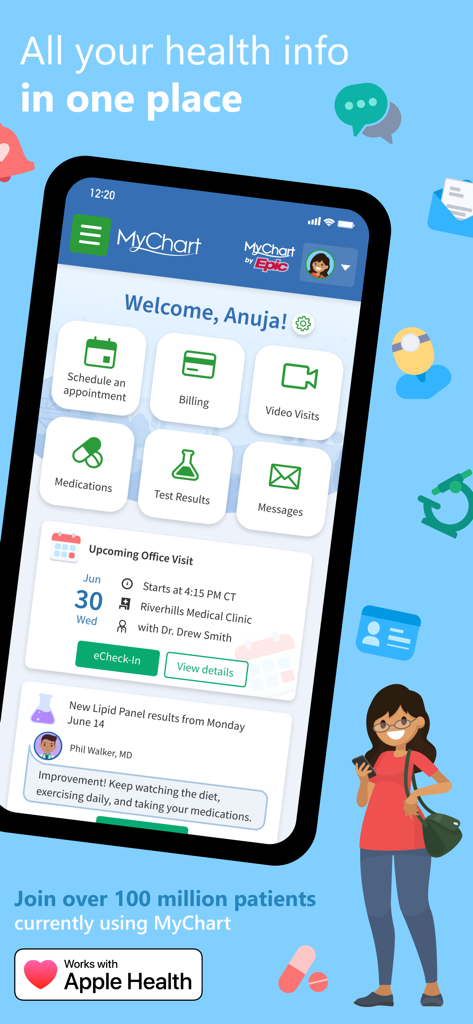
MyChart 모바일 앱 대시보드에서 예약, 청구 및 검사 결과와 같은 건강 정보 관리 기능 표시
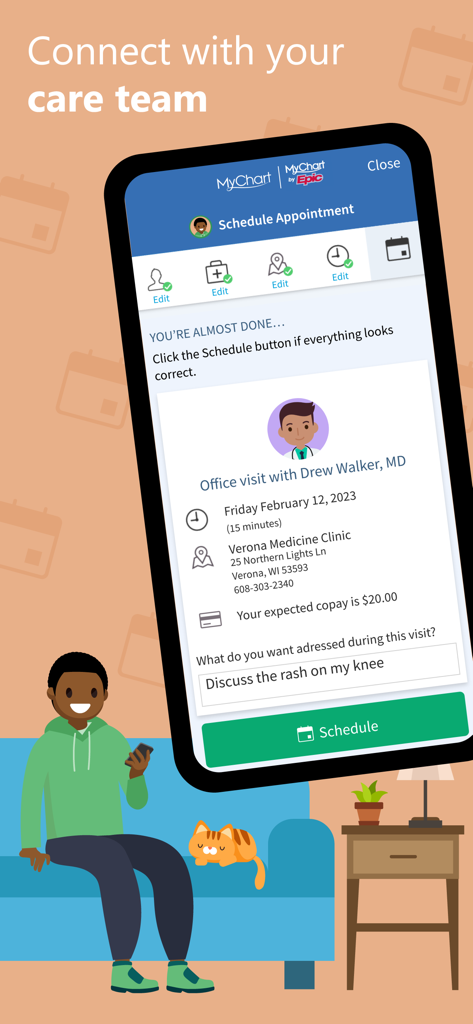
휴대폰으로 의사 예약 일정을 잡는 남성이 앉아 있는 MyChart 앱 인터페이스를 보여주는 모바일 화면
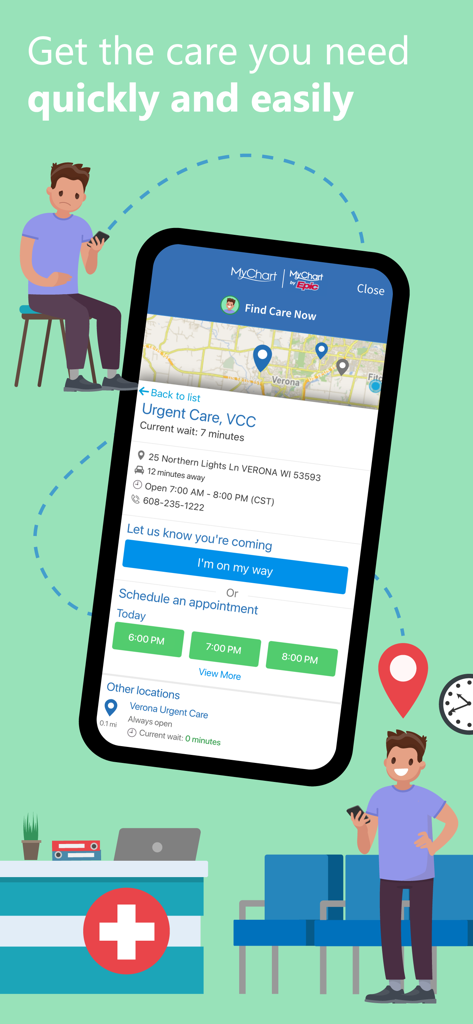
진료 예약 옵션 및 응급 진료 대기 시간을 보여주는 MyChart 앱 스크린샷
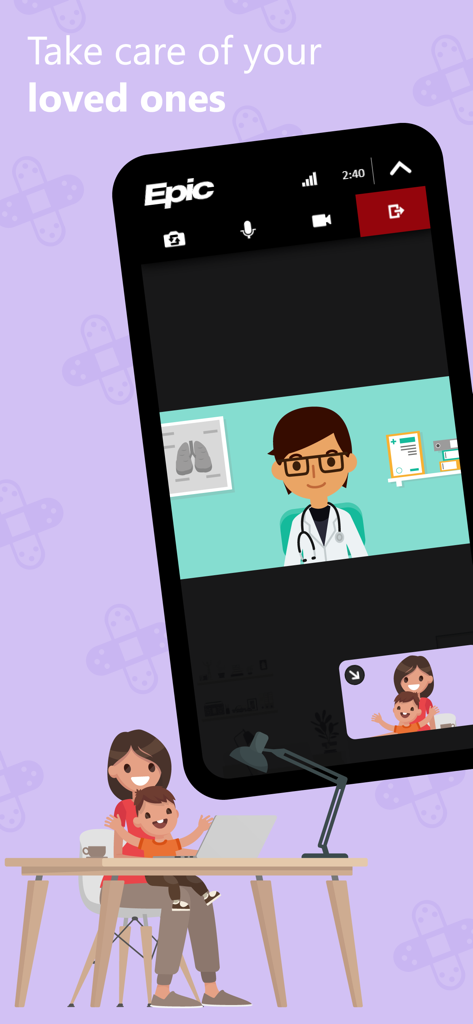
엄마와 아이의 화상 진료를 보여주는 MyChart 앱 인터페이스
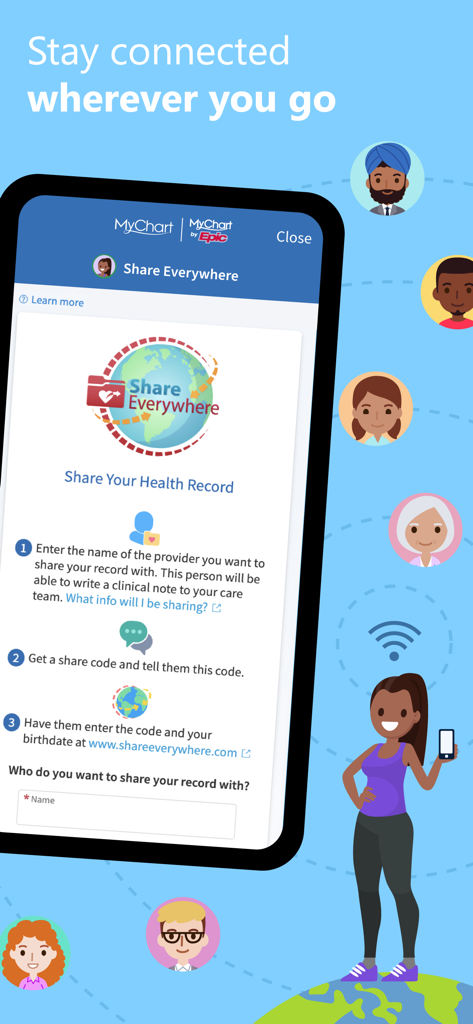
의료 제공자와 의료 기록을 안전하게 공유하기 위한 Share Everywhere 기능 설명하는 MyChart 앱 화면
설명
Download
비슷한 앱
유사한 기능과 사용자 경험을 가진 앱

SimplePractice Client Portal
SimplePractice LLC

athenaPatient
athenahealth, Inc.

Kaiser Permanente
Kaiser Permanente

One Medical
One Medical Group, Inc.

Saudi German Health
Saudi German Hospital

NowServing by SeriousMD
LeapFroggr Inc.

Providence
PROVIDENCE HEALTH & SERVICES - WASHINGTON

Mediclinic - ميديكلينيك
MEDICLINIC MIDDLE EAST MANAGEMENT SERVICES FZ LLC

NMC - MyHealth
NMC HEALTHCARE LTD
이 페이지는 앱이나 개발자의 공식 페이지가 아니며, 정보 제공 및 논평을 목적으로 작성된 독립 편집 간행물입니다. 명시적으로 달리 언급되지 않는 한, 해당 앱이나 개발자는 MWM, Apple, Google Play, 앱 퍼블리셔 또는 앱 개발자와 제휴, 보증, 후원, 승인 또는 공식적으로 연결되어 있지 않으며, 이 페이지의 어떤 내용도 해당 앱이 MWM의 서비스를 사용하여 개발되었음을 의미하지 않습니다. 모든 상표, 로고, 스크린샷 및 기타 콘텐츠는 해당 소유자의 자산입니다.